



搭建19C ADG遇到的错误
ORA-12514: TNS:listener does not currently know of service requested in connect descriptor
# 错误信息:
[oracle@ora19 ~]$ rman target sys/oracle@oracle auxiliary sys/oracle@oraclestd

Recovery Manager: Release 19.0.0.0.0 - Production on Sun Oct 23 23:05:51 2022
Version 19.3.0.0.0

Copyright (c) 1982, 2019, Oracle and/or its affiliates.  All rights reserved.

connected to target database: ORACLE (DBID=1991627466)
RMAN-00571: ===========================================================
RMAN-00569: =============== ERROR MESSAGE STACK FOLLOWS ===============
RMAN-00571: ===========================================================
RMAN-00554: initialization of internal recovery manager package failed
RMAN-04006: error from auxiliary database: ORA-12514: TNS:listener does not currently know of service requested in connect descriptor
问题描述:
主库可以借助TNS连接进入,但备库连接不上
问题原因:
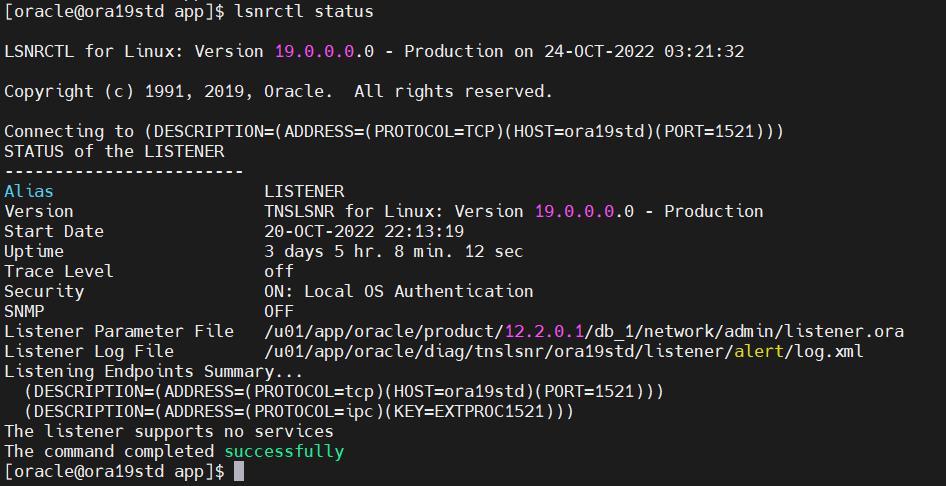
备库未安装实例,只借助修改主库pfile中的参数后启动到nomount状态,动态监听识别不到Oracle服务
解决:
修改动态监听为静态监听
LISTENER =
  (DESCRIPTION_LIST =
    (DESCRIPTION =
      (ADDRESS = (PROTOCOL = TCP)(HOST = ora19std)(PORT = 1522))
      (ADDRESS = (PROTOCOL = IPC)(KEY = EXTPROC1522))
    )
  )

SID_LIST_LISTENER =
  (SID_LIST =
    (SID_DESC =
     (GLOBAL_DBNAME = oraclestd)
     (ORACLE_HOME = /u01/app/oracle/product/12.2.0.1/db_1)
     (SID_NAME = oraclestd)
    )
   )
万恶之源:ORA-12537: TNS:connection closed
# 报错信息:
[oracle@ora19 ~]$ sqlplus sys/oracle@oracle as sysdba

SQL*Plus: Release 19.0.0.0.0 - Production on Mon Oct 24 03:35:19 2022
Version 19.3.0.0.0

Copyright (c) 1982, 2019, Oracle.  All rights reserved.

ERROR:
ORA-12537: TNS:connection closed
问题描述:
主库修改动态监听为静态监听后借助tns服务连接数据库连接不上,查看监听发现静态监听存在,tnsnames.ora文件未做修改
问题原因:
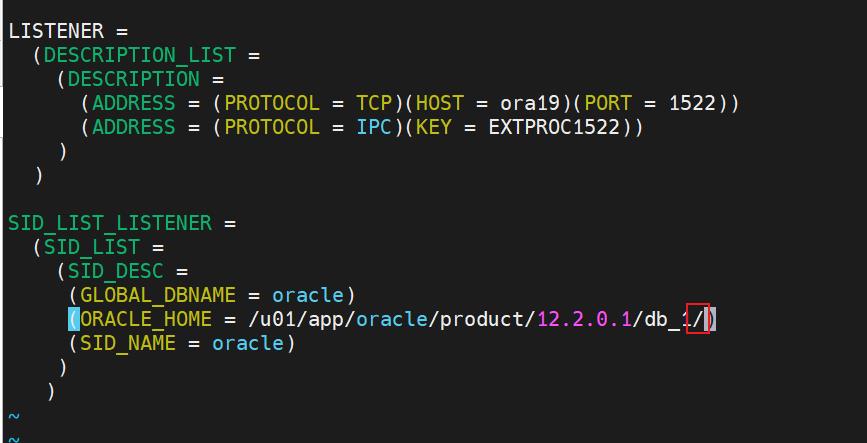
静态监听配置文件中的ORACLE_HOME有误:1. 路径有误 2. 路径最后多出一个’/’
解决:
修改路径后删除最后的’/'即可
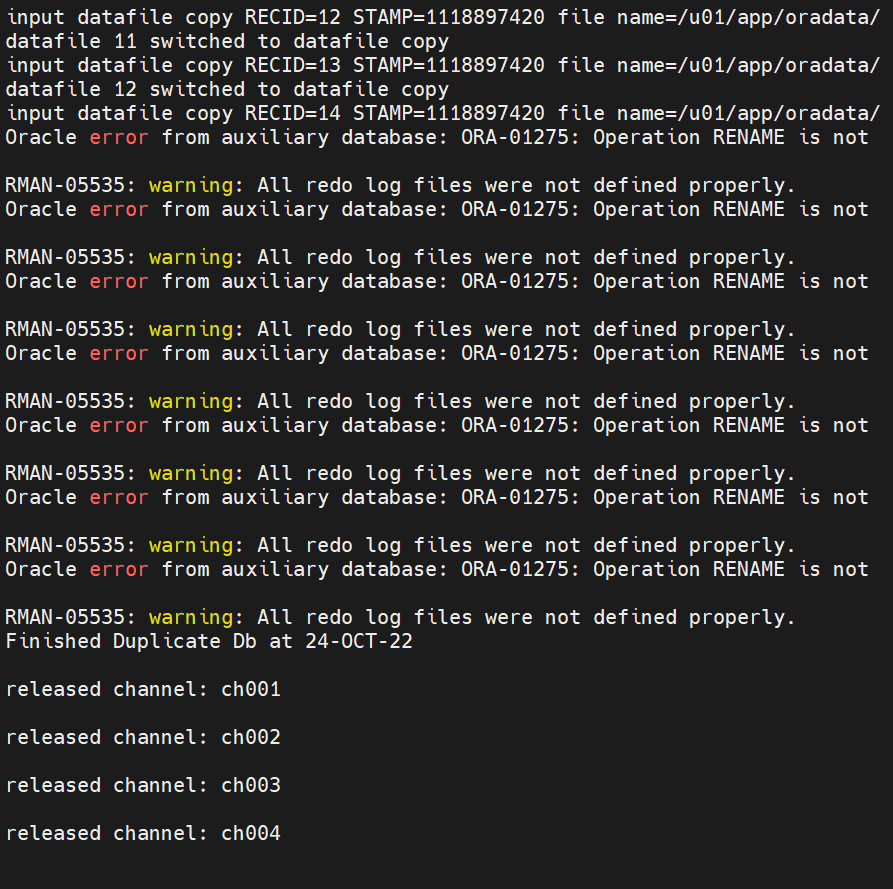
RMAN-05535: warning: All redo log files were not defined properly.
Oracle error from auxiliary database: ORA-01275: Operation RENAME is not

RMAN-05535: warning: All redo log files were not defined properly.
问题描述:
构建备库时建立备库的redo日志报错重命名错误
问题原因:
standby_file_management设置为AUTO
DG模式下文件有两种管理方式(show parameter standby可以查),自动和手动管理,如果是自动管理,是没法做增加和重命名操作的。
解决:
关闭已mount的数据库
重新启动到nomount状态
修改管理方式为MAMUAL
删除备库上相关的文件后重新执行rman语句
shutdown immediate;
startup nomount;
alter system set standby_file_management=MANUAL;
「喜欢这篇文章,您的关注和赞赏是给作者最好的鼓励」
关注作者
【版权声明】本文为墨天轮用户原创内容,转载时必须标注文章的来源(墨天轮),文章链接,文章作者等基本信息,否则作者和墨天轮有权追究责任。如果您发现墨天轮中有涉嫌抄袭或者侵权的内容,欢迎发送邮件至:contact@modb.pro进行举报,并提供相关证据,一经查实,墨天轮将立刻删除相关内容。
