



在 Terraform OCI 提供程序4.90.0(2022 年 8 月 24 日发布)中,我们增加了直接从 Terraform 指定可编辑配置变量值的可能性。
这些变量必须在如下类型的资源中定义 oci_mysql_mysql_configuration:
resource "oci_mysql_mysql_configuration" "mds_mysql_configuration" {
	#Required
	compartment_id = var.compartment_ocid
    shape_name   = var.mysql_shape

	#Optional
	description = "MDS configuration created by terraform"
	display_name = "MDS terraform configuration"
	parent_configuration_id = data.oci_mysql_mysql_configurations.mds_mysql_configurations.configurations[0].id
	variables {
		#Optional
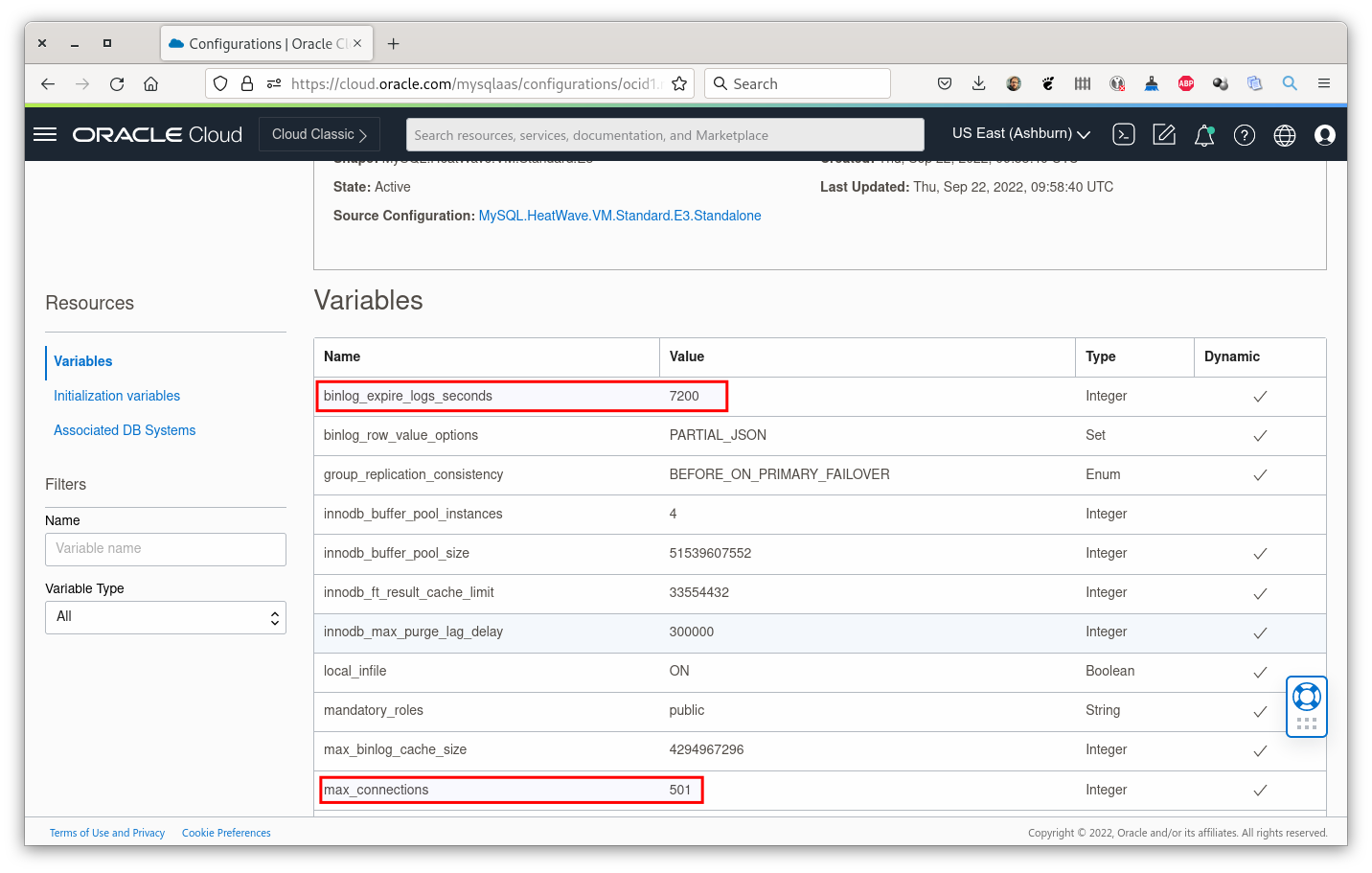
		max_connections = "501"
        binlog_expire_logs_seconds = "7200"
	}
}
从上面的代码可以看出,我们改变了两个变量的值:max_connections和binlog_expire_logs_seconds。
我们还可以注意到必须提供父配置 ID。可以从现有配置(默认或自定义)中选择父配置 ID。这是您可以定义父配置的方式:
data "oci_mysql_mysql_configurations" "mds_mysql_configurations" {
  compartment_id = var.compartment_ocid

  #Optional
  state        = "ACTIVE"
  shape_name   = var.mysql_shape
}
最后,创建的 MySQL 配置资源必须应用于我们要部署的 MySQL 实例资源(下面代码的第 6 行):
resource "oci_mysql_mysql_db_system" "MDSinstance" {
    admin_password = var.admin_password
    admin_username = var.admin_username
    availability_domain = var.availability_domain
    compartment_id = var.compartment_ocid
    configuration_id = oci_mysql_mysql_configuration.mds_mysql_configuration.id
    shape_name = var.mysql_shape
    subnet_id = var.subnet_id
    data_storage_size_in_gb = var.mysql_data_storage_in_gb
    display_name = var.display_name

    count = var.existing_mds_instance_id == "" ? 1 : 0

    is_highly_available = var.deploy_ha
}
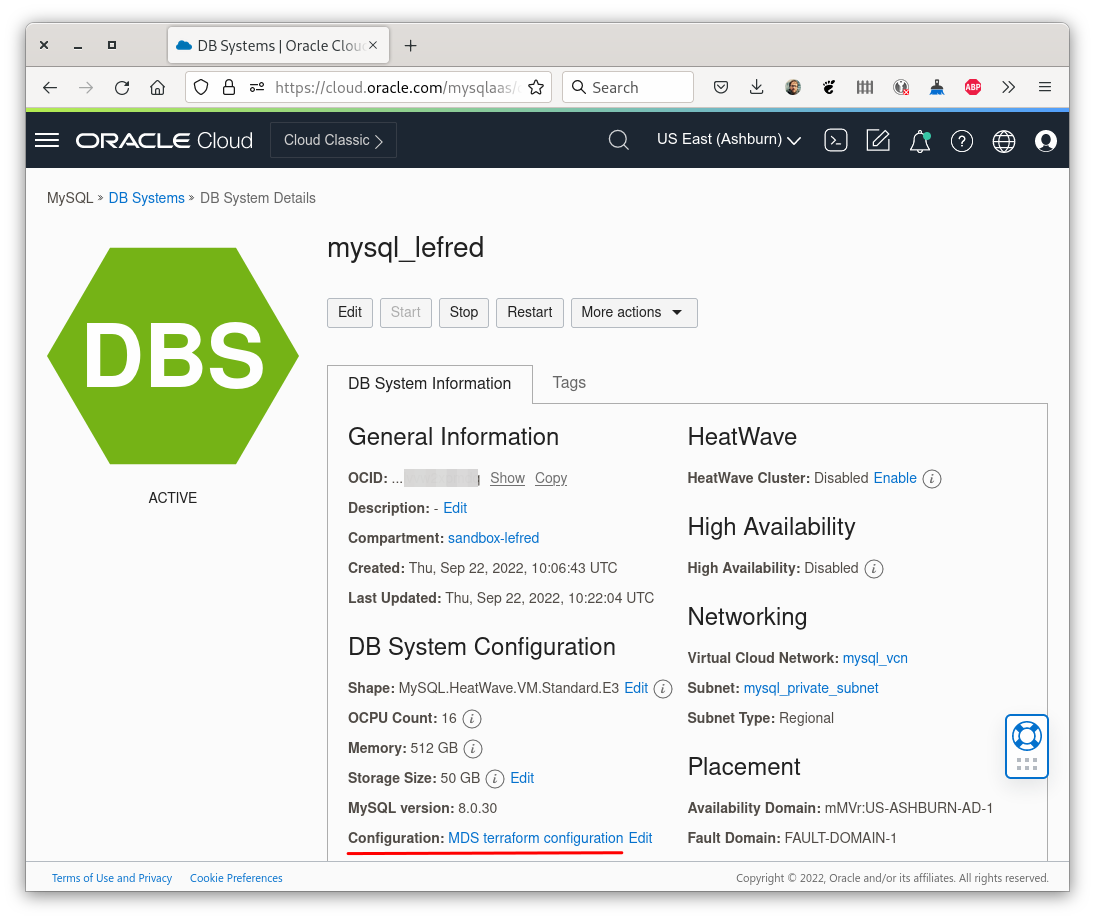
部署 Terraform 环境后,在 OCI 的控制台中,我们可以看到 MySQL 数据库系统正在使用我们创建的新配置:
如果我们验证此配置中变量的值,我们可以看到它包含所有变量的默认值,但我们在 Terraform 文件中定义的两个变量除外:
很多人都在请求这个现在可用的功能!
不要忘记,并非所有变量都可以在 MySQL HeatWave 数据库服务中修改。只有那些称为用户变量的才能被修改。您可以在此页面上找到这些用户变量的列表。
此 GitHub 存储库中提供了在 OCI 上部署 MySQL 数据库服务的完整示例。
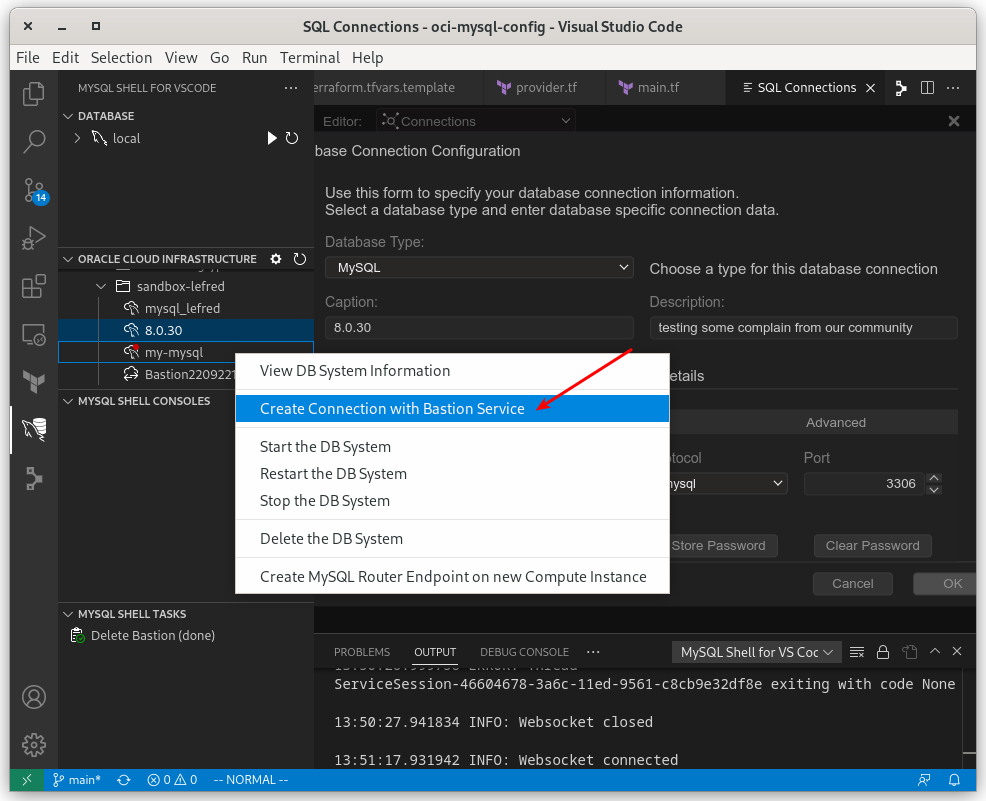
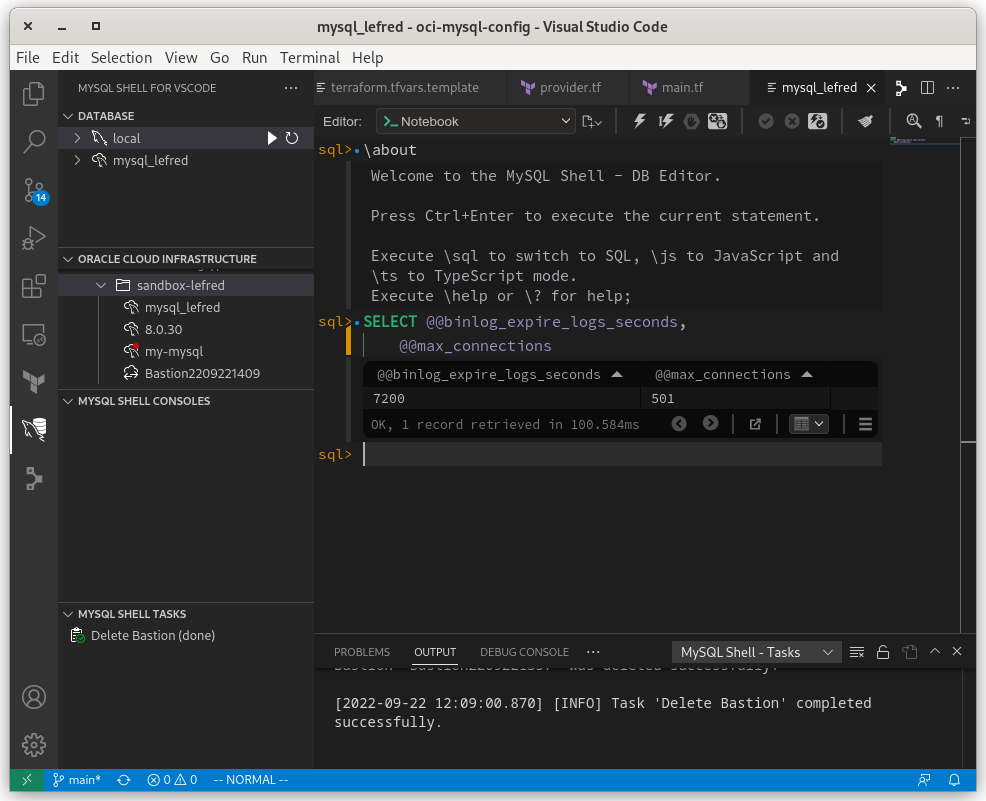
不要忘记,如果您想以开发人员身份连接到 MySQL 数据库实例,最简单的方法是使用 MySQL Shell for Visual Studio Code:
像往常一样,享受 MySQL 和使用 Terraform 在 OCI 上的快乐部署!
原文标题:Define your MySQL Configuration Variables on OCI with Terraform
原文作者:LEFRED
原文地址:https://lefred.be/content/define-your-mysql-configuration-variables-on-oci-with-terraform/
