



一些情况下(比如,主备架构回切时,防止脏数据写入),需要将数据库实例设置为只读模式,今天我将探究将PG设置为只读模式的两种方式。
1、恢复模式下的只读
在流复制中,备库进行操作时会报只读事物的提示。
主库:
test=# create table users (id int,name varchar(30));
CREATE TABLE
test=# insert into users values(1,'zhongyun');
INSERT 0 1
备库:
test=# insert into users values(1,'zhangsan');
ERROR: cannot execute INSERT in a read-only transaction
在备库中开启一个事物不会分配事物ID,也不会写wal日志。以下行为会报错:
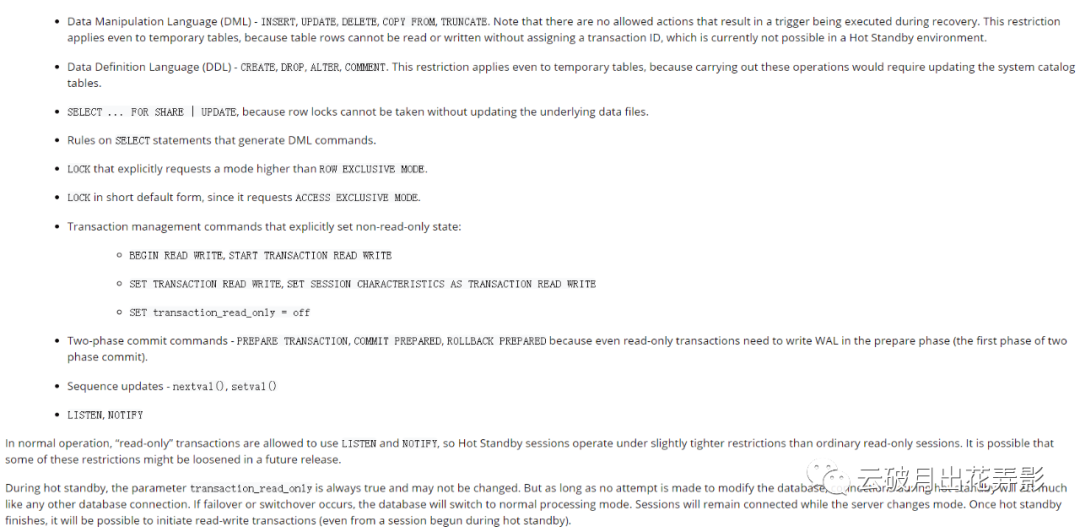
这种模式下备库处于恢复状态:
test=# select pg_is_in_recovery();
pg_is_in_recovery
-------------------
t
(1 row)
这种模式下default_transaction_read_only是不生效的。
test=# show default_transaction_read_only ;
default_transaction_read_only
-------------------------------
off
(1 row)
2、显示设置整个数据库实例为只读模式
默认的default_transaction_read_only 是读写(off),可以在一个读写库显示设置数据库只读。
官方描述:

test=# show default_transaction_read_only ;
default_transaction_read_only
-------------------------------
off
(1 row)
test=# alter system set default_transaction_read_only=on;
ALTER SYSTEM
test=# select pg_reload_conf();
pg_reload_conf
----------------
t
(1 row)
test=# show default_transaction_read_only ;
default_transaction_read_only
-------------------------------
on
(1 row)
test=# insert into users values(1,'zhangsan');
ERROR: cannot execute INSERT in a read-only transaction
这种模式下可以显式开启读写事物
test=# begin transaction read write;
BEGIN
test=# insert into users values(1,'zhangsan');
INSERT 0 1
test=# commit;
COMMIT
