



📢📢📢📣📣📣
哈喽!大家好,我是【IT邦德】,江湖人称jeames007,10余年DBA工作经验
一位上进心十足的【大数据领域博主】!😜😜😜
中国DBA联盟(ACDU)成员,目前从事DBA及程序编程
擅长主流数据Oracle、MySQL、PG 运维开发,备份恢复,安装迁移,性能优化、故障应急处理等。
✨ 如果有对【数据库】感兴趣的【小可爱】,欢迎关注【IT邦德】💞💞💞
❤️❤️❤️感谢各位大可爱小可爱!❤️❤️❤️
文章目录
前言
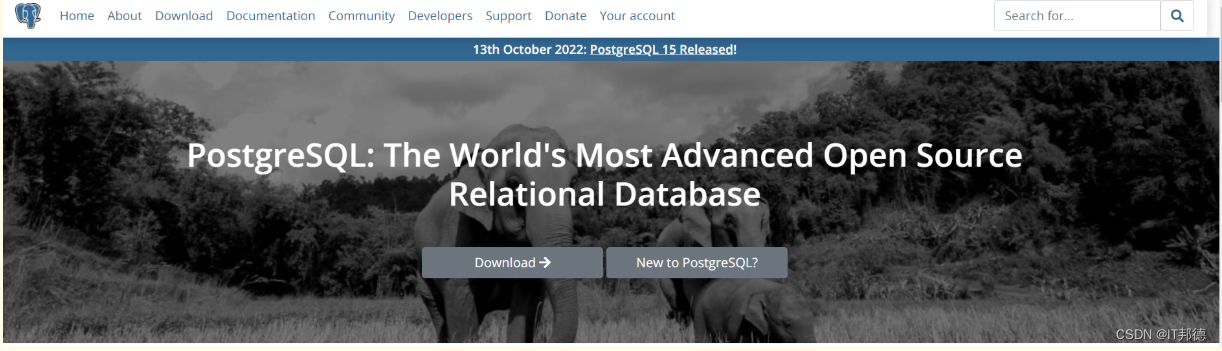
PostgreSQL全球开发小组与2022年10月13日,宣布发布PostgreSQL15,这是世界上最先进的开源数据库的最新版本📣 1.新版本发布
1.官方网址:
https://www.postgresql.org/
PostgreSQL是一个功能强大的开放源码对象关系数据库系统,经过35年的积极开发,它在可靠性、功能健壮性和性能方面享有盛誉。

PostgreSQL全球开发小组与2022年10月13日,宣布发布PostgreSQL15,这是世界上最先进的开源数据库的最新版本。
PostgreSQL 15基于最近版本的性能改进,在管理本地和分布式部署中的工作负载方面取得了显著的进步。

PostgreSQL 15包含许多新功能和增强功能,大致包括:
1.支持SQL MERGE命令。
2.通过指定列列表和行筛选条件,在逻辑复制发布中选择性地发布表的内容。
3.更多压缩选项,包括支持Zstandard(zstd)压缩。这包括支持在pg_basebackup期间在服务器端执行压缩。
4.支持使用JSON格式的结构化服务器日志输出。
5.性能改进,特别是在内存和磁盘排序方面。
📣 2.yum在线安装
✨ 2.1 删除原有PG
yum remove -y postgresql*
rm -rf  /var/lib/pgsql
rm -rf  /usr/pgsql*
userdel -r postgres
groupdel postgres
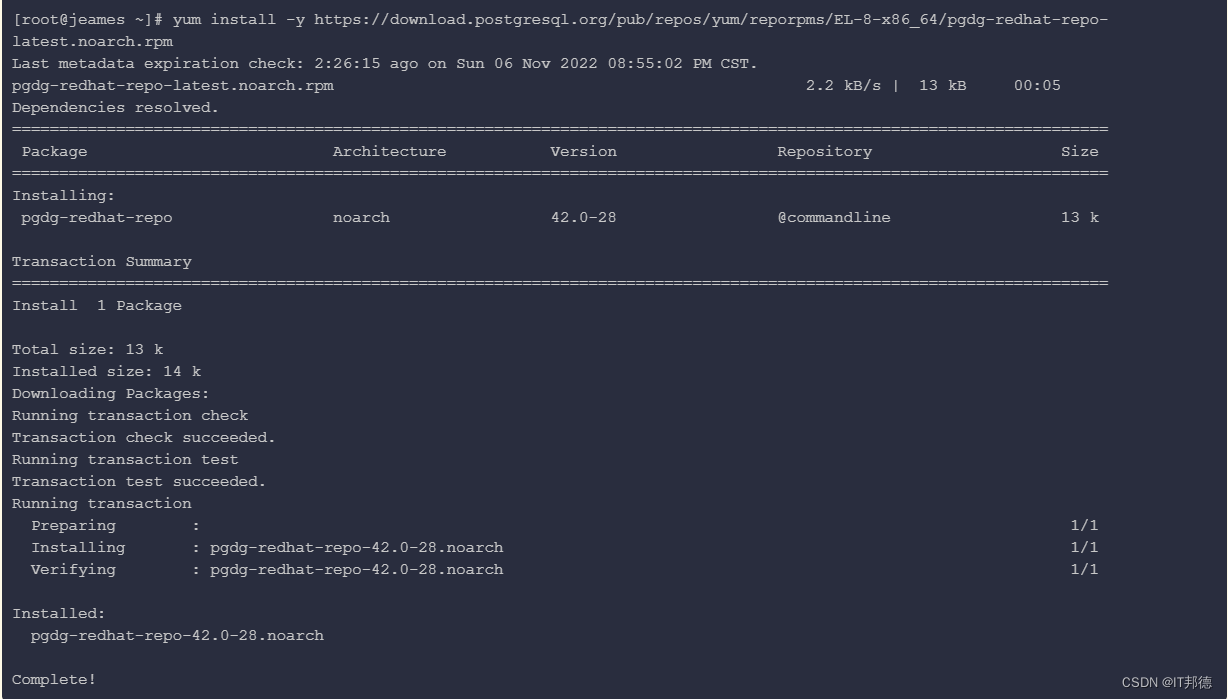
✨ 2.2 安装yum源
[root@jeames ~]# yum install -y https://download.postgresql.org/pub/repos/yum/reporpms/EL-8-x86_64/pgdg-redhat-repo-latest.noarch.rpm
✨ 2.3 安装PG15
[root@jeames ~]# yum-config-manager --enable pgdg15
[root@jeames ~]# yum repolist enabled | grep pgdg
pgdg-common                PostgreSQL common RPMs for RHEL / Rocky 8 - x86_64
pgdg10                     PostgreSQL 10 for RHEL / Rocky 8 - x86_64
pgdg11                     PostgreSQL 11 for RHEL / Rocky 8 - x86_64
pgdg12                     PostgreSQL 12 for RHEL / Rocky 8 - x86_64
pgdg13                     PostgreSQL 13 for RHEL / Rocky 8 - x86_64
pgdg14                     PostgreSQL 14 for RHEL / Rocky 8 - x86_64
pgdg15                     PostgreSQL 15 for RHEL / Rocky 8 - x86_64

[root@jeames ~]# yum module disable postgresql
[root@jeames ~]# yum install -y postgresql15 postgresql15-server postgresql15-libs postgresql15-contrib
✨ 2.4 验证安装
[root@jeames ~]# rpm -aq| grep postgres
postgresql15-15.0-1PGDG.rhel8.x86_64
postgresql15-server-15.0-1PGDG.rhel8.x86_64
postgresql15-contrib-15.0-1PGDG.rhel8.x86_64
postgresql15-libs-15.0-1PGDG.rhel8.x86_64

以上说明已经全部安装OK
✨ 2.5 环境变量设置
[root@jeames ~]# which psql
/usr/bin/psql

[root@jeames ~]# echo "export PATH=/usr/pgsql-15/bin:$PATH" >> /etc/profile
[root@jeames ~]# source /etc/profile
✨ 2.6 初始化PG
[root@jeames ~]# /usr/pgsql-15/bin/postgresql-15-setup initdb
Initializing database ... OK


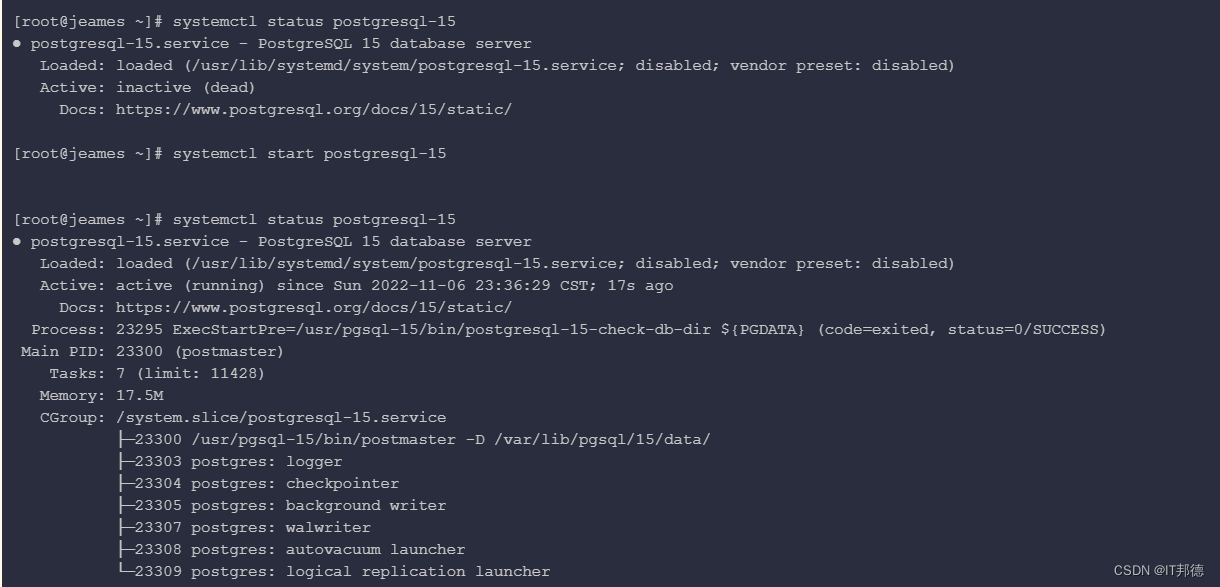
[root@jeames ~]# systemctl status postgresql-15
[root@jeames ~]# systemctl start postgresql-15
[root@jeames ~]# systemctl enable postgresql-15
✨ 2.7 登陆PG
以下方法是本地登陆
[root@jeames ~]# su - postgres
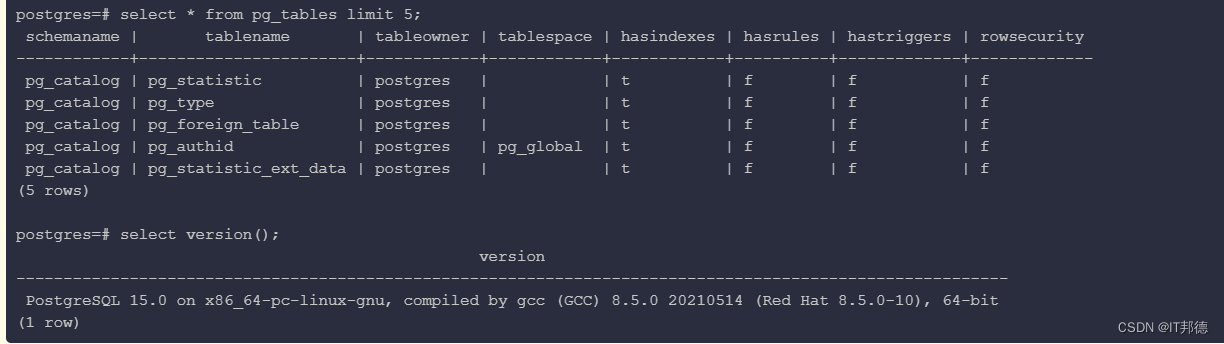
[postgres@jeames ~]$ psql
psql (15.0)
Type "help" for help.

postgres=# \c
You are now connected to database "postgres" as user "postgres".
postgres=# \l
                                                 List of databases
   Name    |  Owner   | Encoding |   Collate   |    Ctype    | ICU Locale | Locale Provider |   Access privileges
-----------+----------+----------+-------------+-------------+------------+-----------------+-----------------------
 postgres  | postgres | UTF8     | en_US.UTF-8 | en_US.UTF-8 |            | libc            |
 template0 | postgres | UTF8     | en_US.UTF-8 | en_US.UTF-8 |            | libc            | =c/postgres          +
           |          |          |             |             |            |                 | postgres=CTc/postgres
 template1 | postgres | UTF8     | en_US.UTF-8 | en_US.UTF-8 |            | libc            | =c/postgres          +
           |          |          |             |             |            |                 | postgres=CTc/postgres
(3 rows)
✨ 2.8 postgres密码修改
postgres=# \password
Enter new password for user "postgres":
Enter it again:

注意:以上输入密码即可
📣 3.PG参数设置
[root@jeames ~]# su - postgres
cat >> /var/lib/pgsql/15/data/postgresql.conf <<"EOF"
listen_addresses = '*'
port=5432
unix_socket_directories='/var/lib/pgsql/15/data'
logging_collector = on
log_directory = 'pg_log'
log_filename = 'postgresql-%a.log'
log_truncate_on_rotation = on
EOF
📣 4.PG白名单设置
[root@jeames ~]# su - postgres

cat  > /var/lib/pgsql/15/data/pg_hba.conf << EOF
# TYPE  DATABASE    USER    ADDRESS       METHOD
host      all       all    0.0.0.0/0      trust
EOF

## root用户下启动
[root@jeames ~]# systemctl restart postgresql-15
📣 5.远程登陆
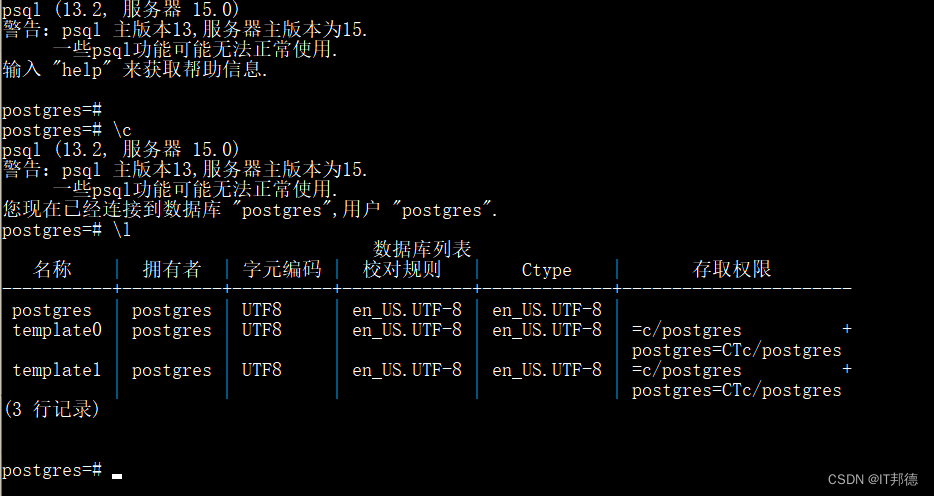
其他服务器:
C:\Users\wangd> psql -U postgres -h X.X.X.X -d postgres -p5432
📣 6.建表测试
postgres=# CREATE DATABASE mesdb WITH OWNER=postgres ENCODING='UTF-8';
CREATE DATABASE

postgres=# \c mesdb
You are now connected to database "mesdb" as user "postgres".


create table student (
id integer not null,
name character(32),
number char(5),
constraint student_pkey primary key (id)
);

mesdb=# \d student
                 Table "public.student"
 Column |     Type      | Collation | Nullable | Default
--------+---------------+-----------+----------+---------
 id     | integer       |           | not null |
 name   | character(32) |           |          |
 number | character(5)  |           |          |
Indexes:
    "student_pkey" PRIMARY KEY, btree (id)


mesdb=# INSERT INTO student (id, name, number) VALUES (1, 'IT邦德', '10086');
INSERT 0 1
mesdb=# SELECT * FROM student WHERE id=1;
 id |                name                | number
----+------------------------------------+--------
  1 | IT邦德                             | 10086
(1 row)
「喜欢这篇文章,您的关注和赞赏是给作者最好的鼓励」
关注作者
【版权声明】本文为墨天轮用户原创内容,转载时必须标注文章的来源(墨天轮),文章链接,文章作者等基本信息,否则作者和墨天轮有权追究责任。如果您发现墨天轮中有涉嫌抄袭或者侵权的内容,欢迎发送邮件至:contact@modb.pro进行举报,并提供相关证据,一经查实,墨天轮将立刻删除相关内容。
