



每日一练:openGauss 3.0.0数据库在线实训课程
1.1 openGauss数据库状态查看
学习目标
学习从操作系统层面和使用openGauss工具查看数据库的状态、版本和数据文件目录。
课程学习
gs_ctl是openGauss提供的数据库服务控制工具,可以用来启停数据库服务和查询数据库状态。主要供openGauss管理模块调用。
gs_ctl工具由操作系统用户omm执行。可以执行:
启动、停止、重启openGauss节点。
进入web终端:
#第一次进入等待15秒
#su - omm
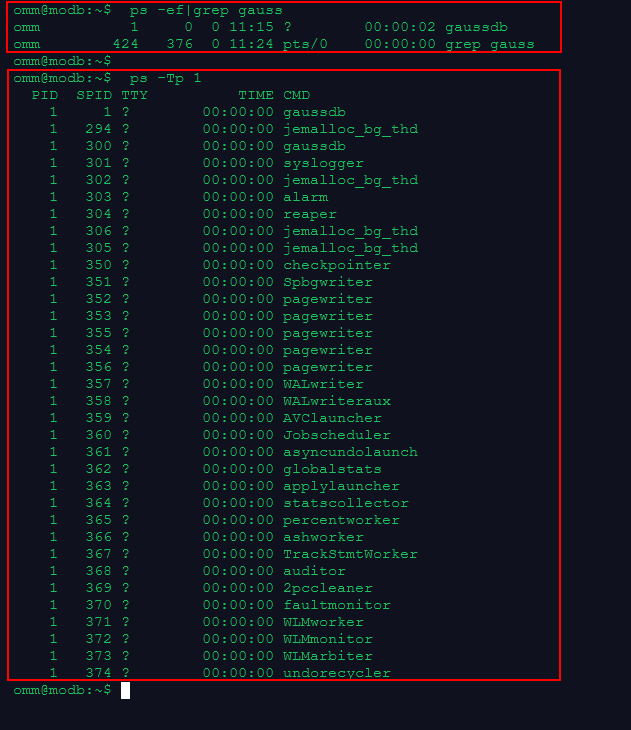
1.操作系统层面查看数据库进程和线程。如果数据库启动,则有相应的进程和线程。
omm@modb:~$  ps -ef|grep gauss
omm          1     0  0 11:15 ?        00:00:02 gaussdb
omm        424   376  0 11:24 pts/0    00:00:00 grep gauss

omm@modb:~$  ps -Tp 1

PID  SPID TTY          TIME CMD
    1     1 ?        00:00:00 gaussdb
    1   294 ?        00:00:00 jemalloc_bg_thd
    1   300 ?        00:00:00 gaussdb
    1   301 ?        00:00:00 syslogger
    1   302 ?        00:00:00 jemalloc_bg_thd
    1   303 ?        00:00:00 alarm
    1   304 ?        00:00:00 reaper
    1   306 ?        00:00:00 jemalloc_bg_thd
    1   305 ?        00:00:00 jemalloc_bg_thd
    1   350 ?        00:00:00 checkpointer
    1   351 ?        00:00:00 Spbgwriter
    1   352 ?        00:00:00 pagewriter
    1   353 ?        00:00:00 pagewriter
    1   355 ?        00:00:00 pagewriter
    1   354 ?        00:00:00 pagewriter
    1   356 ?        00:00:00 pagewriter
    1   357 ?        00:00:00 WALwriter
    1   358 ?        00:00:00 WALwriteraux
    1   359 ?        00:00:00 AVClauncher
    1   360 ?        00:00:00 Jobscheduler
    1   361 ?        00:00:00 asyncundolaunch
    1   362 ?        00:00:00 globalstats
    1   363 ?        00:00:00 applylauncher
    1   364 ?        00:00:00 statscollector
    1   365 ?        00:00:00 percentworker
    1   366 ?        00:00:00 ashworker
    1   367 ?        00:00:00 TrackStmtWorker
    1   368 ?        00:00:00 auditor
    1   369 ?        00:00:00 2pccleaner
    1   370 ?        00:00:00 faultmonitor
    1   371 ?        00:00:00 WLMworker
    1   372 ?        00:00:00 WLMmonitor
    1   373 ?        00:00:00 WLMarbiter
    1   374 ?        00:00:00 undorecycler
2.使用gs_ctl工具查看数据库状态,如果数据库启动,显示gs_ctl: server is running (PID: 1)
omm@modb:~$ gs_ctl status

[2022-11-24 11:27:19.573][439][][gs_ctl]: gs_ctl status,datadir is /var/lib/opengauss/data
gs_ctl: server is running (PID: 1)
/usr/local/opengauss/bin/gaussdb

3.使用gs_ctl 查看数据文件的目录
omm@modb:~$ gs_ctl notify

[2022-11-24 11:29:15.576][451][][gs_ctl]: gs_ctl notify ,datadir is /var/lib/opengauss/data
[2022-11-24 11:29:15.576][451][][gs_ctl]: the parameter of notify must be specified

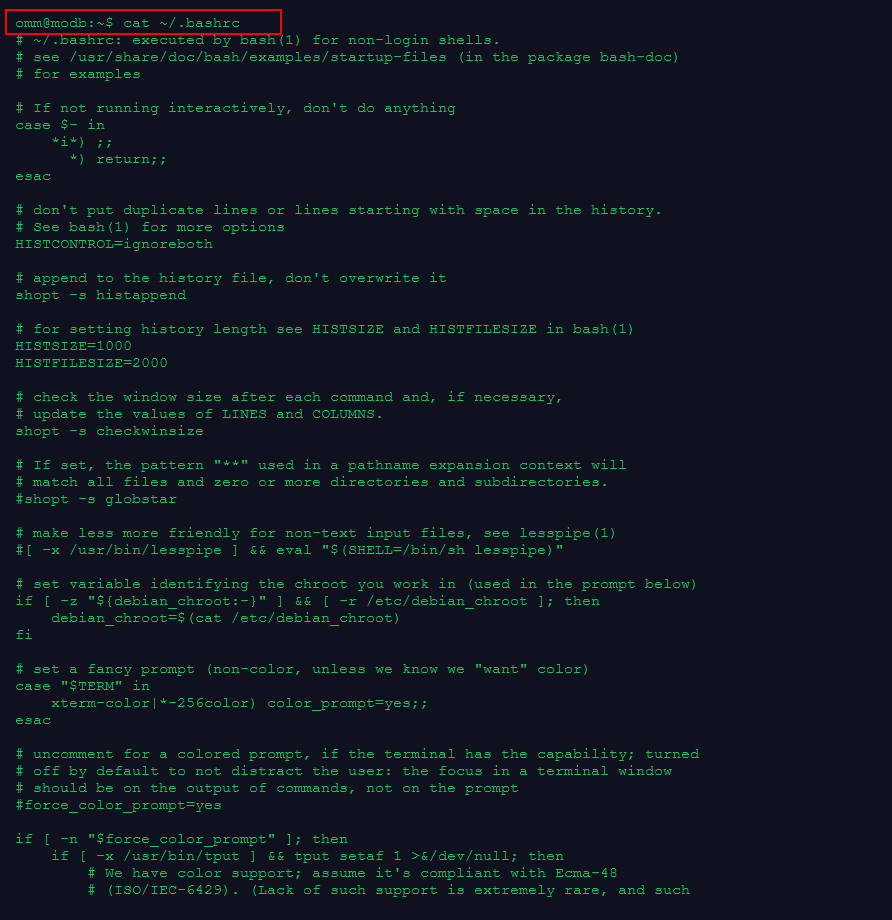
4.查看omm用户的环境变量
cat ~/.bashrc

# ~/.bashrc: executed by bash(1) for non-login shells.
# see /usr/share/doc/bash/examples/startup-files (in the package bash-doc)
# for examples

# If not running interactively, don't do anything
case $- in
    *i*) ;;
      *) return;;
esac

# don't put duplicate lines or lines starting with space in the history.
# See bash(1) for more options
HISTCONTROL=ignoreboth

# append to the history file, don't overwrite it
shopt -s histappend

# for setting history length see HISTSIZE and HISTFILESIZE in bash(1)
HISTSIZE=1000
HISTFILESIZE=2000

# check the window size after each command and, if necessary,
# update the values of LINES and COLUMNS.
shopt -s checkwinsize

# If set, the pattern "**" used in a pathname expansion context will
# match all files and zero or more directories and subdirectories.
#shopt -s globstar

# make less more friendly for non-text input files, see lesspipe(1)
#[ -x /usr/bin/lesspipe ] && eval "$(SHELL=/bin/sh lesspipe)"

# set variable identifying the chroot you work in (used in the prompt below)
if [ -z "${debian_chroot:-}" ] && [ -r /etc/debian_chroot ]; then
    debian_chroot=$(cat /etc/debian_chroot)
fi

# set a fancy prompt (non-color, unless we know we "want" color)
case "$TERM" in
    xterm-color|*-256color) color_prompt=yes;;
esac

# uncomment for a colored prompt, if the terminal has the capability; turned
# off by default to not distract the user: the focus in a terminal window
# should be on the output of commands, not on the prompt
#force_color_prompt=yes

if [ -n "$force_color_prompt" ]; then
    if [ -x /usr/bin/tput ] && tput setaf 1 >&/dev/null; then
        # We have color support; assume it's compliant with Ecma-48
        # (ISO/IEC-6429). (Lack of such support is extremely rare, and such
        # a case would tend to support setf rather than setaf.)
        color_prompt=yes
    else
        color_prompt=
    fi
fi

if [ "$color_prompt" = yes ]; then
    PS1='${debian_chroot:+($debian_chroot)}\[\033[01;32m\]\u@\h\[\033[00m\]:\[\033[01;34m\]\w\[\033[00m\]\$ '
else
    PS1='${debian_chroot:+($debian_chroot)}\u@\h:\w\$ '
fi
unset color_prompt force_color_prompt

# If this is an xterm set the title to user@host:dir
case "$TERM" in
xterm*|rxvt*)
    PS1="\[\e]0;${debian_chroot:+($debian_chroot)}\u@\h: \w\a\]$PS1"
    ;;
*)
    ;;
esac

# enable color support of ls and also add handy aliases
if [ -x /usr/bin/dircolors ]; then
    test -r ~/.dircolors && eval "$(dircolors -b ~/.dircolors)" || eval "$(dircolors -b)"
    alias ls='ls --color=auto'
    #alias dir='dir --color=auto'
    #alias vdir='vdir --color=auto'

    #alias grep='grep --color=auto'
    #alias fgrep='fgrep --color=auto'
    #alias egrep='egrep --color=auto'
fi

# colored GCC warnings and errors
#export GCC_COLORS='error=01;31:warning=01;35:note=01;36:caret=01;32:locus=01:quote=01'

# some more ls aliases
#alias ll='ls -l'
#alias la='ls -A'
#alias l='ls -CF'

# Alias definitions.
# You may want to put all your additions into a separate file like
# ~/.bash_aliases, instead of adding them here directly.
# See /usr/share/doc/bash-doc/examples in the bash-doc package.

if [ -f ~/.bash_aliases ]; then
    . ~/.bash_aliases
fi

# enable programmable completion features (you don't need to enable
# this, if it's already enabled in /etc/bash.bashrc and /etc/profile
# sources /etc/bash.bashrc).
if ! shopt -oq posix; then
  if [ -f /usr/share/bash-completion/bash_completion ]; then
    . /usr/share/bash-completion/bash_completion
  elif [ -f /etc/bash_completion ]; then
    . /etc/bash_completion
  fi
fi
export GAUSSHOME=/usr/local/opengauss
export PATH=$GAUSSHOME/bin:$PATH
export LD_LIBRARY_PATH=$GAUSSHOME/lib:$LD_LIBRARY_PATH
export PGDATA=/var/lib/opengauss/data
5.从环境变量查看数据文件的目录
omm@modb:~$  grep -i PGDATA ~/.bashrc
export PGDATA=/var/lib/opengauss/data

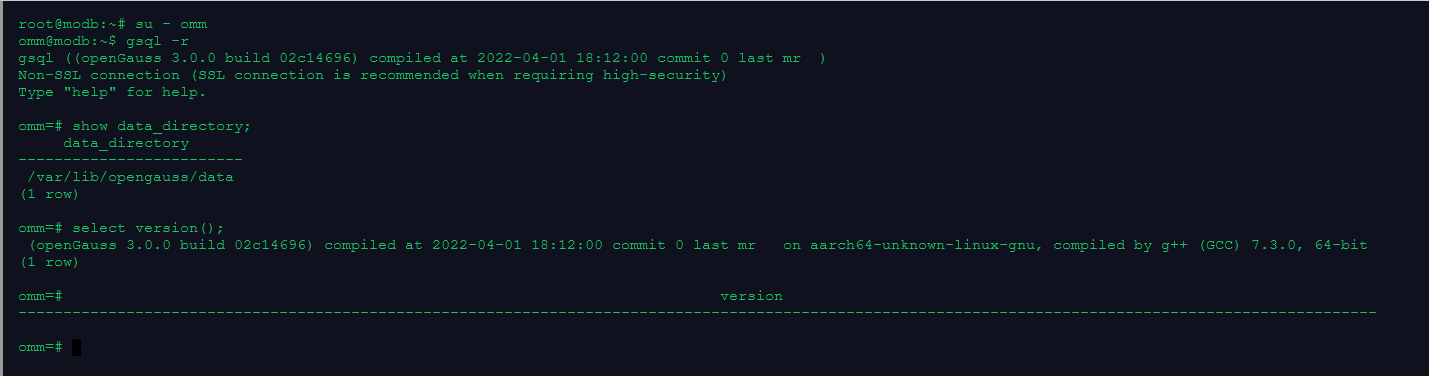
6.在gsql中查看数据文件的目录、数据库版本
root@modb:~# su - omm
omm@modb:~$ gsql -r
gsql ((openGauss 3.0.0 build 02c14696) compiled at 2022-04-01 18:12:00 commit 0 last mr  )
Non-SSL connection (SSL connection is recommended when requiring high-security)
Type "help" for help.

omm=# show data_directory;
     data_directory
-------------------------
 /var/lib/opengauss/data
(1 row)

omm=# select version();
 (openGauss 3.0.0 build 02c14696) compiled at 2022-04-01 18:12:00 commit 0 last mr   on aarch64-unknown-linux-gnu, compiled by g++ (GCC) 7.3.0, 64-bit
(1 row)

omm=#                                                                         version
-------------------------------------------------------------------------------------------------------------------------------------------------------
最后修改时间:2022-11-25 11:29:44
「喜欢这篇文章,您的关注和赞赏是给作者最好的鼓励」
关注作者
【版权声明】本文为墨天轮用户原创内容,转载时必须标注文章的来源(墨天轮),文章链接,文章作者等基本信息,否则作者和墨天轮有权追究责任。如果您发现墨天轮中有涉嫌抄袭或者侵权的内容,欢迎发送邮件至:contact@modb.pro进行举报,并提供相关证据,一经查实,墨天轮将立刻删除相关内容。
