



1、今天没用实训环境用云服务器做实验
2、练习《华为opengauss开源数据库实战》任务六|学习使用opengauss DBMS的客户端工具gsql
3、官方文档点这里:gsql文档
学习笔记记录如下
任务六 学习使用opengauss DBMS的客户端工具gsql
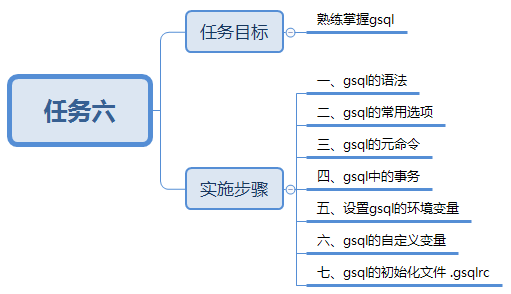
任务目标
熟练掌握gsql的用法
实施步骤
一、gsql的语法
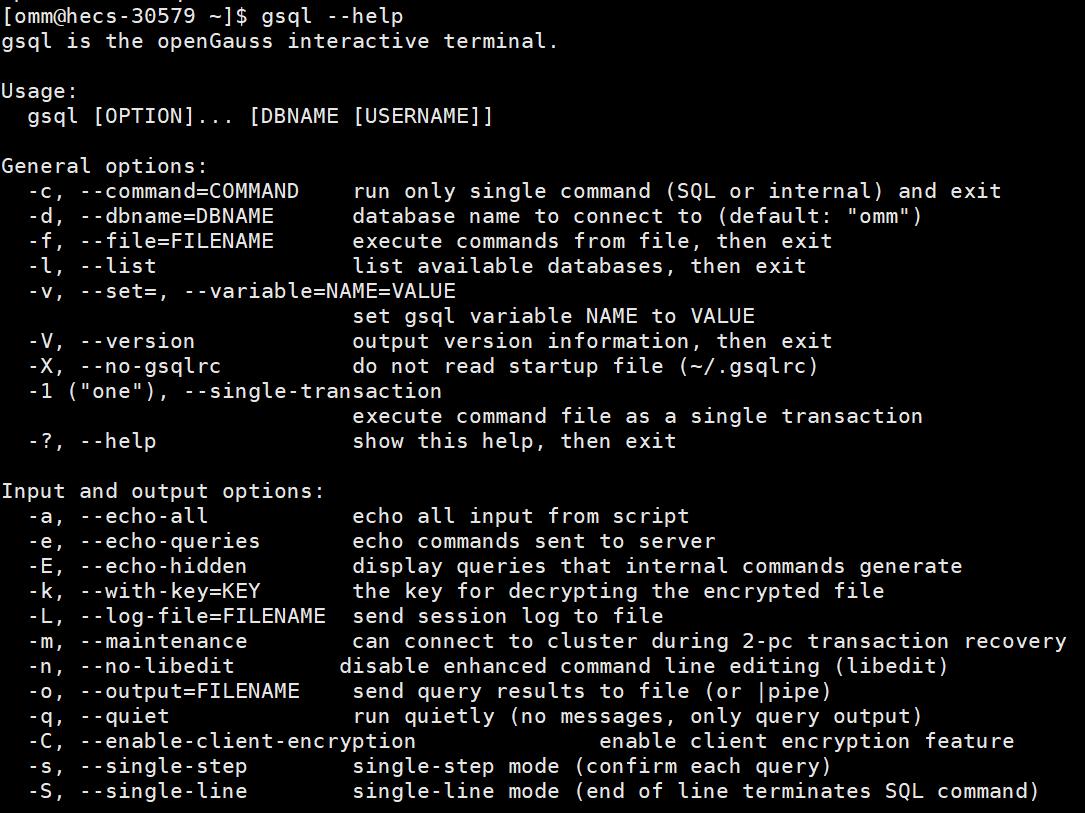
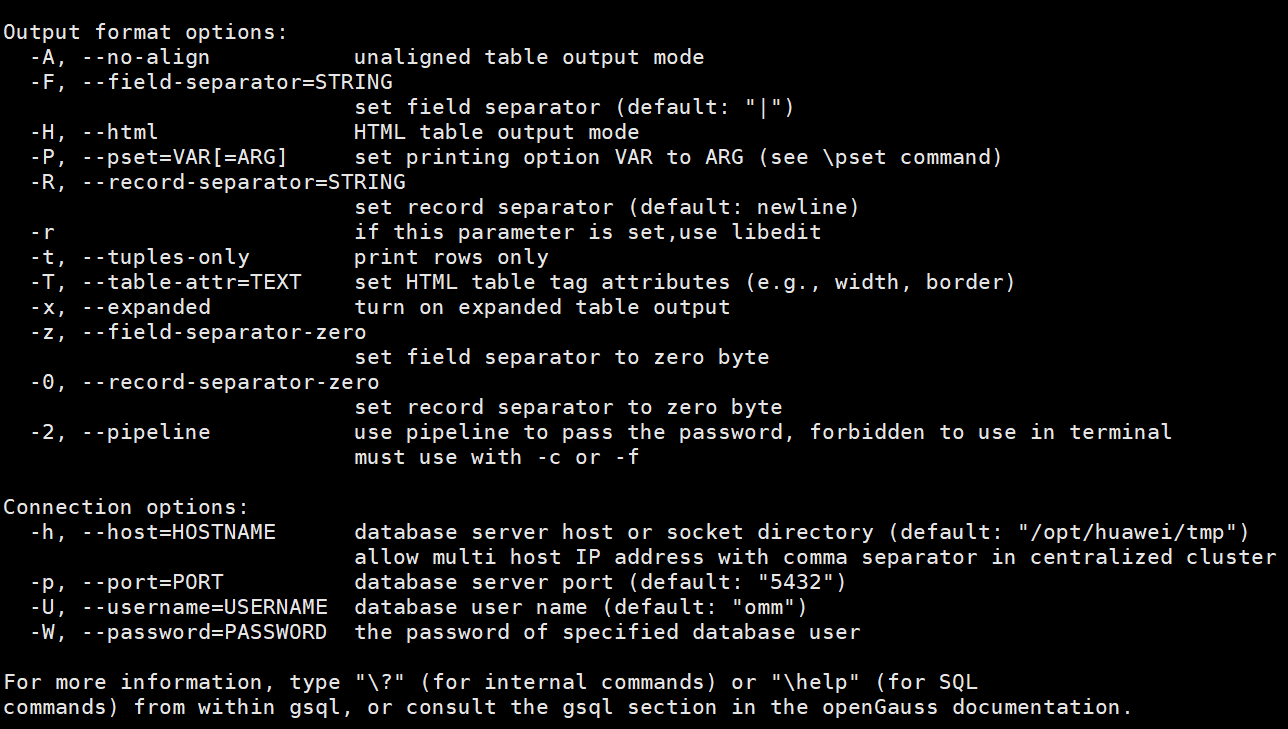
使用linux用户omm,在终端窗口中执行下面的命令,获取帮助:
gsql --help
二、gsql的常用选项
1、最常用的必要选项

1)-d:指定连接的数据库
2)-h:指定连接的服务器IP
3) -U:指定连接数据库时使用的用户名
4) -p:指定连接的服务器端口号
5) -W:指定连接数据库时所用用户的密码
2、-r 提供对命令历史版本的支持
两种用法:
1)上箭头寻找历史命令
演示略
2)补全命令

a、输入sel之后敲TAB键自动补全

b、输入se之后敲两次TAB列出所有匹配的关键字

提示有security label、select、set三个选项,继续按a)操作即可
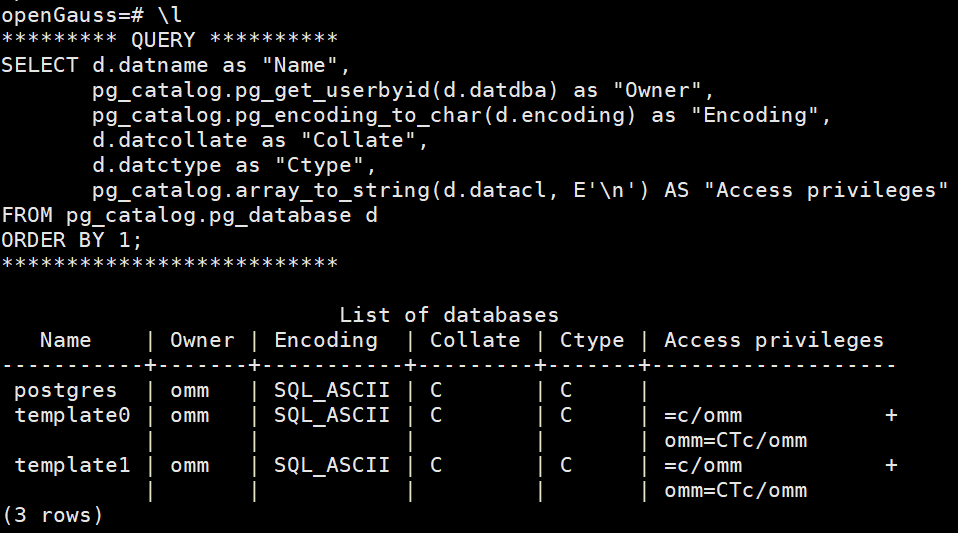
3、 -E 让gsql在执行完元命令的时候,显示其对应的SQL查询语句
4、-t 让gsql在执行查询语句时,返回的结果不显示列名及返回结果的行数

5、-A 让gsql在执行查询语句时,不对齐显示返回的结果集
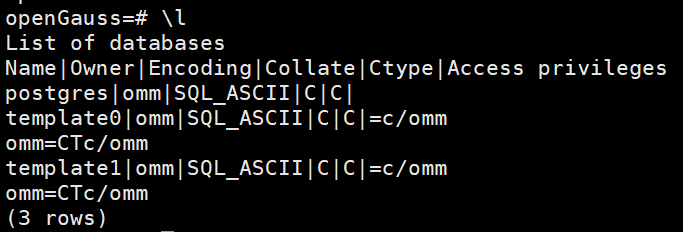
可以将-A和-t同时应用,表示不对齐显示,也不显示列名和返回行数;
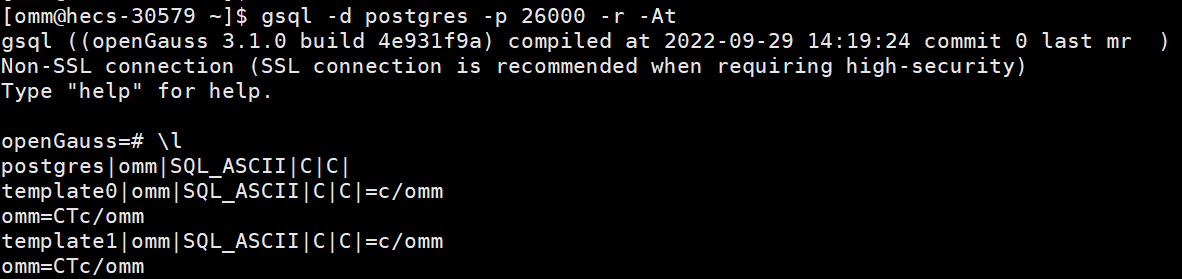
6、-v 让gsql在命令行中设置gsql环境变量
例如,如果想在命令行中告诉gsql启动后关闭自动提交,设置为手动事务提交,可以执行如下命令:

查询表tbtest
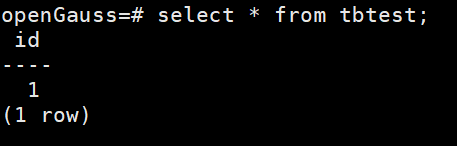
查看当前AUTOCOMMIT状态

插入一条数据,随后查表,当前会话可以看到ID为2的记录
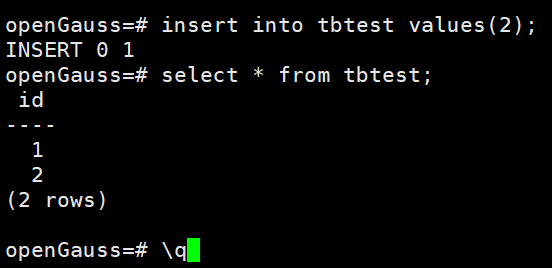
不做提交,退出重新查询
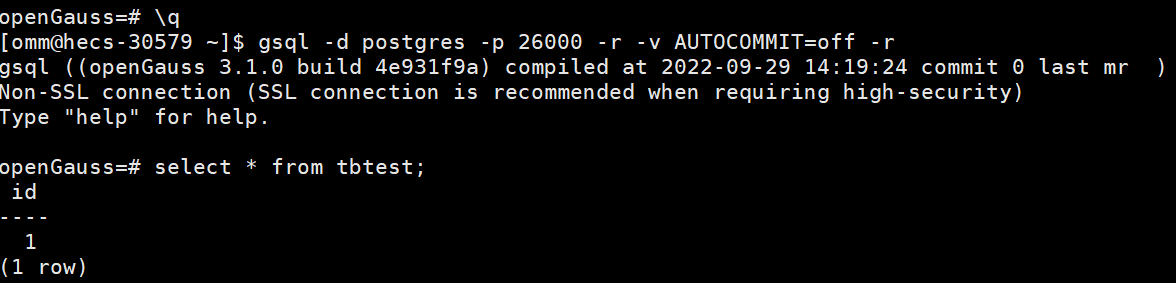
会话重连后,重新查询表tbtest,没有ID为2的记录
—这是下班回家分隔线—
7、-c 让gsql直接在命令行中运行SQL语句
[omm@hecs-30579 ~]$ gsql -d postgres -p 26000 -r \
> -c "\l"
                          List of databases
   Name    | Owner | Encoding  | Collate | Ctype | Access privileges
-----------+-------+-----------+---------+-------+-------------------
 postgres  | omm   | SQL_ASCII | C       | C     |
 template0 | omm   | SQL_ASCII | C       | C     | =c/omm           +
           |       |           |         |       | omm=CTc/omm
 template1 | omm   | SQL_ASCII | C       | C     | =c/omm           +
           |       |           |         |       | omm=CTc/omm
(3 rows)

[omm@hecs-30579 ~]$
8、-f 让gsql在命令行中直接运行SQL脚本文件
先创建一个test.sql文件,保留一行语句
[omm@hecs-30579 ~]$ cat test.sql
\l
然后用gsql -f 在命令行执行刚才的文件,发现还返回了time信息,执行后在命令行提示符下
[omm@hecs-30579 ~]$ gsql -d postgres -p 26000 -r -f test.sql
                          List of databases
   Name    | Owner | Encoding  | Collate | Ctype | Access privileges
-----------+-------+-----------+---------+-------+-------------------
 postgres  | omm   | SQL_ASCII | C       | C     |
 template0 | omm   | SQL_ASCII | C       | C     | =c/omm           +
           |       |           |         |       | omm=CTc/omm
 template1 | omm   | SQL_ASCII | C       | C     | =c/omm           +
           |       |           |         |       | omm=CTc/omm
(3 rows)

total time: 3  ms
[omm@hecs-30579 ~]$
9、 -q 让gsql以安静的方式运行,只显示查询结果
以-q安静建表,再不使用-q删除表,可以 看到-q执行后没有提示直接返回到命令行,不使用-q执行后会提示执行结果
[omm@hecs-30579 ~]$ gsql -d postgres -p 26000 -r \
> -c "create table tbtest1(id number)" -q
[omm@hecs-30579 ~]$ gsql -d postgres -p 26000 -r \
> -c "drop table tbtest1"
DROP TABLE
[omm@hecs-30579 ~]$
使用-q执行刚才的脚本文件test.sql,返回查询结果
[omm@hecs-30579 ~]$ gsql -d postgres -p 26000 -r -f test.sql -q
                          List of databases
   Name    | Owner | Encoding  | Collate | Ctype | Access privileges
-----------+-------+-----------+---------+-------+-------------------
 postgres  | omm   | SQL_ASCII | C       | C     |
 template0 | omm   | SQL_ASCII | C       | C     | =c/omm           +
           |       |           |         |       | omm=CTc/omm
 template1 | omm   | SQL_ASCII | C       | C     | =c/omm           +
           |       |           |         |       | omm=CTc/omm
(3 rows)

total time: 3  ms
[omm@hecs-30579 ~]$
三、gsql的元命令
1、\l 显示数据库集群(Database Cluster)中目前有哪些数据库
openGauss=# \l
                          List of databases
   Name    | Owner | Encoding  | Collate | Ctype | Access privileges
-----------+-------+-----------+---------+-------+-------------------
 postgres  | omm   | SQL_ASCII | C       | C     |
 template0 | omm   | SQL_ASCII | C       | C     | =c/omm           +
           |       |           |         |       | omm=CTc/omm
 template1 | omm   | SQL_ASCII | C       | C     | =c/omm           +
           |       |           |         |       | omm=CTc/omm
(3 rows)

openGauss=#
2、\du和\dg查询数据库集群中目前有哪些用户和角色
openGauss=# \du
                                                              List of roles
 Role name |                                                    Attributes
                | Member of
-----------+--------------------------------------------------------------------------------------------------
----------------+-----------
 omm       | Sysadmin, Create role, Create DB, Replication, Administer audit, Monitoradmin, Operatoradmin, Pol
icyadmin, UseFT | {}

openGauss=# \dg
                                                              List of roles
 Role name |                                                    Attributes                                                    | Member of
-----------+------------------------------------------------------------------------------------------------------------------+-----------
 omm       | Sysadmin, Create role, Create DB, Replication, Administer audit, Monitoradmin, Operatoradmin, Policyadmin, UseFT | {}

openGauss=#
3、\db 显示数据库集群中目前有哪些表空间
openGauss=# \db
      List of tablespaces
    Name    | Owner | Location
------------+-------+----------
 pg_default | omm   |
 pg_global  | omm   |
(2 rows)

openGauss=#
4、\dn 显示当前数据库有哪些数据模式(Schema)
openGauss=# \dn
     List of schemas
      Name       | Owner
-----------------+-------
 blockchain      | omm
 cstore          | omm
 db4ai           | omm
 dbe_perf        | omm
 dbe_pldebugger  | omm
 dbe_pldeveloper | omm
 dbe_sql_util    | omm
 pkg_service     | omm
 public          | omm
 snapshot        | omm
 sqladvisor      | omm
(11 rows)

openGauss=#
5、\d 显示当前数据库下所有的数据库对象(相当于命令\dtvsE,E代表外部表)
openGauss=# \d
                         List of relations
 Schema |  Name  | Type  | Owner |             Storage
--------+--------+-------+-------+----------------------------------
 public | tbtest | table | omm   | {orientation=row,compression=no}
(1 row)

openGauss=# \dtvsE
                         List of relations
 Schema |  Name  | Type  | Owner |             Storage
--------+--------+-------+-------+----------------------------------
 public | tbtest | table | omm   | {orientation=row,compression=no}
(1 row)

openGauss=#
6、\dt和\dt+ 显示数据库中所有的表,+表示显示更多的信息
openGauss=# \dt
                         List of relations
 Schema |  Name  | Type  | Owner |             Storage
--------+--------+-------+-------+----------------------------------
 public | tbtest | table | omm   | {orientation=row,compression=no}
(1 row)

openGauss=# \dt+
                                    List of relations
 Schema |  Name  | Type  | Owner | Size  |             Storage              | Description
--------+--------+-------+-------+-------+----------------------------------+-------------
 public | tbtest | table | omm   | 16 kB | {orientation=row,compression=no} |
(1 row)

openGauss=#
7、\di 查看数据库中索引的信息
openGauss=# \di
                   List of relations
 Schema |    Name    | Type  | Owner | Table  | Storage
--------+------------+-------+-------+--------+---------
 public | tbtest_idx | index | omm   | tbtest |
(1 row)

openGauss=#
索引关联的列存在哪?从\di的查询语句能不能找到线索
openGauss=# \di
********* QUERY **********
SELECT n.nspname as "Schema",
  c.relname as "Name",
  CASE c.relkind WHEN 'r' THEN 'table' WHEN 'v' THEN 'view' WHEN 'i' THEN 'index' WHEN 'I' THEN 'global partition index' WHEN 'S' THEN 'sequence' WHEN 'L' THEN 'large sequence' WHEN 'f' THEN 'foreign table' WHEN 'm' THEN 'materialized view'  WHEN 'e' THEN 'stream' WHEN 'o' THEN 'contview' END as "Type",
  pg_catalog.pg_get_userbyid(c.relowner) as "Owner",
 c2.relname as "Table",
  c.reloptions as "Storage"
FROM pg_catalog.pg_class c
     LEFT JOIN pg_catalog.pg_namespace n ON n.oid = c.relnamespace
     LEFT JOIN pg_catalog.pg_index i ON i.indexrelid = c.oid
     LEFT JOIN pg_catalog.pg_class c2 ON i.indrelid = c2.oid
WHERE c.relkind IN ('i','I','')
      AND n.nspname <> 'pg_catalog'
      AND n.nspname <> 'db4ai'
      AND n.nspname <> 'information_schema'
      AND n.nspname !~ '^pg_toast'
      AND c.relname not like 'matviewmap\_%'
      AND c.relname not like 'mlog\_%'
  AND pg_catalog.pg_table_is_visible(c.oid)
ORDER BY 1,2;
**************************
8、\dv 查看数据库中视图的信息
penGauss=# \dv;
            List of relations
 Schema |  Name  | Type | Owner | Storage
--------+--------+------+-------+---------
 public | v_test | view | omm   |
(1 row)

openGauss=#
9、\ds 查看数据库中序列的信息
测试数据集目前暂时没有序列,因此需创建一个表,因其两列都是序列,帮创建该表会自动创建两个序列:
testdb=> drop table if exists test;
NOTICE:  table "test" does not exist, skipping
DROP TABLE
testdb=> create table test(id serial primary key,testnum serial);
NOTICE:  CREATE TABLE will create implicit sequence "test_id_seq" for serial column "test.id"
NOTICE:  CREATE TABLE will create implicit sequence "test_testnum_seq" for serial column "test.testnum"
NOTICE:  CREATE TABLE / PRIMARY KEY will create implicit index "test_pkey" for table "test"
CREATE TABLE
执行元命令\dt,查询当前数据库下有哪些序列:
testdb=> \ds
                   List of relations
 Schema |       Name       |   Type   | Owner | Storage
--------+------------------+----------+-------+---------
 public | test_id_seq      | sequence | user1 |
 public | test_testnum_seq | sequence | user1 |
(2 rows)
删除刚刚创建的测试表,序列也同时被删除
testdb=> drop table if exists test;
DROP TABLE
testdb=> \dt
No relations found.
10、\df 查看数据库中关于函数的信息
因为目前数据库中暂时没有任何函数,因此需首先执行下面的语句,创建一个测试用的函数:
CREATE OR REPLACE FUNCTION MYFUNCTION(S INT)
RETURN INT
AS
BEGIN
  IF (S > 0) THEN
    RETURN 1;
    ELSEIF(S < 0) THEN
      RETURN - 1;
  ELSE
    RETURN 0;
  END IF;
END
/
执行元命令\df,查看当前数据库下有什么函数:
testdb=> \df
                                             List of functions
 Schema |    Name    | Result data type | Argument data types |  Type  | fencedmode | propackage | prokind
--------+------------+------------------+---------------------+--------+------------+------------+---------
 public | myfunction | integer          | s integer           | normal | f          | f          | f
(1 row)
删除测试函数,再查看\df:
testdb=> drop function myfunction;
DROP FUNCTION
testdb=> \df
                                         List of functions
 Schema | Name | Result data type | Argument data types | Type | fencedmode | propackage | prokind
--------+------+------------------+---------------------+------+------------+------------+---------
(0 rows)
11、\d TableName 查看某个表的信息
a) 创建表test
待补充
b) 执行元命令\d test,查看表信息,显示的信息可以包括表的列名及数据类型、索引、外键以及被哪个表引用。
待补充
c) 如果表不在数据默认的表空间,还将显示表所在的表空间。
待补充
12、\di IndexName 查看某个索引的信息
执行元命令\di,查看当前数据库下有哪些索引:
testdb=> \di
                  List of relations
 Schema |   Name    | Type  | Owner | Table | Storage
--------+-----------+-------+-------+-------+---------
 public | test_pkey | index | user1 | test  |
(1 row)
执行元命令\di test_pkey,显示索引test_pkey 的详细信息:
testdb=> \di test_pkey
                  List of relations
 Schema |   Name    | Type  | Owner | Table | Storage
--------+-----------+-------+-------+-------+---------
 public | test_pkey | index | user1 | test  |
(1 row)
13、\dx 查看已安装的扩展程序的信息
testdb=> \dx
                               List of installed extensions
      Name       | Version |   Schema   |                   Description
-----------------+---------+------------+--------------------------------------------------
 dist_fdw        | 1.0     | pg_catalog | foreign-data wrapper for distfs access
 file_fdw        | 1.0     | pg_catalog | foreign-data wrapper for flat file access
 hstore          | 1.1     | pg_catalog | data type for storing sets of (key, value) pairs
 log_fdw         | 1.0     | pg_catalog | Foreign Data Wrapper for accessing logging data
 mot_fdw         | 1.0     | pg_catalog | foreign-data wrapper for MOT access
 plpgsql         | 1.0     | pg_catalog | PL/pgSQL procedural language
 security_plugin | 1.0     | pg_catalog | provides security functionality
(7 rows)

testdb=>
14、\x,语法:\x[ on|off|auto],作用是设置语句的输出模式,默认情况下记录是按行的方式来显示的。如果执行元命令\x on,则将每条记录按列的方式来显示,这种方式在有些情况下很有用。
testdb=> drop table if exists test;
DROP TABLE
testdb=> create table test(id int,name varchar2(20));
CREATE TABLE
testdb=> insert into test values(1,'zqf'),(2,'zfz');
INSERT 0 2
testdb=> select * from test;默认情况下,按行显示
 id | name
----+------
  1 | zqf
  2 | zfz
(2 rows)
testdb=> \x on 修改显示方式为列方式
Expanded display is on.
testdb=> select * from test;
-[ RECORD 1 ]
id   | 1
name | zqf
-[ RECORD 2 ]
id   | 2
name | zfz
testdb=> \x off 修改显示方式为行方式
Expanded display is off.
testdb=> drop table if exists test;
DROP TABLE
testdb=>
15、\timing,语法:\timing [on|off],作用是:如果设置为on,将显示SQL语句的执行时间。
testdb=> select * from test;
 id | name
----+------
(0 rows)

testdb=> \timing on
Timing is on.
testdb=> select *from test;
 id | name
----+------
(0 rows)

Time: 0.410 ms
testdb=>
