第二课
2.1 第2天 | 学习openGauss客户端工具gsql的使用
第2天 | 学习openGauss客户端工具gsql的使用
学习目标
学习openGauss数据库客户端工具gsql的使用。
课程学习
gsql是openGauss提供在命令行下运行的数据库连接工具,可以通过此工具连接服务器并对其进行操作和维护,除了具备操作数据库的基本功能,gsql还提供了若干高级特性,便于用户使用。
1.使用gsql命令连接数据库
–使用omm用户连接到本机omm数据库的5432端口,命令中的-r选项提供了对gsql命令的历史版本支持。
su - omm
gsql -r
或
gsql -d omm -p 5432 -r
2.在gsql中查看数据库的版本、pg基础版本和版权信息
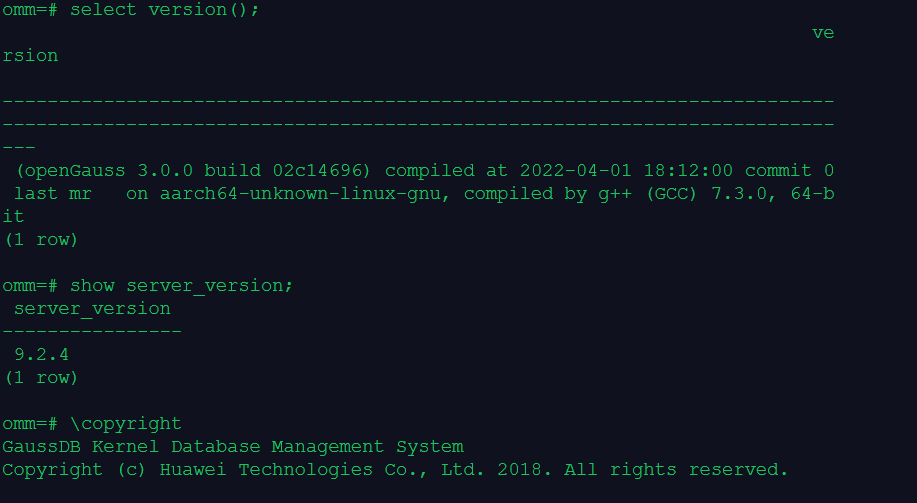
select version();
show server_version;
\copyright
3.常见元命令的使用
–\l命令,元命令\l的作用是显示openGauss数据库集簇中,目前有哪些数据库。
\l
–\conninfo命令,元命令\conninfo的作用是在gsql中,显示会话的连接信息。
\conninfo
–\c[onnect] [DBNAME]命令,元命令\ c[onnect] [DBNAME]的作用是在gsql中,切换连接的数据库postgres。
\c postgres
–\du命令和\dg命令,元命令\dg命令与元命令\du命令的作用类似,都是显示openGauss数据库集簇中,目前有哪些用户和角色。
\du
\dg
–\db命令,元命令\db的作用是显示openGauss数据库集簇中,目前有哪些表空间。
\db
–\dn命令,元命令\dn的作用是显示当前数据库有哪些数据库模式。
\dn
–创建表
CREATE TABLE customer_t
( c_customer_sk integer,
c_customer_id char(5),
c_first_name char(6),
c_last_name char(8)
) ;
–插入数据
INSERT INTO customer_t (c_customer_sk, c_customer_id, c_first_name,c_last_name) VALUES (3769, 5, ‘Grace’,‘White’);
–\dt命令,命令\dt的作用是显示数据库中所有的表。
\dt
–\d TableName命令,元命令\d TableName的作用是查看某个表的信息。
\d customer_t
–\di IndexName命令,查看索引信息,元命令\di IndexName的作用是查看某个索引的信息。
create index idx_customer_id on customer_t(c_customer_id);
\di
–可以用\pset命令以不同的方法显示表:
\pset border 2
SELECT * FROM customer_t;
–打开扩展表格式模式。
\x
4.gsql中的事务:测试gsql中的默认事务自动提交功能
–查看gsql中事务是否默认为自动提交
show AUTOCOMMIT;
–测试gsql中事务默认为自动提交功能
create table customer_new as select * from customer_t;
\q
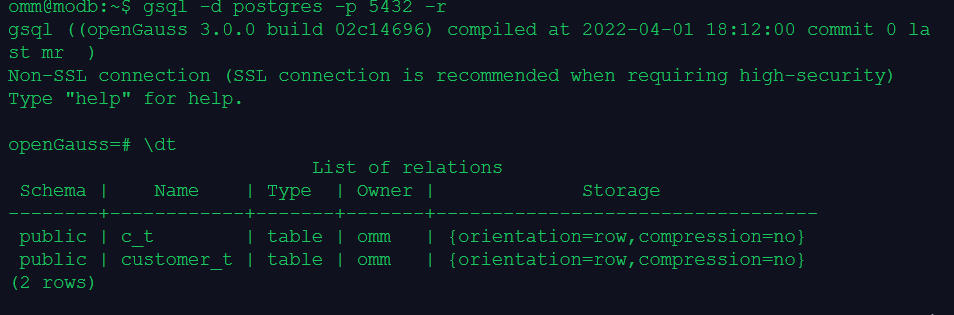
–重新登录后看到之前创建的表customer_new:
gsql -d postgres -p 5432 -r
\dt
5.gsql中的事务:测试gsql中的事务手动提交功能
–测试gsql手动提交
#Opengauss默认执行完一条语句后,立即提交。可以关闭自动提交功能:
#注意:此处设置ATUOCOMMIT必须用大写!
\set AUTOCOMMIT off
–插入一些数据
INSERT INTO customer_t (c_customer_sk, c_customer_id, c_first_name,c_last_name) VALUES
(6885, 1, ‘Joes’, ‘Hunter’),
(4321, 2, ‘Lily’,‘Carter’),
(9527, 3, ‘James’, ‘Cook’),
(9500, 4, ‘Lucy’, ‘Baker’);
–查看表中数据
select * from customer_t;
–执行回滚
ROLLBACK;
–检查是否回滚成功
SELECT * FROM customer_t;
6.gsql相关的帮助
–连接数据库时,可以使用如下命令获取帮助信息。
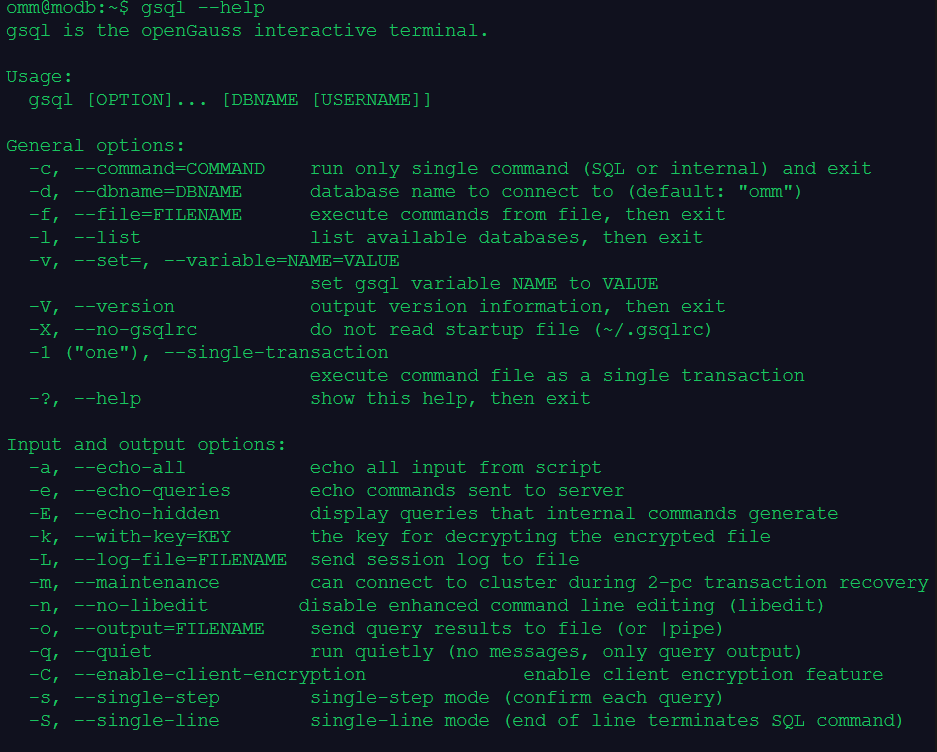
gsql --help
–\h获取和SQL语法有关的帮助信息
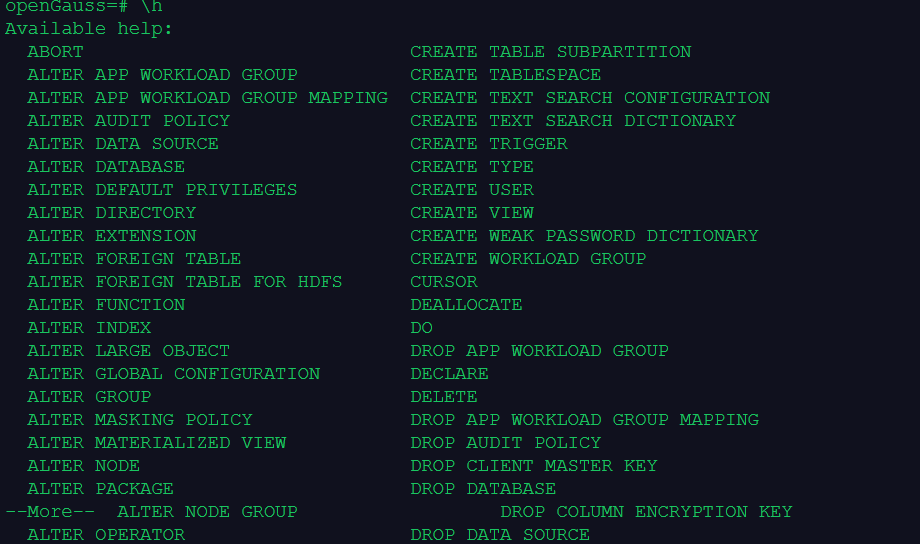
\h
–? 获取和元命令有关的帮助信息
\?
1.gsql命令连到数据库omm
root@modb:~# su - omm
omm@modb:~$ gsql -r
gsql ((openGauss 3.0.0 build 02c14696) compiled at 2022-04-01 18:12:00 commit 0 last mr  )
Non-SSL connection (SSL connection is recommended when requiring high-security)
Type "help" for help.

omm@modb:~$ gsql -d omm -p 5432 -r
gsql ((openGauss 3.0.0 build 02c14696) compiled at 2022-04-01 18:12:00 commit 0 last mr  )
Non-SSL connection (SSL connection is recommended when requiring high-security)
Type "help" for help.

2.查看数据库的版本、版权信息
omm=# select version();
                                                                        ve
rsion

--------------------------------------------------------------------------
--------------------------------------------------------------------------
---
 (openGauss 3.0.0 build 02c14696) compiled at 2022-04-01 18:12:00 commit 0
 last mr   on aarch64-unknown-linux-gnu, compiled by g++ (GCC) 7.3.0, 64-b
it
(1 row)

omm=# show server_version;
 server_version
----------------
 9.2.4
(1 row)

omm=# \copyrightomm=#
GaussDB Kernel Database Management System
Copyright (c) Huawei Technologies Co., Ltd. 2018. All rights reserved.
3.常见元命令使用
omm=# \l
                         List of databases
   Name    | Owner | Encoding | Collate | Ctype | Access privileges
-----------+-------+----------+---------+-------+-------------------
 omm       | omm   | UTF8     | C       | C     |
 postgres  | omm   | UTF8     | C       | C     |
 template0 | omm   | UTF8     | C       | C     | =c/omm           +
           |       |          |         |       | omm=CTc/omm
 template1 | omm   | UTF8     | C       | C     | =c/omm           +
           |       |          |         |       | omm=CTc/omm
(4 rows)

omm=# \c postgres
Non-SSL connection (SSL connection is recommended when requiring high-security)
You are now connected to database "postgres" as user "omm".
openGauss=# \du
                                                              List of role
s
 Role name |                                                    Attributes
                                                    | Member of
-----------+--------------------------------------------------------------
----------------------------------------------------+-----------
 gaussdb   | Sysadmin
                                                    | {}
 omm       | Sysadmin, Create role, Create DB, Replication, Administer aud
it, Monitoradmin, Operatoradmin, Policyadmin, UseFT | {}

openGauss=# \dn
      List of schemas
      Name       |  Owner
-----------------+---------
 blockchain      | omm
 cstore          | omm
 db4ai           | omm
 dbe_perf        | omm
 dbe_pldebugger  | omm
 dbe_pldeveloper | omm
 gaussdb         | gaussdb
 snapshot        | omm
 sqladvisor      | omm
(11 rows)

 pkg_service     | omm
 public          | omm
openGauss=# \db
      List of tablespaces
    Name    | Owner | Location
------------+-------+----------
 pg_default | omm   |
 pg_global  | omm   |
(2 rows)

openGauss=# \dg
                                                              List of role
s
 Role name |                                                    Attributes
                                                    | Member of
-----------+--------------------------------------------------------------
----------------------------------------------------+-----------
 gaussdb   | Sysadmin
                                                    | {}
 omm       | Sysadmin, Create role, Create DB, Replication, Administer aud
it, Monitoradmin, Operatoradmin, Policyadmin, UseFT | {}
4.使用两种方法,连到postgres数据库中
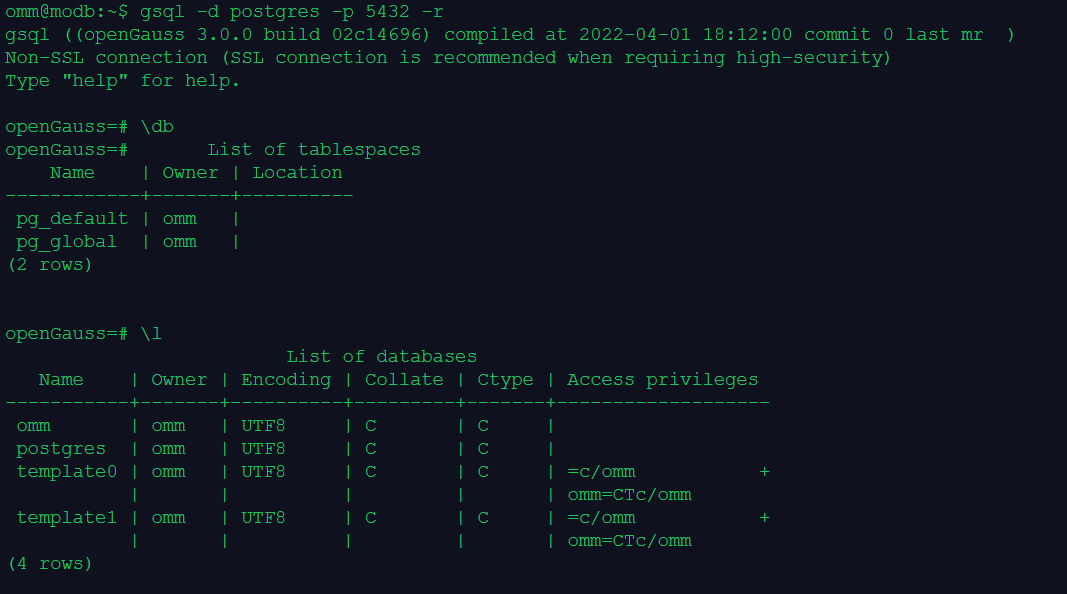
omm@modb:~$ gsql -d omm -p 5432 -r
gsql ((openGauss 3.0.0 build 02c14696) compiled at 2022-04-01 18:12:00 commit 0 last mr  )
Non-SSL connection (SSL connection is recommended when requiring high-security)
Type "help" for help.

omm=# \l
                         List of databases
   Name    | Owner | Encoding | Collate | Ctype | Access privileges
-----------+-------+----------+---------+-------+-------------------
 omm       | omm   | UTF8     | C       | C     |
 postgres  | omm   | UTF8     | C       | C     |
 template0 | omm   | UTF8     | C       | C     | =c/omm           +
           |       |          |         |       | omm=CTc/omm
 template1 | omm   | UTF8     | C       | C     | =c/omm           +
           |       |          |         |       | omm=CTc/omm
(4 rows)

omm=# \c postgres
Non-SSL connection (SSL connection is recommended when requiring high-security)
You are now connected to database "postgres" as user "omm".
openGauss=# \l
                         List of databases
   Name    | Owner | Encoding | Collate | Ctype | Access privileges
-----------+-------+----------+---------+-------+-------------------
 omm       | omm   | UTF8     | C       | C     |
 postgres  | omm   | UTF8     | C       | C     |
 template0 | omm   | UTF8     | C       | C     | =c/omm           +
           |       |          |         |       | omm=CTc/omm
 template1 | omm   | UTF8     | C       | C     | =c/omm           +
           |       |          |         |       | omm=CTc/omm
(4 rows)
5.测试gsql中的默认事务自动提交功能
                                     ^
openGauss=# CREATE TABLE customer_t
openGauss-# (  c_customer_sk             integer,
openGauss(#  c_customer_id             char(5),
openGauss(#  c_first_name              char(6),
openGauss(#  c_last_name               char(8)
openGauss(# ) ;
CREATE TABLE
name,c_last_name) VALUES (3769, 5, 'Grace','White');_customer_id, c_first_n
INSERT 0 1
openGauss=# select * from customer_t;
 c_customer_sk | c_customer_id | c_first_name | c_last_name
---------------+---------------+--------------+-------------
          3769 | 5             | Grace        | White
(1 row)

openGauss=# show autocommit;
 autocommit
------------
 on
(1 row)

openGauss=# create table c_t as select * from customer_t;
INSERT 0 1
openGauss=# \q
6.测试gsql中的事务手动提交功能
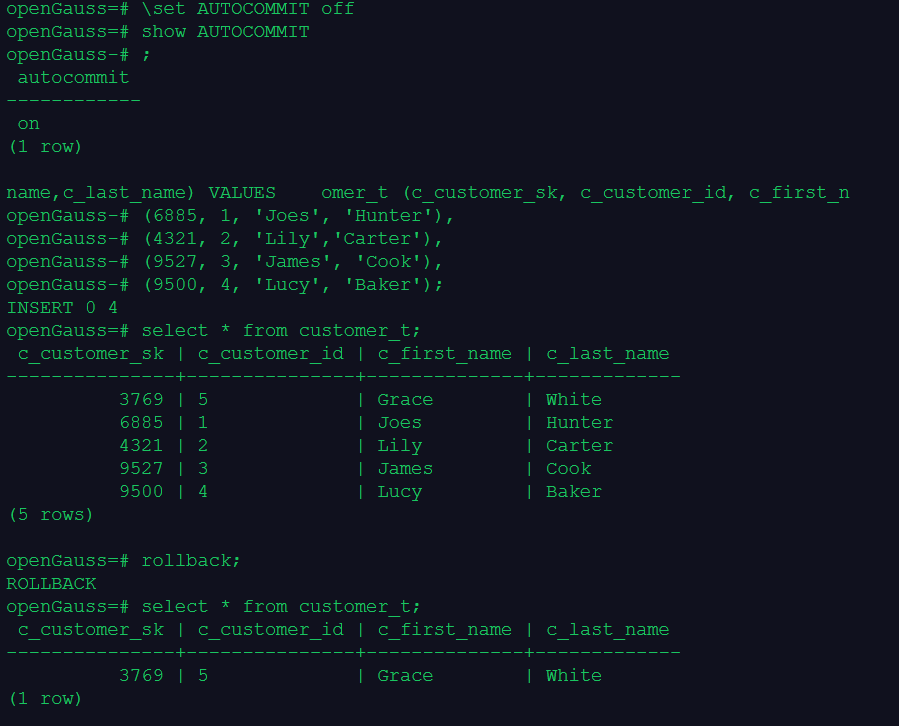
openGauss=# \set AUTOCOMMIT off;
unrecognized Boolean value; assuming “on” --多一个;号,会出现 错误 提示,
set autocommit off后 查看 还显示为on
7.了解gsql相关帮助