



点击上方“IT那活儿”公众号,关注后了解更多内容,不管IT什么活儿,干就完了!!!
背景
为了应对这种情况,IPV4+IPV6双栈过渡技术也就应运而生,基本上新版本的软硬件都具备双栈配置。
ORACLE数据库配置IPV4+IPV6双栈
2.1 版本支持
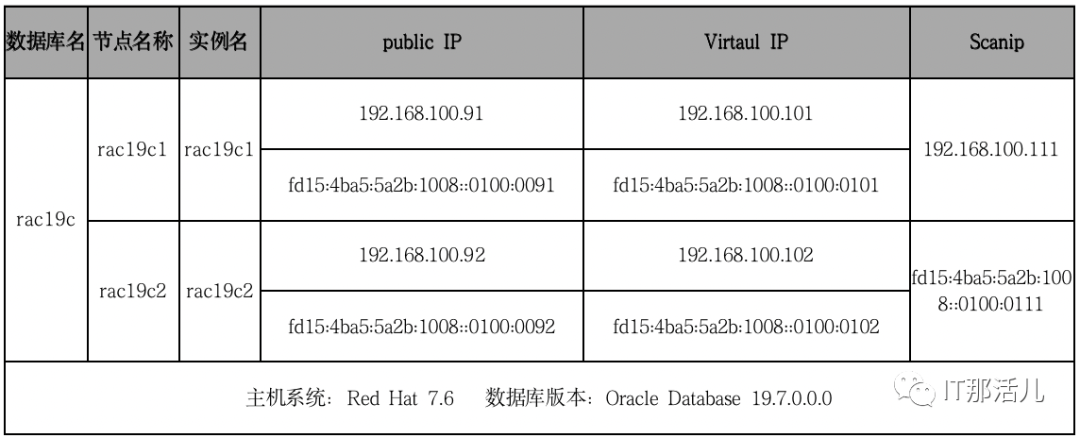
2.2 网络规划
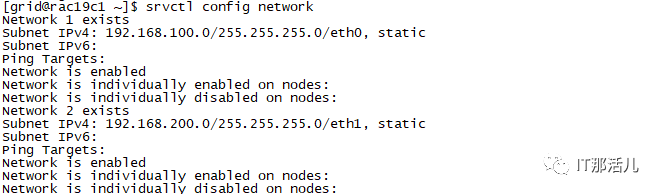
2.3 获取GI集群配置信息
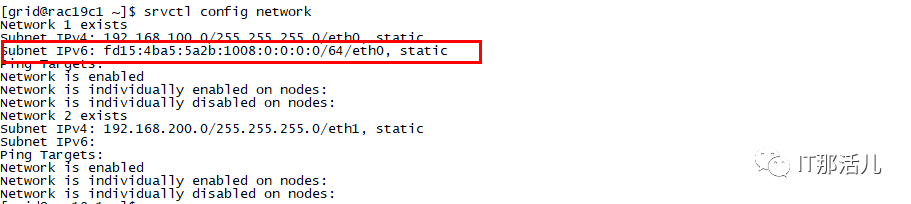
(grid)$ srvctl config network
(grid)$ srvctl config scan

(grid)$ srvctl config scan_listener

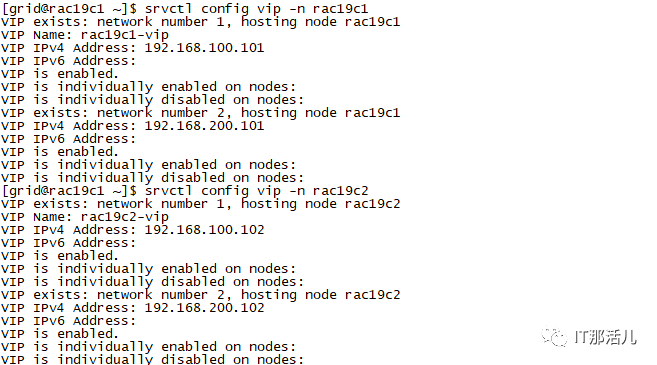
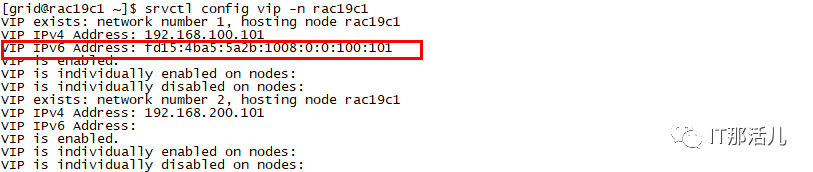
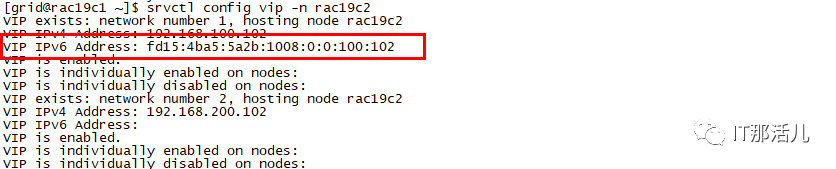
(grid)$ srvctl config vip -n rac19c1 (grid)$ srvctl config vip -n rac19c2
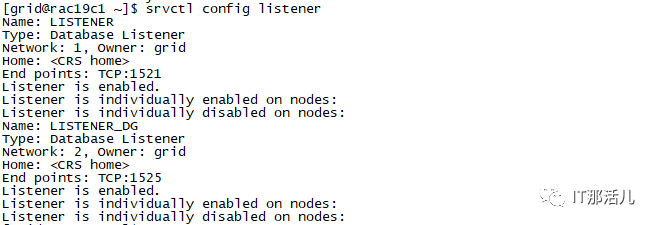
(grid)$ srvctl config listener
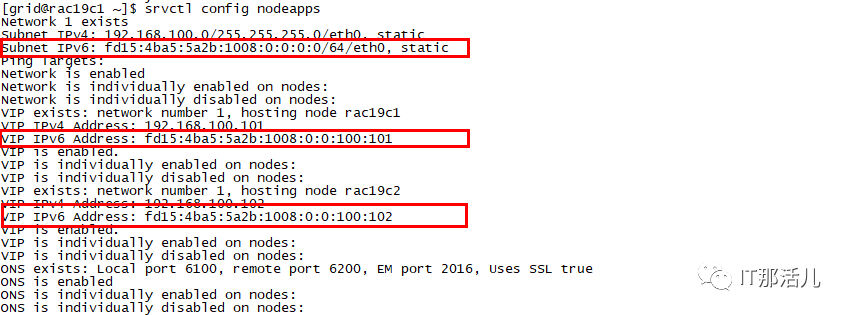
(grid)$ srvctl config nodeapps
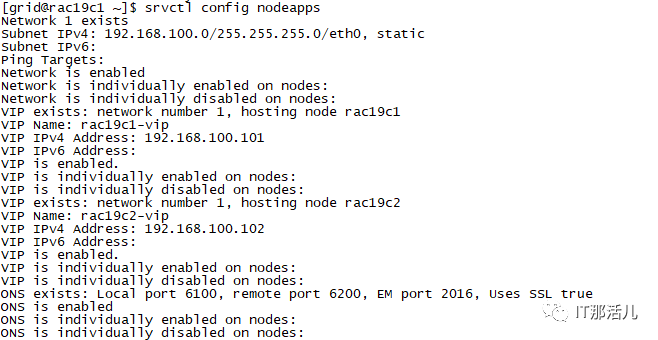
(grid)$ srvctl config cvu

(grid)$ oifcfg getif

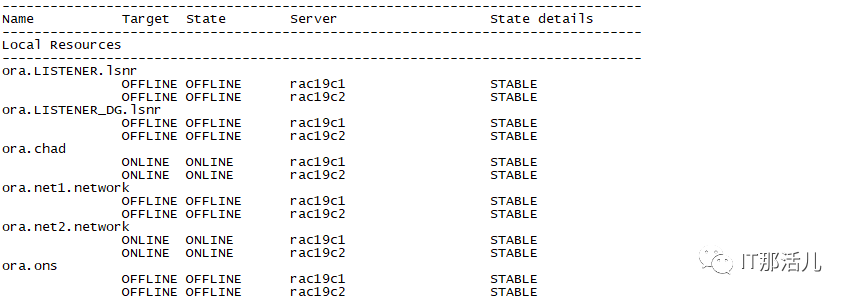
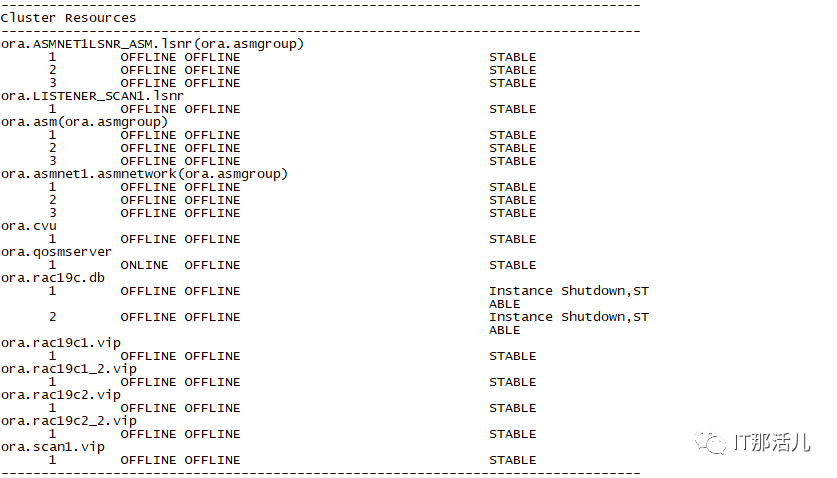
2.4 停止集群服务并检查状态
(grid)$ srvctl stop listener

(grid)$ srvctl stop scan_listener

(grid)$ srvctl stop database -db rac19c

(grid)$ srvctl stop cvu

(grid)$ srvctl stop vip -n rac19c1 (grid)$ srvctl stop vip -n rac19c2

(grid)$ srvctl stop scan

(grid)$ srvctl stop nodeapps
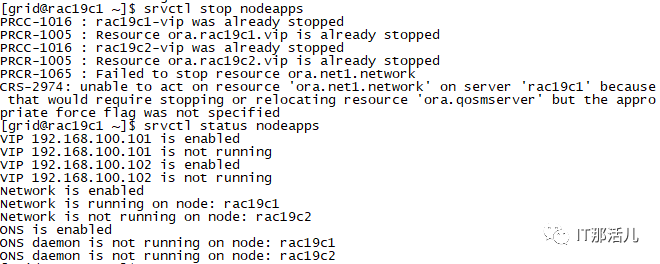
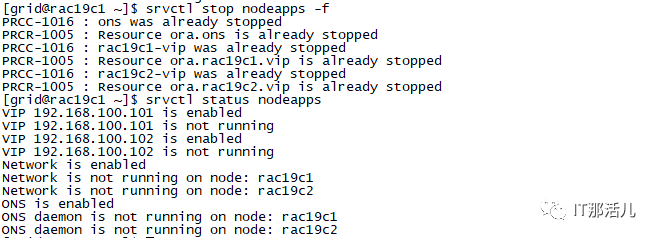
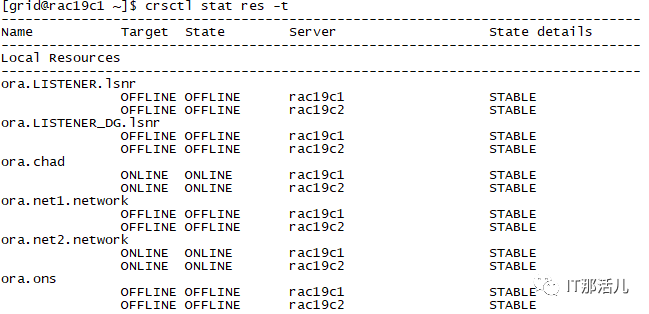
(grid)$ crsctl stat res -t
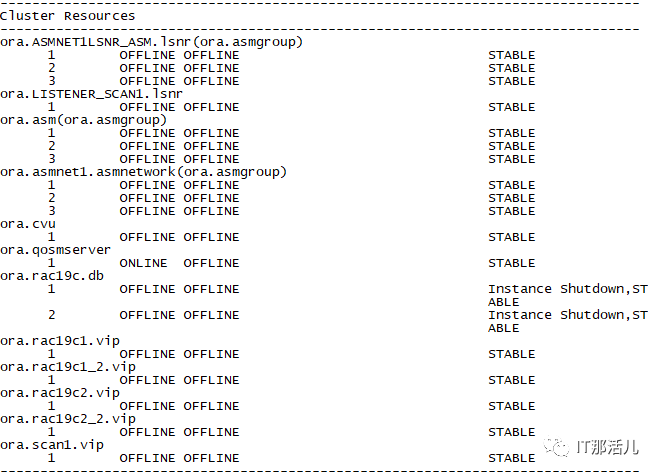
2.5 配置hosts文件
cp /etc/hosts /etc/hosts.bak
vi /etc/hosts
#Public IP
192.168.100.91 rac19c1
192.168.100.92 rac19c2
#Virtual IP
192.168.100.101 rac19c1-vip
192.168.100.102 rac19c2-vip
#Scan IP
192.168.100.111 rac19c-scan

#Public IP
fd15:4ba5:5a2b:1008::0100:0091 rac19c1_v6
fd15:4ba5:5a2b:1008::0100:0092 rac19c2_v6
#Virtual IP
fd15:4ba5:5a2b:1008::0100:0101 rac19c1_v6-vip
fd15:4ba5:5a2b:1008::0100:0102 rac19c2_v6-vip
#Scan IP
fd15:4ba5:5a2b:1008::0100:0111 rac19c_v6-scan
2.6 修改/etc/sysctl.conf
net.ipv6.conf.all.disable_ipv6 = 1
net.ipv6.conf.default.disable_ipv6 = 1
2.7 更新/etc/sysconfig/network
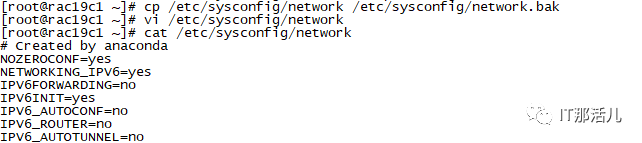
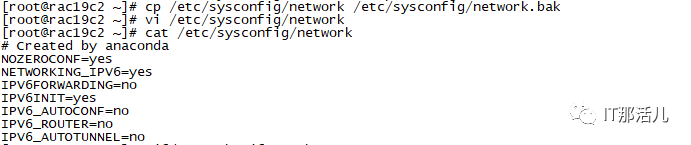
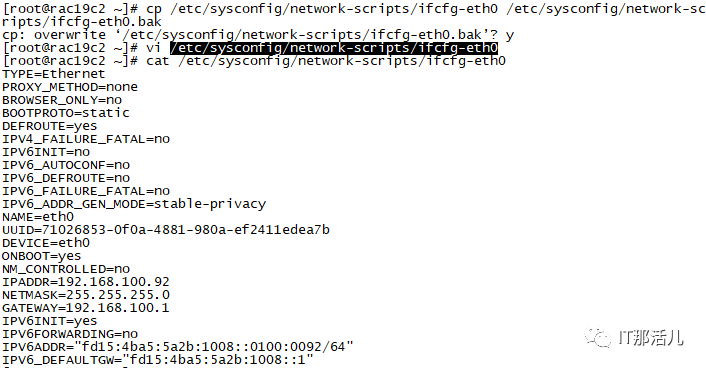
2.8 修改ifcfg-eth0
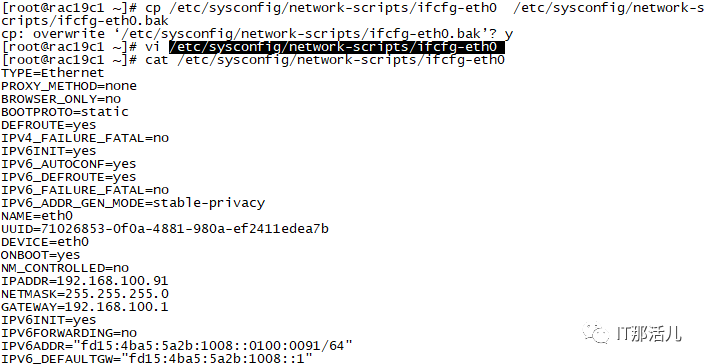
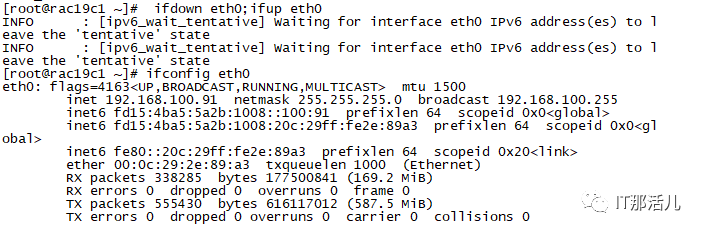
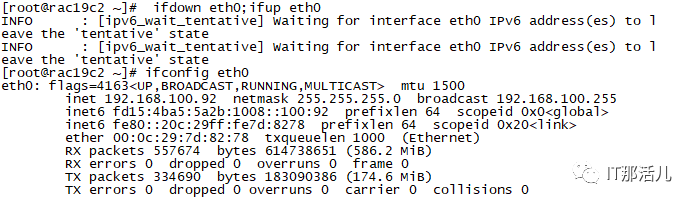
2.9 重启网卡并验证
(root)# ifdown eth0;ifup eth0
(root)# ifconfig eth0
2.10 修改/etc/host.conf


2.11 添加网络资源
$su - root
(root)# srvctl modify network -netnum 1 -subnet fd15:4ba5:5a2b:1008::0/64/eth0
2.12 修改节点VIP


2.14 添加公共接口

2.15 仅一个节点上将扫描集群名



2.16 在集群中的一个节点上修改网络资源以激活IPV6配置
$su - root
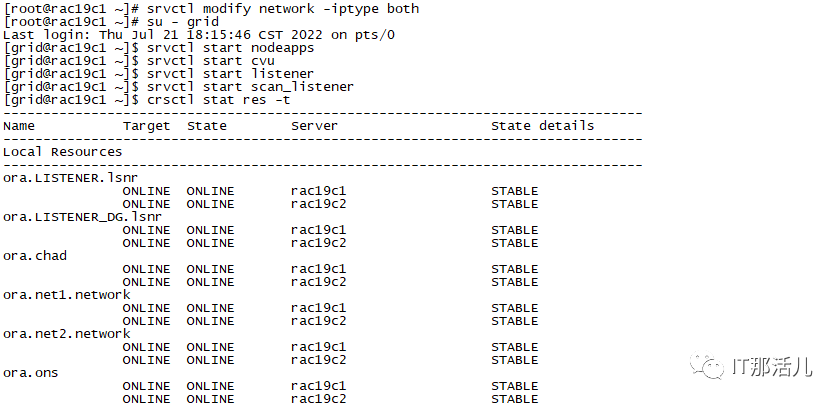
(root)# srvctl modify network -iptype both
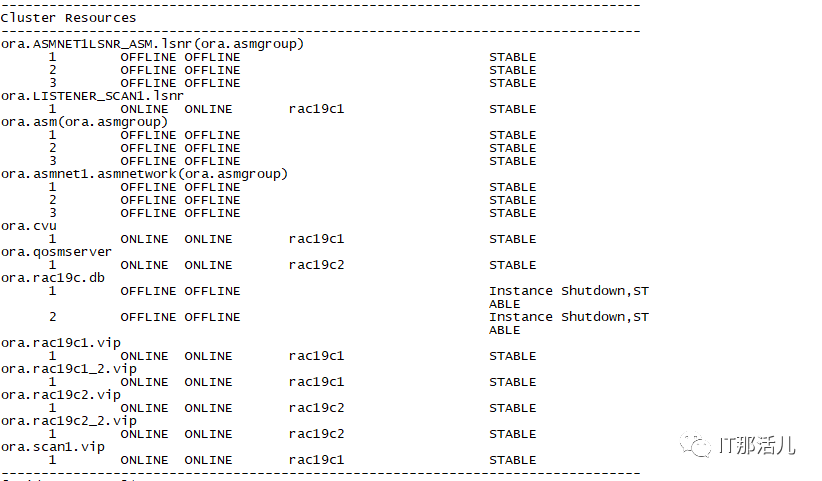
2.17 开启集群并验证
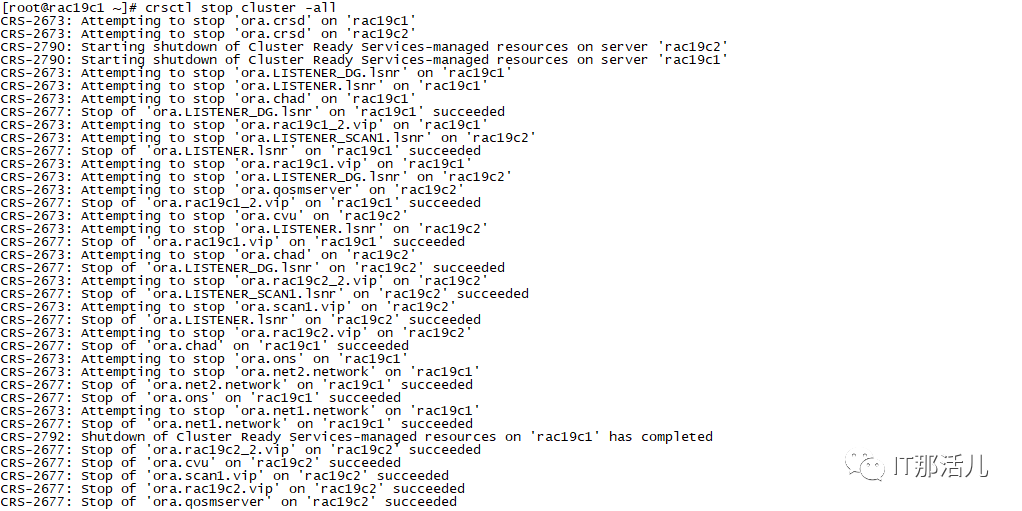
2.18 最后一次检查
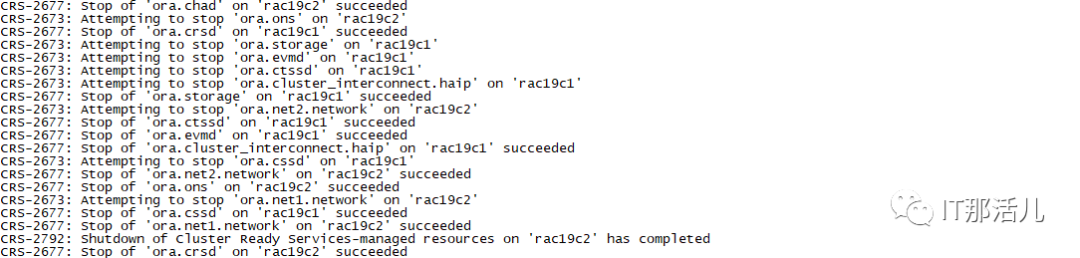
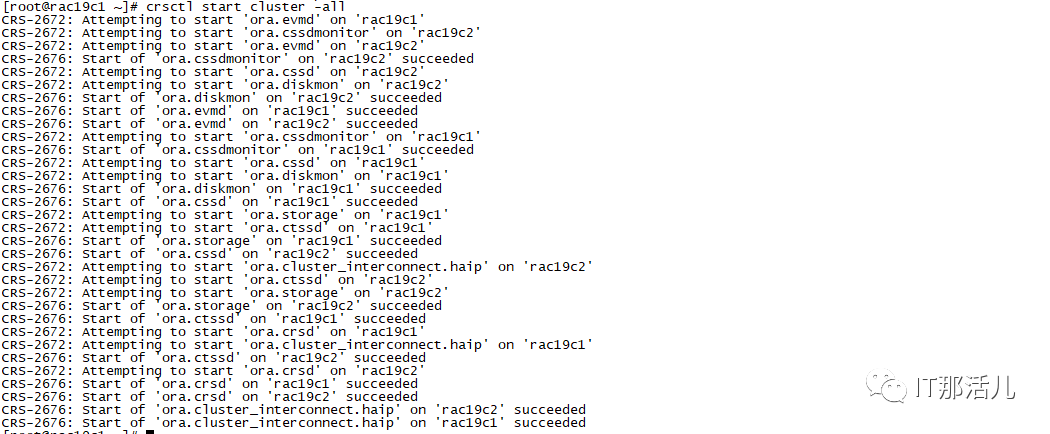
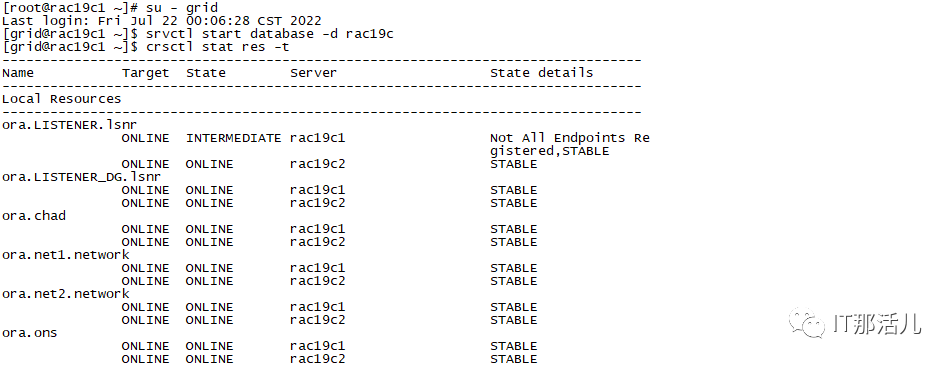
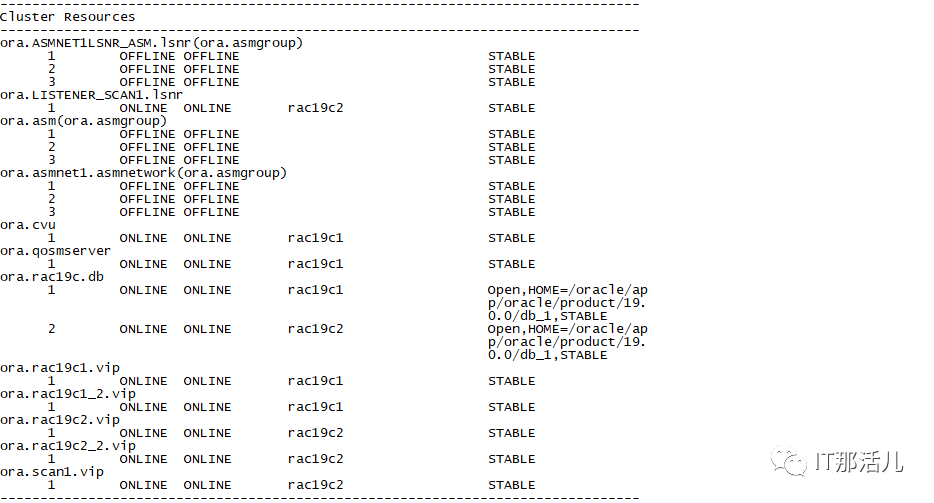
2.19 在一个节点上重新启动数据库
2.20 检查GI集群配置信息


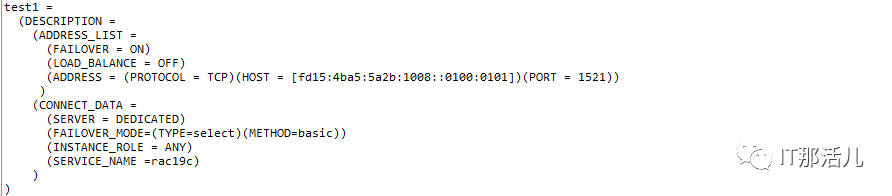
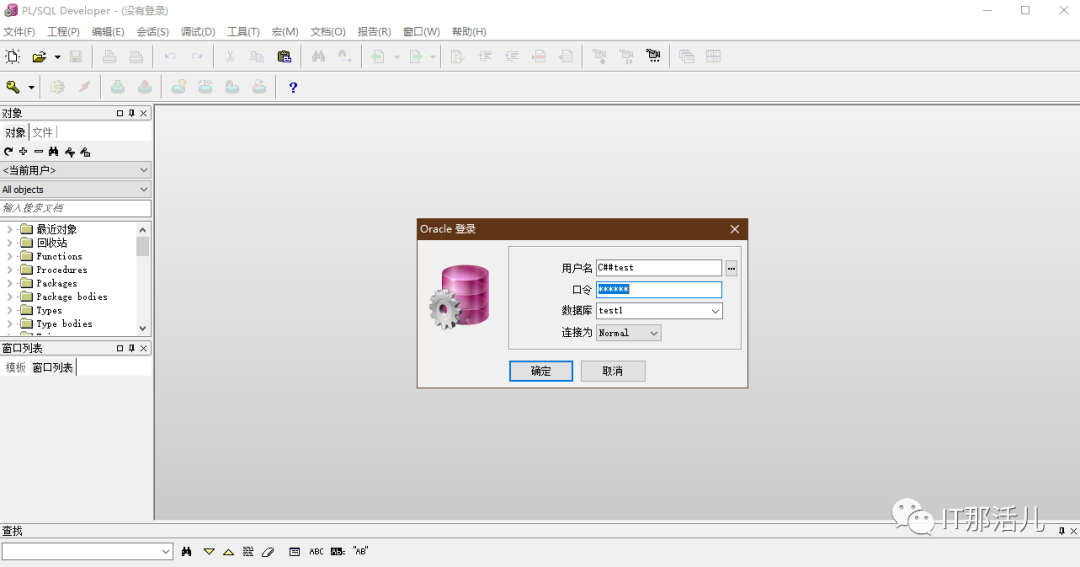
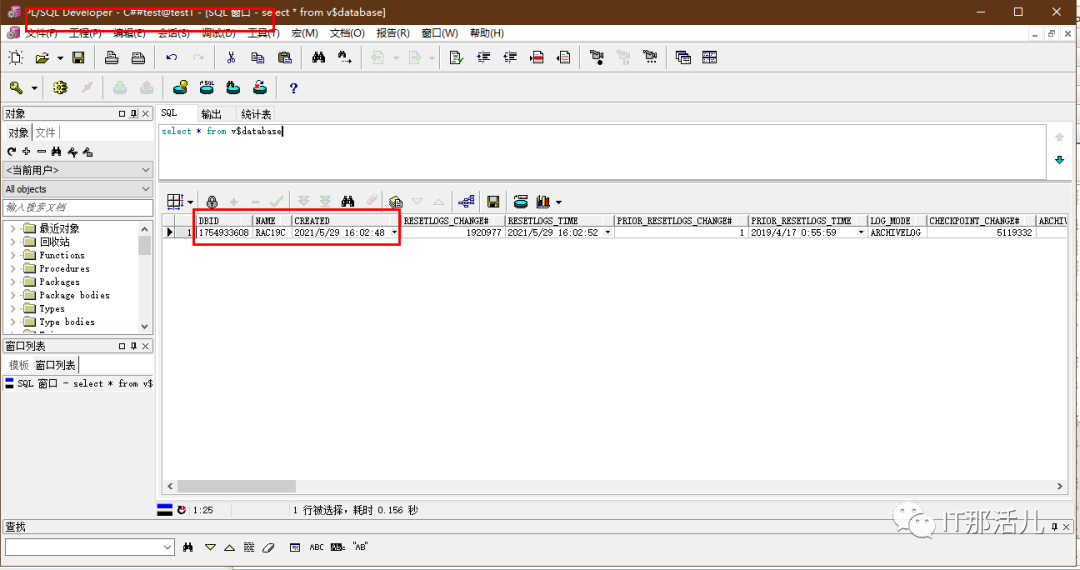
2.21 客户端连接测试

本文作者:付青启(上海新炬王翦团队)
本文来源:“IT那活儿”公众号

文章转载自IT那活儿,如果涉嫌侵权,请发送邮件至:contact@modb.pro进行举报,并提供相关证据,一经查实,墨天轮将立刻删除相关内容。
