



注:问题虽然解决了,但问题出现的原因,我还是有些困惑,希望对此熟悉的大牛能帮忙解惑下,万分感谢。
一、现象描述
在跟进墨天轮的openGauss在线实训课程学习熟悉gsql命令时,使用\dv 命令想查看当前数据库的视图信息,发现当前数据库没有视图信息,于是就尝试手工创建一个视图,产生报错,报错信息是ERROR: invalid byte sequence for encoding “UTF8”: 0xef 0x2c 0x63:

presdb=# presdb=# \dv
No relations found.
presdb=# \c postgres
Non-SSL connection (SSL connection is recommended when requiring high-security)
You are now connected to database "postgres" as user "omm".
openGauss=# \dv
No relations found.

presdb=# \d bmsql_config
          Table "public.bmsql_config"
  Column   |         Type          | Modifiers
-----------+-----------------------+-----------
 cfg_name  | character varying(30) | not null
 cfg_value | character varying(50) |
Indexes:
    "bmsql_config_pkey" PRIMARY KEY, btree (cfg_name) TABLESPACE pg_default
Tablespace: "tbs2"

presdb=# create view bmsql_config_view as select cfg_name,cfg_value from bmsql_config;
ERROR:  invalid byte sequence for encoding "UTF8": 0xef 0x2c 0x63
presdb=# show client_encoding;
 client_encoding
-----------------
 UTF8
(1 row)
二、原因分析
我很好奇为什么会产生这种报错信息呢,这种报错信息代表什么意思呢,于是查询了相关资料。根据资料信息,提示invalid byte sequence for encoding “UTF8”: 0xef 0x2c 0x63:是postgreSQL独有的错误信息,有以下三种情形可能会出现此报错,分别是:
- client_encoding和server_encoding未设置为UTF8。
- 文件正在使用其他字符集。
- 文件包含反斜杠“\”,但未用作转义字符串。
openGauss源于postgreSQL,在默认情况下,postgreSQL是不进行字符集转换的,如果一个数据库字符集是UTF8,而进行操作的终端工具(如SecureCRT等)字符集设置的是中文(如GBK或GB18030等),则输入的是非UTF8编码,该编码会不经转换的存入数据库中,而数据库设置的是UTF8,两者在编码转换时产生问题,导致报错。
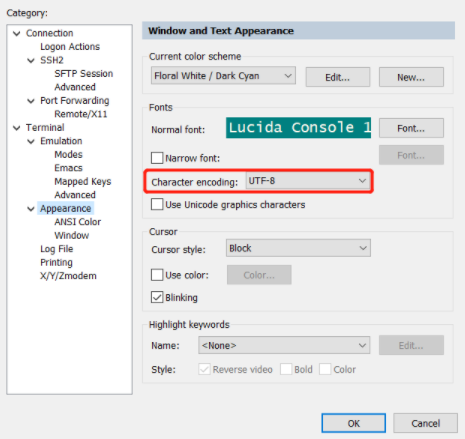
我查询了我当前操作的SecureCRT工具,当前SecureCRT设置的字符集是UTF-8,如下图所示:
数据库服务器上当前数据库client_encoding及server_encoding均是UTF8,如下所示:
[omm@opengauss-node1 ~]$ gsql -d presdb -p 26000
gsql ((openGauss 3.1.0 build 4e931f9a) compiled at 2022-09-29 14:19:24 commit 0 last mr  )
Non-SSL connection (SSL connection is recommended when requiring high-security)
Type "help" for help.

presdb=# show client_encoding;
 client_encoding
-----------------
 UTF8
(1 row)

presdb=# show server_encoding;
 server_encoding
-----------------
 UTF8
(1 row)
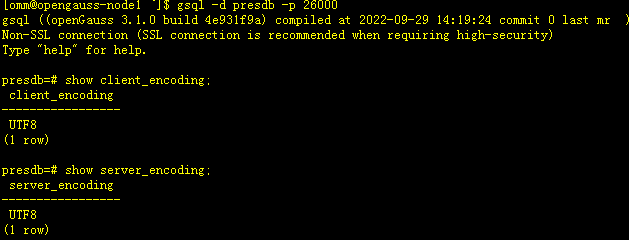
那当前报错原因就不属于以上常用报错原因的第一种。
该语句是我从notepad上通过鼠标复制粘贴到SecureCRT上执行的,未通过文件执行,也不符合通常报错的第二个原因。
我查询网上一些解决办法的资料,设置\encoding GBK并重新执行了创建视图语句,这次创建成功了。
presdb=# \encoding GBK
presdb=# create view bmsql_config_view as select cfg_name,cfg_value from bmsql_config;
CREATE VIEW
presdb=# \dv
                  List of relations
 Schema |       Name        | Type | Owner | Storage
--------+-------------------+------+-------+---------
 public | bmsql_config_view | view | omm   |
(1 row)

三、再次验证
3.1 设置SecureCRT字符集为GB18030测试
问题虽然解决了,但具体是哪个环节出现了问题,我仍然感到有些困惑,于是我又尝试做了几个实验。
首先我将SecureCRT工具字符集设置

[omm@opengauss-node1 ~]$ gsql -d presdb -p 26000
gsql ((openGauss 3.1.0 build 4e931f9a) compiled at 2022-09-29 14:19:24 commit 0 last mr  )
Non-SSL connection (SSL connection is recommended when requiring high-security)
Type "help" for help.

presdb=# show client_encoding;
 client_encoding
-----------------
 UTF8
(1 row)

presdb=# show server_encoding;
 server_encoding
-----------------
 UTF8
(1 row)

presdb=# drop view bmsql_config_view;
DROP VIEW
presdb=# create view bmsql_config_view as select cfg_name,cfg_value from bmsql_config;
CREATE VIEW
presdb=# \dv
                  List of relations
 Schema |       Name        | Type | Owner | Storage
--------+-------------------+------+-------+---------
 public | bmsql_config_view | view | omm   |
(1 row)
presdb=# select * from bmsql_config_view;
  cfg_name   | cfg_value
-------------+-----------
 warehouses  | 1
 nURandCLast | 86
 nURandCC_ID | 467
 nURandCI_ID | 6575
(4 rows)
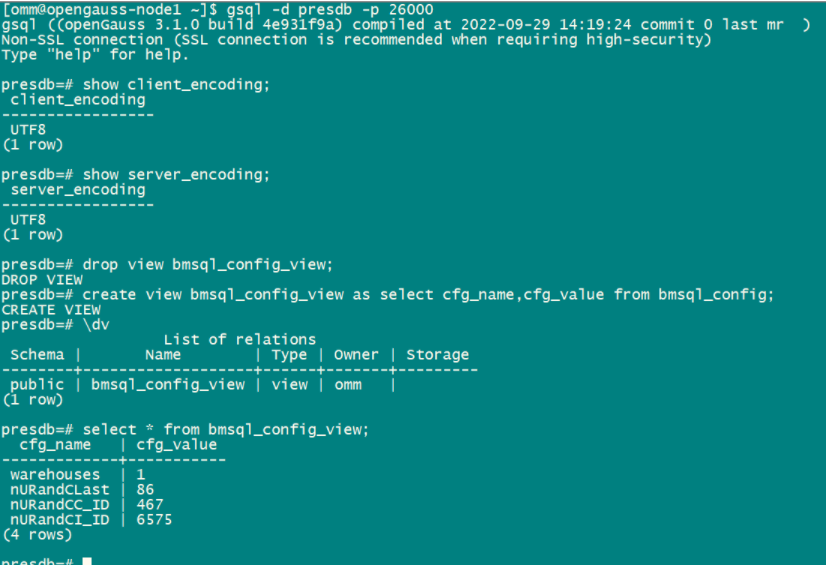
通过以上试验可以看到视图正常被创建,未出现开头的报错现象,另外我又尝试将SecureCRT字符集设置为GB2312,仍然可以正常创建视图。
3.1 设置client_encoding为GBK测试
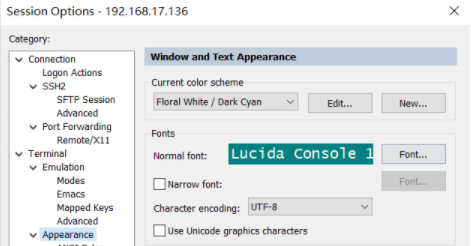
这次我重新将SecureCRT字符集设置为UTF8,但将client_encoding设置为GBK进行测试,以下是测试过程和结果。
[root@opengauss-node1 ~]# su - omm
Last login: Mon Nov 28 09:50:00 CST 2022 on pts/5
[omm@opengauss-node1 ~]$ gsql -d presdb -p 26000
gsql ((openGauss 3.1.0 build 4e931f9a) compiled at 2022-09-29 14:19:24 commit 0 last mr  )
Non-SSL connection (SSL connection is recommended when requiring high-security)
Type "help" for help.

presdb=# show client_encoding;
 client_encoding
-----------------
 UTF8
(1 row)

presdb=# show server_encoding;
 server_encoding
-----------------
 UTF8
(1 row)

presdb=# set client_encoding = 'GBK';
SET
presdb=# show client_encoding;
 client_encoding
-----------------
 GBK
(1 row)

presdb=# drop view bmsql_config_view;
DROP VIEW
presdb=# create view bmsql_config_view as select cfg_name,cfg_value from bmsql_config;
CREATE VIEW
presdb=# \dv
                  List of relations
 Schema |       Name        | Type | Owner | Storage
--------+-------------------+------+-------+---------
 public | bmsql_config_view | view | omm   |
(1 row)

presdb=# select * from bmsql_config_view;
  cfg_name   | cfg_value
-------------+-----------
 warehouses  | 1
 nURandCLast | 86
 nURandCC_ID | 467
 nURandCI_ID | 6575
(4 rows)
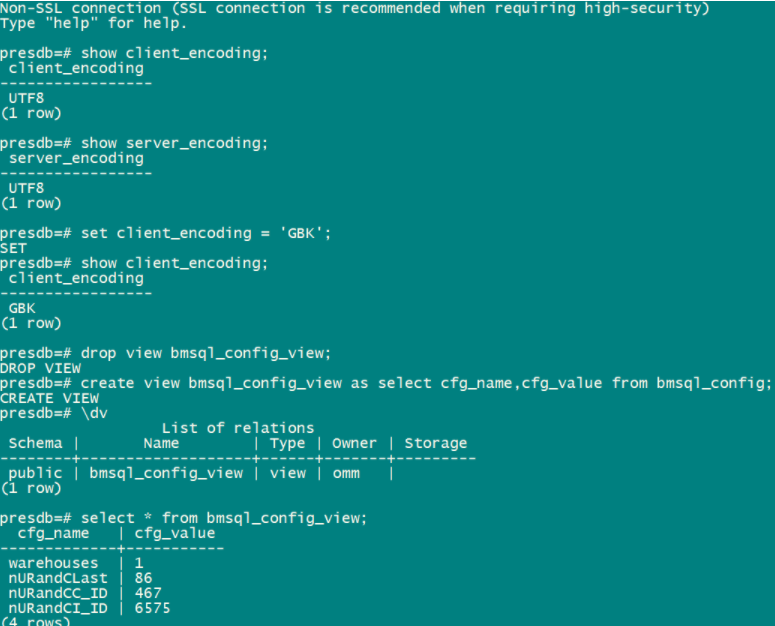
通过上述实验,可以看到仍然能正常创建视图,为产生报错。
至此,我更困惑了,到底是什么环节出现了问题,希望对此方面熟悉的帮忙解惑下。
