学习目标
学习表空间与数据库对象的关系。
在musicdb数据库中创建的所有的表,没有指定表空间的名字,因此都创建在数据库默认的表空间music_tbs中,当我们在musicdb数据库中创建表warehouse_t1的时候,明确指定在表空间ds_location1中创建时,这个表会存储在这个指定的表空间。即一个数据库中的对象,可以位于不同的表空间.
课后作业
#第一次进入等待15秒
#数据库启动中...
su - omm
gsql -r
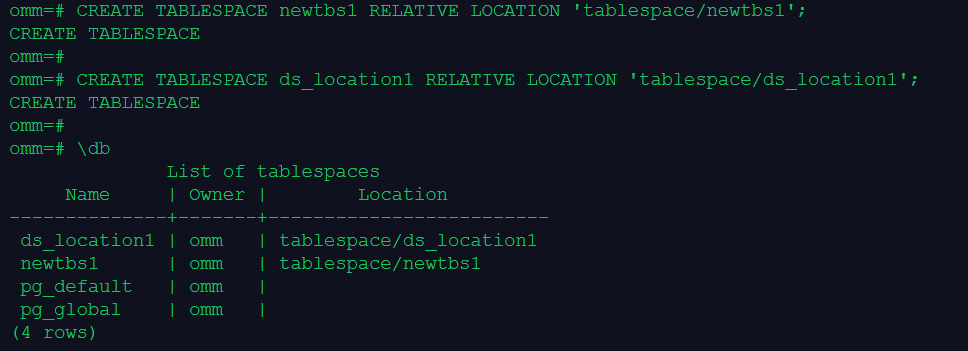
1.创建表空间 newtbs1、 ds_location1,查看表空间
--创建表空间
CREATE TABLESPACE newtbs1 RELATIVE LOCATION 'tablespace/newtbs1';
CREATE TABLESPACE ds_location1 RELATIVE LOCATION 'tablespace/ds_location1';
--执行下面的命令,查看当前表空间:
\db
2.创建一个数据库 newdb1,默认表空间为 newtbs1
CREATE DATABASE newdb1 WITH TABLESPACE = newtbs1;

3.创建用户user5,并授予SYSADMIN权限,访问数据库newdb1,在表空间 ds_location1上,创建一个表newt1(表结构自定义)
--执行下面的SQL语句,创建用户user5:
CREATE USER user5 IDENTIFIED BY 'robin@123';
--授予user5数据库系统的SYSADMIN权限:
ALTER USER user5 SYSADMIN;

--user5访问数据库newdb1,在表空间 ds_location1上,创建一个表newt1
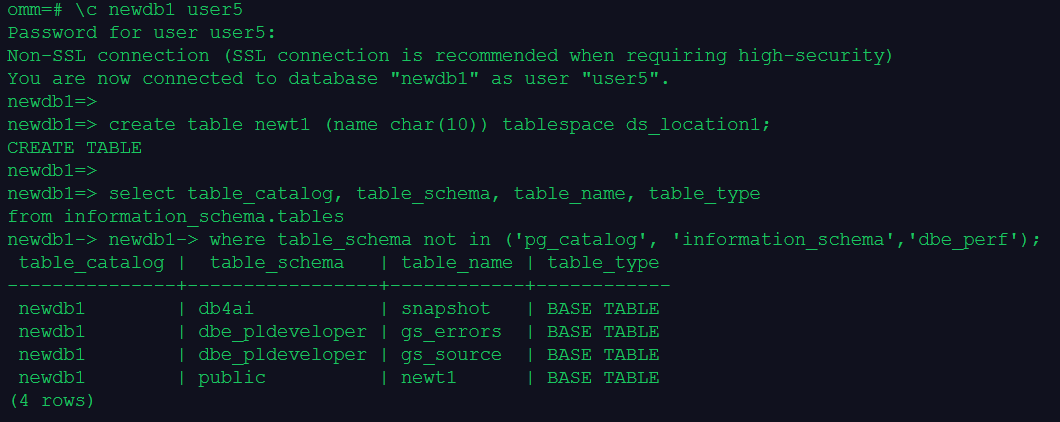
\c newdb1 user5
create table newt1 (name char(10)) tablespace ds_location1;
--查看表清单
select table_catalog, table_schema, table_name, table_type
from information_schema.tables
where table_schema not in ('pg_catalog', 'information_schema','dbe_perf');
4.查看表所在的表空间
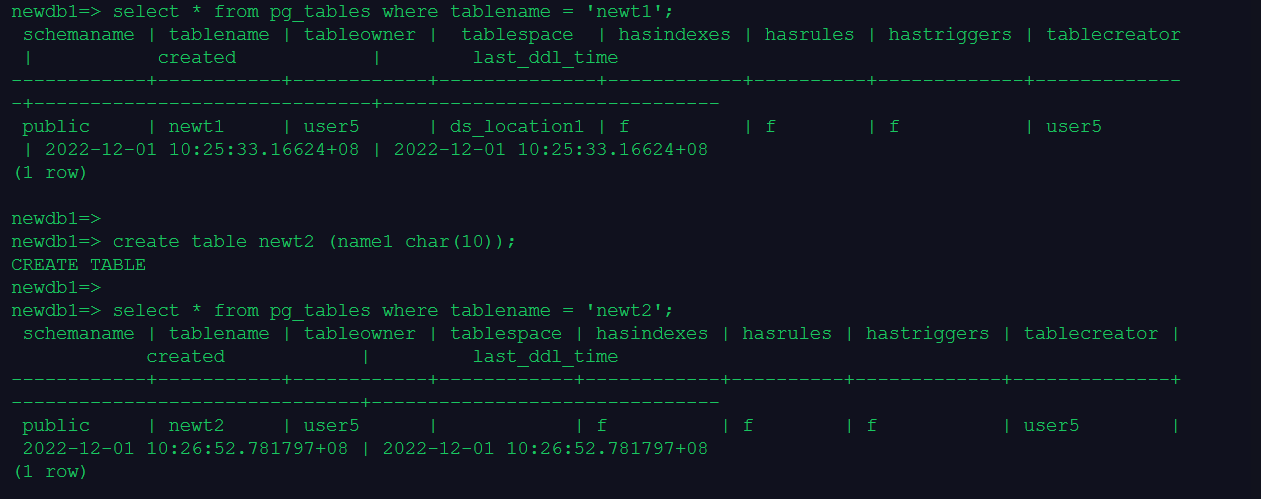
--查看 newt1 表所在的表空间
select * from pg_tables where tablename = 'newt1';
--测试创建表 newt2 未指定表空间,则在默认表空间(不显示默认表空间名)
create table newt2 (name1 char(10));
select * from pg_tables where tablename = 'newt2';
--查看openGuass数据库的默认表空间
select datname,dattablespace,spcname from pg_database d, pg_tablespace t where d.dattablespace=t.oid;

5.查看表空间 newtbs1、 ds_location1 上的对象
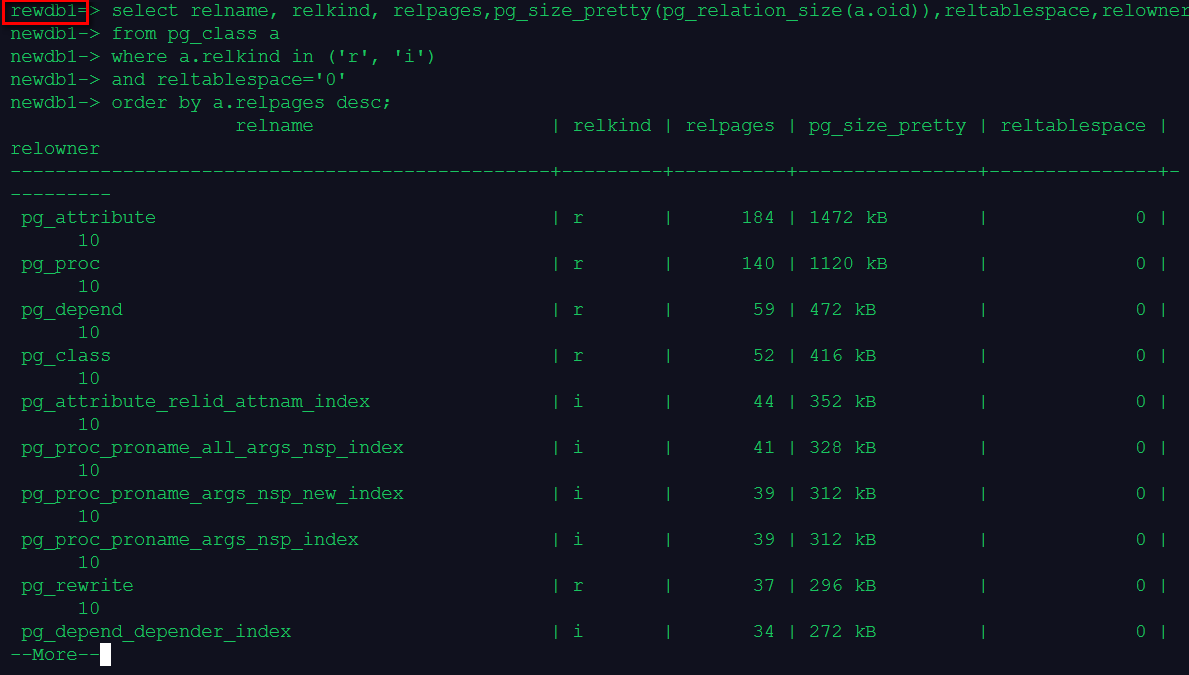
--查看表空间 newtbs1(默认表空间)
\c newdb1 user5
select relname, relkind, relpages,pg_size_pretty(pg_relation_size(a.oid)),reltablespace,relowner
from pg_class a
where a.relkind in ('r', 'i')
and reltablespace='0'
order by a.relpages desc;
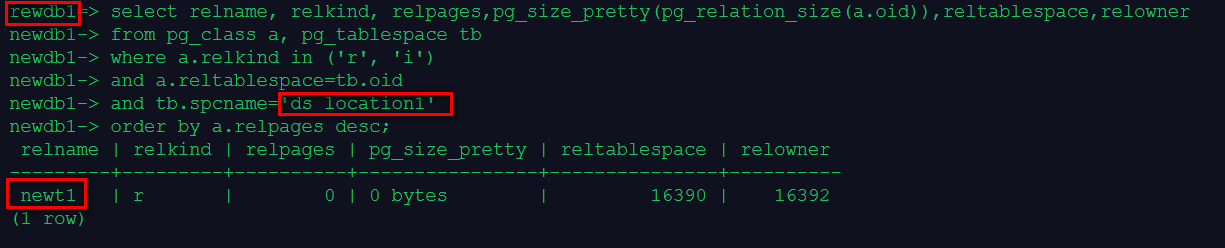
--查看表空间 ds_location1 上的对象(非默认表空间)
\c newdb1 user5
select relname, relkind, relpages,pg_size_pretty(pg_relation_size(a.oid)),reltablespace,relowner
from pg_class a, pg_tablespace tb
where a.relkind in ('r', 'i')
and a.reltablespace=tb.oid
and tb.spcname='ds_location1'
order by a.relpages desc;