



官方文档是第一手学习资料,当文档不能满足需要时,了解其生态,或者阅读一些源码,可能会有意想不到的收获。
源码阅读
通过阅读 wry
源码示例[1]可知 Tauri 应用的背景分三层:
第一层是
window第二层是
webview第三层是
html
fn main() -> wry::Result<()> {
  use wry::{
    application::{
      event::{Event, WindowEvent},
      event_loop::{ControlFlow, EventLoop},
      window::WindowBuilder,
    },
    webview::WebViewBuilder,
  };

  let event_loop = EventLoop::new();
  let window = WindowBuilder::new()
    .with_decorations(false)
    // ✅ 第一层:
    // There are actually three layer of background color when creating webview window.
    // The first is window background...
    .with_transparent(true)
    .build(&event_loop)
    .unwrap();

  let _webview = WebViewBuilder::new(window)?
    // ✅ 第二层:
    // The second is on webview...
    .with_transparent(true)
    // ✅ 第三层:
    // And the last is in html.
    .with_url(
      r#"data:text/html,
            <!doctype html>
            <html>
              <body style="background-color:rgba(87,87,87,0.5);">hello</body>
              <script>
                window.onload = function() {
                  document.body.innerText = `hello, ${navigator.userAgent}`;
                };
              </script>
            </html>"#,
    )?
    .build()?;

  event_loop.run(move |event, _, control_flow| {
    *control_flow = ControlFlow::Wait;

    match event {
      Event::WindowEvent {
        event: WindowEvent::CloseRequested,
        ..
      } => *control_flow = ControlFlow::Exit,
      _ => {}
    }
  });
}
所以如果我们想要实现磨砂或半透明应用应该从这三方面的配置入手。
透明背景
tauri.conf.json 配置
在官方文档 tauri.conf.json
窗口配置[2]中有 transparent
字段,设置为 true
启用透明度。(默认为 false
,不启用)
注意:在 macOS 上,需要从 tauri.conf.json > tauri > macOSPrivateApi
启用 macos-private-api
,默认为 false
,不启用。(警告:在 macOS 上使用私有 API 的应用程序会被 App Store 拒绝[3])
macOSPrivateApi
设置为 true
时:
启用透明背景 API
将
fullScreenEnabled
首选项设置为true
{
  "tauri": {
    "macOSPrivateApi": true,
    "windows": [
      {
        "width": 800,
        "height": 600,
        "resizable": true,
        "fullscreen": false,
        "title": "Oh My Box",
        "transparent": true
      }
    ]
  }
}
html 配置
窗口配置中的 transparent
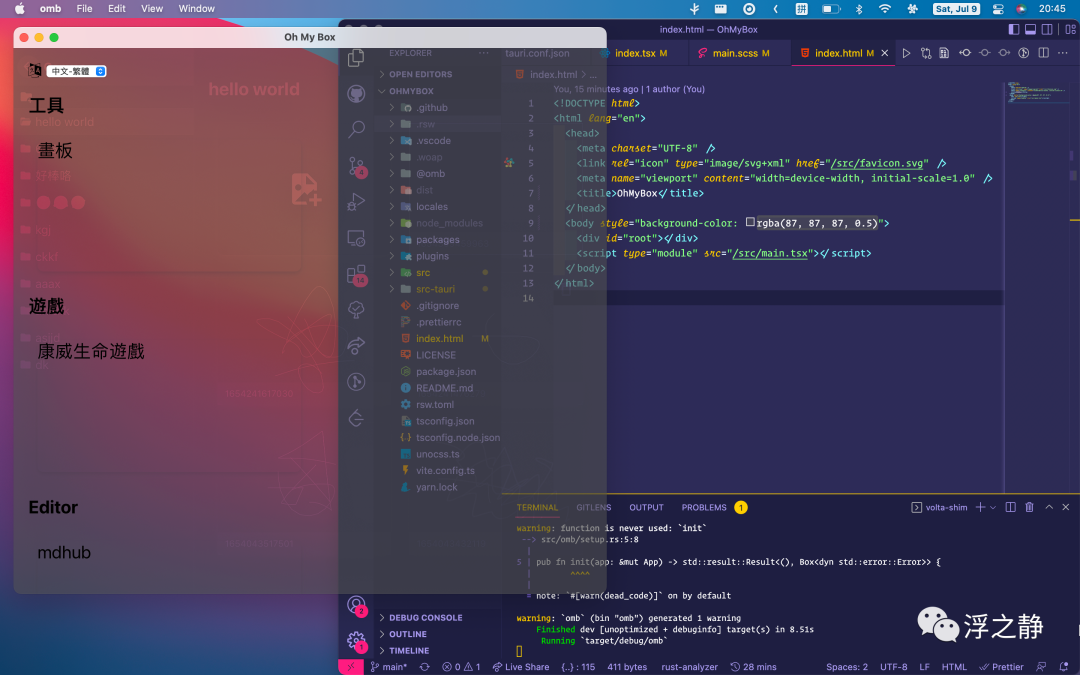
是开启第一层(window)和第二层(webview)的透明度。如果透明度未生效,请检查 html 是否设置了不透明背景色,将其修改为 RGBA
或 transparent
。也可以通过 css 文件设置 body 样式。
<!DOCTYPE html>
<html>
  <body style="background-color: rgba(87,87,87,0.5);">
    <div id="root"></div>
  </body>
</html>
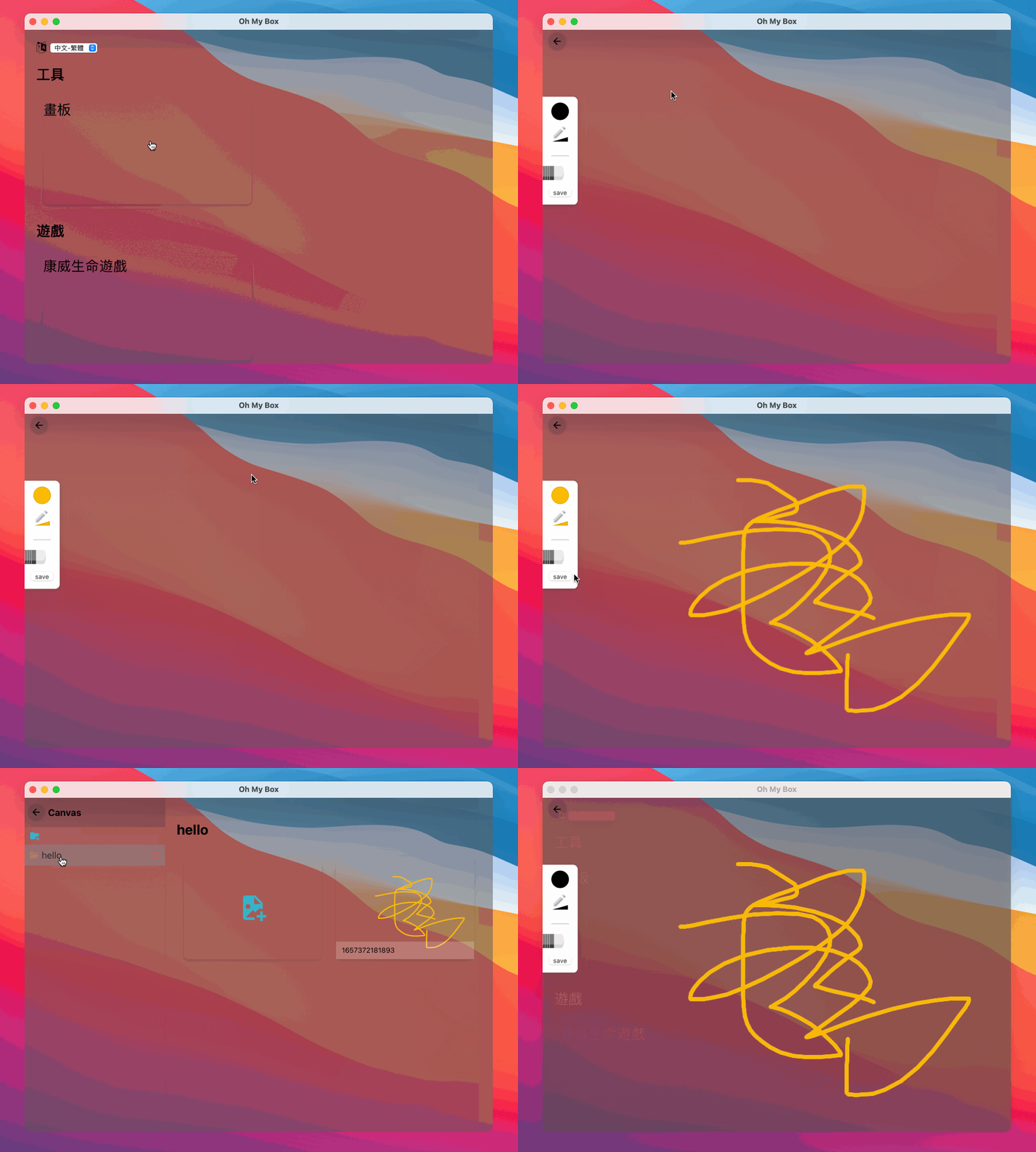
注意:在 macOS 中使用透明背景在页面跳转时会出现残影,暂未了解到相关解决方案。
磨砂背景
透明背景虽然很酷,但实用性低。因为在使用应用时很容易受到桌面背景的干扰,所以磨砂背景更符合使用场景。
官网并没有给出磨砂背景的相关配置,直接在第三层 html 中使用 css 属性实现模糊效果也会存在一些问题,具体原因可以查看 Blurry and translucent background on a transparent window[4],issues 中作者提到可能会在 tauri v2
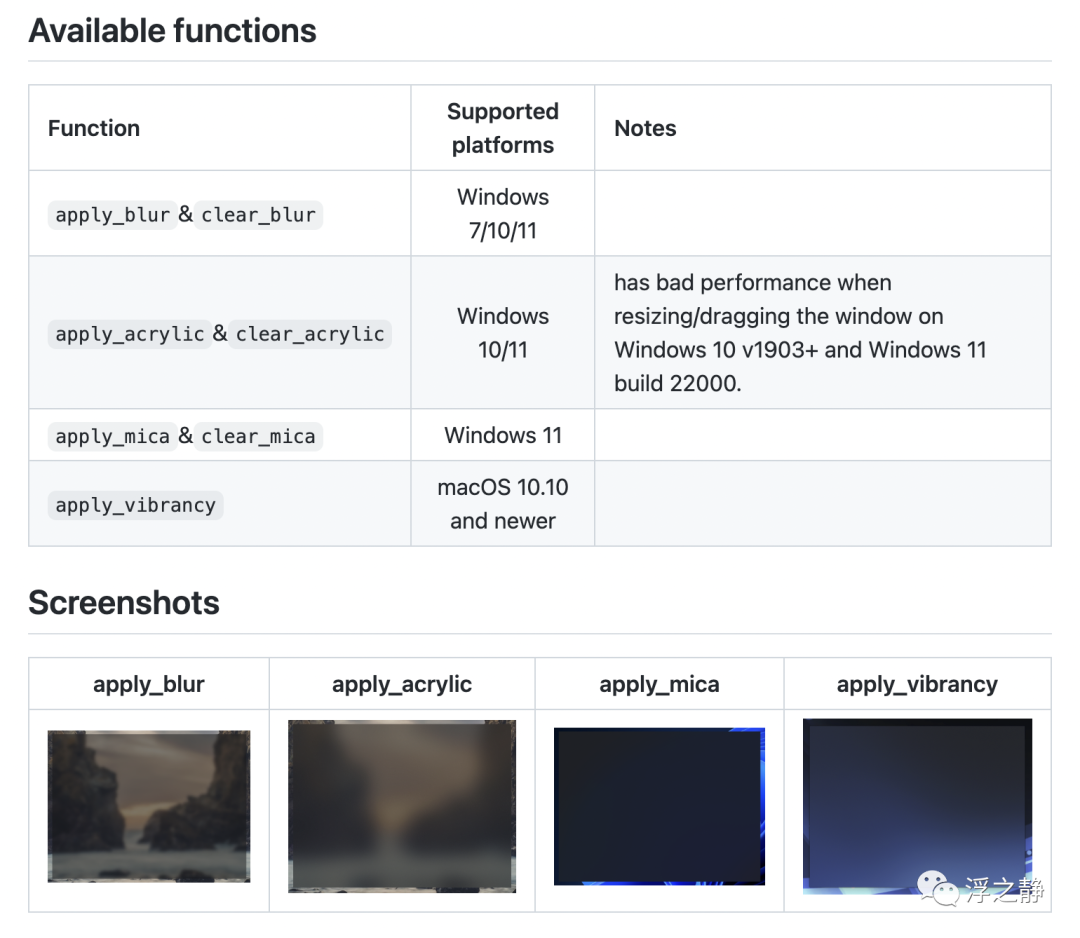
版本中支持此功能,过渡方案可以使用 tauri-apps/window-vibrancy[5] 插件。所以接下来的配置将围绕 tauri-apps/window-vibrancy
进行:
Step 1
安装 window-vibrancy
依赖,推荐使用 cargo edit[6](该工具扩展了 Cargo,允许你通过从命令行修改 Cargo.toml 文件来添加、删除和升级依赖项) :
# 1. 命令进入 src-tauri 目录
cd src-tauri

# 2. 安装 window-vibrancy
cargo add window-vibrancy
安装完成后会在 Cargo.toml > dependencies
中看到该依赖。
Step 2
在 src-tauri/src
下新建 setup.rs
文件:
use tauri::{App, Manager};
use window_vibrancy::{self, NSVisualEffectMaterial};

/// setup
pub fn init(app: &mut App) -> std::result::Result<(), Box<dyn std::error::Error>> {
    let win = app.get_window("main").unwrap();

    // 仅在 macOS 下执行
    #[cfg(target_os = "macos")]
    window_vibrancy::apply_vibrancy(&win, NSVisualEffectMaterial::FullScreenUI)
        .expect("Unsupported platform! 'apply_vibrancy' is only supported on macOS");

    // 仅在 windows 下执行
    #[cfg(target_os = "windows")]
    window_vibrancy::apply_blur(&win, Some((18, 18, 18, 125)))
        .expect("Unsupported platform! 'apply_blur' is only supported on Windows");

    Ok(())
}
代码中的 #[cfg(target_os)]
是指条件编译,仅在目标的操作系统中执行相关代码,可以查看 conditional compilation - target_os[7] 了解更多。
Step 3
在 src-tauri/src/main.rs
中使用 setup.rs
:
mod setup;

fn main() {
    let context = tauri::generate_context!();
    tauri::Builder::default()
        .setup(setup::init)
        .run(context)
        .expect("error while running OhMyBox application");
}
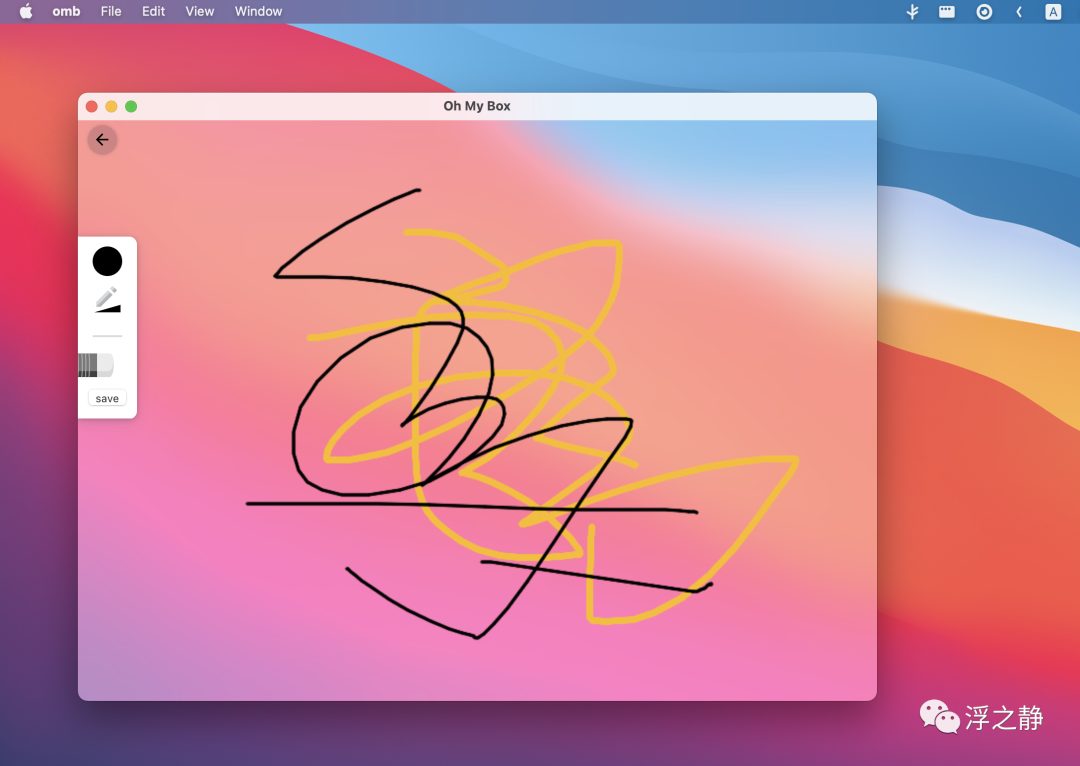
setup
是一个 Rust 模块,简单来讲就是按照逻辑单元或功能模块进行代码拆分。可以查看 rust-by-example - mod[8] 了解更多。
相关阅读
NSVisualEffectView (apple developer)[9] - 为界面中的视图添加半透明和活力效果
References
wry
源码示例: https://github.com/tauri-apps/wry/blob/d7c9097256d76de7400032cf27acd7a1874da5cd/examples/transparent.rs
tauri.conf.json
窗口配置: https://tauri.app/v1/api/config#windowconfig
在 macOS 上使用私有 API 的应用程序会被 App Store 拒绝: https://developer.apple.com/forums/thread/64443
[4]Blurry and translucent background on a transparent window: https://github.com/tauri-apps/tauri/issues/2827
[5]tauri-apps/window-vibrancy: https://github.com/tauri-apps/window-vibrancy
[6]cargo edit: https://github.com/killercup/cargo-edit
[7]conditional compilation - target_os: https://doc.rust-lang.org/reference/conditional-compilation.html#target_os
[8]rust-by-example - mod: https://doc.rust-lang.org/rust-by-example/mod.html
[9]NSVisualEffectView (apple developer): https://developer.apple.com/documentation/appkit/nsvisualeffectview

