



表空间是数据的容器。掌握表空间的管理,包括创建表空间、删除表空间、重命名表空间、查看表空间的情况。
表空间对应于一个文件系统目录,假定数据库节点数据目录/pg_location/mount1/path1是用户拥有读写权限的空目录。
openGauss自带了两个表空间:pg_default和pg_global。
默认表空间pg_default:用来存储非共享系统表、用户表、用户表index、临时表、临时表index、内部临时表的默认表空间。对应存储目录为实例数据目录下的base目录。
共享表空间pg_global:用来存放共享系统表的表空间。对应存储目录为实例数据目录下的global目录。
课后作业:
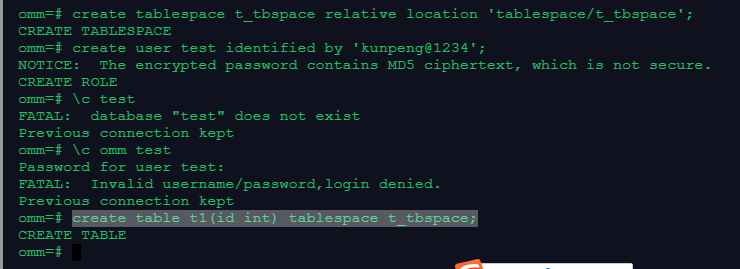
1、创建表空间t_tbspace、用户test,并使用test,在这个表空间上创建表t1
create tablespace t_tbspace relative location 'tablespace/t_tbspace';
create user test identified by 'kunpeng@1234';
\c omm test
create table t1(id int) tablespace t_tbspace;
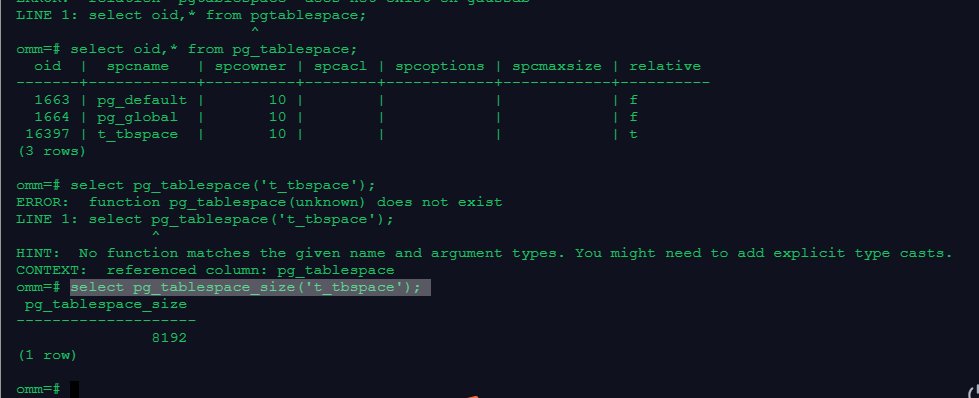
2、查看表空间t_tbspace的oid和大小
select oid,* from pg_tablespace;
select pg_tablespace_size('t_tbspace');
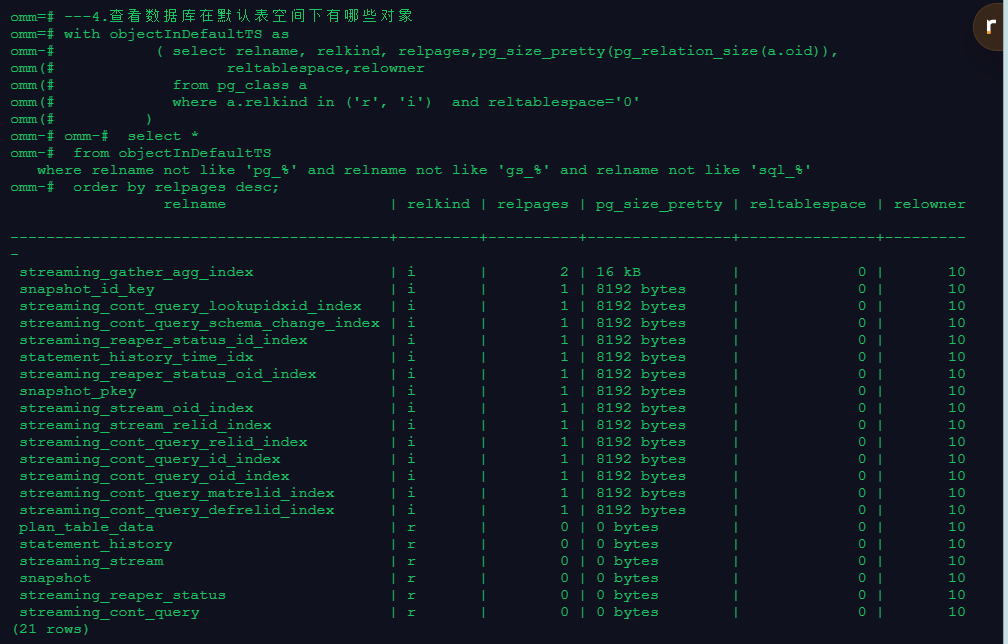
3、查看数据库在默认表空间下有哪些对象
---4.查看数据库在默认表空间下有哪些对象
with objectInDefaultTS as
( select relname, relkind, relpages,pg_size_pretty(pg_relation_size(a.oid)),
reltablespace,relowner
from pg_class a
where a.relkind in ('r', 'i') and reltablespace='0'
)
select *
from objectInDefaultTS
where relname not like 'pg_%' and relname not like 'gs_%' and relname not like 'sql_%'
order by relpages desc;
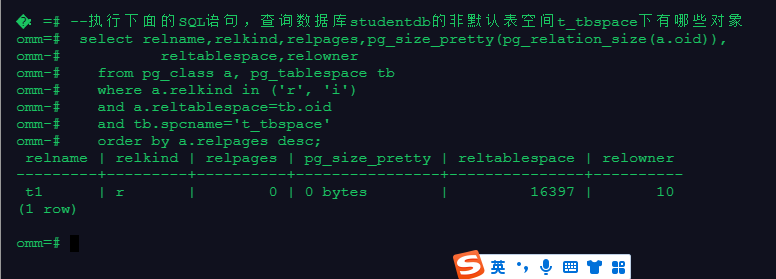
4、查看数据库在非默认表空间下有哪些对象
--执行下面的SQL语句,查询数据库studentdb的非默认表空间t_tbspace下有哪些对象:
select relname,relkind,relpages,pg_size_pretty(pg_relation_size(a.oid)),
reltablespace,relowner
from pg_class a, pg_tablespace tb
where a.relkind in ('r', 'i')
and a.reltablespace=tb.oid
and tb.spcname='t_tbspace'
order by a.relpages desc;
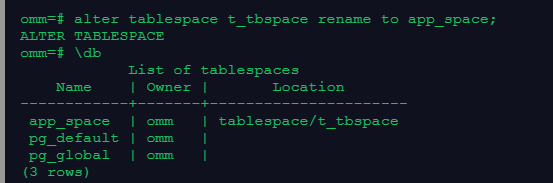
5、重命名表空间
alter tablespace t_tbspace rename to app_space;
6、删除表空间
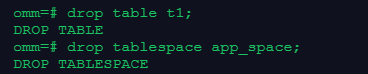
drop table t1;
drop tablespace app_space;
本次作业完毕,坚持学习openGauss数据库。
