



数据库是数据库对象的容器,在数据库中,可以创建模式、表、索引等数据库对象。openGauss数据库管理包括:创建数据库、删除数据库、重新命名数据库、查看数据库的信息。
OG缺省情况下,新数据库将通过复制标准系统数据库template0来创建,且仅支持使用template0来创建。
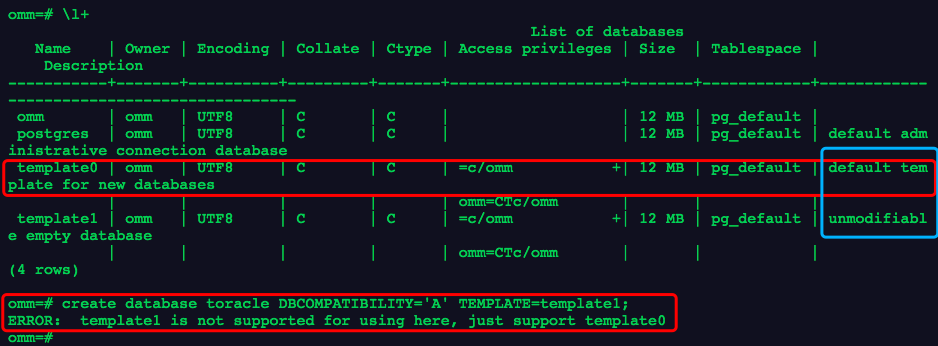
1.创建表空间enmtbs和数据库musicdb
CREATE TABLESPACE enmtbs RELATIVE LOCATION 'tablespace/enmtbs1';
CREATE DATABASE musicdb WITH TABLESPACE = enmtbs;
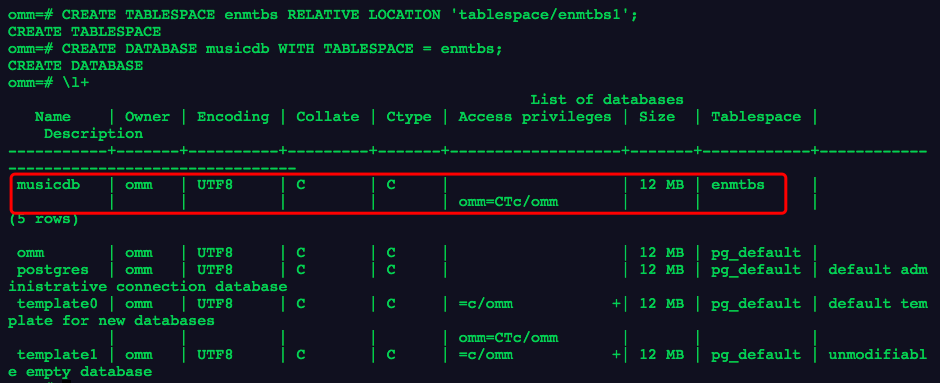
2.查看数据库集簇中有哪些数据库
SELECT datname FROM pg_database;
或
\l
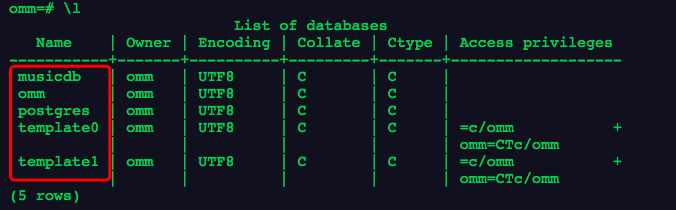
3.查看数据库默认的表空间信息
select spcname
from pg_tablespace
where oid=( select dattablespace from pg_database where datname='musicdb' );

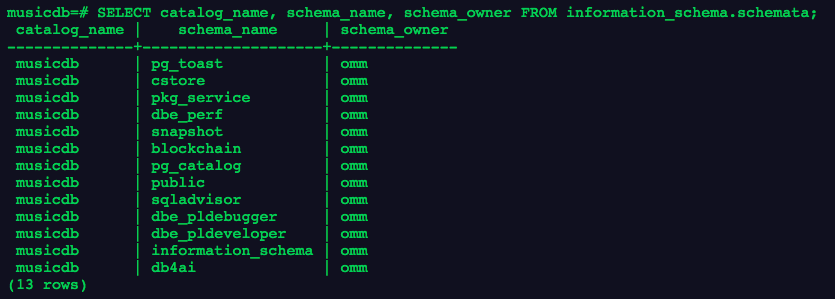
4.查看数据库下有哪些模式
\dn+
--或
SELECT catalog_name, schema_name, schema_owner FROM information_schema.schemata;
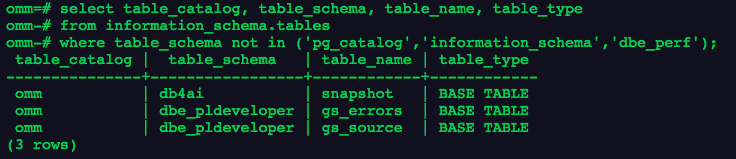
5.查询当前连接的数据库下有哪些表:
-- with语法sql
with my_tables(table_catalog, table_schema, table_name, table_type) as
      (   select table_catalog, table_schema, table_name, table_type
          from information_schema.tables
         where table_schema not in ('pg_catalog', 'information_schema','dbe_perf')
       )
select * from my_tables;

-- sql
select table_catalog, table_schema, table_name, table_type
from information_schema.tables
where table_schema not in ('pg_catalog','information_schema','dbe_perf');
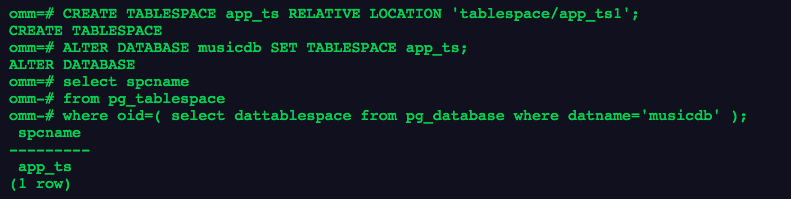
6.更改数据库默认的表空间
CREATE TABLESPACE app_ts RELATIVE LOCATION 'tablespace/app_ts1';

ALTER DATABASE musicdb SET TABLESPACE app_ts;
--查看表空间是否更改完成
select spcname
from pg_tablespace
where oid=( select dattablespace from pg_database where datname='musicdb' );
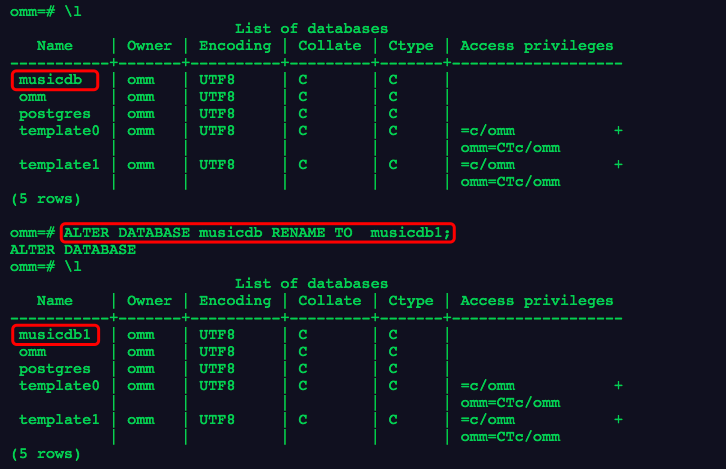
7.重新命名数据库
ALTER DATABASE musicdb RENAME TO  musicdb1;
\l
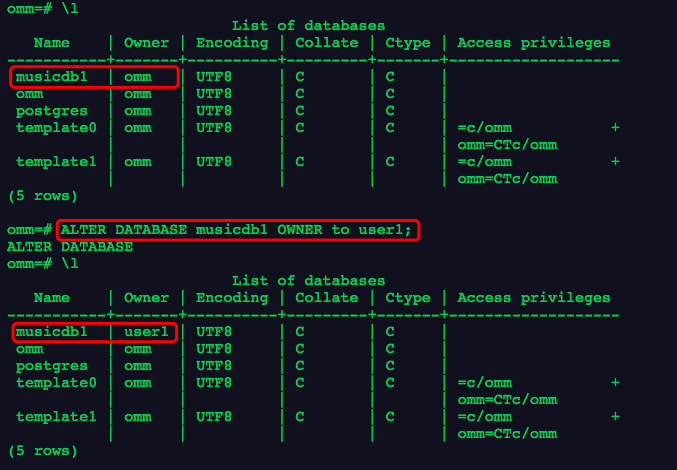
8.修改数据库的默认用户
CREATE USER user1 IDENTIFIED BY 'Test@123' SYSADMIN;
ALTER DATABASE musicdb1 OWNER to user1;
\l
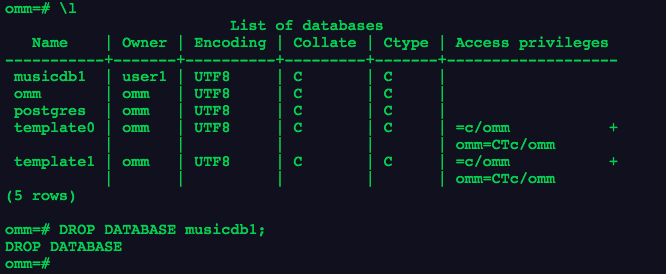
9.删除数据库
DROP DATABASE musicdb1;
「喜欢这篇文章,您的关注和赞赏是给作者最好的鼓励」
关注作者
【版权声明】本文为墨天轮用户原创内容,转载时必须标注文章的来源(墨天轮),文章链接,文章作者等基本信息,否则作者和墨天轮有权追究责任。如果您发现墨天轮中有涉嫌抄袭或者侵权的内容,欢迎发送邮件至:contact@modb.pro进行举报,并提供相关证据,一经查实,墨天轮将立刻删除相关内容。
