



1、环境安装
检查 python 当前版本:
[root@node1 ~]# python -V
Python 2.7.5
需要更新到 Python3.6
安装 Python3.6
步骤一:安装 Python3:
[root@node1 ~]# yum install python3*检查 python3 的版本:
[root@node1 ~]# python3 -V
Python 3.6.8
2、软件依赖
检查软件依赖的包(2个节点均要检查):
[root@node1 ~]# rpm -qa libaio-devel flex bison ncurses-devel glibc-devel patch lsb_release readline-devell

[root@node2 ~]# rpm -qa libaio-devel flex bison ncurses-devel glibc-devel patch lsb_release readline-devell
如果少,则安装,或者全部安装:
[root@node1 ~]# yum install libaio-devel flex bison ncurses-devel glibc-devel patch lsb_release readline-devel

[root@node2 ~]# yum install libaio-devel flex bison ncurses-devel glibc-devel patch lsb_release readline-devel
再次检查:
[root@node1 ~]# rpm -qa libaio-devel flex bison ncurses-devel glibc-devel patch lsb_release readline-devell
[root@node2 ~]# rpm -qa libaio-devel flex bison ncurses-devel glibc-devel patch lsb_release readline-devell

bison-3.0.4-2.el7.x86_64
patch-2.7.1-12.el7_7.x86_64
ncurses-devel-5.9-14.20130511.el7_4.x86_64
readline-devel-6.2-11.el7.x86_64
libaio-devel-0.3.109-13.el7.x86_64
flex-2.5.37-6.el7.x86_64
glibc-devel-2.17-307.el7.1.x86_64
注:lsb_release 包:默认已经安装
[root@node1 Packages]# lsb_release -v

LSB
Version:
:core-4.1-amd64:core-4.1-noarch:cxx-4.1-amd64:cxx-4.1-noarch:desktop-4.1-amd64:desktop-4.1-noarch:lan
guages-4.1-amd64:languages-4.1-noarch:printing-4.1-amd64:printing-4.1-noarch
说明:
readline-devel-6.2-11.el7.x86_64 不满足文档要求,但是不影响安装
3、操作系统相关设置
3.1)、操作系统参数设置
##添加如下参数:
cat>>/etc/sysctl.conf <<EOF
net.ipv4.tcp_fin_timeout=60
net.ipv4.tcp_retries1=5
net.ipv4.tcp_syn_retries=5
net.sctp.path_max_retrans=10
net.sctp.max_init_retransmits=10
EOF
##使其生效
sysctl -p遇到问题:

## 执行sysctl -p 时有如下报错,此处选择忽略
sysctl: cannot stat /proc/sys/net/sctp/path_max_retrans: No such file or directory
sysctl: cannot stat /proc/sys/net/sctp/max_init_retransmits: No such file or directory
# 预安装过程根据系统参数配置会有相应提示,请按照提示对应系统参数
3.2)、文件系统参数、文件支持的最大进程数
echo "* soft nofile 1000000" >>/etc/security/limits.conf
echo "* hard nofile 1000000" >>/etc/security/limits.conf
echo "* soft nproc 60000" >> /etc/security/limits.d/90‐nproc.conf
说明:
预安装时是否由脚本自动设置:
hard nofile表示硬限制,软限制要小于等于硬限制。
soft nofile表示软限制,即表示任何用户能打开的最大文件数量为1000000,不管它开启多少个shell。
soft nproc数用来限制每个用户的最大processes数量。此参数需要手工设置,预安装脚本不会自动更改。
3.3)、关闭透明大页(transparent_hugepage)设置
openGauss 默认关闭使用 transparent_hugepage 服务,并将关闭命令写入操作系统启动文件。
开机自关闭
cat >> /etc/rc.d/rc.local<<EOF
if test -f /sys/kernel/mm/transparent_hugepage/enabled;
then
echo never > /sys/kernel/mm/transparent_hugepage/enabled
fi
if test -f /sys/kernel/mm/transparent_hugepage/defrag;
then
echo never > /sys/kernel/mm/transparent_hugepage/defrag
fi
EOF
查看是否关闭:
cat /sys/kernel/mm/transparent_hugepage/enabled

cat /sys/kernel/mm/transparent_hugepage/defrag
4、关闭防火墙及SELINUX
#检查防火墙是否关闭。
systemctl status firewalld
#若防火墙未关闭,请关闭
#若防火墙已关闭,则无需再关闭防火墙。
#关闭防火墙。
systemctl disable firewalld.service
systemctl stop firewalld.service
#修改/etc/selinux/config 文件中的“SELINUX”值为“disabled
cat >/etc/selinux/config<<EOF
# This file controls the state of SELinux on the system.
# SELINUX= can take one of these three values:
# enforcing - SELinux security policy is enforced.
# permissive - SELinux prints warnings instead of enforcing.
# disabled - No SELinux policy is loaded.
SELINUX=disabled
# SELINUXTYPE= can take one of three values:
# targeted - Targeted processes are protected,
# minimum - Modification of targeted policy. Only selected processes are protected.
# mls - Multi Level Security protection.
SELINUXTYPE=targeted
EOF# 检查
cat /etc/selinux/config | grep disabled
# 如下显示,则文件修改完成
# disabled - No SELinux policy is loaded.
SELINUX=disabled5、修改字符集
将各数据库节点的字符集设置为相同的字符集,可以在/etc/profile 文件中添加"export LANG=XXX"(XXX 为 Unicode 编码)。
[root@enmoedu1 ~]# cat>> /etc/profile<<EOF
export LANG=en_US.UTF-8
EOF
#检查
cat /etc/profile | grep LANG
#如下显示,则文件修改完成
export LANG=en_US.UTF-86、修改时区和时间统一
cp /usr/share/zoneinfo/Asia/Shanghai /etc/localtime说明:安装时选择正确的时区,会出现:
cp: ‘/usr/share/zoneinfo/Asia/Shanghai’ and ‘/etc/localtime’ are the same file检查系统时间,如不一致:
使用 date -s 命令将各主机的时间设置为统一时间,举例如下。
7、关闭swap交换内存
在各数据库节点上,使用 swapoff -a 命令将交换内存关闭。
swapoff -a【注意:】
此命令临时生效,重启后失效!
安装前注意检查,可以重新执行一下,否则原装检查时报错。

8、设置网卡MTU
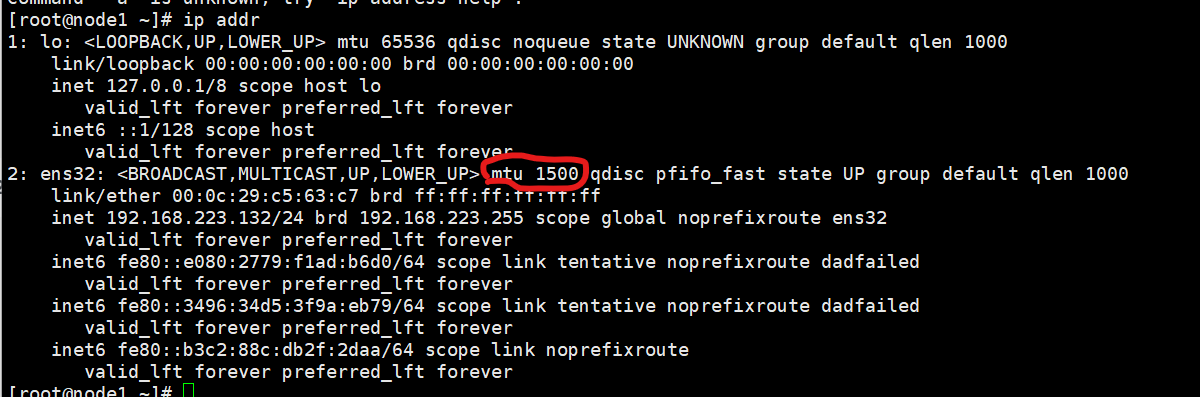
将各数据库节点的网卡 MTU 值设置为相同大小。使用默认值 1500 满足要求即可。
可以使用 ifconfig -a 命令检查:网卡编号 mtu 值
9、设置root远程登录
1)、[root@node1 ~]#
[root@node1 ~]# cat >>/etc/ssh/sshd_config<<EOF
PermitRootLogin yes
EOF
#检查
cat /etc/ssh/sshd_config | grep PermitRootLogin
PermitRootLogin yes
# the setting of "PermitRootLogin without-password".
2)、修改 Banner 配置,去掉连接到系统时,系统提示的欢迎信息。欢迎信息会干扰安装时远程操作的返回 结果,影响安装正常执行。
[root@node1 ~]# cat >>/etc/ssh/sshd_config<<EOF
Banner none
EOF
#检查
cat /etc/ssh/sshd_config | grep Banner

Banner none
3)、重启服务生效
systemctl restart sshd.service4)、修改 DNS 相关,解决终端登录慢的问题
#节点 node1
cat>/etc/resolv.conf<<EOF

# Generated by NetworkManager
search localdomain
nameserver 192.168.223.132
EOF
#节点 node2
cat>/etc/resolv.conf<<EOF
# Generated by NetworkManager
search localdomain
nameserver 192.168.223.133
EOF
10安装规划
10.1)、主机和IP地址、网络相关设置
修改 hosts 和 hostname(两个节点)
##修改hosts
#node1

#node2

##修改hostname
#node1

#node2
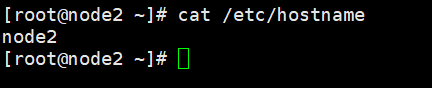
##reboot 重启,查看主机名。
reboot
11、软件安装
使用 root 用户上传、解压和安装数据库
11.1)、上传软件包(例如使用 xftp,在 node1 节点)
1)、创建存放安装包的目录
mkdir -p /opt/software/openGauss

chmod 755 -R /opt/software
2)将安装包和 XML 配置文件放到以上创建的目录下
[root@node3 etc]# cd /opt/software/openGauss/
[root@node3 openGauss]# ls
利用ftp传输工具,传输文件【openGauss-2.0.0-CentOS-64bit-all.tar.gz】
11.2)创建XML配置文件
XML 文件包含部署 openGauss 的服务器信息、安装路径、IP 地址以及端口号等。用于告知 openGauss 如何
部署。
主备方式部署,设置配置文件如下:
cd /opt/software/openGauss添加.xml文件
cat > clusterconfig.xml<<EOF
<?xml version="1.0" encoding="UTF-8"?>
<ROOT>
<!-- openGauss 整体信息 -->
	<CLUSTER>
		<PARAM name="clusterName" value="dbCluster" />
		<PARAM name="nodeNames" value="node1,node2" />
		<PARAM name="backIp1s" value="192.168.223.132,192.168.223.133"/>
		<PARAM name="gaussdbAppPath" value="/opt/gaussdb/app" />
		<PARAM name="gaussdbLogPath" value="/var/log/gaussdb" />
		<PARAM name="gaussdbToolPath" value="/opt/huawei/wisequery" />
		<PARAM name="corePath" value="/opt/opengauss/corefile"/>
		<PARAM name="clusterType" value="single-inst"/>
	</CLUSTER>
	<!-- 每台服务器上的节点部署信息 -->
	<DEVICELIST>
	<!-- node1 上的节点部署信息 -->
		<DEVICE sn="1000001">
			<PARAM name="name" value="node1"/>
			<PARAM name="azName" value="AZ1"/>
			<PARAM name="azPriority" value="1"/>
		<!-- 如果服务器只有一个网卡可用,将 backIP1 和 sshIP1 配置成同一个 IP -->
			<PARAM name="backIp1" value="192.168.223.132"/>
			<PARAM name="sshIp1" value="192.168.223.132"/>
		<!--dbnode-->
			<PARAM name="dataNum" value="1"/>
			<PARAM name="dataPortBase" value="26000"/>
			<PARAM name="dataNode1" value="/gaussdb/data/db1,node2,/gaussdb/data/db1"/>
		</DEVICE>
	<!-- node2 上的节点部署信息,其中“name”的值配置为主机名称 -->
		<DEVICE sn="1000002">
			<PARAM name="name" value="node2"/>
			<PARAM name="azName" value="AZ1"/>
			<PARAM name="azPriority" value="1"/>
			<!-- 如果服务器只有一个网卡可用,将 backIP1 和 sshIP1 配置成同一个 IP -->
			<PARAM n ame="backIp1" value="192.168.223.133"/>
			<PARAM name="sshIp1" value="192.168.223.133"/>
		</DEVICE>
	</DEVICELIST>
</ROOT>
EOF
ll命令查看当前状态
[root@node1 openGauss]# ll
2)、初始化安装环境
cd /opt/software/openGauss

tar -zxvf openGauss-2.0.0-CentOS-64bit-all.tar.gz
3)、对数据库安装包解压
安装包解压后,会在/opt/software/openGauss 路径下自动生成 script 子目录,并且在 script 目录下生成
gs_preinstall 等各种 OM 工具脚本。
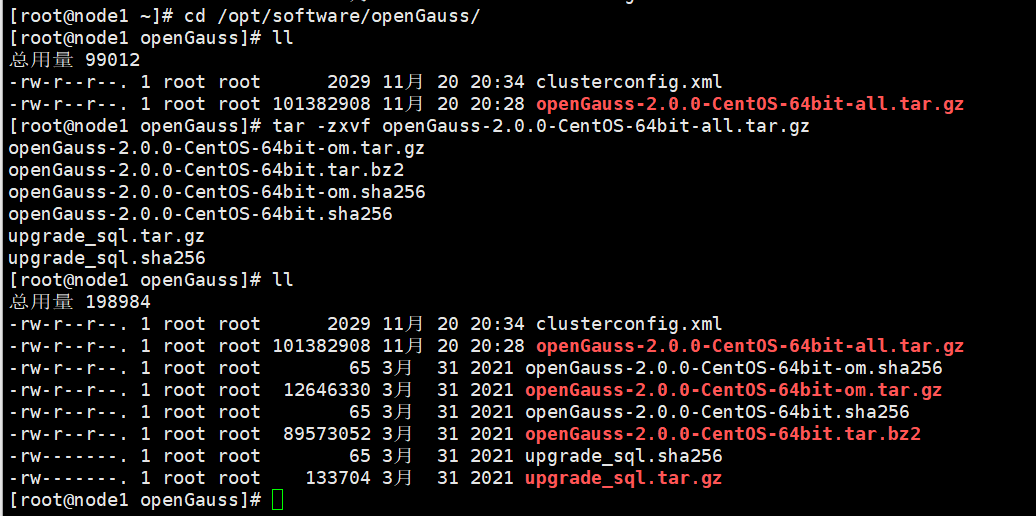
解压.tar.gz包
tar -zxvf openGauss-2.0.0-CentOS-64bit-om.tar.gz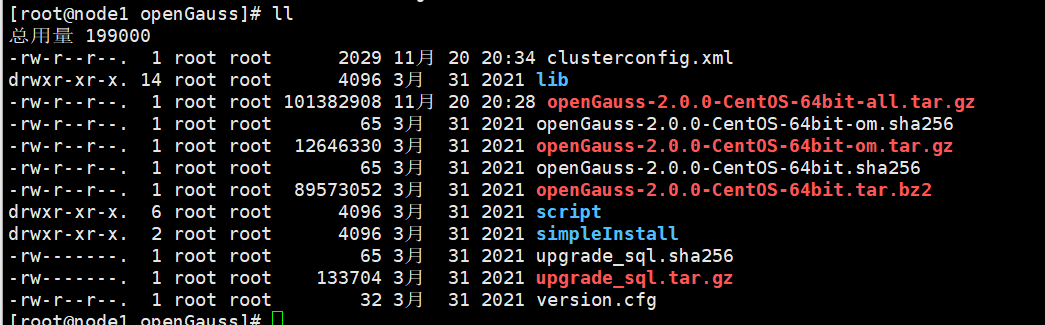
解压openGauss-2.0.0-CentOS-64bit.tar.bz2
tar -jxvf openGauss-2.0.0-CentOS-64bit.tar.bz2
yum安装bzip2软件
yum install bzip2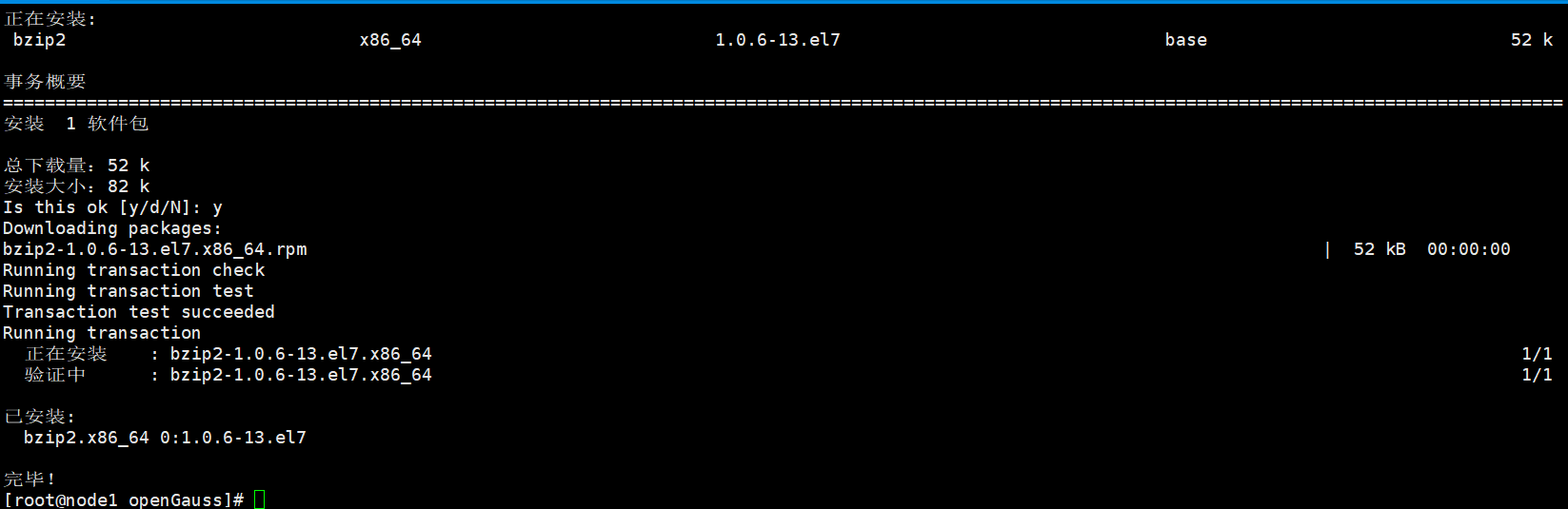
重新执行命令:
tar -jxvf openGauss-2.0.0-CentOS-64bit.tar.bz2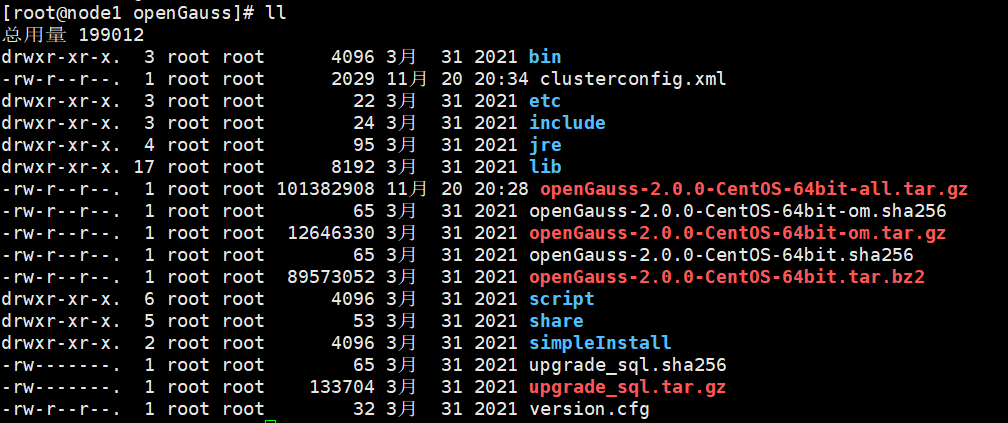
4)、安装前设置 lib 库、将交换内存关闭 :node1
export LD_LIBRARY_PATH=/opt/software/openGauss/script/gspylib/clib:$LD_LIBRARY_PATH5)、在两个节点上:检查/etc/hostname 里面的主机名是否和 hostname 命名显示的主机名一样
6)、执行 gs_preinstall 准备好安装环境。
执行如下的预检查:采用交互式初始化
采用交互模式执行前置,并在执行过程中自动创建 root 用户互信和 openGauss 用户互信:
export LD_LIBRARY_PATH=/opt/software/openGauss/script/gspylib/clib:$LD_LIBRARY_PATH

python3 /opt/software/openGauss/script/gs_preinstall -U omm -G dbgrp -X /opt/software/openGauss/clusterconfig.xml
提示报错!
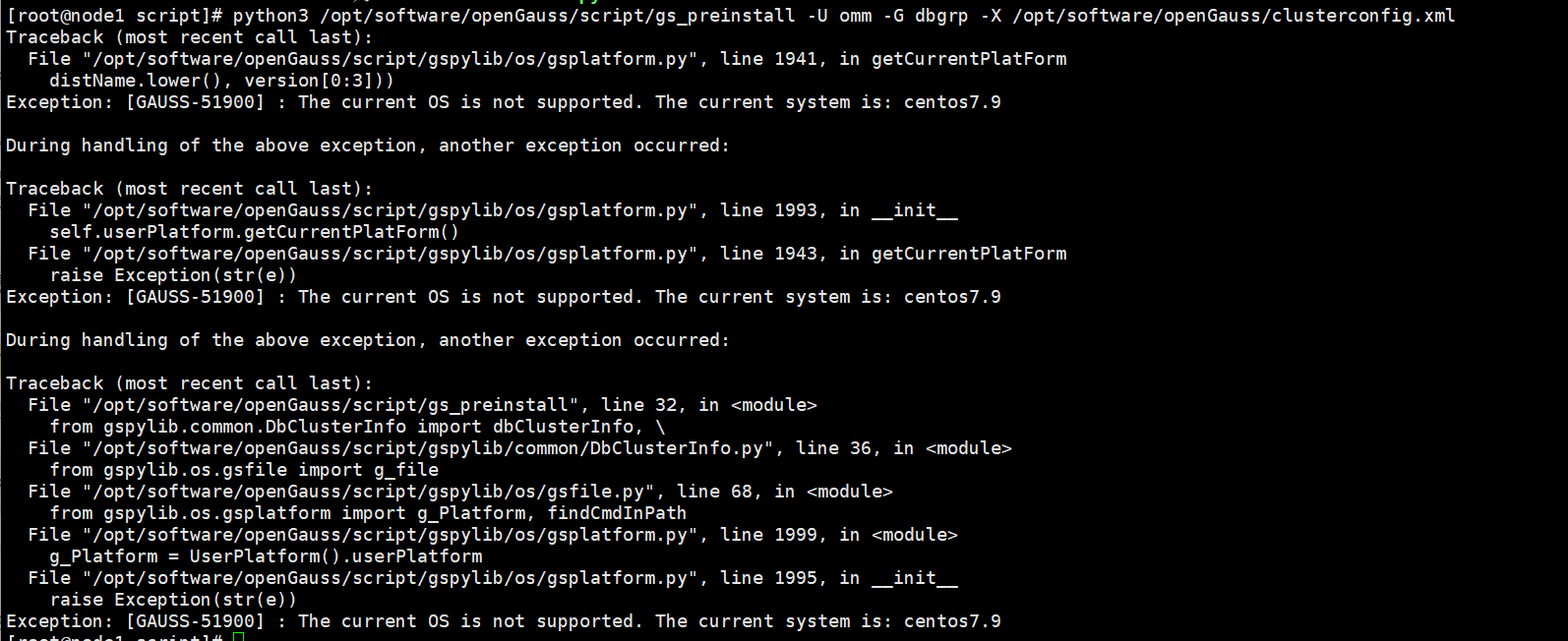
解决办法:欺骗opengauss,让opengauss数据库认为当前操作系统是7.6而不是7.9
[root@node1 script]# cat /etc/redhat-release
CentOS Linux release 7.9.2009 (Core)

[root@node1 script]# cd /etc

[root@node1 etc]# ls -lrt redhat-release
lrwxrwxrwx. 1 root root 14 11月 20 2022 redhat-release -> centos-release

[root@node1 etc]# cp centos-release centos-release.old

[root@node1 etc]# vi redhat-release ##将CentOS Linux release 7.9.2009 (Core)改为CentOS Linux release 7.6.1810 (Core)、

[root@node1 etc]# cat /etc/redhat-release
CentOS Linux release 7.6.1810 (Core)
欺骗成功!

注意:两个节点都要改!都需要将CentOS Linux release 7.9.2009改为CenOS Linux release 7.6.1810(Core)
预安装
python3 /opt/software/openGauss/script/gs_preinstall -U omm -G dbgrp -X /opt/software/openGauss/clusterconfig.xml节点node2
yum 安装bzip2
yum install bzip2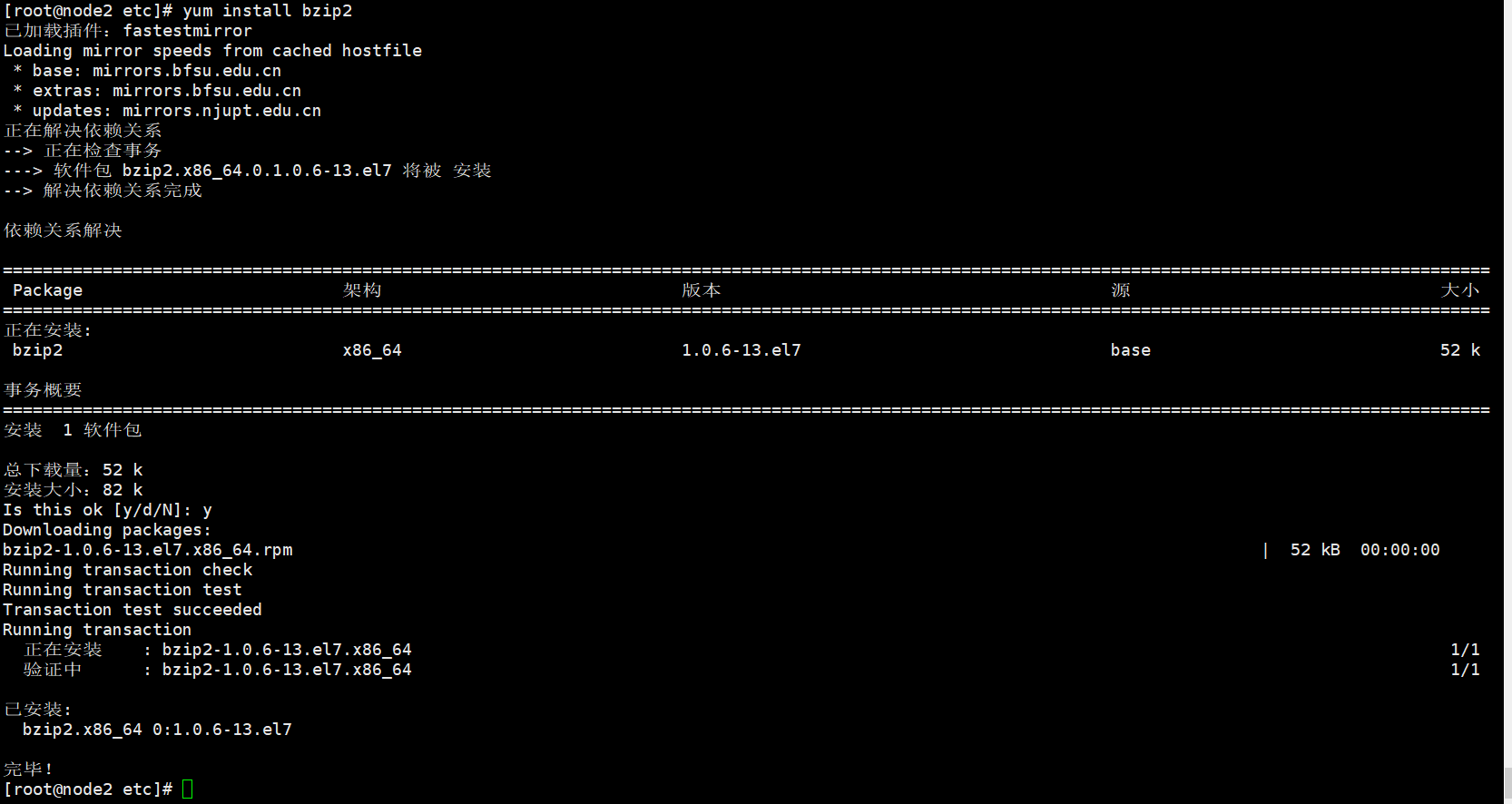
节点node2安装完软件bzip2后,重新预安装:
[root@node1 openGauss]# python3 /opt/software/openGauss/script/gs_preinstall -U omm -G dbgrp -X /opt/software/openGauss/clusterconfig.xml

Parsing the configuration file.
Successfully parsed the configuration file.
Installing the tools on the local node.
Successfully installed the tools on the local node.
Are you sure you want to create trust for root (yes/no)? yes
Please enter password for root.
Password: 【此处的密码是root登陆密码,我的是root123;此处,输入一次即可,输入正确就会继续往下走,主要是为了取得互相信任。】
Creating SSH trust for the root permission user.
Checking network information.
All nodes in the network are Normal.
Successfully checked network information.
Creating SSH trust.
Creating the local key file.
Successfully created the local key files.
Appending local ID to authorized_keys.
Successfully appended local ID to authorized_keys.
Updating the known_hosts file.
Successfully updated the known_hosts file.
Appending authorized_key on the remote node.
Successfully appended authorized_key on all remote node.
Checking common authentication file content.
Successfully checked common authentication content.
Distributing SSH trust file to all node.
Successfully distributed SSH trust file to all node.
Verifying SSH trust on all hosts.
Successfully verified SSH trust on all hosts.
Successfully created SSH trust.
Successfully created SSH trust for the root permission user.
Setting pssh path
Successfully set core path.
Distributing package.
Begin to distribute package to tool path.
Successfully distribute package to tool path.
Begin to distribute package to package path.
Successfully distribute package to package path.
Successfully distributed package.
Are you sure you want to create the user[omm] and create trust for it (yes/no)? yes
Preparing SSH service.
Successfully prepared SSH service.
Installing the tools in the cluster.
Successfully installed the tools in the cluster.
Checking hostname mapping.
Successfully checked hostname mapping.
Creating SSH trust for [omm] user.
Please enter password for current user[omm].
Password: 【此处输入的新创建的用户omm的登陆密码,密码是omm123;输入一次即可。】
Checking network information.
All nodes in the network are Normal.
Successfully checked network information.
Creating SSH trust.
Creating the local key file.
Successfully created the local key files.
Appending local ID to authorized_keys.
Successfully appended local ID to authorized_keys.
Updating the known_hosts file.
Successfully updated the known_hosts file.
Appending authorized_key on the remote node.
Successfully appended authorized_key on all remote node.
Checking common authentication file content.
Successfully checked common authentication content.
Distributing SSH trust file to all node.
Successfully distributed SSH trust file to all node.
Verifying SSH trust on all hosts.
Successfully verified SSH trust on all hosts.
Successfully created SSH trust.
Successfully created SSH trust for [omm] user.
Checking OS software.
Successfully check os software.
Checking OS version.
Successfully checked OS version.
Creating cluster's path.
Successfully created cluster's path.
Setting SCTP service.
Successfully set SCTP service.
Set and check OS parameter.
Setting OS parameters.
Successfully set OS parameters.
Warning: Installation environment contains some warning messages.
Please get more details by "/opt/software/openGauss/script/gs_checkos -i A -h node1,node2 --detail".
Set and check OS parameter completed.
Preparing CRON service.
Successfully prepared CRON service.
Setting user environmental variables.
Successfully set user environmental variables.
Setting the dynamic link library.
Successfully set the dynamic link library.
Setting Core file
Successfully set core path.
Setting pssh path
Successfully set pssh path.
Set ARM Optimization.
No need to set ARM Optimization.
Fixing server package owner.
Setting finish flag.
Successfully set finish flag.
Preinstallation succeeded.
11.2)、执行集群安装
1)前提条件
已成功执行前置脚本 gs_preinstall。
所有服务器操作系统和网络均正常运行。
用户需确保各个主机上的 locale 保持一致。
2)修改属主为 omm
cd /opt/software/openGauss/script

chmod -R 755 /opt/software/openGauss/script

chown -R omm:dbgrp /opt/software/openGauss/script
3)切换到 omm 用户
su - omm
4)使用 gs_install 安装 openGauss。
gs_install -X /opt/software/openGauss/clusterconfig.xml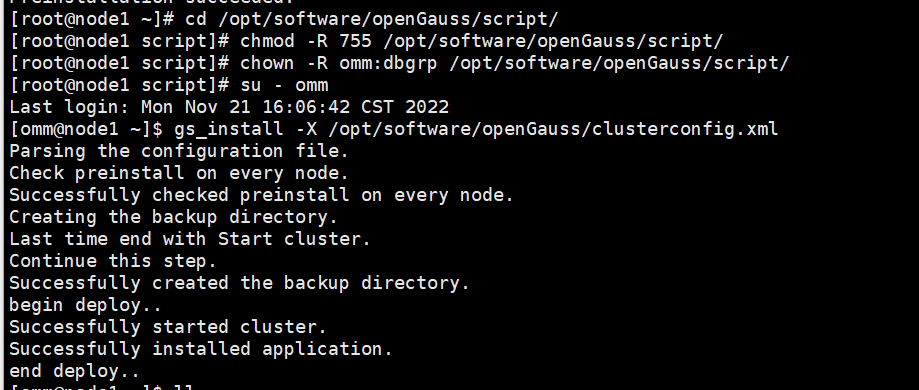
##node1节点
[omm@node1 ~]$ gs_om -t status --detail
##node2节点
[omm@node2 ~]$ gs_om -t status --detail
5)、设置备机可读(主备均需修改)
备机可读特性为可选特性,需要修改配置参数并重启主备机器后才能使用。在开启备机可读之后,备机将支持读操作,并满足数据一致性要求。
操作步骤
步骤 1 如果主备机上的openGauss数据库实例正在运行,请先分别停止主备机上的数据库实例。
[omm@node1 ~]$ gs_om -t stop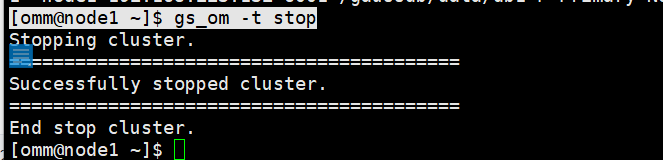
[omm@node2 ~]$ gs_om -t stop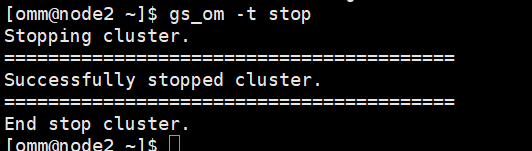
步骤 2 根据表 3-4 对应路径,分别打开主机与备机的 postgresql.conf 配置文件,找到并将对应参数修改为:wal_level=hot_standby ; hot_standby = on;hot_standby_feedback = on。
检查,参数值不对的修改:
需要找到文件postgresql.conf
find / -name 'postgresql.conf' -print
查看文件postgresql.conf的内容:
yum下载安装rzsz工具
yum install -y rzsz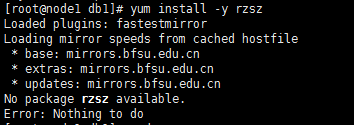
上面的截图说明,工具rzsz已安装。
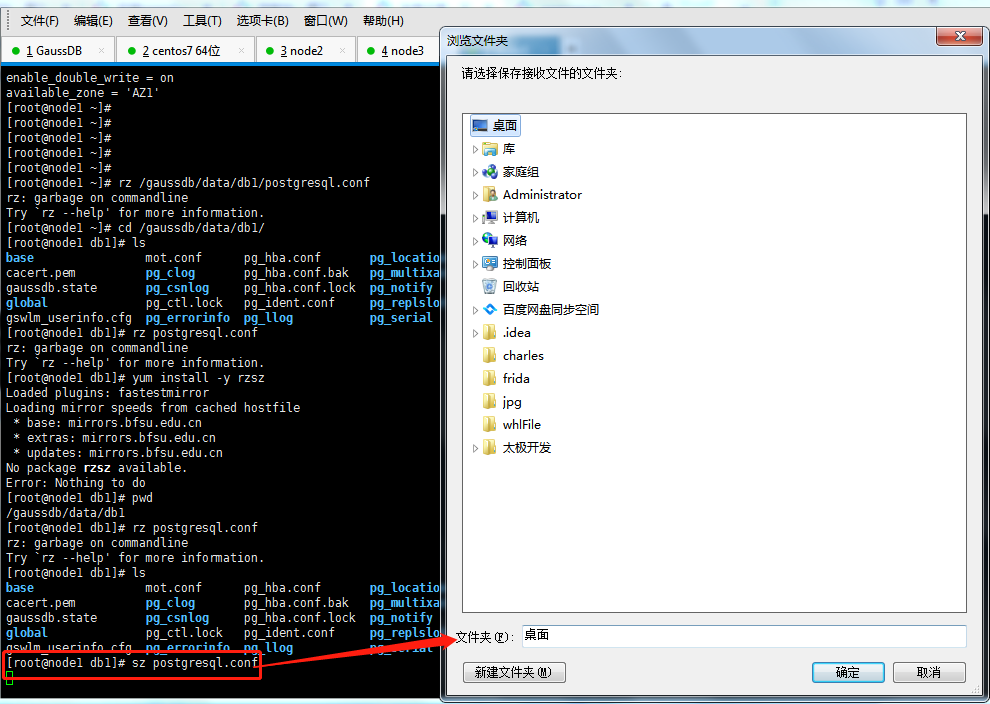
postgresql.conf文件内容:
# -----------------------------
# PostgreSQL configuration file
# -----------------------------
#
# This file consists of lines of the form:
#
#   name = value
#
# (The "=" is optional.)  Whitespace may be used.  Comments are introduced with
# "#" anywhere on a line.  The complete list of parameter names and allowed
# values can be found in the PostgreSQL documentation.
#
# The commented-out settings shown in this file represent the default values.
# Re-commenting a setting is NOT sufficient to revert it to the default value;
# you need to reload the server.
#
# This file is read on server startup and when the server receives a SIGHUP
# signal.  If you edit the file on a running system, you have to SIGHUP the
# server for the changes to take effect, or use "pg_ctl reload".  Some
# parameters, which are marked below, require a server shutdown and restart to
# take effect.
#
# Any parameter can also be given as a command-line option to the server, e.g.,
# "postgres -c log_connections=on".  Some parameters can be changed at run time
# with the "SET" SQL command.
#
# Memory units:  kB = kilobytes        Time units:  ms  = milliseconds
#                MB = megabytes                     s   = seconds
#                GB = gigabytes                     min = minutes
#                                                   h   = hours
#                                                   d   = days


#------------------------------------------------------------------------------
# FILE LOCATIONS
#------------------------------------------------------------------------------

# The default values of these variables are driven from the -D command-line
# option or PGDATA environment variable, represented here as ConfigDir.

#data_directory = 'ConfigDir'		# use data in another directory
					# (change requires restart)
#hba_file = 'ConfigDir/pg_hba.conf'	# host-based authentication file
					# (change requires restart)
#ident_file = 'ConfigDir/pg_ident.conf'	# ident configuration file
					# (change requires restart)

# If external_pid_file is not explicitly set, no extra PID file is written.
#external_pid_file = ''			# write an extra PID file
					# (change requires restart)


#------------------------------------------------------------------------------
# CONNECTIONS AND AUTHENTICATION
#------------------------------------------------------------------------------

# - Connection Settings -

listen_addresses = '192.168.94.132'		# what IP address(es) to listen on;
					# comma-separated list of addresses;
					# defaults to 'localhost'; use '*' for all
					# (change requires restart)
local_bind_address = '192.168.94.132'
port = 26000				# (change requires restart)
max_connections = 5000			# (change requires restart)
# Note:  Increasing max_connections costs ~400 bytes of shared memory per
# connection slot, plus lock space (see max_locks_per_transaction).
#sysadmin_reserved_connections = 3	# (change requires restart)
unix_socket_directory = '/opt/huawei/wisequery/omm_mppdb'		# (change requires restart)
#unix_socket_group = ''			# (change requires restart)
unix_socket_permissions = 0700		# begin with 0 to use octal notation
					# (change requires restart)

# - Security and Authentication -

#authentication_timeout = 1min		# 1s-600s
session_timeout = 10min			# allowed duration of any unused session, 0s-86400s(1 day), 0 is disabled
ssl = on				# (change requires restart)
#ssl_ciphers = 'ALL'			# allowed SSL ciphers
					# (change requires restart)
#ssl_cert_notify_time = 90		# 7-180 days
#ssl_renegotiation_limit = 0		# amount of data between renegotiations, no longer supported
ssl_cert_file = 'server.crt'		# (change requires restart)
ssl_key_file = 'server.key'		# (change requires restart)
ssl_ca_file = 'cacert.pem'			# (change requires restart)
#ssl_crl_file = ''			# (change requires restart)

# Kerberos and GSSAPI
#krb_server_keyfile = ''
#krb_srvname = 'postgres'		# (Kerberos only)
#krb_caseins_users = off

modify_initial_password = true	#Whether to change the initial password of the initial user
#password_policy = 1			#Whether password complexity checks
#password_reuse_time = 60		#Whether the new password can be reused in password_reuse_time days
#password_reuse_max = 0			#Whether the new password can be reused
#password_lock_time = 1			#The account will be unlocked automatically after a specified period of time
#failed_login_attempts = 10		#Enter the wrong password reached failed_login_attempts times, the current account will be locked
#password_encryption_type = 2		#Password storage type, 0 is md5 for PG, 1 is sha256 + md5, 2 is sha256 only
#password_min_length = 8		#The minimal password length(6-999)
#password_max_length = 32		#The maximal password length(6-999)
#password_min_uppercase = 0		#The minimal upper character number in password(0-999)
#password_min_lowercase = 0		#The minimal lower character number in password(0-999)
#password_min_digital = 0		#The minimal digital character number in password(0-999)
#password_min_special = 0		#The minimal special character number in password(0-999)
#password_effect_time = 90d		#The password effect time(0-999)
#password_notify_time = 7d		#The password notify time(0-999)

# - TCP Keepalives -
# see "man 7 tcp" for details

#tcp_keepalives_idle = 0		# TCP_KEEPIDLE, in seconds;
					# 0 selects the system default
#tcp_keepalives_interval = 0		# TCP_KEEPINTVL, in seconds;
					# 0 selects the system default
#tcp_keepalives_count = 0		# TCP_KEEPCNT;
					# 0 selects the system default

comm_tcp_mode = on			# TCP commucation mode for stream between Datanodes (change requires restart)
#comm_sctp_port = 1024			# Assigned by installation (change requires restart)
#comm_control_port = 10001		# Assigned by installation (change requires restart)
#comm_max_datanode = 256		# The number of datanode, include which are expanded (change requires restart)
#comm_max_stream = 1024			# The number of stream, 1-2048 (change requires restart)
#comm_max_receiver = 1			# The number of internal receiver (1-50, default 1, should be smaller than comm_max_datanode, change requires restart)
comm_quota_size =  1024kB		# The quota size of each stream, 8-2048000 in KByte, 0 for unlimitation, default unit is kB(change requires restart)
#comm_usable_memory = 4000MB		# The total usable memory for communication layer of each datanode process, 100-INT_MAX/2 in MByte, default unit is kB(change requires restart)

#------------------------------------------------------------------------------
# RESOURCE USAGE (except WAL)
#------------------------------------------------------------------------------

# - Memory -
#memorypool_enable = false
#memorypool_size = 512MB

#enable_memory_limit = true
max_process_memory = 2GB
#UDFWorkerMemHardLimit = 1GB

shared_buffers = 184MB			# min 128kB
					# (change requires restart)
bulk_write_ring_size = 2GB		# for bulkload, max shared_buffers
#standby_shared_buffers_fraction = 0.3 #control shared buffers use in standby, 0.1-1.0
#temp_buffers = 8MB			# min 800kB
max_prepared_transactions = 800		# zero disables the feature
					# (change requires restart)
# Note:  Increasing max_prepared_transactions costs ~600 bytes of shared memory
# per transaction slot, plus lock space (see max_locks_per_transaction).
# It is not advisable to set max_prepared_transactions nonzero unless you
# actively intend to use prepared transactions.
work_mem = 64MB				# min 64kB
maintenance_work_mem = 128MB		# min 1MB
#max_stack_depth = 2MB			# min 100kB

cstore_buffers = 1GB         #min 16MB

# - Disk -

#temp_file_limit = -1			# limits per-session temp file space
					# in kB, or -1 for no limit

#sql_use_spacelimit = -1                # limits for single SQL used space on single DN
					# in kB, or -1 for no limit

# - Kernel Resource Usage -

#max_files_per_process = 1000		# min 25
					# (change requires restart)
#shared_preload_libraries = ''         # (change requires restart)
# - Cost-Based Vacuum Delay -

#vacuum_cost_delay = 0ms		# 0-100 milliseconds
#vacuum_cost_page_hit = 1		# 0-10000 credits
#vacuum_cost_page_miss = 10		# 0-10000 credits
#vacuum_cost_page_dirty = 20		# 0-10000 credits
#vacuum_cost_limit = 200		# 1-10000 credits

# - Background Writer -

#bgwriter_delay = 10s			# 10-10000ms between rounds
#bgwriter_lru_maxpages = 100		# 0-1000 max buffers written/round
#bgwriter_lru_multiplier = 2.0		# 0-10.0 multipler on buffers scanned/round

# - Asynchronous Behavior -

#effective_io_concurrency = 1		# 1-1000; 0 disables prefetching


#------------------------------------------------------------------------------
# WRITE AHEAD LOG
#------------------------------------------------------------------------------

# - Settings -

wal_level = hot_standby			# minimal, archive, hot_standby or logical
					# (change requires restart)
#fsync = on				# turns forced synchronization on or off
#synchronous_commit = on		# synchronization level;
					# off, local, remote_receive, remote_write, or on
					# It's global control for all transactions
					# It could not be modified by gs_ctl reload, unless use setsyncmode.

#wal_sync_method = fsync		# the default is the first option
					# supported by the operating system:
					#   open_datasync
					#   fdatasync (default on Linux)
					#   fsync
					#   fsync_writethrough
					#   open_sync
#full_page_writes = on			# recover from partial page writes
#wal_buffers = 16MB			# min 32kB
					# (change requires restart)
#wal_writer_delay = 200ms		# 1-10000 milliseconds

#commit_delay = 0			# range 0-100000, in microseconds
#commit_siblings = 5			# range 1-1000

# - Checkpoints -

checkpoint_segments = 64		# in logfile segments, min 1, 16MB each
#checkpoint_timeout = 15min		# range 30s-1h
#checkpoint_completion_target = 0.5	# checkpoint target duration, 0.0 - 1.0
#checkpoint_warning = 5min		# 0 disables
#checkpoint_wait_timeout = 60s  # maximum time wait checkpointer to start

enable_incremental_checkpoint = on	# enable incremental checkpoint
incremental_checkpoint_timeout = 60s	# range 1s-1h
#pagewriter_sleep = 100ms		# dirty page writer sleep time, 0ms - 1h

# - Archiving -

#archive_mode = off		# allows archiving to be done
				# (change requires restart)
#archive_command = ''		# command to use to archive a logfile segment
				# placeholders: %p = path of file to archive
				#               %f = file name only
				# e.g. 'test ! -f /mnt/server/archivedir/%f && cp %p /mnt/server/archivedir/%f'
#archive_timeout = 0		# force a logfile segment switch after this
				# number of seconds; 0 disables
#archive_dest = ''		# path to use to archive a logfile segment

#------------------------------------------------------------------------------
# REPLICATION
#------------------------------------------------------------------------------

# - heartbeat -
#datanode_heartbeat_interval = 1s         # The heartbeat interval of the standby nodes.
				 # The value is best configured less than half of
				 # the wal_receiver_timeout and wal_sender_timeout.

# - Sending Server(s) -

# Set these on the master and on any standby that will send replication data.

max_wal_senders = 16		# max number of walsender processes
				# (change requires restart)
wal_keep_segments = 16		# in logfile segments, 16MB each; 0 disables
#wal_sender_timeout = 6s	# in milliseconds; 0 disables
enable_slot_log = off
max_replication_slots = 8	# max number of replication slots.i
				# The value belongs to [1,7].
				# (change requires restart)
#max_changes_in_memory = 4096
#max_cached_tuplebufs = 8192

replconninfo1 = 'localhost=192.168.94.132 localport=26001 localheartbeatport=26005 localservice=26004 remotehost=192.168.94.133 remoteport=26001 remoteheartbeatport=26005 remoteservice=26004'		# replication connection information used to connect primary on standby, or standby on primary,
						# or connect primary or standby on secondary
						# The heartbeat thread will not start if not set localheartbeatport and remoteheartbeatport.
						# e.g. 'localhost=10.145.130.2 localport=12211 localheartbeatport=12214 remotehost=10.145.130.3 remoteport=12212 remoteheartbeatport=12215, localhost=10.145.133.2 localport=12213 remotehost=10.145.133.3 remoteport=12214'
replconninfo2 = 'localhost=192.168.94.132 localport=26001 localheartbeatport=26005 localservice=26004 remotehost=192.168.94.134 remoteport=26001 remoteheartbeatport=26005 remoteservice=26004'		# replication connection information used to connect secondary on primary or standby,
						# or connect primary or standby on secondary
						# e.g. 'localhost=10.145.130.2 localport=12311 localheartbeatport=12214 remotehost=10.145.130.4 remoteport=12312 remoteheartbeatport=12215, localhost=10.145.133.2 localport=12313 remotehost=10.145.133.4 remoteport=12314'
#replconninfo3 = ''             # replication connection information used to connect primary on standby, or standby on primary,
                                                # e.g. 'localhost=10.145.130.2 localport=12311 localheartbeatport=12214 remotehost=10.145.130.5 remoteport=12312 remoteheartbeatport=12215, localhost=10.145.133.2 localport=12313 remotehost=10.145.133.5 remoteport=12314'
#replconninfo4 = ''             # replication connection information used to connect primary on standby, or standby on primary,
                                                # e.g. 'localhost=10.145.130.2 localport=12311 localheartbeatport=12214 remotehost=10.145.130.6 remoteport=12312 remoteheartbeatport=12215, localhost=10.145.133.2 localport=12313 remotehost=10.145.133.6 remoteport=12314'
#replconninfo5 = ''             # replication connection information used to connect primary on standby, or standby on primary,
                                                # e.g. 'localhost=10.145.130.2 localport=12311 localheartbeatport=12214 remotehost=10.145.130.7 remoteport=12312 remoteheartbeatport=12215, localhost=10.145.133.2 localport=12313 remotehost=10.145.133.7 remoteport=12314'
#replconninfo6 = ''             # replication connection information used to connect primary on standby, or standby on primary,
                                                # e.g. 'localhost=10.145.130.2 localport=12311 localheartbeatport=12214 remotehost=10.145.130.8 remoteport=12312 remoteheartbeatport=12215, localhost=10.145.133.2 localport=12313 remotehost=10.145.133.8 remoteport=12314'
#replconninfo7 = ''             # replication connection information used to connect primary on standby, or standby on primary,
                                                # e.g. 'localhost=10.145.130.2 localport=12311 localheartbeatport=12214 remotehost=10.145.130.9 remoteport=12312 remoteheartbeatport=12215, localhost=10.145.133.2 localport=12313 remotehost=10.145.133.9 remoteport=12314'

# - Master Server -

# These settings are ignored on a standby server.

synchronous_standby_names = 'ANY 1(dn_6002,dn_6003)'	# standby servers that provide sync rep
				# comma-separated list of application_name
				# from standby(s); '*' = all
#most_available_sync = off	# Whether master is allowed to continue
				# as standbalone after sync standby failure
				# It's global control for all transactions
#vacuum_defer_cleanup_age = 0	# number of xacts by which cleanup is delayed
data_replicate_buffer_size = 128MB	# data replication buffer size
walsender_max_send_size = 8MB  # Size of walsender max send size
enable_data_replicate = off

# - Standby Servers -

# These settings are ignored on a master server.

hot_standby = on			# "on" allows queries during recovery
					# (change requires restart)
#max_standby_archive_delay = 30s	# max delay before canceling queries
					# when reading WAL from archive;
					# -1 allows indefinite delay
#max_standby_streaming_delay = 30s	# max delay before canceling queries
					# when reading streaming WAL;
					# -1 allows indefinite delay
#wal_receiver_status_interval = 5s	# send replies at least this often
					# 0 disables
#hot_standby_feedback = off		# send info from standby to prevent
					# query conflicts
#wal_receiver_timeout = 6s		# time that receiver waits for
					# communication from master
					# in milliseconds; 0 disables
#wal_receiver_connect_timeout = 1s	# timeout that receiver connect master
							# in seconds; 0 disables
#wal_receiver_connect_retries = 1	# max retries that receiver connect master
#wal_receiver_buffer_size = 64MB	# wal receiver buffer size
#enable_xlog_prune = on # xlog keep for all standbys even through they are not connecting and donnot created replslot.
#max_size_for_xlog_prune = 2147483647  # xlog keep for the wal size less than max_xlog_size when the enable_xlog_prune is on

#------------------------------------------------------------------------------
# QUERY TUNING
#------------------------------------------------------------------------------

# - Planner Method Configuration -

#enable_bitmapscan = on
#enable_hashagg = on
#enable_hashjoin = on
#enable_indexscan = on
#enable_indexonlyscan = on
#enable_material = on
enable_mergejoin = off
enable_nestloop = off
#enable_seqscan = on
#enable_sort = on
#enable_tidscan = on
enable_kill_query = off			# optional: [on, off], default: off
# - Planner Cost Constants -

#seq_page_cost = 1.0			# measured on an arbitrary scale
#random_page_cost = 4.0			# same scale as above
#cpu_tuple_cost = 0.01			# same scale as above
#cpu_index_tuple_cost = 0.005		# same scale as above
#cpu_operator_cost = 0.0025		# same scale as above
#effective_cache_size = 128MB

# - Genetic Query Optimizer -

#geqo = on
#geqo_threshold = 12
#geqo_effort = 5			# range 1-10
#geqo_pool_size = 0			# selects default based on effort
#geqo_generations = 0			# selects default based on effort
#geqo_selection_bias = 2.0		# range 1.5-2.0
#geqo_seed = 0.0			# range 0.0-1.0

# - Other Planner Options -

#default_statistics_target = 100	# range 1-10000
#constraint_exclusion = partition	# on, off, or partition
#cursor_tuple_fraction = 0.1		# range 0.0-1.0
#from_collapse_limit = 8
#join_collapse_limit = 8		# 1 disables collapsing of explicit
					# JOIN clauses
#plan_mode_seed = 0         # range -1-0x7fffffff
#check_implicit_conversions = off

#------------------------------------------------------------------------------
# ERROR REPORTING AND LOGGING
#------------------------------------------------------------------------------

# - Where to Log -

#log_destination = 'stderr'		# Valid values are combinations of
					# stderr, csvlog, syslog, and eventlog,
					# depending on platform.  csvlog
					# requires logging_collector to be on.

# This is used when logging to stderr:
logging_collector = on   		# Enable capturing of stderr and csvlog
					# into log files. Required to be on for
					# csvlogs.
					# (change requires restart)

# These are only used if logging_collector is on:
log_directory = '/var/log/gaussdb/omm/pg_log/dn_6001'		# directory where log files are written,
					# can be absolute or relative to PGDATA
log_filename = 'postgresql-%Y-%m-%d_%H%M%S.log'	# log file name pattern,
					# can include strftime() escapes
log_file_mode = 0600			# creation mode for log files,
					# begin with 0 to use octal notation
#log_truncate_on_rotation = off		# If on, an existing log file with the
					# same name as the new log file will be
					# truncated rather than appended to.
					# But such truncation only occurs on
					# time-driven rotation, not on restarts
					# or size-driven rotation.  Default is
					# off, meaning append to existing files
					# in all cases.
#log_rotation_age = 1d			# Automatic rotation of logfiles will
					# happen after that time.  0 disables.
log_rotation_size = 20MB		# Automatic rotation of logfiles will
					# happen after that much log output.
					# 0 disables.

# These are relevant when logging to syslog:
#syslog_facility = 'LOCAL0'
#syslog_ident = 'postgres'

# This is only relevant when logging to eventlog (win32):
#event_source = 'PostgreSQL'

# - When to Log -

#log_min_messages = warning		# values in order of decreasing detail:
					#   debug5
					#   debug4
					#   debug3
					#   debug2
					#   debug1
					#   info
					#   notice
					#   warning
					#   error
					#   log
					#   fatal
					#   panic

#log_min_error_statement = error	# values in order of decreasing detail:
				 	#   debug5
					#   debug4
					#   debug3
					#   debug2
					#   debug1
				 	#   info
					#   notice
					#   warning
					#   error
					#   log
					#   fatal
					#   panic (effectively off)

log_min_duration_statement = 1800000	# -1 is disabled, 0 logs all statements
					# and their durations, > 0 logs only
					# statements running at least this number
					# of milliseconds


# - What to Log -

#debug_print_parse = off
#debug_print_rewritten = off
#debug_print_plan = off
#debug_pretty_print = on
#log_checkpoints = off
#log_pagewriter = off
log_connections = off			# log connection requirement from client
log_disconnections = off		# log disconnection from client
log_duration = on			# log the execution time of each query
					# when log_duration is on and log_min_duration_statement
					# is larger than zero, log the ones whose execution time
					# is larger than this threshold
#log_error_verbosity = default		# terse, default, or verbose messages
log_hostname = on			# log hostname
log_line_prefix = '%m %c %d %p %a %x %n %e '	# special values:
					#   %a = application name
					#   %u = user name
					#   %d = database name
					#   %r = remote host and port
					#   %h = remote host
					#   %p = process ID
					#   %t = timestamp without milliseconds
					#   %m = timestamp with milliseconds
					#   %n = DataNode name
					#   %i = command tag
					#   %e = SQL state
					#   %c = logic thread ID
					#   %l = session line number
					#   %s = session start timestamp
					#   %v = virtual transaction ID
					#   %x = transaction ID (0 if none)
					#   %q = stop here in non-session
					#        processes
					#   %S = session ID
					#   %% = '%'
					# e.g. '<%u%%%d> '
#log_lock_waits = off			# log lock waits >= deadlock_timeout
#log_statement = 'none'			# none, ddl, mod, all
#log_temp_files = -1			# log temporary files equal or larger
					# than the specified size in kilobytes;
					# -1 disables, 0 logs all temp files
log_timezone = 'PRC'

#------------------------------------------------------------------------------
# ALARM
#------------------------------------------------------------------------------
enable_alarm = on
connection_alarm_rate = 0.9
alarm_report_interval = 10
alarm_component = '/opt/huawei/snas/bin/snas_cm_cmd'

#------------------------------------------------------------------------------
# RUNTIME STATISTICS
#------------------------------------------------------------------------------

# - Query/Index Statistics Collector -

#track_activities = on
#track_counts = on
#track_io_timing = off
#track_functions = none			# none, pl, all
#track_activity_query_size = 1024 	# (change requires restart)
#update_process_title = on
#stats_temp_directory = 'pg_stat_tmp'
#track_thread_wait_status_interval = 30min # 0 to disable
#track_sql_count = off
#enbale_instr_track_wait = on

# - Statistics Monitoring -

#log_parser_stats = off
#log_planner_stats = off
#log_executor_stats = off
#log_statement_stats = off

#------------------------------------------------------------------------------
# WORKLOAD MANAGER
#------------------------------------------------------------------------------

use_workload_manager = off		# Enables workload manager in the system.
					# (change requires restart)
#------------------------------------------------------------------------------
# SECURITY POLICY
#------------------------------------------------------------------------------
#enable_security_policy = off
#use_elastic_search = off
#elastic_search_ip_addr = 'https://127.0.0.1' # what elastic search ip is, change https to http when elastic search is non-ssl mode

#enable_backend_control = on
#enable_vacuum_control = on

#max_active_statements = 60
#cpu_collect_timer = 30
#parctl_min_cost = 100000

#------------------------------------------------------------------------------
# AUTOVACUUM PARAMETERS
#------------------------------------------------------------------------------

autovacuum = on			# Enable autovacuum subprocess?  default value is 'on'
					# requires track_counts to also be on.
#log_autovacuum_min_duration = -1	# -1 disables, 0 logs all actions and
					# their durations, > 0 logs only
					# actions running at least this number
					# of milliseconds.
#autovacuum_max_workers = 3		# max number of autovacuum subprocesses
					# (change requires restart)
#autovacuum_naptime = 1min		# time between autovacuum runs
#autovacuum_vacuum_threshold = 50	# min number of row updates before
					# vacuum
#autovacuum_analyze_threshold = 50	# min number of row updates before
					# analyze
#autovacuum_vacuum_scale_factor = 0.2	# fraction of table size before vacuum
#autovacuum_analyze_scale_factor = 0.1	# fraction of table size before analyze
#autovacuum_freeze_max_age = 200000000	# maximum XID age before forced vacuum
					# (change requires restart)
#autovacuum_vacuum_cost_delay = 20ms	# default vacuum cost delay for
					# autovacuum, in milliseconds;
					# -1 means use vacuum_cost_delay
#autovacuum_vacuum_cost_limit = -1	# default vacuum cost limit for
					# autovacuum, -1 means use
					# vacuum_cost_limit


#------------------------------------------------------------------------------
# CLIENT CONNECTION DEFAULTS
#------------------------------------------------------------------------------

# - Statement Behavior -
#client_min_messages = notice      # values in order of decreasing detail:
                   #   debug5
                   #   debug4
                   #   debug3
                   #   debug2
                   #   debug1
                   #   log
                   #   notice
                   #   warning
                   #   error
#search_path = '"$user",public'		# schema names
#default_tablespace = ''		# a tablespace name, '' uses the default
#temp_tablespaces = ''			# a list of tablespace names, '' uses
					# only default tablespace
#check_function_bodies = on
#default_transaction_isolation = 'read committed'
#default_transaction_read_only = off
#default_transaction_deferrable = off
#session_replication_role = 'origin'
#statement_timeout = 0			# in milliseconds, 0 is disabled
#vacuum_freeze_min_age = 50000000
#vacuum_freeze_table_age = 150000000
#bytea_output = 'hex'			# hex, escape
#xmlbinary = 'base64'
#xmloption = 'content'
#max_compile_functions = 1000
#gin_pending_list_limit = 4MB
# - Locale and Formatting -

datestyle = 'iso, mdy'
#intervalstyle = 'postgres'
timezone = 'PRC'
#timezone_abbreviations = 'Default'     # Select the set of available time zone
					# abbreviations.  Currently, there are
					#   Default
					#   Australia
					#   India
					# You can create your own file in
					# share/timezonesets/.
#extra_float_digits = 0			# min -15, max 3
#client_encoding = sql_ascii		# actually, defaults to database
					# encoding

# These settings are initialized by initdb, but they can be changed.
lc_messages = 'C'			# locale for system error message
					# strings
lc_monetary = 'C'			# locale for monetary formatting
lc_numeric = 'C'			# locale for number formatting
lc_time = 'C'				# locale for time formatting

# default configuration for text search
default_text_search_config = 'pg_catalog.english'

# - Other Defaults -

#dynamic_library_path = '$libdir'
#local_preload_libraries = ''

#------------------------------------------------------------------------------
# LOCK MANAGEMENT
#------------------------------------------------------------------------------

#deadlock_timeout = 1s
lockwait_timeout = 1200s		# Max of lockwait_timeout and deadlock_timeout + 1s
#max_locks_per_transaction = 256		# min 10
					# (change requires restart)
# Note:  Each lock table slot uses ~270 bytes of shared memory, and there are
# max_locks_per_transaction * (max_connections + max_prepared_transactions)
# lock table slots.
#max_pred_locks_per_transaction = 64	# min 10
					# (change requires restart)

#------------------------------------------------------------------------------
# VERSION/PLATFORM COMPATIBILITY
#------------------------------------------------------------------------------

# - Previous PostgreSQL Versions -

#array_nulls = on
#backslash_quote = safe_encoding	# on, off, or safe_encoding
#default_with_oids = off
#escape_string_warning = on
#lo_compat_privileges = off
#quote_all_identifiers = off
#sql_inheritance = on
#standard_conforming_strings = on
#synchronize_seqscans = on

# - Other Platforms and Clients -

#transform_null_equals = off

##------------------------------------------------------------------------------
# ERROR HANDLING
#------------------------------------------------------------------------------

#exit_on_error = off			# terminate session on any error?
#restart_after_crash = on		# reinitialize after backend crash?
#omit_encoding_error = off		# omit untranslatable character error
#data_sync_retry = off			# retry or panic on failure to fsync data?

#------------------------------------------------------------------------------
# DATA NODES AND CONNECTION POOLING
#------------------------------------------------------------------------------
#pooler_maximum_idle_time = 60		# Maximum idle time of the pooler links.
					# in minutes; 0 disables
#minimum_pool_size = 200			# Initial pool size
					# (change requires restart)
#pooler_connect_max_loops = 1	    # Max retries of the Pooler Connecting to Other Nodes
					# (change requires restart)
#pooler_connect_interval_time = 15	# Indicates the interval for each retry..
					# in seconds; 0 disables
#max_pool_size = 400			# Maximum pool size
					# (change requires restart)
#persistent_datanode_connections = off	# Set persistent connection mode for pooler
					# if set at on, connections taken for session
					# are not put back to pool
#max_coordinators = 16			# Maximum number of Coordinators
					# that can be defined in cluster
					# (change requires restart)
#max_datanodes = 16			# Maximum number of Datanodes
					# that can be defined in cluster
					# (change requires restart)
#cache_connection = on  		# pooler cache connection
#pooler_timeout = 600			# timeout of the pooler communication with other nodes
					# in seconds; 0 disables
#pooler_connect_timeout = 60		# timeout of the pooler connecting to other nodes
					# in seconds; 0 disables
#pooler_cancel_timeout = 15		# timeout of the pooler cancel connections to other nodes
					# in seconds; 0 disables
#------------------------------------------------------------------------------
# GTM CONNECTION
#------------------------------------------------------------------------------

#gtm_host = 'localhost'			# Host name or address of GTM
					# (change requires restart)
#gtm_port = 6666			# Port of GTM
					# (change requires restart)
#gtm_host1 = 'localhost'		# Host1 name or address of GTM
					# (change requires restart)
#gtm_port1 = 6665			# Port1 of GTM
					# (change requires restart)
#gtm_host2 = 'localhost'                # Host2 name or address of GTM
                                        # (change requires restart)
#gtm_port2 = 6664                       # Port2 of GTM
                                        # (change requires restart)
#gtm_host3 = 'localhost'                # Host3 name or address of GTM
                                        # (change requires restart)
#gtm_port3 = 6663                       # Port3 of GTM
                                        # (change requires restart)
#gtm_host4 = 'localhost'                # Host4 name or address of GTM
                                        # (change requires restart)
#gtm_port4 = 6662                       # Port4 of GTM
                                        # (change requires restart)
#gtm_host5 = 'localhost'                # Host5 name or address of GTM
                                        # (change requires restart)
#gtm_port5 = 6661                       # Port5 of GTM
                                        # (change requires restart)
#gtm_host6 = 'localhost'                # Host6 name or address of GTM
                                        # (change requires restart)
#gtm_port6 = 6660                       # Port6 of GTM
                                        # (change requires restart)
#gtm_host7 = 'localhost'                # Host7 name or address of GTM
                                        # (change requires restart)
#gtm_port7 = 6659                       # Port7 of GTM
                                        # (change requires restart)

pgxc_node_name = 'dn_6001_6002_6003'			# Coordinator or Datanode name
					# (change requires restart)

#gtm_backup_barrier = off		# Specify to backup gtm restart point for each barrier.
#gtm_conn_check_interval = 10		# sets the timeout to check gtm connection
					# in seconds, 0 is disabled
##------------------------------------------------------------------------------
# OTHER PG-XC OPTIONS
#------------------------------------------------------------------------------
#enforce_two_phase_commit = on		# Enforce the usage of two-phase commit on transactions
					# where temporary objects are used or ON COMMIT actions
					# are pending.
					# Usage of commit instead of two-phase commit may break
					# data consistency so use at your own risk.

# - Postgres-XC specific Planner Method Configuration

#enable_fast_query_shipping = on
#enable_remotejoin = on
#enable_remotegroup = on
#enable_remotelimit = on
#enable_remotesort = on
#------------------------------------------------------------------------------
# AUDIT
#------------------------------------------------------------------------------

audit_enabled = on
audit_directory = '/var/log/gaussdb/omm/pg_audit/dn_6001'
#audit_data_format = 'binary'
#audit_rotation_interval = 1d
#audit_rotation_size = 10MB
#audit_space_limit = 1024MB
#audit_file_remain_threshold = 1048576
#audit_login_logout = 7
#audit_database_process = 1
#audit_user_locked = 1
#audit_user_violation = 0
#audit_grant_revoke = 1
#audit_system_object = 12295
#audit_dml_state = 0
#audit_dml_state_select = 0
#audit_function_exec = 0
#audit_copy_exec = 0
#audit_set_parameter = 1		# whether audit set parameter operation
#Choose which style to print the explain info, normal,pretty,summary,run
explain_perf_mode = pretty
#------------------------------------------------------------------------------
# CUSTOMIZED OPTIONS
#------------------------------------------------------------------------------

# Add settings for extensions here

# ENABLE DATABASE PRIVILEGES SEPARATE
#------------------------------------------------------------------------------
#enableSeparationOfDuty = off
#------------------------------------------------------------------------------


#------------------------------------------------------------------------------
# ADIO
#------------------------------------------------------------------------------
#enable_fast_allocate = off
#prefetch_quantity = 32MB
#backwrite_quantity = 8MB
#cstore_prefetch_quantity = 32768		#unit kb
#cstore_backwrite_quantity = 8192		#unit kb
#cstore_backwrite_max_threshold =  2097152		#unit kb
#fast_extend_file_size = 8192		#unit kb

#------------------------------------------------------------------------------
# LLVM
#------------------------------------------------------------------------------
#enable_codegen = on			# consider use LLVM optimization
#enable_codegen_print = off		# dump the IR function
#codegen_cost_threshold = 10000		# the threshold to allow use LLVM Optimization

#------------------------------------------------------------------------------
# JOB SCHEDULER OPTIONS
#------------------------------------------------------------------------------
job_queue_processes = 10        # Number of concurrent jobs, optional: [0..1000], default: 10.

#------------------------------------------------------------------------------
# NODEGROUP OPTIONS
#------------------------------------------------------------------------------
default_storage_nodegroup = 'installation'      # Default storage group, when TO GROUP is not specified in create-table clause,
                            # the created table is distributed into default storage node group,
                            # “installation” is preserved key words to indicate create table into "installation group" when there is no TO-GROUP in DDL.
expected_computing_nodegroup = 'query'   # Use node group as target computing nodegroup,
                            # where any JOIN/AGG operation goes there to do actual computation works.

#------------------------------------------------------------------------------
# STREAMING
#------------------------------------------------------------------------------
#enable_streaming = off             # Consider use streaming engine, default is off
#streaming_router_port = 5438       # Port the streaming router listens on, please keep the value (streaming_router_port - port) not change.
                                    # default port is (port + 6), setting by kernel, range 0 ~ 65535,
                                    # value 0 means use default value (port + 6).
#streaming_gather_window_interval = 5 # interval of streaming gather window,
                                    # default value is 5, range 5 ~ 1440
#streaming_num_workers = 1          # Number of streaming engine worker threads,
                                    # default value is 1, range 1 ~ 64
#streaming_num_collectors = 1       # Number of streaming engine collector threads,
                                    # default value is 1, range 1 ~ 64
#streaming_num_queues = 1           # Number of streaming engine queue threads,
                                    # default value is 1, range 1 ~ 64
#streaming_batch_size = 10000       # Max packed tuples of streaming microbatch,
                                    # default value is 10000, range 1 ~ 100000000
#streaming_batch_memory = 65536     # Max process memory (KB) of streaming microbatch,
                                    # default value is 65536, range 4096 ~ 1048576
#streaming_batch_timeout = 500      # Receive timeout (ms) of streaming microbatch,
                                    # default value is 500, range 1 ~ 60000
#streaming_collect_memory = 65536   # Max collect memory (KB) of streaming collector thread,
                                    # default value is 65536, range 4096 ~ 33554432
#streaming_flush_interval = 500     # Flush interval (ms) of streaming collector thread,
                                    # default value is 500, range 1 ~ 1200000
replication_type = 1
application_name = 'dn_6001'
recovery_max_workers = 4
enable_double_write = on
available_zone = 'AZ1'
- cat postgresql.conf 或者 vi postgresql.conf
[root@node1 ~]# cat /gaussdb/data/db1/postgresql.conf

# -----------------------------
# PostgreSQL configuration file
# -----------------------------
#
# This file consists of lines of the form:
#
#   name = value
#
# (The "=" is optional.)  Whitespace may be used.  Comments are introduced with
# "#" anywhere on a line.  The complete list of parameter names and allowed
# values can be found in the PostgreSQL documentation.
#
# The commented-out settings shown in this file represent the default values.
# Re-commenting a setting is NOT sufficient to revert it to the default value;
# you need to reload the server.
#
# This file is read on server startup and when the server receives a SIGHUP
# signal.  If you edit the file on a running system, you have to SIGHUP the
# server for the changes to take effect, or use "pg_ctl reload".  Some
# parameters, which are marked below, require a server shutdown and restart to
# take effect.
#
# Any parameter can also be given as a command-line option to the server, e.g.,
# "postgres -c log_connections=on".  Some parameters can be changed at run time
# with the "SET" SQL command.
#
# Memory units:  kB = kilobytes        Time units:  ms  = milliseconds
#                MB = megabytes                     s   = seconds
#                GB = gigabytes                     min = minutes
#                                                   h   = hours
两台主机都需要做:
cat>>/gaussdb/data/d1/postgresql.conf<<EOF
hot_standby_feedback = on
EOF
说明:wal_level=hot_standby ; hot_standby = on;默认均为 on;
步骤 3 修改完成后,检查,分别启动主备机即可。
主节点node1:[omm@node1 ~]$
more /gaussdb/data/db1/postgresql.conf|grep hot_standby
vi工具打开:

设置行号显示:

查找关键字hot_standby_feedback

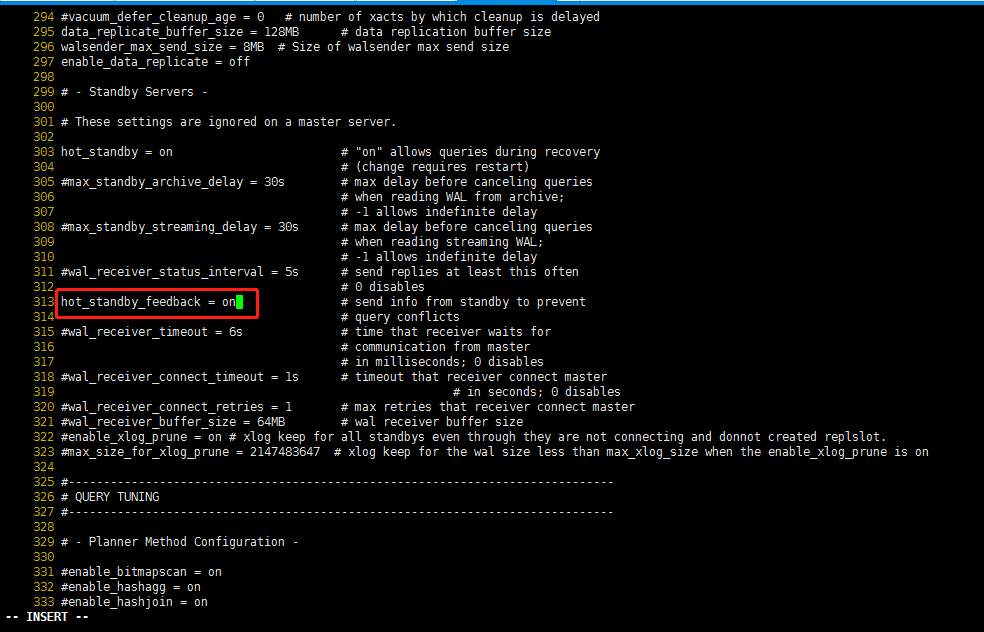
将hot_standby_feedback=off的注释去掉,同时将hot_standby_feedback=off改为hot_standby_feedback=on。
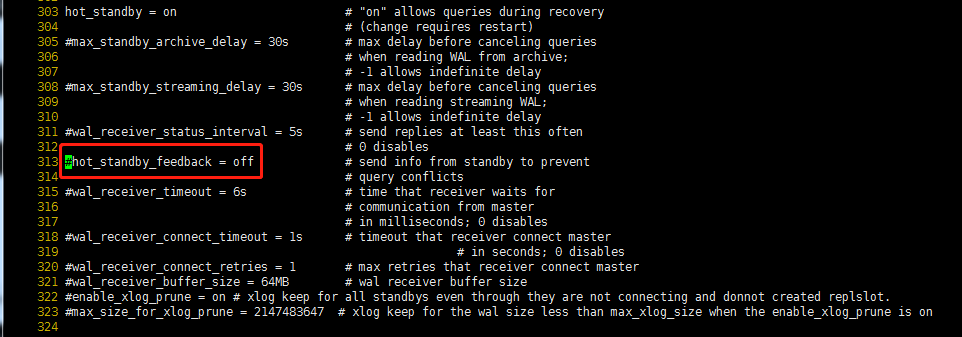
改为:
备节点node2:[omm@node2 ~]$
more /gaussdb/data/d1/postgresql.conf|grep hot_standby

备节点node2的改法与主节点node1的修改方法一致,将hot_standby_feedback=off的注释去掉,同时将hot_standby_feedback=off改为hot_standby_feedback=on。
重启数据库,查看数据库状态。
[omm@node1 ~]$ gs_om -t start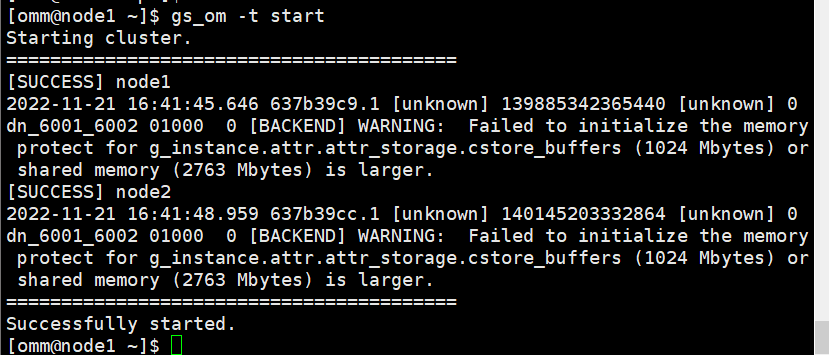
[omm@node1 ~]$ gs_om -t status --detail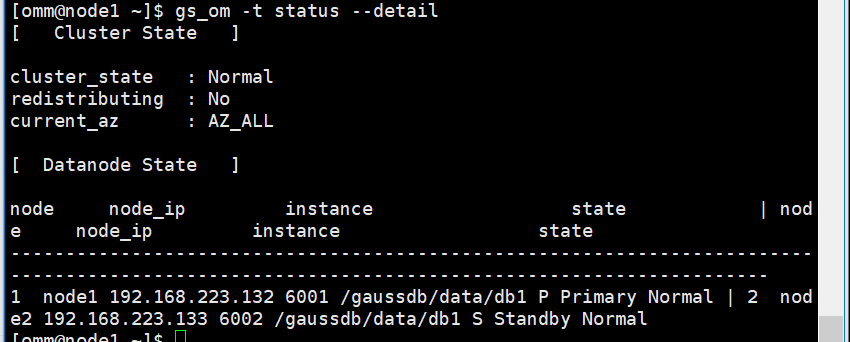
11.3)、数据库登陆测试主备功能
1)登录数据库,然后修改密码
su - omm

[omm@node1 ~]$ gsql -d postgres -p 26000 -r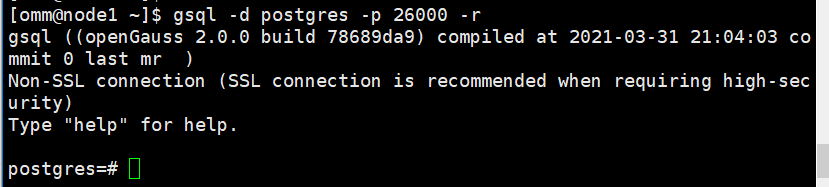
postgres=# select version();
postgres=# show server_version;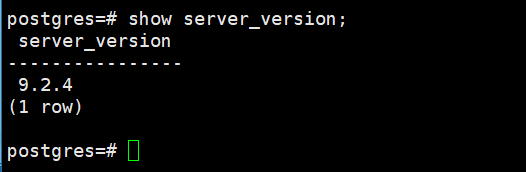
2)生成数据测试主备是否同步
在 node1 主节点上创建一个表,并插入数据:
postgres=# create table test1 (id int, name text);
postgres=# insert into test1 (id, name) values (1,'jdb');
postgres=# select * from test1;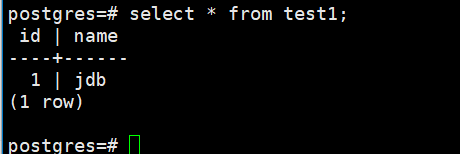
在 node2 备节点上检测:
[root@node2 ~]# su - omm
[omm@node2 ~]$ gsql -d postgres -p 26000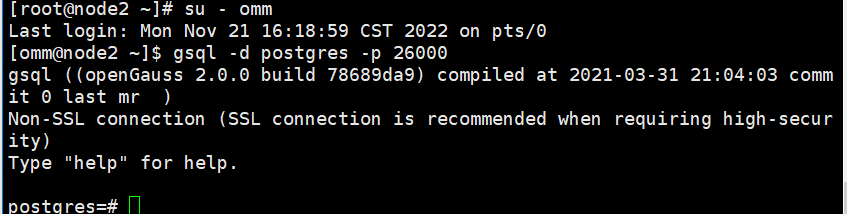
备机select校验数据:
postgres=# select * from test1;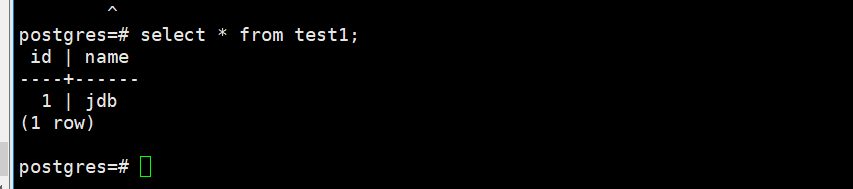
结论:
主节点数据同步到了备机,集群正常
