作者:马顺华
从事运维管理工作多年,目前就职于某科技有限公司,熟悉运维自动化、OceanBase部署运维、MySQL 运维以及各种云平台技术和产品。并已获得OceanBase认证OBCA、OBCP证书。
第16天 | openGauss逻辑结构:表管理4
学习目标
学习openGuass数据库中如何对表进行修改
课程学习
openGauss逻辑结构:表管理4
1.测试准备
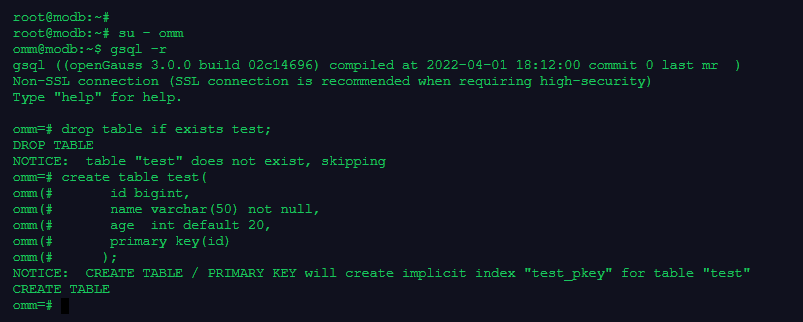
–首先创建一张测试表。
drop table if exists test;
create table test(
id bigint,
name varchar(50) not null,
age int default 20,
primary key(id)
);
root@modb:~#
root@modb:~# su - omm
omm@modb:~$ gsql -r
gsql ((openGauss 3.0.0 build 02c14696) compiled at 2022-04-01 18:12:00 commit 0 last mr  )
Non-SSL connection (SSL connection is recommended when requiring high-security)
Type "help" for help.

omm=# drop table if exists test;
DROP TABLE
NOTICE:  table "test" does not exist, skipping
omm=# create table test(
omm(#       id bigint,
omm(#       name varchar(50) not null,
omm(#       age  int default 20,
omm(#       primary key(id)
omm(#      );
NOTICE:  CREATE TABLE / PRIMARY KEY will create implicit index "test_pkey" for table "test"
CREATE TABLE
omm=#
2.为表添加字段
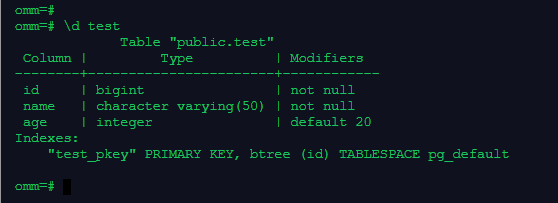
–查看表test的信息
\d test
omm=# \d test
             Table "public.test"
 Column |         Type          | Modifiers
--------+-----------------------+------------
 id     | bigint                | not null
 name   | character varying(50) | not null
 age    | integer               | default 20
Indexes:
    "test_pkey" PRIMARY KEY, btree (id) TABLESPACE pg_default

omm=#
–为表test新增一列,列名为sex,数据类型为Boolean:
alter table test add column sex Boolean;
omm=# alter table test add column sex Boolean;
ALTER TABLE
omm=#

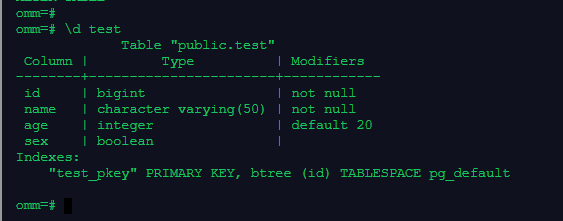
–执行下面gsql命令,查看表test的信息
\d test
omm=#
omm=# \d test
             Table "public.test"
 Column |         Type          | Modifiers
--------+-----------------------+------------
 id     | bigint                | not null
 name   | character varying(50) | not null
 age    | integer               | default 20
 sex    | boolean               |
Indexes:
    "test_pkey" PRIMARY KEY, btree (id) TABLESPACE pg_default

omm=#
3.删除表中的已有字段
–执行下面的SQL语句,删除刚刚添加的列sex:
alter table test drop column sex ;
omm=# alter table test drop column sex ;
ALTER TABLE
omm=#

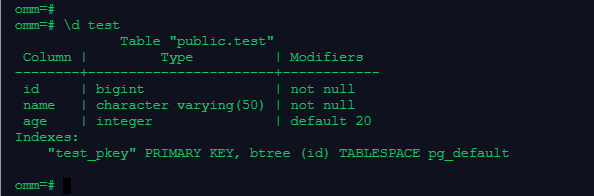
–执行下面gsql命令,再次查看表test的信息
\d test
omm=# \d test
             Table "public.test"
 Column |         Type          | Modifiers
--------+-----------------------+------------
 id     | bigint                | not null
 name   | character varying(50) | not null
 age    | integer               | default 20
Indexes:
    "test_pkey" PRIMARY KEY, btree (id) TABLESPACE pg_default

omm=#
4.删除表的已有约束
–表test上有一个名叫test_pkey的PRIMARY KEY约束。执行下面的SQL语句,删除这个约束:
alter table test drop constraint test_pkey;
omm=#
omm=# alter table test drop constraint test_pkey;
ALTER TABLE
omm=#

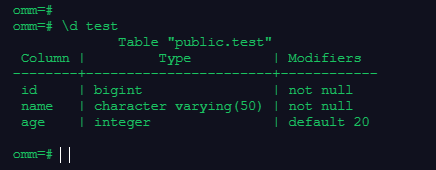
–执行下面的gsql命令,再次查看表test的信息:
\d test
omm=# \d test
             Table "public.test"
 Column |         Type          | Modifiers
--------+-----------------------+------------
 id     | bigint                | not null
 name   | character varying(50) | not null
 age    | integer               | default 20

omm=#
–或直接查看约束是否被删除
select * from pg_constraint where conname like ‘test_pkey’;
omm=# select * from pg_constraint  where conname like 'test_pkey';
 conname | connamespace | contype | condeferrable | condeferred | convalidated | conrelid | contypid | conindid | confrelid | confupdtype | confdeltype | con
fmatchtype | conislocal | coninhcount | connoinherit | consoft | conopt | conkey | confkey | conpfeqop | conppeqop | conffeqop | conexclop | conbin | consrc
| conincluding
---------+--------------+---------+---------------+-------------+--------------+----------+----------+----------+-----------+-------------+-------------+----
-----------+------------+-------------+--------------+---------+--------+--------+---------+-----------+-----------+-----------+-----------+--------+--------
+--------------
(0 rows)

omm=#

5.为表添加约束
–执行下面的SQL命令,为表test添加刚刚删除的主键约束:
alter table test add constraint test_pkey primary key(id);
omm=# alter table test add constraint test_pkey primary key(id);
NOTICE:  ALTER TABLE / ADD PRIMARY KEY will create implicit index "test_pkey" for table "test"
ALTER TABLE
omm=#

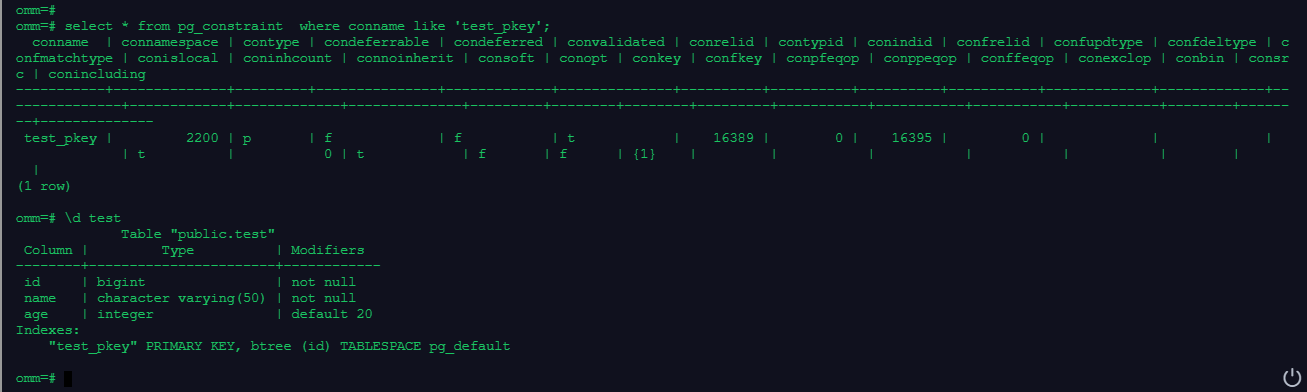
–再次查看表test的信息:
select * from pg_constraint where conname like ‘test_pkey’;
\d test
omm=#
omm=# select * from pg_constraint  where conname like 'test_pkey';
  conname  | connamespace | contype | condeferrable | condeferred | convalidated | conrelid | contypid | conindid | confrelid | confupdtype | confdeltype | c
onfmatchtype | conislocal | coninhcount | connoinherit | consoft | conopt | conkey | confkey | conpfeqop | conppeqop | conffeqop | conexclop | conbin | consr
c | conincluding
-----------+--------------+---------+---------------+-------------+--------------+----------+----------+----------+-----------+-------------+-------------+--
-------------+------------+-------------+--------------+---------+--------+--------+---------+-----------+-----------+-----------+-----------+--------+------
--+--------------
 test_pkey |         2200 | p       | f             | f           | t            |    16389 |        0 |    16395 |         0 |             |             |
             | t          |           0 | t            | f       | f      | {1}    |         |           |           |           |           |        |
  |
(1 row)

omm=# \d test
             Table "public.test"
 Column |         Type          | Modifiers
--------+-----------------------+------------
 id     | bigint                | not null
 name   | character varying(50) | not null
 age    | integer               | default 20
Indexes:
    "test_pkey" PRIMARY KEY, btree (id) TABLESPACE pg_default

omm=#
6.修改表字段的默认值
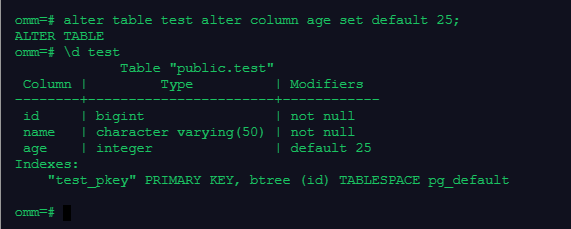
–执行下面的SQL语句,将age的默认值变更为25
alter table test alter column age set default 25;
\d test
omm=# alter table test alter column age set default 25;
ALTER TABLE
omm=# \d test
             Table "public.test"
 Column |         Type          | Modifiers
--------+-----------------------+------------
 id     | bigint                | not null
 name   | character varying(50) | not null
 age    | integer               | default 25
Indexes:
    "test_pkey" PRIMARY KEY, btree (id) TABLESPACE pg_default

omm=#
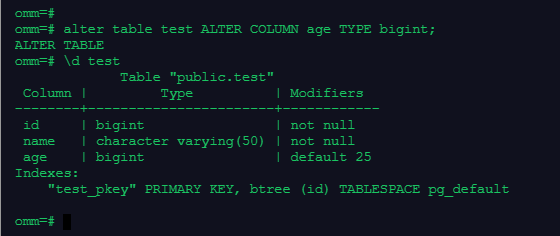
7.修改表字段的数据类型
alter table test ALTER COLUMN age TYPE bigint;
\d test
omm=#
omm=# alter table test ALTER COLUMN age TYPE bigint;
ALTER TABLE
omm=# \d test
             Table "public.test"
 Column |         Type          | Modifiers
--------+-----------------------+------------
 id     | bigint                | not null
 name   | character varying(50) | not null
 age    | bigint                | default 25
Indexes:
    "test_pkey" PRIMARY KEY, btree (id) TABLESPACE pg_default

omm=#
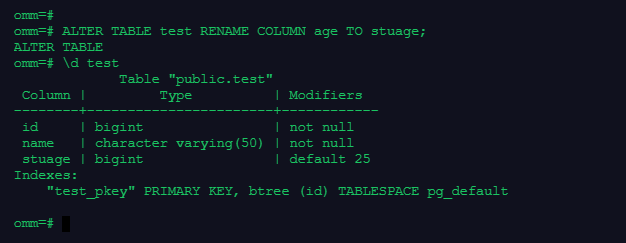
8.修改表字段的名字
ALTER TABLE test RENAME COLUMN age TO stuage;
\d test
omm=#
omm=# ALTER TABLE test RENAME COLUMN age TO stuage;
ALTER TABLE
omm=# \d test
             Table "public.test"
 Column |         Type          | Modifiers
--------+-----------------------+------------
 id     | bigint                | not null
 name   | character varying(50) | not null
 stuage | bigint                | default 25
Indexes:
    "test_pkey" PRIMARY KEY, btree (id) TABLESPACE pg_default

omm=#
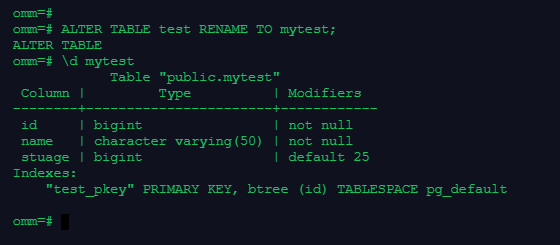
9.修改表的名字
–修改表的名字。执行下面的SQL语句,将表test的名字变更为mytest:
ALTER TABLE test RENAME TO mytest;
\d mytest
omm=#
omm=# ALTER TABLE test RENAME TO mytest;
ALTER TABLE
omm=# \d mytest
            Table "public.mytest"
 Column |         Type          | Modifiers
--------+-----------------------+------------
 id     | bigint                | not null
 name   | character varying(50) | not null
 stuage | bigint                | default 25
Indexes:
    "test_pkey" PRIMARY KEY, btree (id) TABLESPACE pg_default

omm=#
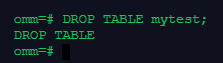
10.删除表
DROP TABLE mytest;
omm=# DROP TABLE mytest;
DROP TABLE
omm=#
课程作业
1.创建表,为表添加字段
2.删除表中的已有字段
3.删除表的已有约束、添加约束
4.修改表字段的默认值
5.修改表字段的数据类型
6.修改表字段的名字
7.修改表的名字
8.删除表
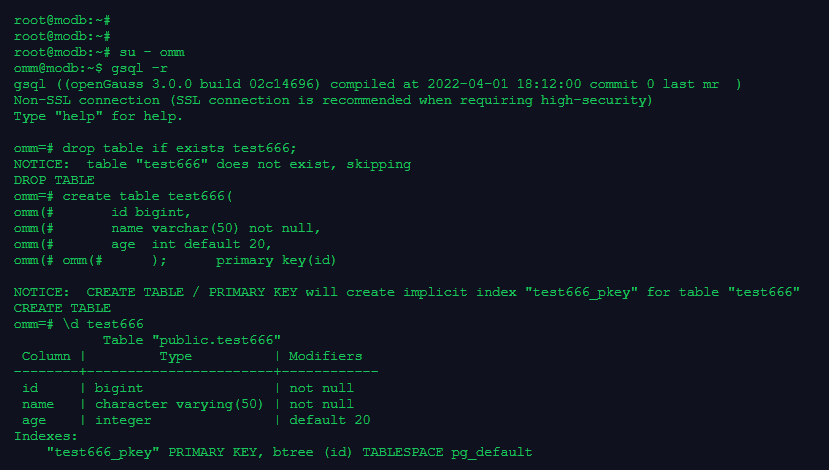
1.创建表,为表添加字段
root@modb:~#
root@modb:~#
root@modb:~# su - omm
omm@modb:~$ gsql -r
gsql ((openGauss 3.0.0 build 02c14696) compiled at 2022-04-01 18:12:00 commit 0 last mr  )
Non-SSL connection (SSL connection is recommended when requiring high-security)
Type "help" for help.

omm=# drop table if exists test666;
NOTICE:  table "test666" does not exist, skipping
DROP TABLE
omm=# create table test666(
omm(#       id bigint,
omm(#       name varchar(50) not null,
omm(#       age  int default 20,
omm(# omm(#      );      primary key(id)

NOTICE:  CREATE TABLE / PRIMARY KEY will create implicit index "test666_pkey" for table "test666"
CREATE TABLE
omm=# \d test666
           Table "public.test666"
 Column |         Type          | Modifiers
--------+-----------------------+------------
 id     | bigint                | not null
 name   | character varying(50) | not null
 age    | integer               | default 20
Indexes:
    "test666_pkey" PRIMARY KEY, btree (id) TABLESPACE pg_default

omm=#
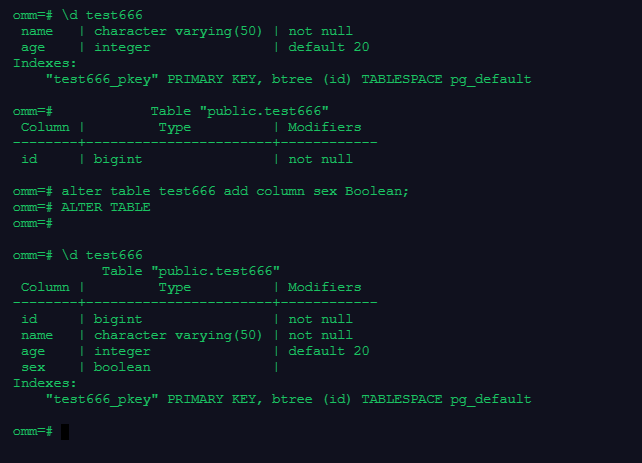
omm=# \d test666
 name   | character varying(50) | not null
 age    | integer               | default 20
Indexes:
    "test666_pkey" PRIMARY KEY, btree (id) TABLESPACE pg_default

omm=#            Table "public.test666"
 Column |         Type          | Modifiers
--------+-----------------------+------------
 id     | bigint                | not null

omm=# alter table test666 add column sex Boolean;
omm=# ALTER TABLE
omm=#

omm=# \d test666
           Table "public.test666"
 Column |         Type          | Modifiers
--------+-----------------------+------------
 id     | bigint                | not null
 name   | character varying(50) | not null
 age    | integer               | default 20
 sex    | boolean               |
Indexes:
    "test666_pkey" PRIMARY KEY, btree (id) TABLESPACE pg_default

omm=#
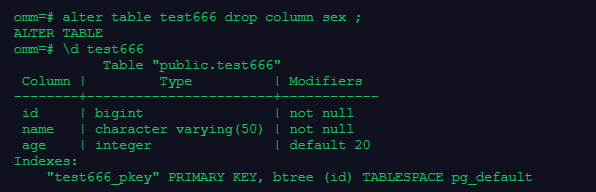
2.删除表中的已有字段
omm=# alter table test666 drop column sex ;
ALTER TABLE
omm=# \d test666
           Table "public.test666"
 Column |         Type          | Modifiers
--------+-----------------------+------------
 id     | bigint                | not null
 name   | character varying(50) | not null
 age    | integer               | default 20
Indexes:
    "test666_pkey" PRIMARY KEY, btree (id) TABLESPACE pg_default
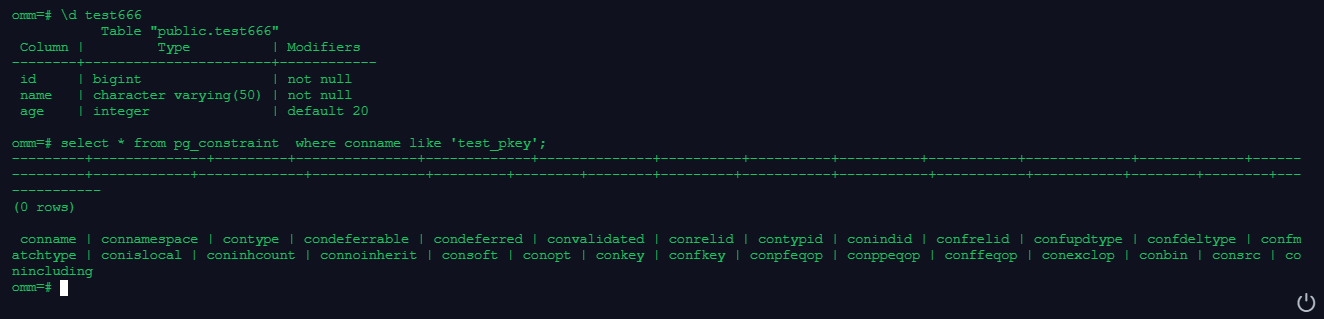
3.删除表的已有约束、添加约束
omm=# alter table test666 drop constraint test666_pkey;
omm=# ALTER TABLE

omm=# \d test666
           Table "public.test666"
 Column |         Type          | Modifiers
--------+-----------------------+------------
 id     | bigint                | not null
 name   | character varying(50) | not null
 age    | integer               | default 20

omm=# select * from pg_constraint  where conname like 'test_pkey';
---------+--------------+---------+---------------+-------------+--------------+----------+----------+----------+-----------+-------------+-------------+------
---------+------------+-------------+--------------+---------+--------+--------+---------+-----------+-----------+-----------+-----------+--------+--------+---
-----------
(0 rows)

 conname | connamespace | contype | condeferrable | condeferred | convalidated | conrelid | contypid | conindid | confrelid | confupdtype | confdeltype | confm
atchtype | conislocal | coninhcount | connoinherit | consoft | conopt | conkey | confkey | conpfeqop | conppeqop | conffeqop | conexclop | conbin | consrc | co
nincluding
omm=#
omm=#
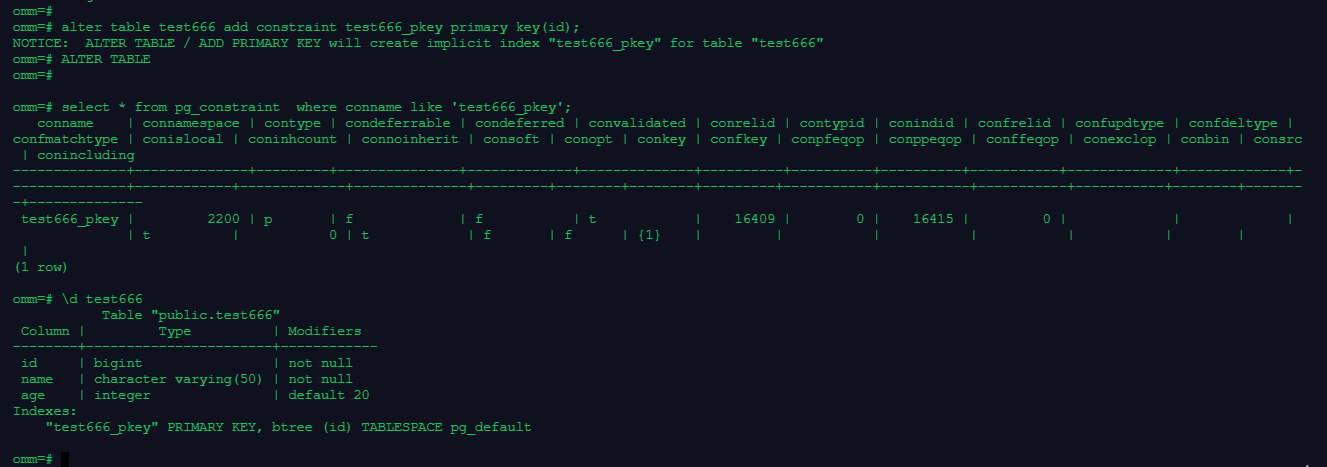
omm=# alter table test666 add constraint test666_pkey primary key(id);
NOTICE:  ALTER TABLE / ADD PRIMARY KEY will create implicit index "test666_pkey" for table "test666"
omm=# ALTER TABLE
omm=#

omm=# select * from pg_constraint  where conname like 'test666_pkey';
   conname    | connamespace | contype | condeferrable | condeferred | convalidated | conrelid | contypid | conindid | confrelid | confupdtype | confdeltype |
confmatchtype | conislocal | coninhcount | connoinherit | consoft | conopt | conkey | confkey | conpfeqop | conppeqop | conffeqop | conexclop | conbin | consrc
 | conincluding
--------------+--------------+---------+---------------+-------------+--------------+----------+----------+----------+-----------+-------------+-------------+-
--------------+------------+-------------+--------------+---------+--------+--------+---------+-----------+-----------+-----------+-----------+--------+-------
-+--------------
 test666_pkey |         2200 | p       | f             | f           | t            |    16409 |        0 |    16415 |         0 |             |             |
              | t          |           0 | t            | f       | f      | {1}    |         |           |           |           |           |        |
 |
(1 row)

omm=# \d test666
           Table "public.test666"
 Column |         Type          | Modifiers
--------+-----------------------+------------
 id     | bigint                | not null
 name   | character varying(50) | not null
 age    | integer               | default 20
Indexes:
    "test666_pkey" PRIMARY KEY, btree (id) TABLESPACE pg_default

omm=#
4.修改表字段的默认值
omm=#
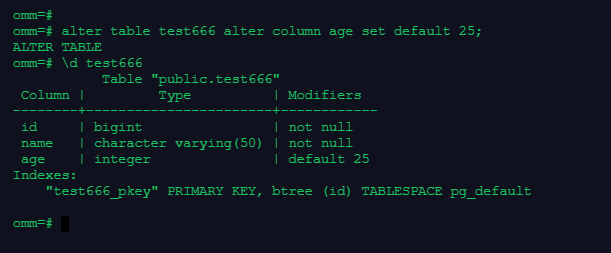
omm=# alter table test666 alter column age set default 25;
ALTER TABLE
omm=# \d test666
           Table "public.test666"
 Column |         Type          | Modifiers
--------+-----------------------+------------
 id     | bigint                | not null
 name   | character varying(50) | not null
 age    | integer               | default 25
Indexes:
    "test666_pkey" PRIMARY KEY, btree (id) TABLESPACE pg_default

omm=#
5.修改表字段的数据类型
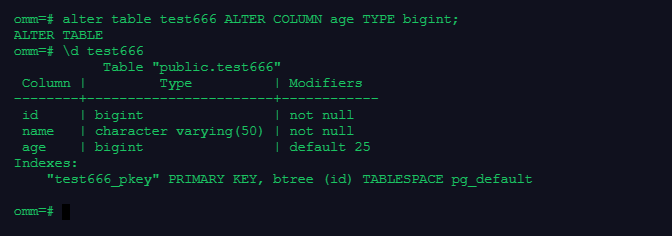
omm=# alter table test666 ALTER COLUMN age TYPE bigint;
ALTER TABLE
omm=# \d test666
           Table "public.test666"
 Column |         Type          | Modifiers
--------+-----------------------+------------
 id     | bigint                | not null
 name   | character varying(50) | not null
 age    | bigint                | default 25
Indexes:
    "test666_pkey" PRIMARY KEY, btree (id) TABLESPACE pg_default

omm=#
6.修改表字段的名字
omm=#
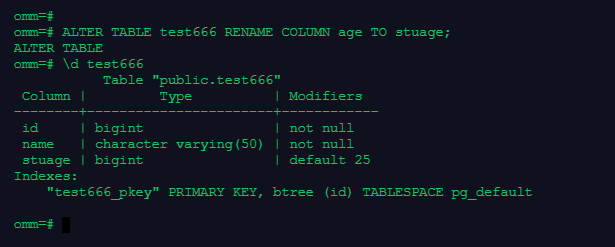
omm=# ALTER TABLE test666 RENAME COLUMN age TO stuage;
ALTER TABLE
omm=# \d test666
           Table "public.test666"
 Column |         Type          | Modifiers
--------+-----------------------+------------
 id     | bigint                | not null
 name   | character varying(50) | not null
 stuage | bigint                | default 25
Indexes:
    "test666_pkey" PRIMARY KEY, btree (id) TABLESPACE pg_default

omm=#
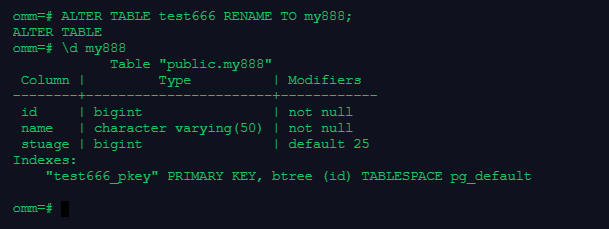
7.修改表的名字
omm=# ALTER TABLE test666 RENAME TO my888;
ALTER TABLE
omm=# \d my888
            Table "public.my888"
 Column |         Type          | Modifiers
--------+-----------------------+------------
 id     | bigint                | not null
 name   | character varying(50) | not null
 stuage | bigint                | default 25
Indexes:
    "test666_pkey" PRIMARY KEY, btree (id) TABLESPACE pg_default

omm=#
8.删除表
omm=# DROP TABLE my888;
DROP TABLE
omm=#