



一、学习目标
本节课是本次实训的第十七节课,本次课的重点是openGauss表索引相关知识,主要是openGauss表创建索引、删除索引、查询及修改索引相关信息。
1.1 索引相关知识
在openGauss官网里,有如下对索引的描述:
索引可以提高数据的访问速度,但同时也增加了插入、更新和删除操作的处理时间。所以是否要为表增加索引,索引建立在哪些字段上,是创建索引前必须要考虑的问题。需要分析应用程序的业务处理、数据使用、经常被用作查询的条件或者被要求排序的字段来确定是否建立索引。
索引建立在数据库表中的某些列上。因此,在创建索引时,应该仔细考虑在哪些列上创建索引。
- 在经常需要搜索查询的列上创建索引,可以加快搜索的速度。
- 在作为主键的列上创建索引,强制该列的唯一性和组织表中数据的排列结构。
- 在经常使用连接的列上创建索引,这些列主要是一些外键,可以加快连接的速度。
- 在经常需要根据范围进行搜索的列上创建索引,因为索引已经排序,其指定的范围是连续的。
- 在经常需要排序的列上创建索引,因为索引已经排序,这样查询可以利用索引的排序,加快排序查询时间。
- 在经常使用WHERE子句的列上创建索引,加快条件的判断速度。
- 为经常出现在关键字ORDER BY、GROUP BY、DISTINCT后面的字段建立索引。
| 索引方式 | 描述 |
|---|---|
| 唯一索引 | 可用于约束索引属性值的唯一性,或者属性组合值的唯一性。如果一个表声明了唯一约束或者主键,则GaussDB(for openGauss)自动在组成主键或唯一约束的字段上创建唯一索引(可能是多字段索引),以实现这些约束。目前,GaussDB(for openGauss)只有B-Tree可以创建唯一索引。 |
| 多字段索引 | 一个索引可以定义在表中的多个属性上。目前,GaussDB(for openGauss)中的B-Tree支持多字段索引,且最多可在32个字段上创建索引。 |
| 部分索引 | 建立在一个表的子集上的索引,这种索引方式只包含满足条件表达式的元组。 |
| 表达式索引 | 索引建立在一个函数或者从表中一个或多个属性计算出来的表达式上。表达式索引只有在查询时使用与创建时相同的表达式才会起作用。 |
二、测试练习
2.1 创建表及索引
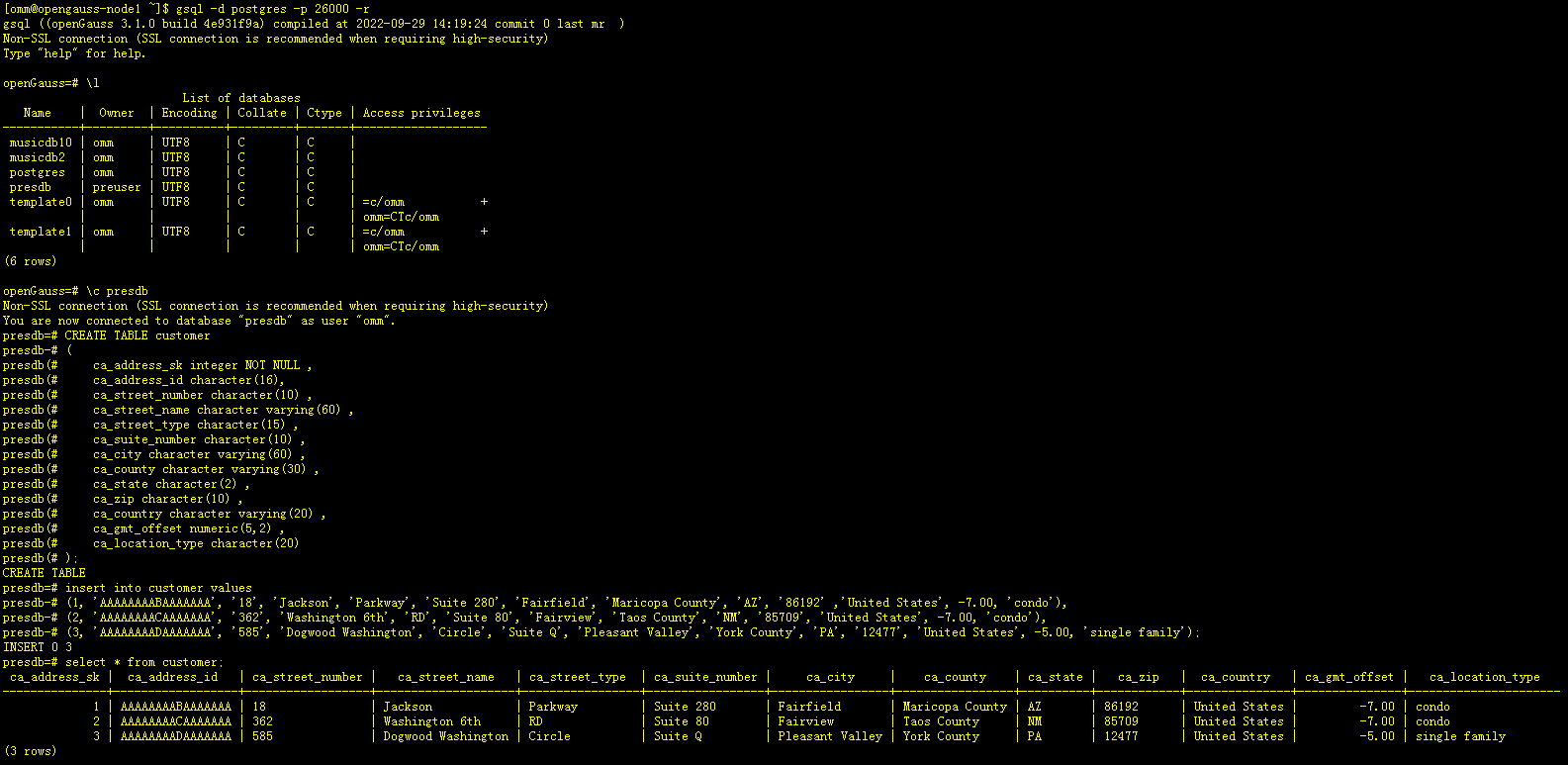
[omm@opengauss-node1 ~]$ gsql -d postgres -p 26000 -r
gsql ((openGauss 3.1.0 build 4e931f9a) compiled at 2022-09-29 14:19:24 commit 0 last mr  )
Non-SSL connection (SSL connection is recommended when requiring high-security)
Type "help" for help.

openGauss=# \l
                          List of databases
   Name    |  Owner  | Encoding | Collate | Ctype | Access privileges
-----------+---------+----------+---------+-------+-------------------
 musicdb10 | omm     | UTF8     | C       | C     |
 musicdb2  | omm     | UTF8     | C       | C     |
 postgres  | omm     | UTF8     | C       | C     |
 presdb    | preuser | UTF8     | C       | C     |
 template0 | omm     | UTF8     | C       | C     | =c/omm           +
           |         |          |         |       | omm=CTc/omm
 template1 | omm     | UTF8     | C       | C     | =c/omm           +
           |         |          |         |       | omm=CTc/omm
(6 rows)

openGauss=# \c presdb
Non-SSL connection (SSL connection is recommended when requiring high-security)
You are now connected to database "presdb" as user "omm".
-- 创建测试表customer
presdb=# CREATE TABLE customer
presdb-# (
presdb(#     ca_address_sk integer NOT NULL ,
presdb(#     ca_address_id character(16),
presdb(#     ca_street_number character(10) ,
presdb(#     ca_street_name character varying(60) ,
presdb(#     ca_street_type character(15) ,
presdb(#     ca_suite_number character(10) ,
presdb(#     ca_city character varying(60) ,
presdb(#     ca_county character varying(30) ,
presdb(#     ca_state character(2) ,
presdb(#     ca_zip character(10) ,
presdb(#     ca_country character varying(20) ,
presdb(#     ca_gmt_offset numeric(5,2) ,
presdb(#     ca_location_type character(20)
presdb(# );
CREATE TABLE
presdb=# insert into customer values
presdb-# (1, 'AAAAAAAABAAAAAAA', '18', 'Jackson', 'Parkway', 'Suite 280', 'Fairfield', 'Maricopa County', 'AZ', '86192' ,'United States', -7.00, 'condo'),
presdb-# (2, 'AAAAAAAACAAAAAAA', '362', 'Washington 6th', 'RD', 'Suite 80', 'Fairview', 'Taos County', 'NM', '85709', 'United States', -7.00, 'condo'),
presdb-# (3, 'AAAAAAAADAAAAAAA', '585', 'Dogwood Washington', 'Circle', 'Suite Q', 'Pleasant Valley', 'York County', 'PA', '12477', 'United States', -5.00, 'single family');
INSERT 0 3
presdb=# select * from customer;
 ca_address_sk |  ca_address_id   | ca_street_number |   ca_street_name   | ca_street_type  | ca_suite_number |     ca_city     |    ca_county    | ca_state |   ca_zip   |  ca_country   | ca_gmt_offset |   ca_location_type
---------------+------------------+------------------+--------------------+-----------------+-----------------+-----------------+-----------------+----------+------------+---------------+---------------+----------------------
             1 | AAAAAAAABAAAAAAA | 18               | Jackson            | Parkway         | Suite 280       | Fairfield       | Maricopa County | AZ       | 86192      | United States |         -7.00 | condo
             2 | AAAAAAAACAAAAAAA | 362              | Washington 6th     | RD              | Suite 80        | Fairview        | Taos County     | NM       | 85709      | United States |         -7.00 | condo
             3 | AAAAAAAADAAAAAAA | 585              | Dogwood Washington | Circle          | Suite Q         | Pleasant Valley | York County     | PA       | 12477      | United States |         -5.00 | single family
(3 rows)
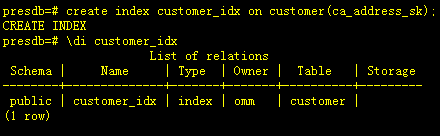
presdb=# create index customer_idx on customer(ca_address_sk);
CREATE INDEX
presdb=# \di customer_idx
                     List of relations
 Schema |     Name     | Type  | Owner |  Table   | Storage
--------+--------------+-------+-------+----------+---------
 public | customer_idx | index | omm   | customer |
(1 row)
-- 查询表上索引信息
presdb=# select * from pg_indexes where tablename = 'customer';
 schemaname | tablename |  indexname   | tablespace |                                        indexdef
------------+-----------+--------------+------------+-----------------------------------------------------------------------------------------
 public     | customer  | customer_idx |            | CREATE INDEX customer_idx ON customer USING btree (ca_address_sk) TABLESPACE pg_default
(1 row)

-- 查询索引信息,可以看到未指定索引表空间时,索引创建在pg_default表空间上
presdb=# select * from pg_indexes where indexname = 'customer_idx';
 schemaname | tablename |  indexname   | tablespace |                                        indexdef
------------+-----------+--------------+------------+-----------------------------------------------------------------------------------------
 public     | customer  | customer_idx |            | CREATE INDEX customer_idx ON customer USING btree (ca_address_sk) TABLESPACE pg_default
(1 row)

2.2 使用hint强制使用索引
-- 通过hint来强制使用指定索引执行相应的执行计划
presdb=# EXPLAIN SELECT /*+ indexscan(customer customer_idx ) */ * FROM customer WHERE ca_address_sk<100;
                                  QUERY PLAN
-------------------------------------------------------------------------------
 [Bypass]
 Index Scan using customer_idx on customer  (cost=0.00..8.27 rows=1 width=788)
   Index Cond: (ca_address_sk < 100)
(3 rows)

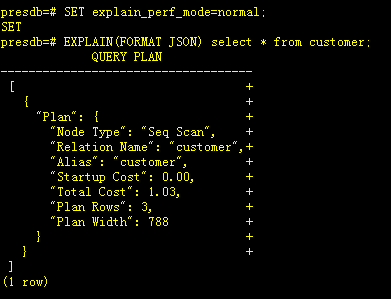
--修改explain_perf_mode为normal
presdb=# SET explain_perf_mode=normal;
SET
--以JSON格式输出的执行计划
presdb=# EXPLAIN(FORMAT JSON) select * from customer;
             QUERY PLAN
------------------------------------
 [                                 +
   {                               +
     "Plan": {                     +
       "Node Type": "Seq Scan",    +
       "Relation Name": "customer",+
       "Alias": "customer",        +
       "Startup Cost": 0.00,       +
       "Total Cost": 1.03,         +
       "Plan Rows": 3,             +
       "Plan Width": 788           +
     }                             +
   }                               +
 ]
(1 row)
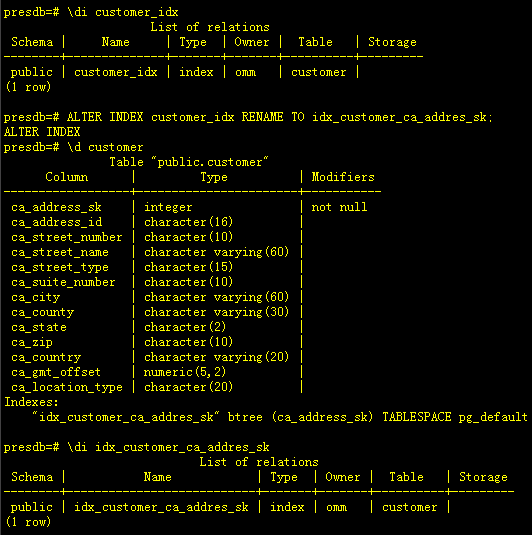
2.3 索引重命名
presdb=# \di customer_idx
                     List of relations
 Schema |     Name     | Type  | Owner |  Table   | Storage
--------+--------------+-------+-------+----------+---------
 public | customer_idx | index | omm   | customer |
(1 row)

-- 重建索引名称
presdb=# ALTER INDEX customer_idx RENAME TO idx_customer_ca_addres_sk;
ALTER INDEX
presdb=# \d customer
               Table "public.customer"
      Column      |         Type          | Modifiers
------------------+-----------------------+-----------
 ca_address_sk    | integer               | not null
 ca_address_id    | character(16)         |
 ca_street_number | character(10)         |
 ca_street_name   | character varying(60) |
 ca_street_type   | character(15)         |
 ca_suite_number  | character(10)         |
 ca_city          | character varying(60) |
 ca_county        | character varying(30) |
 ca_state         | character(2)          |
 ca_zip           | character(10)         |
 ca_country       | character varying(20) |
 ca_gmt_offset    | numeric(5,2)          |
 ca_location_type | character(20)         |
Indexes:
    "idx_customer_ca_addres_sk" btree (ca_address_sk) TABLESPACE pg_default

presdb=# \di idx_customer_ca_addres_sk
                            List of relations
 Schema |           Name            | Type  | Owner |  Table   | Storage
--------+---------------------------+-------+-------+----------+---------
 public | idx_customer_ca_addres_sk | index | omm   | customer |
(1 row)
2.4 重建索引
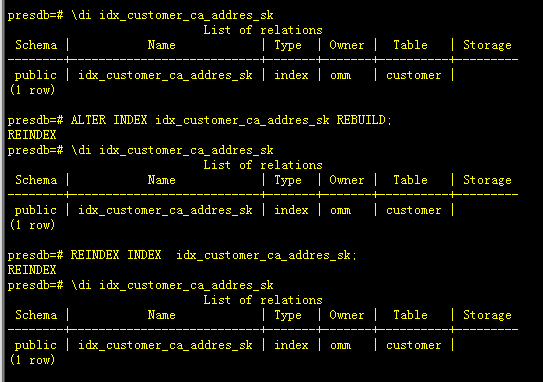
– 通过ALTER INDEX REBUILD和REINDEX 执行后,观察效果是相同的,都是单独重建一个索引
presdb=# \di idx_customer_ca_addres_sk
                            List of relations
 Schema |           Name            | Type  | Owner |  Table   | Storage
--------+---------------------------+-------+-------+----------+---------
 public | idx_customer_ca_addres_sk | index | omm   | customer |
(1 row)

presdb=# ALTER INDEX idx_customer_ca_addres_sk REBUILD;
REINDEX
presdb=# \di idx_customer_ca_addres_sk
                            List of relations
 Schema |           Name            | Type  | Owner |  Table   | Storage
--------+---------------------------+-------+-------+----------+---------
 public | idx_customer_ca_addres_sk | index | omm   | customer |
(1 row)

presdb=# REINDEX INDEX  idx_customer_ca_addres_sk;
REINDEX
presdb=# \di idx_customer_ca_addres_sk
                            List of relations
 Schema |           Name            | Type  | Owner |  Table   | Storage
--------+---------------------------+-------+-------+----------+---------
 public | idx_customer_ca_addres_sk | index | omm   | customer |
(1 row)
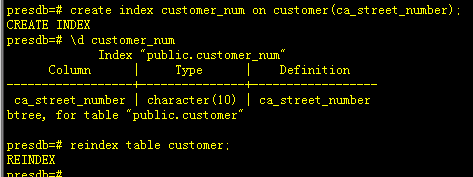
-- 通过reindex table 可以重建一个表的索引
presdb=# create index customer_num on customer(ca_street_number);
CREATE INDEX
presdb=# \d customer_num
             Index "public.customer_num"
      Column      |     Type      |    Definition
------------------+---------------+------------------
 ca_street_number | character(10) | ca_street_number
btree, for table "public.customer"

presdb=# reindex table customer;
REINDEX
2.5 移动索引至其它表空间
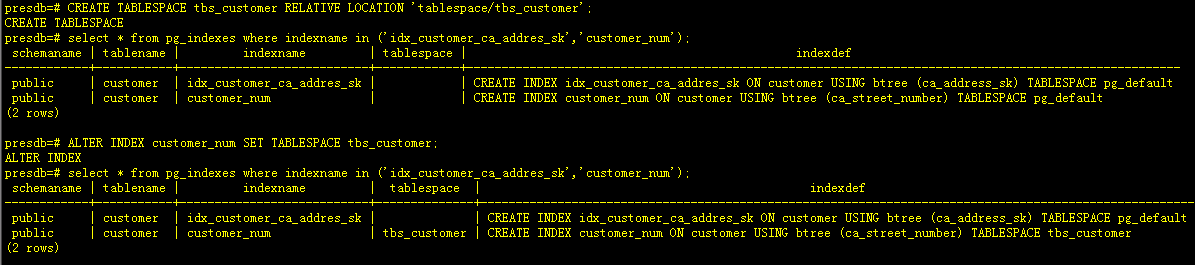
-- 创建表空间tbs_customer
presdb=# CREATE TABLESPACE tbs_customer RELATIVE LOCATION 'tablespace/tbs_customer';
CREATE TABLESPACE
-- 查询customer两个表索引的所在表空间等信息
presdb=# select * from pg_indexes where indexname in ('idx_customer_ca_addres_sk','customer_num');
 schemaname | tablename |         indexname         | tablespace |                                               indexdef
------------+-----------+---------------------------+------------+------------------------------------------------------------------------------------------------------
 public     | customer  | idx_customer_ca_addres_sk |            | CREATE INDEX idx_customer_ca_addres_sk ON customer USING btree (ca_address_sk) TABLESPACE pg_default
 public     | customer  | customer_num              |            | CREATE INDEX customer_num ON customer USING btree (ca_street_number) TABLESPACE pg_default
(2 rows)

-- 将索引customer_num 从pg_default表空间移动到tbs_customer表空间
presdb=# ALTER INDEX customer_num SET TABLESPACE tbs_customer;
ALTER INDEX
--再次查询customer两个表索引的所在表空间等信息
presdb=# select * from pg_indexes where indexname in ('idx_customer_ca_addres_sk','customer_num');
 schemaname | tablename |         indexname         |  tablespace  |                                               indexdef
------------+-----------+---------------------------+--------------+------------------------------------------------------------------------------------------------------
 public     | customer  | idx_customer_ca_addres_sk |              | CREATE INDEX idx_customer_ca_addres_sk ON customer USING btree (ca_address_sk) TABLESPACE pg_default
 public     | customer  | customer_num              | tbs_customer | CREATE INDEX customer_num ON customer USING btree (ca_street_number) TABLESPACE tbs_customer
(2 rows)
2.6 删除索引
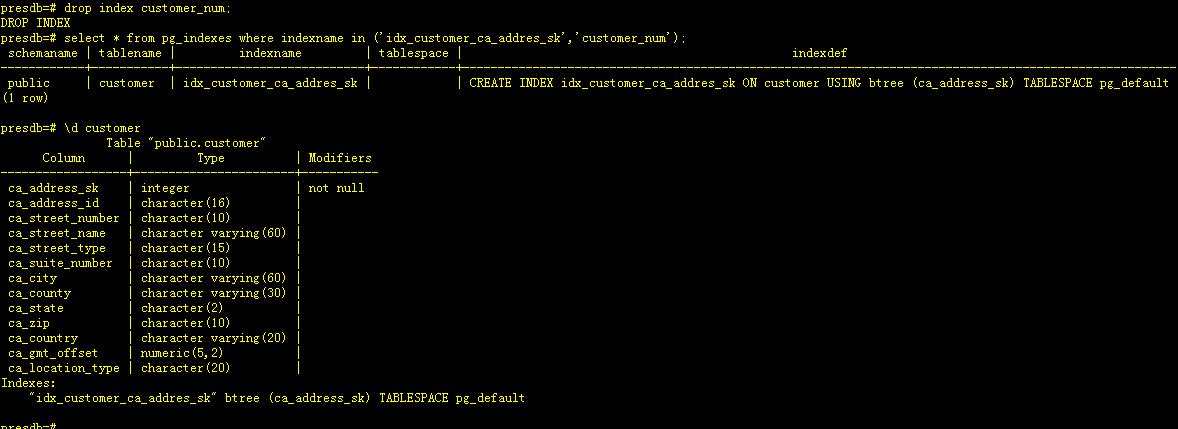
--删除指定索引customer_num
presdb=# drop index customer_num;
DROP INDEX
presdb=# select * from pg_indexes where indexname in ('idx_customer_ca_addres_sk','customer_num');
 schemaname | tablename |         indexname         | tablespace |                                               indexdef
------------+-----------+---------------------------+------------+------------------------------------------------------------------------------------------------------
 public     | customer  | idx_customer_ca_addres_sk |            | CREATE INDEX idx_customer_ca_addres_sk ON customer USING btree (ca_address_sk) TABLESPACE pg_default
(1 row)
-- 表上已无customer_num索引信息
presdb=# \d customer
               Table "public.customer"
      Column      |         Type          | Modifiers
------------------+-----------------------+-----------
 ca_address_sk    | integer               | not null
 ca_address_id    | character(16)         |
 ca_street_number | character(10)         |
 ca_street_name   | character varying(60) |
 ca_street_type   | character(15)         |
 ca_suite_number  | character(10)         |
 ca_city          | character varying(60) |
 ca_county        | character varying(30) |
 ca_state         | character(2)          |
 ca_zip           | character(10)         |
 ca_country       | character varying(20) |
 ca_gmt_offset    | numeric(5,2)          |
 ca_location_type | character(20)         |
Indexes:
    "idx_customer_ca_addres_sk" btree (ca_address_sk) TABLESPACE pg_default
三、学习心得
openGauss的索引和其它关系型数据库创建索引基本类似,但在查询索引等相关信息方面,还需要再加强学习,比如我现在还没找到如何查询索引的状态信息,修改表名或者重名名索引等该如何查询索引状态,还要再多去学习。
「喜欢这篇文章,您的关注和赞赏是给作者最好的鼓励」
关注作者
【版权声明】本文为墨天轮用户原创内容,转载时必须标注文章的来源(墨天轮),文章链接,文章作者等基本信息,否则作者和墨天轮有权追究责任。如果您发现墨天轮中有涉嫌抄袭或者侵权的内容,欢迎发送邮件至:contact@modb.pro进行举报,并提供相关证据,一经查实,墨天轮将立刻删除相关内容。
