



本文为第二届openGauss每日一练,21天打卡计划第 19 天的作业部分,课程内容总结如下openGauss每日一练第 19 天-用户和角色管理
作业1
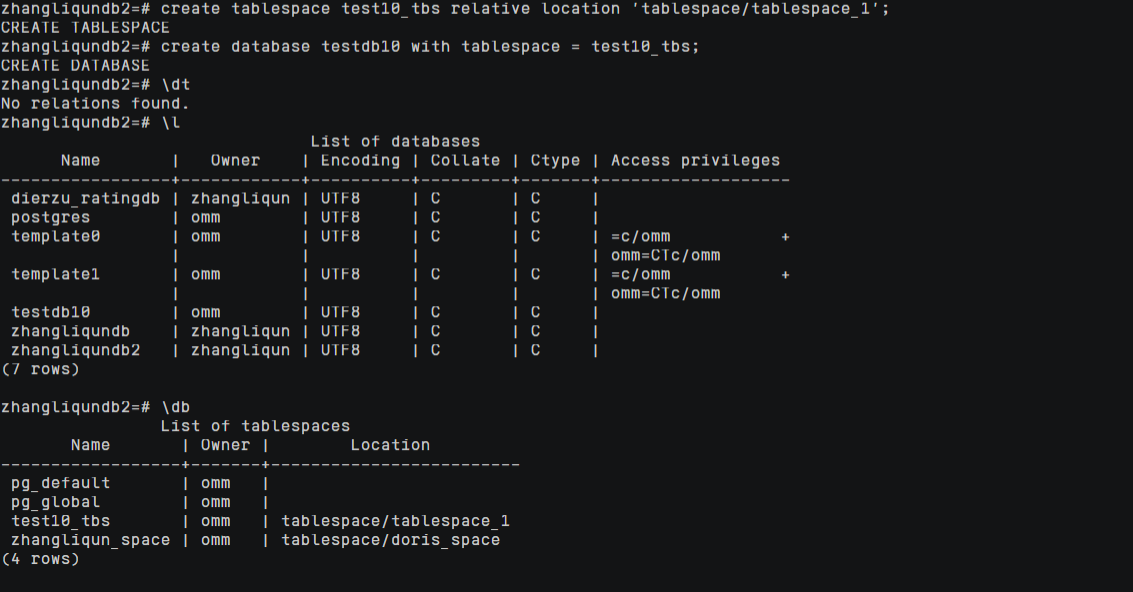
创建test10_tbs的表空间,在这个表空间中创建数据库testdb10
create tablespace test10_tbs relative location 'tablespace/tablespace_1';
create database testdb10 with tablespace = test10_tbs;
\l
\db
作业2
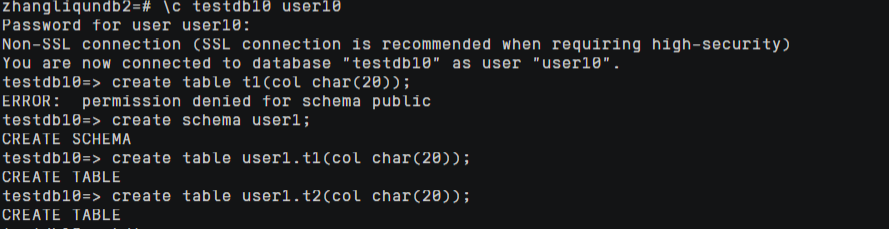
使用create user创建用户user10,登录数据库testdb10,创建测试表t1和t2
create user user10 identified by 'kunpeng@1234';
alter all on database testdb10 to user10;
\c testdb10 user10
create schema user1;
create table user1.t1(col char(20));
create table user1.t2(col char(20));
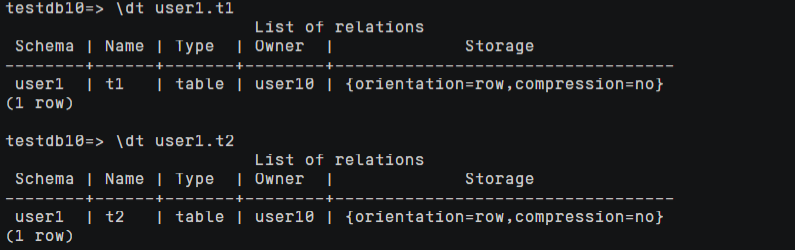
\dt user1.t1
\dt user1.t2
作业3
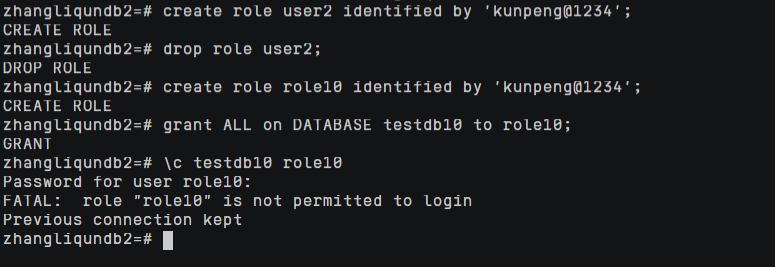
使用create role创建角色role10,登录数据库testdb10
create role role10 identified by 'kunpeng@1234';
grant ALL on DATABASE testdb10 to role10;
\c testdb10 role10
FATAL:  role "role10" is not permitted to login

alter role role10 login;

作业4
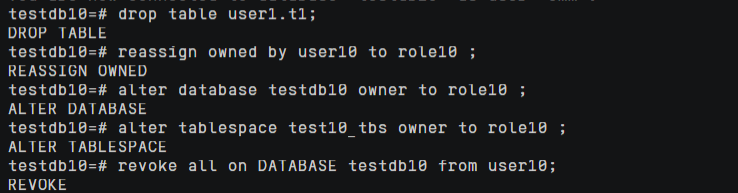
将表t1直接删除,将前面创建的表空间和数据库、表t2转给role10,删除用户user10
drop table user1.t1;
reassign owned by user10 to role10 ;
alter database testdb10 owner to role10 ;
alter tablespace test10_tbs owner to role10 ;
revoke all on DATABASE testdb10 from user10;
drop user user10 ;

作业5
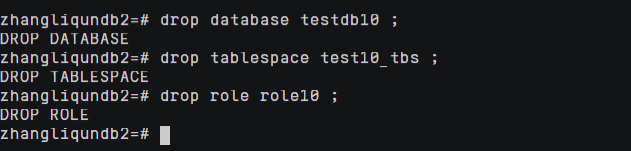
最后删除role10
drop database testdb10 ;
drop tablespace test10_tbs ;
drop role role10 ;
「喜欢这篇文章,您的关注和赞赏是给作者最好的鼓励」
关注作者
【版权声明】本文为墨天轮用户原创内容,转载时必须标注文章的来源(墨天轮),文章链接,文章作者等基本信息,否则作者和墨天轮有权追究责任。如果您发现墨天轮中有涉嫌抄袭或者侵权的内容,欢迎发送邮件至:contact@modb.pro进行举报,并提供相关证据,一经查实,墨天轮将立刻删除相关内容。
