学习目标
掌握openGauss的用户和角色管理。
使用create user创建的用户与使用create role创建的用户的区别在于,前者可以直接连接登录数据库,而使用create role创建的用户不能直接登录到数据库。必须添加LOGIN权限后,才能登录到数据库管理系统。
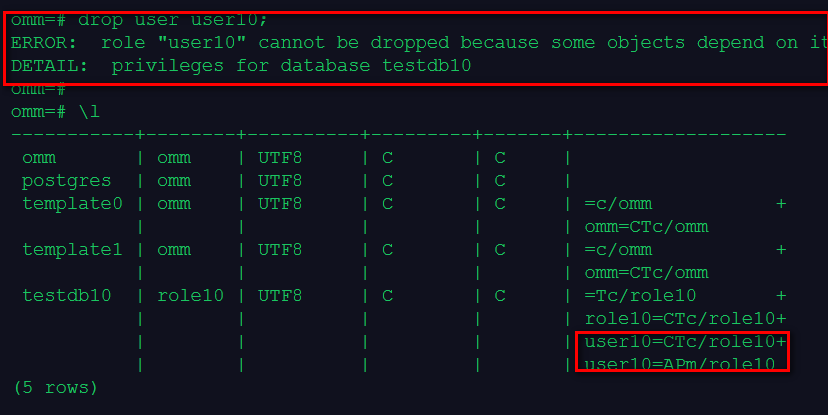
删除用户,首先需要将用户拥有的数据库对象转移或者删除。
课程作业
1、创建test10_tbs的表空间,在这个表空间中创建数据库testdb10
create tablespace test10_tbs relative location 'tablespace/test10_tbs1';
create database testdb10 with tablespace = test10_tbs;
2、使用create user创建用户user10,登录数据库testdb10,创建测试表t1和t2
-创建用户user10,并将数据库testdb所有的权限都授予用户user10:
create user user10 identified by 'robin@123';
grant all on database testdb10 to user10;
\l
--用刚刚创建的数据库用户user10登录到数据库testdb10
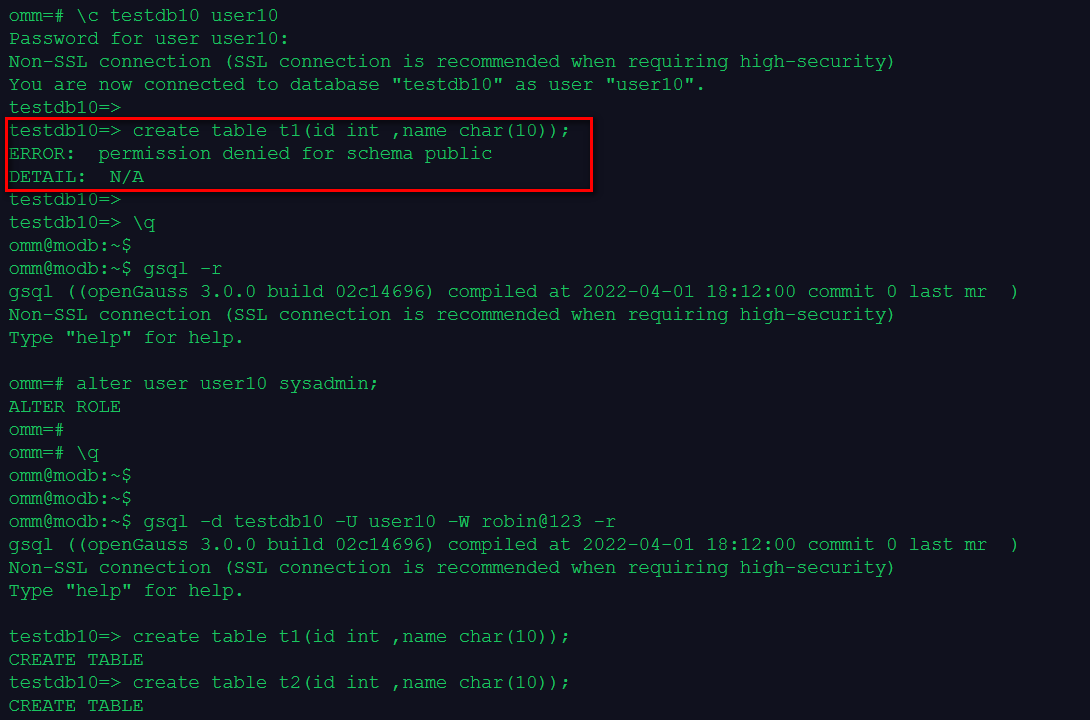
alter user user10 sysadmin; ##若不授权,会提示无权限创建表
gsql -d testdb10 -U user10 -W robin@123 -r
create table t1(id int ,name char(10));
create table t2(id int ,name char(10));
3、使用create role创建角色role10,登录数据库testdb10
--创建角色role10
create role role10 identified by 'robin@123';
grant all on database testdb10 to user10;
--使用角色role10尝试登录到数据库testdb10
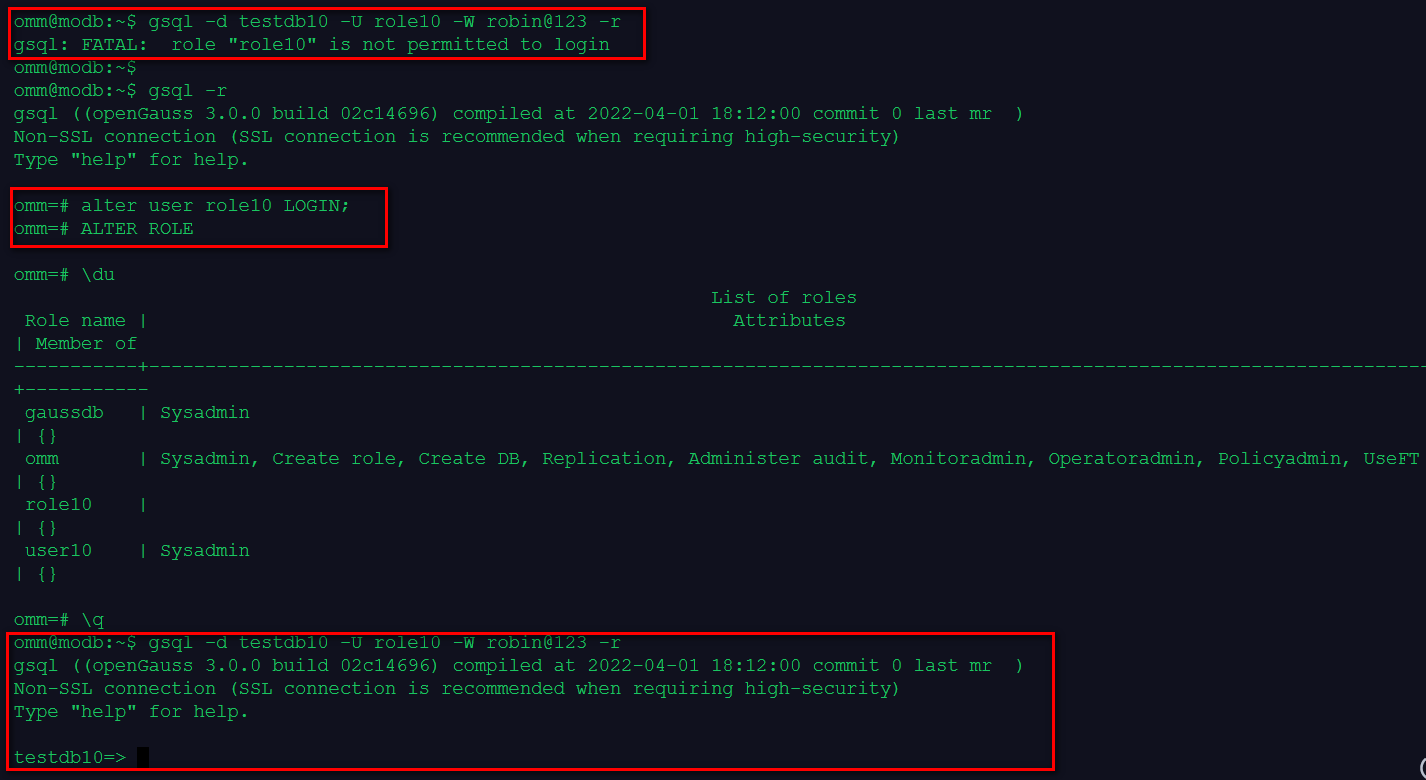
gsql -d testdb10 -U role10 -W robin@123 -r
若需角色登录登录数据库
alter user role10 LOGIN;
\du
再次测试登录数据库
gsql -d testdb10 -U role10 -W robin@123 -r
4、将表t1直接删除,将前面创建的表空间和数据库、表t2转给role10,删除用户user10
drop table t1;
ALTER USER role10 SYSADMIN;
--使用角色role10登录到数据库testdb10
\c testdb10 role10
ALTER DATABASE testdb10 OWNER to role10;
ALTER tablespace test_tbs1 OWNER to role10;
ALTER table t2 OWNER to role10;
5、最后删除role10
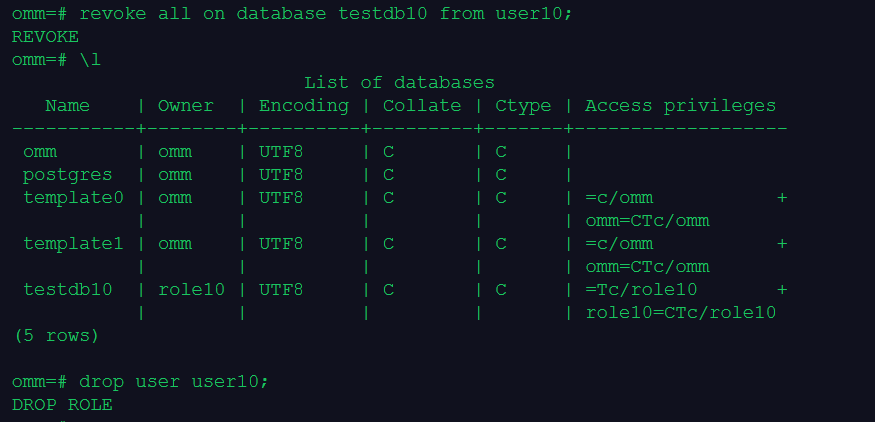
revoke all on database testdb10 from user10;
drop user user10;
若用户下存在数据库、表空间/表等对象、未清理的权限时,无法删除用户。