



Linux 上安装PostgreSQL
安装环境
- postgresql 14.6
- CentOS Linux release 7.9.2009 (Core)
postgresql 安装包下载
选择要安装的版本进行下载
安装依赖包
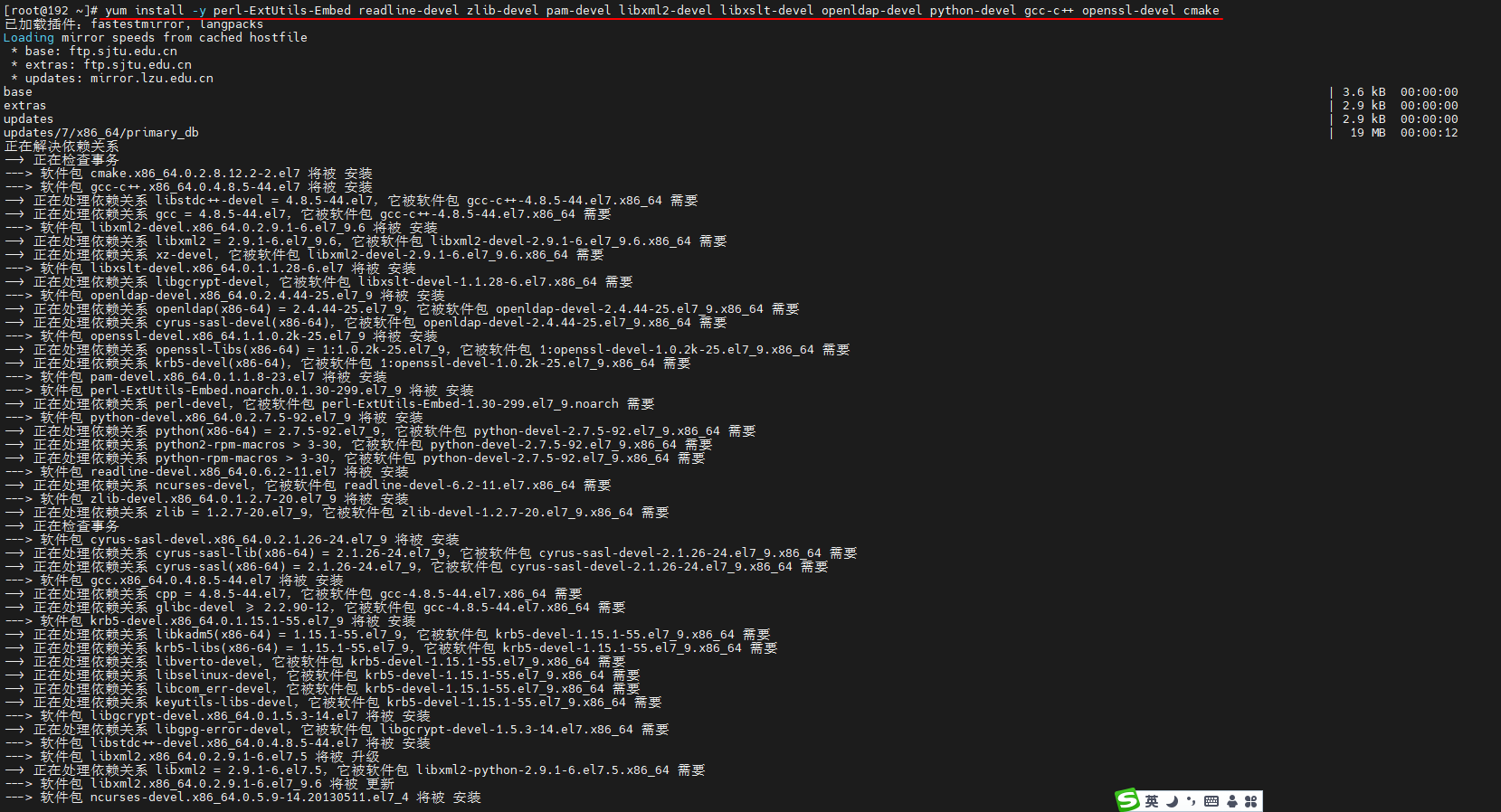
yum install -y perl-ExtUtils-Embed readline-devel zlib-devel pam-devel libxml2-devel libxslt-devel openldap-devel python-devel gcc-c++ openssl-devel cmake

[root@192 ~]# yum install -y perl-ExtUtils-Embed readline-devel zlib-devel pam-devel libxml2-devel libxslt-devel openldap-devel python-devel gcc-c++ openssl-devel cmake
已加载插件:fastestmirror, langpacks
Loading mirror speeds from cached hostfile
 * base: ftp.sjtu.edu.cn
 * extras: ftp.sjtu.edu.cn
 * updates: mirror.lzu.edu.cn
……
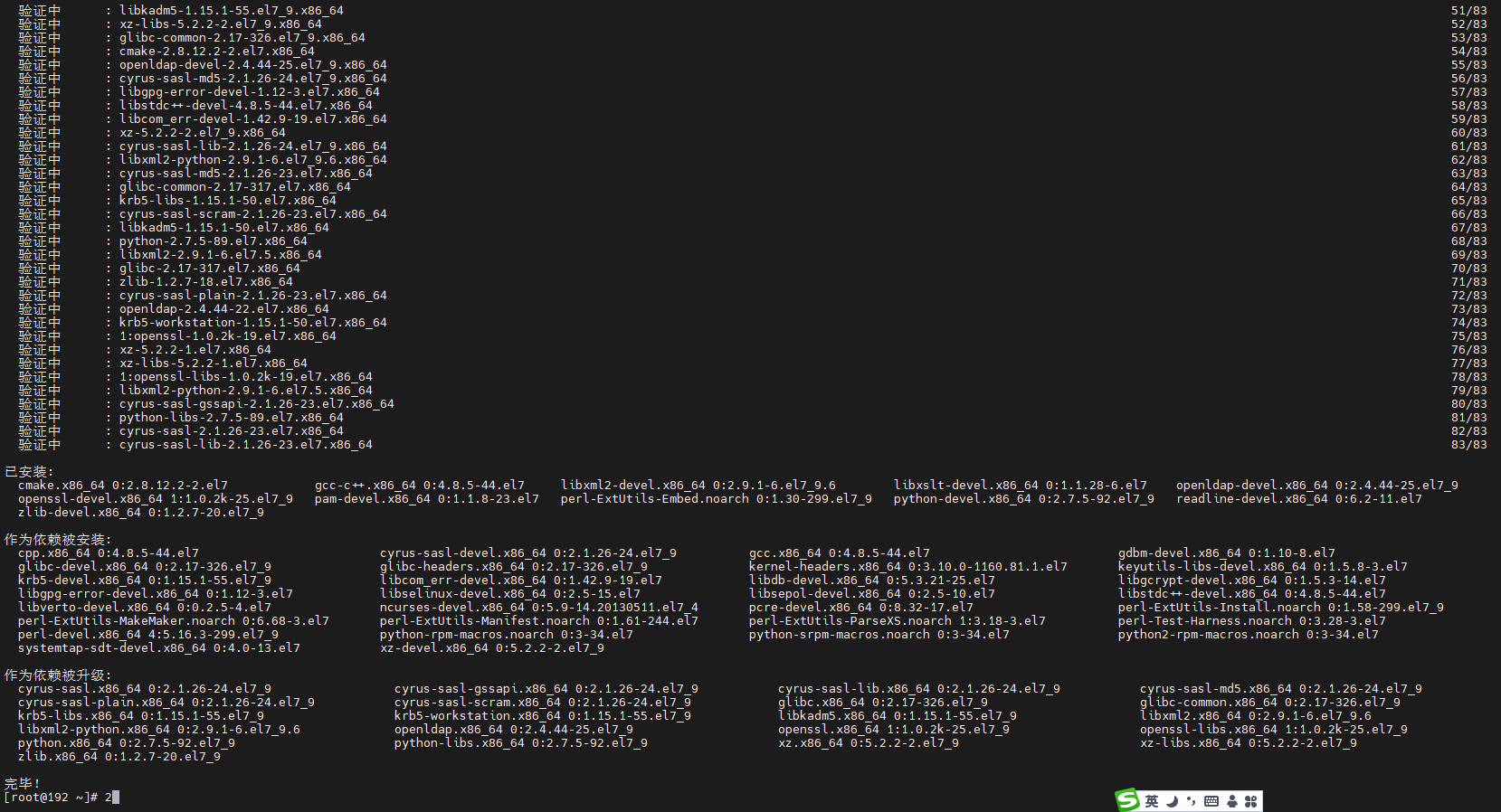
作为依赖被升级:
  cyrus-sasl.x86_64 0:2.1.26-24.el7_9                 cyrus-sasl-gssapi.x86_64 0:2.1.26-24.el7_9           cyrus-sasl-lib.x86_64 0:2.1.26-24.el7_9           cyrus-sasl-md5.x86_64 0:2.1.26-24.el7_9
  cyrus-sasl-plain.x86_64 0:2.1.26-24.el7_9           cyrus-sasl-scram.x86_64 0:2.1.26-24.el7_9            glibc.x86_64 0:2.17-326.el7_9                     glibc-common.x86_64 0:2.17-326.el7_9
  krb5-libs.x86_64 0:1.15.1-55.el7_9                  krb5-workstation.x86_64 0:1.15.1-55.el7_9            libkadm5.x86_64 0:1.15.1-55.el7_9                 libxml2.x86_64 0:2.9.1-6.el7_9.6
  libxml2-python.x86_64 0:2.9.1-6.el7_9.6             openldap.x86_64 0:2.4.44-25.el7_9                    openssl.x86_64 1:1.0.2k-25.el7_9                  openssl-libs.x86_64 1:1.0.2k-25.el7_9
  python.x86_64 0:2.7.5-92.el7_9                      python-libs.x86_64 0:2.7.5-92.el7_9                  xz.x86_64 0:5.2.2-2.el7_9                         xz-libs.x86_64 0:5.2.2-2.el7_9
  zlib.x86_64 0:1.2.7-20.el7_9

完毕!


安装postgresql
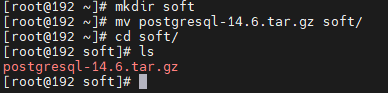
- 创建文件夹,将postgresql的压缩包移入
[root@192 ~]# mkdir soft
[root@192 ~]# mv postgresql-14.6.tar.gz soft/
[root@192 ~]# cd soft/
[root@192 soft]# ls
postgresql-14.6.tar.gz

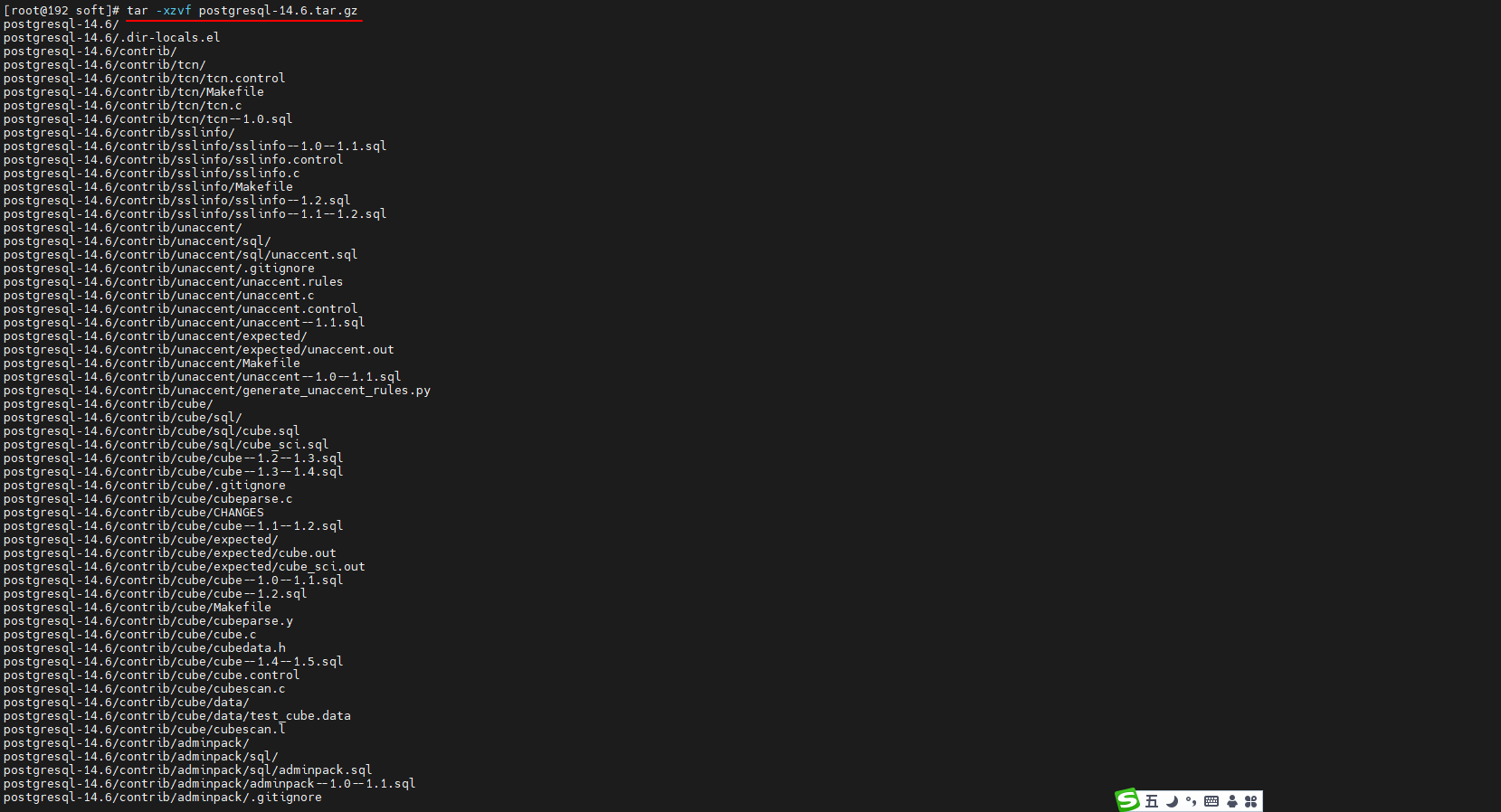
- 解压压缩包到目录中
[root@192 soft]# tar -xzvf postgresql-14.6.tar.gz
postgresql-14.6/
postgresql-14.6/.dir-locals.el
postgresql-14.6/contrib/
postgresql-14.6/contrib/tcn/
postgresql-14.6/contrib/tcn/tcn.control
……
postgresql-14.6/HISTORY
postgresql-14.6/Makefile
postgresql-14.6/README
postgresql-14.6/COPYRIGHT
postgresql-14.6/GNUmakefile.in
postgresql-14.6/.gitattributes
postgresql-14.6/aclocal.m4
postgresql-14.6/INSTALL

- 进入解压后的文件夹
[root@192 soft]# ls
postgresql-14.6  postgresql-14.6.tar.gz
[root@192 soft]# cd postgresql-14.6/
[root@192 postgresql-14.6]# ls
aclocal.m4  config  configure  configure.ac  contrib  COPYRIGHT  doc  GNUmakefile.in  HISTORY  INSTALL  Makefile  README  src


- 创建postgresql的目录,编译postgresql源码
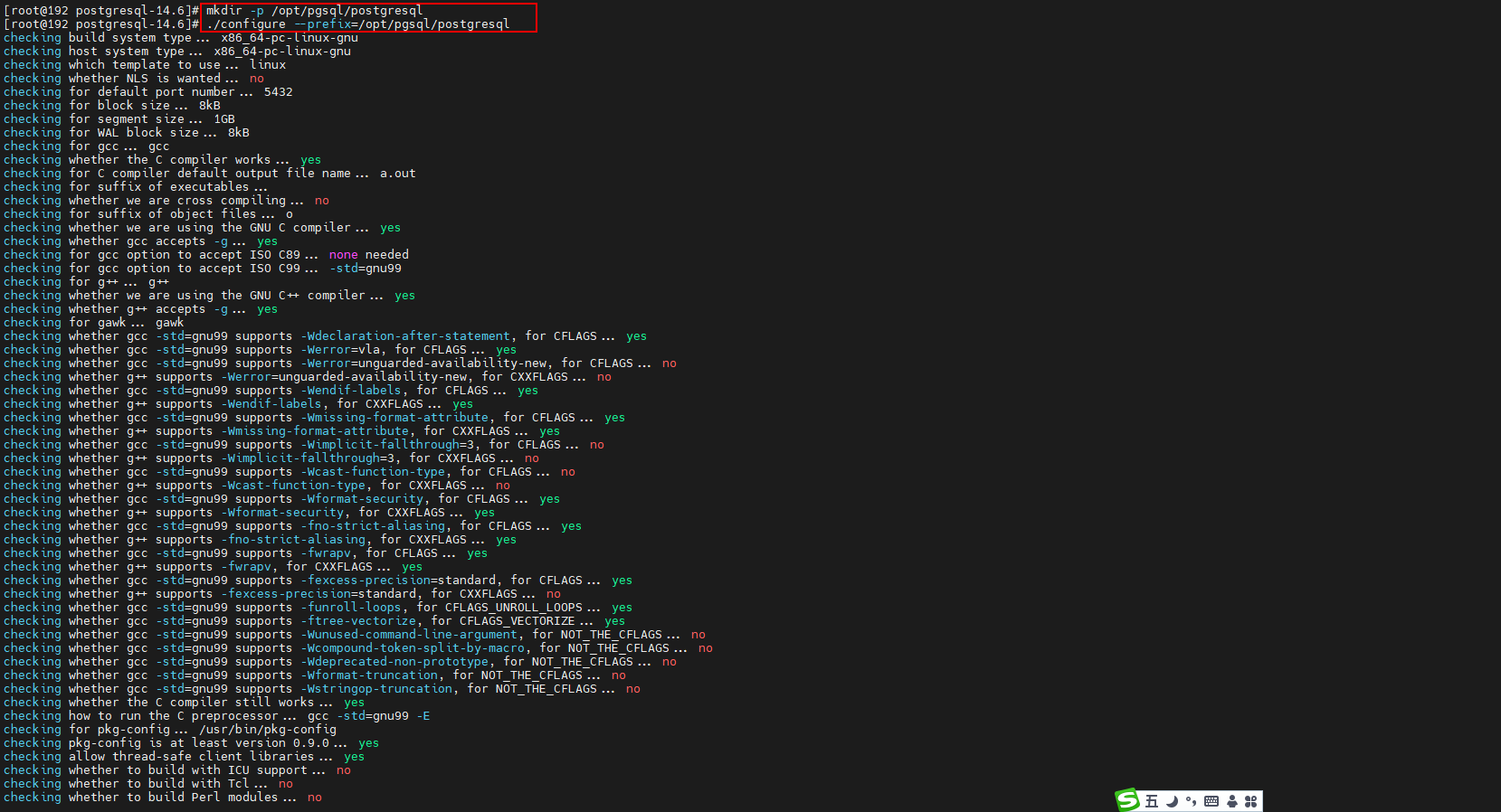
[root@192 postgresql-14.6]# mkdir -p /opt/pgsql/postgresql
[root@192 postgresql-14.6]# ./configure --prefix=/opt/pgsql/postgresql
checking build system type... x86_64-pc-linux-gnu
checking host system type... x86_64-pc-linux-gnu
checking which template to use... linux
checking whether NLS is wanted... no
checking for default port number... 5432
……
config.status: linking src/backend/port/tas/dummy.s to src/backend/port/tas.s
config.status: linking src/backend/port/posix_sema.c to src/backend/port/pg_sema.c
config.status: linking src/backend/port/sysv_shmem.c to src/backend/port/pg_shmem.c
config.status: linking src/include/port/linux.h to src/include/pg_config_os.h
config.status: linking src/makefiles/Makefile.linux to src/Makefile.port


# 选项					描述
# –prefix=prefix		安装到prefix指向的目录;默认为/usr/local/pgsql
# –bindir=dir			安装应用程序到dir;默认为prefix/bin
# –with-docdir=dir	安装文档到dir;默认为prefix/doc
# –with-pgport=port	设置默认的服务器端网络连接服务TCP端口号
# –with-tcl			为服务端提供Tcl存储过程支持
# –with-perl			为服务端提供Perl存储过程支持
# –with-python		为服务端提供Python存储过程支持

- 安装
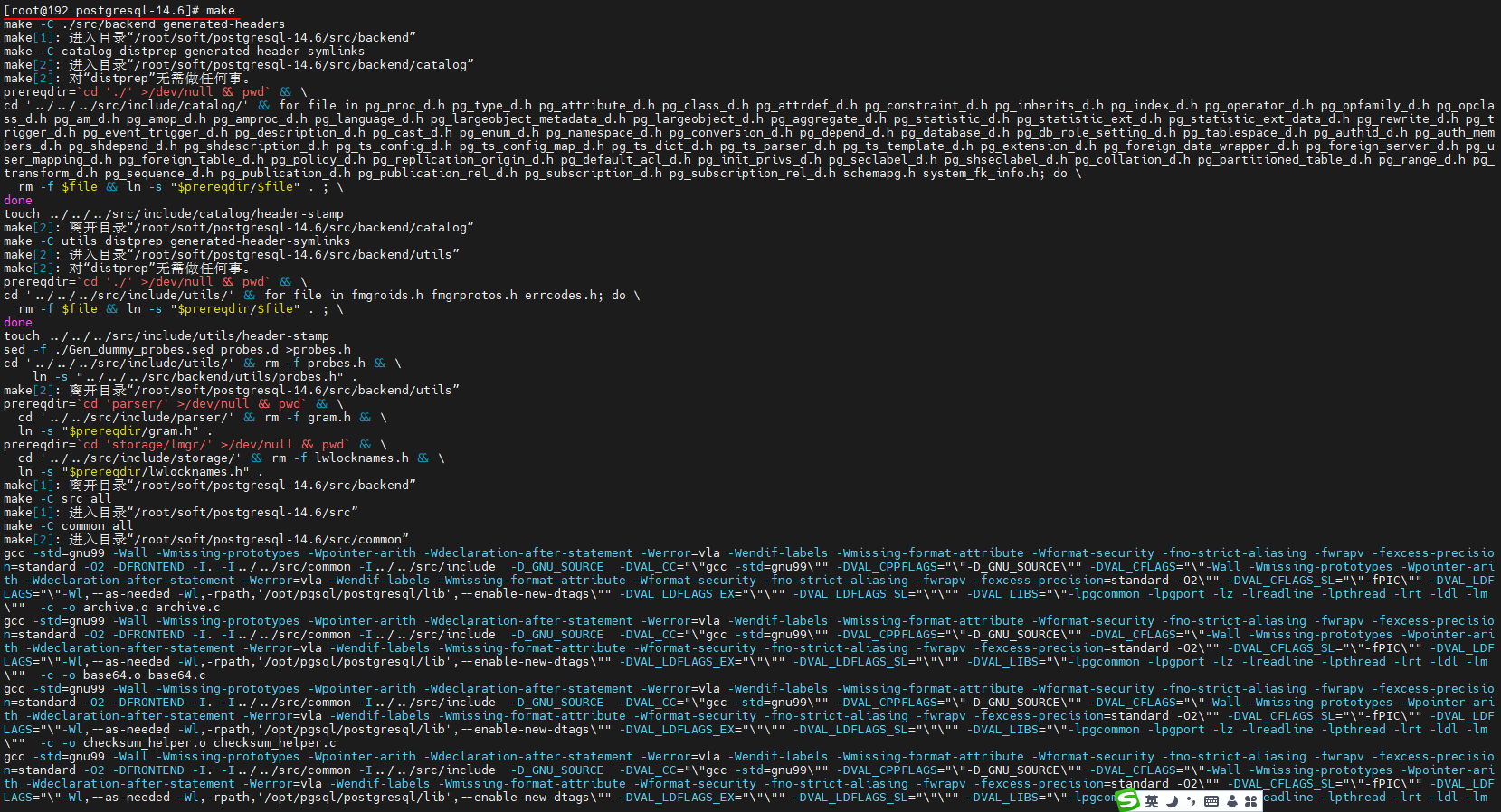
[root@192 postgresql-14.6]# make
make -C ./src/backend generated-headers
make[1]: 进入目录“/root/soft/postgresql-14.6/src/backend”
make -C catalog distprep generated-header-symlinks
make[2]: 进入目录“/root/soft/postgresql-14.6/src/backend/catalog”
make[2]: 对“distprep”无需做任何事。
prereqdir=`cd './' >/dev/null && pwd` && \
……
make[1]: 离开目录“/root/soft/postgresql-14.6/src”
make -C config all
make[1]: 进入目录“/root/soft/postgresql-14.6/config”
make[1]: 对“all”无需做任何事。
make[1]: 离开目录“/root/soft/postgresql-14.6/config”
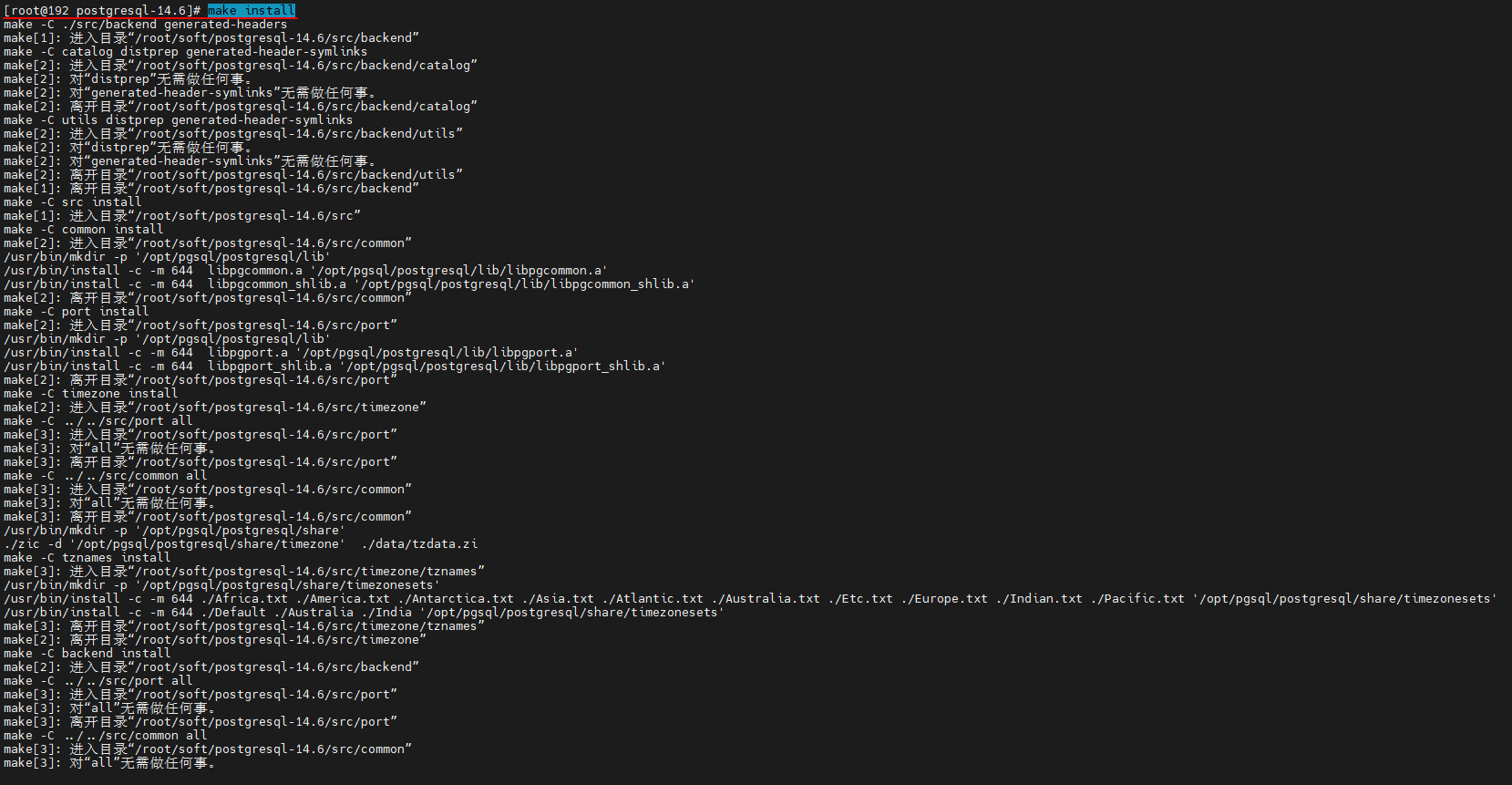
[root@192 postgresql-14.6]# make install
make -C ./src/backend generated-headers
make[1]: 进入目录“/root/soft/postgresql-14.6/src/backend”
make -C catalog distprep generated-header-symlinks
make[2]: 进入目录“/root/soft/postgresql-14.6/src/backend/catalog”
make[2]: 对“distprep”无需做任何事。
……
make[1]: 离开目录“/root/soft/postgresql-14.6/src”
make -C config install
make[1]: 进入目录“/root/soft/postgresql-14.6/config”
/usr/bin/mkdir -p '/opt/pgsql/postgresql/lib/pgxs/config'
/usr/bin/install -c -m 755 ./install-sh '/opt/pgsql/postgresql/lib/pgxs/config/install-sh'
/usr/bin/install -c -m 755 ./missing '/opt/pgsql/postgresql/lib/pgxs/config/missing'
make[1]: 离开目录“/root/soft/postgresql-14.6/config”


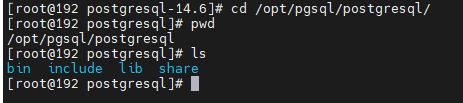
- 完成postgreql的安装。进入/pgsql/postgresql目录看安装后的postgresql的文件。
[root@192 postgresql-14.6]# cd /opt/pgsql/postgresql/
[root@192 postgresql]# pwd
/opt/pgsql/postgresql
[root@192 postgresql]# ls
bin  include  lib  share

创建用户 、用户组
# 创建用户组postgres、用户postgres
[root@192 postgresql]# groupadd postgres
[root@192 postgresql]# useradd -g postgres postgres
[root@192 postgresql]# id postgres
uid=1001(postgres) gid=1001(postgres) 组=1001(postgres)


创建数据主目录
# 创建postgresql数据库的数据主目录并修改文件所有者
# 数据库主目录是随实际情况而不同,这里的主目录是在/pgsql/postgresql/data目录下

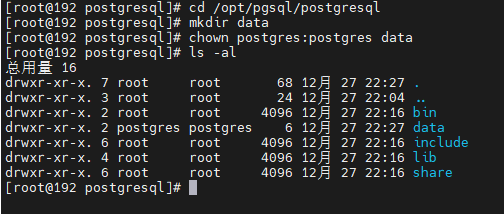
[root@192 postgresql]# cd /opt/pgsql/postgresql
[root@192 postgresql]# mkdir data
[root@192 postgresql]# chown postgres:postgres data
[root@192 postgresql]# ls -al
总用量 16
drwxr-xr-x. 7 root     root       68 12月 27 22:27 .
drwxr-xr-x. 3 root     root       24 12月 27 22:04 ..
drwxr-xr-x. 2 root     root     4096 12月 27 22:16 bin
drwxr-xr-x. 2 postgres postgres    6 12月 27 22:27 data
drwxr-xr-x. 6 root     root     4096 12月 27 22:16 include
drwxr-xr-x. 4 root     root     4096 12月 27 22:16 lib
drwxr-xr-x. 6 root     root     4096 12月 27 22:16 share

配置环境变量
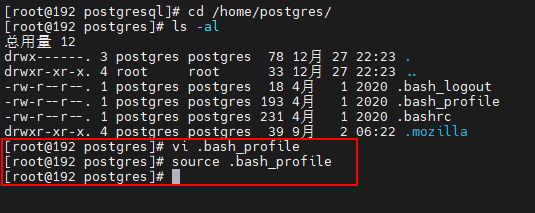
# 进入home/postgres目录可以看到.bash_profile文件。


[root@192 postgresql]# cd /home/postgres/
[root@192 postgres]# ls -al
总用量 12
drwx------. 3 postgres postgres  78 12月 27 22:23 .
drwxr-xr-x. 4 root     root      33 12月 27 22:23 ..
-rw-r--r--. 1 postgres postgres  18 4月   1 2020 .bash_logout
-rw-r--r--. 1 postgres postgres 193 4月   1 2020 .bash_profile
-rw-r--r--. 1 postgres postgres 231 4月   1 2020 .bashrc
drwxr-xr-x. 4 postgres postgres  39 9月   2 06:22 .mozilla
[root@192 postgres]# vi .bash_profile
# .bash_profile

# Get the aliases and functions
if [ -f ~/.bashrc ]; then
        . ~/.bashrc
fi

# User specific environment and startup programs

PATH=$PATH:$HOME/.local/bin:$HOME/bin

export PATH

export PGHOME=/opt/pgsql/postgresql
export PGDATA=$PGHOME/data
export PATH=$PATH:$HOME/bin:$PGHOME/bin
# 保存,退出vi。执行以下命令,使环境变量生效

[root@192 postgres]# source .bash_profile

initdb初使化数据库
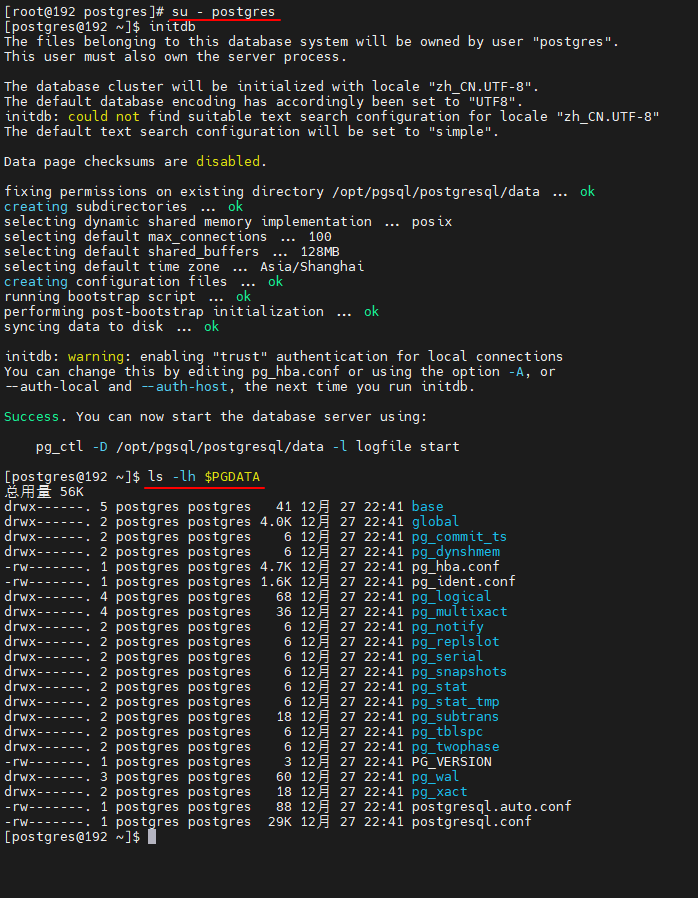
# 切换用户到postgres并使用initdb初使化数据库

[root@192 postgres]# su - postgres
[postgres@192 ~]$ initdb
The files belonging to this database system will be owned by user "postgres".
This user must also own the server process.

The database cluster will be initialized with locale "zh_CN.UTF-8".
The default database encoding has accordingly been set to "UTF8".
initdb: could not find suitable text search configuration for locale "zh_CN.UTF-8"
The default text search configuration will be set to "simple".

Data page checksums are disabled.

fixing permissions on existing directory /opt/pgsql/postgresql/data ... ok
creating subdirectories ... ok
selecting dynamic shared memory implementation ... posix
selecting default max_connections ... 100
selecting default shared_buffers ... 128MB
selecting default time zone ... Asia/Shanghai
creating configuration files ... ok
running bootstrap script ... ok
performing post-bootstrap initialization ... ok
syncing data to disk ... ok

initdb: warning: enabling "trust" authentication for local connections
You can change this by editing pg_hba.conf or using the option -A, or
--auth-local and --auth-host, the next time you run initdb.

Success. You can now start the database server using:

    pg_ctl -D /opt/pgsql/postgresql/data -l logfile start

# 查看/pgsql/postgresql/data目录

[postgres@192 ~]$ ls -lh $PGDATA
总用量 56K
drwx------. 5 postgres postgres   41 12月 27 22:41 base
drwx------. 2 postgres postgres 4.0K 12月 27 22:41 global
drwx------. 2 postgres postgres    6 12月 27 22:41 pg_commit_ts
drwx------. 2 postgres postgres    6 12月 27 22:41 pg_dynshmem
-rw-------. 1 postgres postgres 4.7K 12月 27 22:41 pg_hba.conf
-rw-------. 1 postgres postgres 1.6K 12月 27 22:41 pg_ident.conf
drwx------. 4 postgres postgres   68 12月 27 22:41 pg_logical
drwx------. 4 postgres postgres   36 12月 27 22:41 pg_multixact
drwx------. 2 postgres postgres    6 12月 27 22:41 pg_notify
drwx------. 2 postgres postgres    6 12月 27 22:41 pg_replslot
drwx------. 2 postgres postgres    6 12月 27 22:41 pg_serial
drwx------. 2 postgres postgres    6 12月 27 22:41 pg_snapshots
drwx------. 2 postgres postgres    6 12月 27 22:41 pg_stat
drwx------. 2 postgres postgres    6 12月 27 22:41 pg_stat_tmp
drwx------. 2 postgres postgres   18 12月 27 22:41 pg_subtrans
drwx------. 2 postgres postgres    6 12月 27 22:41 pg_tblspc
drwx------. 2 postgres postgres    6 12月 27 22:41 pg_twophase
-rw-------. 1 postgres postgres    3 12月 27 22:41 PG_VERSION
drwx------. 3 postgres postgres   60 12月 27 22:41 pg_wal
drwx------. 2 postgres postgres   18 12月 27 22:41 pg_xact
-rw-------. 1 postgres postgres   88 12月 27 22:41 postgresql.auto.conf
-rw-------. 1 postgres postgres  29K 12月 27 22:41 postgresql.conf

配置服务
# 修改/pgsql/postgresql/data目录下的两个文件。
# 1) postgresql.conf   配置PostgreSQL数据库服务器的相应的参数。
# 2) pg_hba.conf        配置对数据库的访问权限。

[postgres@192 ~]$ vi postgresql.conf

#                TB = terabytes                     h   = hours
#                                                   d   = days


#------------------------------------------------------------------------------
# FILE LOCATIONS
#------------------------------------------------------------------------------

# The default values of these variables are driven from the -D command-line
# option or PGDATA environment variable, represented here as ConfigDir.

#data_directory = 'ConfigDir'           # use data in another directory
                                        # (change requires restart)
#hba_file = 'ConfigDir/pg_hba.conf'     # host-based authentication file
                                        # (change requires restart)
#ident_file = 'ConfigDir/pg_ident.conf' # ident configuration file
                                        # (change requires restart)

# If external_pid_file is not explicitly set, no extra PID file is written.
#external_pid_file = ''                 # write an extra PID file
                                        # (change requires restart)


#------------------------------------------------------------------------------
# CONNECTIONS AND AUTHENTICATION
#------------------------------------------------------------------------------

# - Connection Settings -

listen_addresses = '*'          # what IP address(es) to listen on;
                                        # comma-separated list of addresses;
                                        # defaults to 'localhost'; use '*' for all
                                        # (change requires restart)
port = 5432                             # (change requires restart)
max_connections = 100                   # (change requires restart)
#superuser_reserved_connections = 3     # (change requires restart)
#unix_socket_directories = '/tmp'       # comma-separated list of directories
                                        # (change requires restart)
#unix_socket_group = ''                 # (change requires restart)
#unix_socket_permissions = 0777         # begin with 0 to use octal notation
                                        # (change requires restart)
#bonjour = off                          # advertise server via Bonjour
                                        # (change requires restart)
#bonjour_name = ''                      # defaults to the computer name
                                        # (change requires restart)

# - TCP settings -
# see "man tcp" for details

#tcp_keepalives_idle = 0                # TCP_KEEPIDLE, in seconds;
                                        # 0 selects the system default
#tcp_keepalives_interval = 0            # TCP_KEEPINTVL, in seconds;
                                        # 0 selects the system default
#tcp_keepalives_count = 0               # TCP_KEEPCNT;
                                        # 0 selects the system default
#tcp_user_timeout = 0                   # TCP_USER_TIMEOUT, in milliseconds;
                                        # 0 selects the system default


#其中,参数“listen_addresses”表示监听的IP地址,默认是在localhost处监听,也就是127.0.0.1的ip地址上监听,只接受来自本机localhost的连接请求,这会让远程的主机无法登陆这台数据库,如果想从其他的机器上登陆这台数据库,需要把监听地址改为实际网络的地址,一种简单的方法是,将行开头的#去掉,把这个地址改为*,表示在本地的所有地址上监听。

[postgres@192 data]$ vi pg_hba.conf

# specifies the number of significant bits in the mask.  A host name
# that starts with a dot (.) matches a suffix of the actual host name.
# Alternatively, you can write an IP address and netmask in separate
# columns to specify the set of hosts.  Instead of a CIDR-address, you
# can write "samehost" to match any of the server's own IP addresses,
# or "samenet" to match any address in any subnet that the server is
# directly connected to.
#
# METHOD can be "trust", "reject", "md5", "password", "scram-sha-256",
# "gss", "sspi", "ident", "peer", "pam", "ldap", "radius" or "cert".
# Note that "password" sends passwords in clear text; "md5" or
# "scram-sha-256" are preferred since they send encrypted passwords.
#
# OPTIONS are a set of options for the authentication in the format
# NAME=VALUE.  The available options depend on the different
# authentication methods -- refer to the "Client Authentication"
# section in the documentation for a list of which options are
# available for which authentication methods.
#
# Database and user names containing spaces, commas, quotes and other
# special characters must be quoted.  Quoting one of the keywords
# "all", "sameuser", "samerole" or "replication" makes the name lose
# its special character, and just match a database or username with
# that name.
#
# This file is read on server startup and when the server receives a
# SIGHUP signal.  If you edit the file on a running system, you have to
# SIGHUP the server for the changes to take effect, run "pg_ctl reload",
# or execute "SELECT pg_reload_conf()".
#
# Put your actual configuration here
# ----------------------------------
#
# If you want to allow non-local connections, you need to add more
# "host" records.  In that case you will also need to make PostgreSQL
# listen on a non-local interface via the listen_addresses
# configuration parameter, or via the -i or -h command line switches.

# CAUTION: Configuring the system for local "trust" authentication
# allows any local user to connect as any PostgreSQL user, including
# the database superuser.  If you do not trust all your local users,
# use another authentication method.


# TYPE  DATABASE        USER            ADDRESS                 METHOD

# "local" is for Unix domain socket connections only
local   all             all                                     trust
# IPv4 local connections:
# 添加下面这一行
host    all             all             0.0.0.0/0               trust
host    all             all             127.0.0.1/32            trust
# IPv6 local connections:
host    all             all             ::1/128                 trust
# Allow replication connections from localhost, by a user with the
# replication privilege.
local   replication     all                                     trust
host    replication     all             127.0.0.1/32            trust
host    replication     all             ::1/128                 trust


设置开机自启动
# PostgreSQL的开机自启动脚本位于PostgreSQL源码目录的contrib/start-scripts路径下。
# linux文件即为linux系统上的启动脚本

[root@192 start-scripts]# pwd
/root/soft/postgresql-14.6/contrib/start-scripts
[root@192 start-scripts]# ls
freebsd  linux  macos

# (1)切换为root用户,修改linux文件属性,添加X属性
[root@192 start-scripts]# chmod a+x linux

# (2)复制linux文件到/etc/init.d目录下,更名为postgresql
[root@192 start-scripts]# cp linux /etc/init.d/postgresql

# (3)修改/etc/init.d/postgresql文件的两个变量
[root@192 start-scripts]# vi /etc/init.d/postgresql

#! /bin/sh

# chkconfig: 2345 98 02
# description: PostgreSQL RDBMS

# This is an example of a start/stop script for SysV-style init, such
# as is used on Linux systems.  You should edit some of the variables
# and maybe the 'echo' commands.
#
# Place this file at /etc/init.d/postgresql (or
# /etc/rc.d/init.d/postgresql) and make symlinks to
#   /etc/rc.d/rc0.d/K02postgresql
#   /etc/rc.d/rc1.d/K02postgresql
#   /etc/rc.d/rc2.d/K02postgresql
#   /etc/rc.d/rc3.d/S98postgresql
#   /etc/rc.d/rc4.d/S98postgresql
#   /etc/rc.d/rc5.d/S98postgresql
# Or, if you have chkconfig, simply:
# chkconfig --add postgresql
#
# Proper init scripts on Linux systems normally require setting lock
# and pid files under /var/run as well as reacting to network
# settings, so you should treat this with care.

# Original author:  Ryan Kirkpatrick <pgsql@rkirkpat.net>

# contrib/start-scripts/linux

## EDIT FROM HERE

# Installation prefix
# prefix设置为postgresql的安装路径(根目录)
prefix=/opt/pgsql/postgresql

# Data directory
# PGDATA设置为postgresql的数据目录路径
PGDATA="/opt/pgsql/postgresql/data"

# Who to run the postmaster as, usually "postgres".  (NOT "root")
# 普通账户名称
PGUSER=postgres

# Where to keep a log file
# 日志目录
PGLOG="$PGDATA/serverlog"

# (4)设置postgresql服务开机自启动
[root@192 start-scripts]# chkconfig --add postgresql
[root@192 start-scripts]# chkconfig

注:该输出结果只显示 SysV 服务,并不包含
原生 systemd 服务。SysV 配置数据
可能被原生 systemd 配置覆盖。

      要列出 systemd 服务,请执行 'systemctl list-unit-files'。
      查看在具体 target 启用的服务请执行
      'systemctl list-dependencies [target]'。

netconsole      0:关    1:关    2:关    3:关    4:关    5:关    6:关
network         0:关    1:关    2:开    3:开    4:开    5:开    6:关
postgresql      0:关    1:关    2:开    3:开    4:开    5:开    6:关
[root@192 start-scripts]# systemctl status firewalld
● firewalld.service - firewalld - dynamic firewall daemon
   Loaded: loaded (/usr/lib/systemd/system/firewalld.service; enabled; vendor preset: enabled)
   Active: active (running) since 二 2022-12-27 16:39:34 CST; 6h ago
     Docs: man:firewalld(1)
 Main PID: 797 (firewalld)
   CGroup: /system.slice/firewalld.service
           └─797 /usr/bin/python2 -Es /usr/sbin/firewalld --nofork --nopid

12月 27 16:39:29 localhost.localdomain systemd[1]: Starting firewalld - dynamic firewall daemon...
12月 27 16:39:34 localhost.localdomain systemd[1]: Started firewalld - dynamic firewall daemon.
12月 27 16:39:35 localhost.localdomain firewalld[797]: WARNING: AllowZoneDrifting is enabled. This is considered an insecure configuration option. It will be removed in a future release. Ple...ling it now.
Hint: Some lines were ellipsized, use -l to show in full.

# 添加postgresql服务到防火墙,并加载

[root@192 start-scripts]# firewall-cmd --permanent --zone=public --add-service=postgresql
success
[root@192 start-scripts]# firewall-cmd --reload
success

# 查看端口是否开放
[root@192 start-scripts]# /sbin/iptables -L -n
Chain INPUT (policy ACCEPT)
target     prot opt source               destination
ACCEPT     udp  --  0.0.0.0/0            0.0.0.0/0            udp dpt:53
ACCEPT     tcp  --  0.0.0.0/0            0.0.0.0/0            tcp dpt:53
ACCEPT     udp  --  0.0.0.0/0            0.0.0.0/0            udp dpt:67
ACCEPT     tcp  --  0.0.0.0/0            0.0.0.0/0            tcp dpt:67
ACCEPT     all  --  0.0.0.0/0            0.0.0.0/0            ctstate RELATED,ESTABLISHED
ACCEPT     all  --  0.0.0.0/0            0.0.0.0/0
INPUT_direct  all  --  0.0.0.0/0            0.0.0.0/0
INPUT_ZONES_SOURCE  all  --  0.0.0.0/0            0.0.0.0/0
INPUT_ZONES  all  --  0.0.0.0/0            0.0.0.0/0
DROP       all  --  0.0.0.0/0            0.0.0.0/0            ctstate INVALID
REJECT     all  --  0.0.0.0/0            0.0.0.0/0            reject-with icmp-host-prohibited

Chain FORWARD (policy ACCEPT)
target     prot opt source               destination
ACCEPT     all  --  0.0.0.0/0            192.168.122.0/24     ctstate RELATED,ESTABLISHED
ACCEPT     all  --  192.168.122.0/24     0.0.0.0/0
ACCEPT     all  --  0.0.0.0/0            0.0.0.0/0
REJECT     all  --  0.0.0.0/0            0.0.0.0/0            reject-with icmp-port-unreachable
REJECT     all  --  0.0.0.0/0            0.0.0.0/0            reject-with icmp-port-unreachable
ACCEPT     all  --  0.0.0.0/0            0.0.0.0/0            ctstate RELATED,ESTABLISHED
ACCEPT     all  --  0.0.0.0/0            0.0.0.0/0
FORWARD_direct  all  --  0.0.0.0/0            0.0.0.0/0
FORWARD_IN_ZONES_SOURCE  all  --  0.0.0.0/0            0.0.0.0/0
FORWARD_IN_ZONES  all  --  0.0.0.0/0            0.0.0.0/0
FORWARD_OUT_ZONES_SOURCE  all  --  0.0.0.0/0            0.0.0.0/0
FORWARD_OUT_ZONES  all  --  0.0.0.0/0            0.0.0.0/0
DROP       all  --  0.0.0.0/0            0.0.0.0/0            ctstate INVALID
REJECT     all  --  0.0.0.0/0            0.0.0.0/0            reject-with icmp-host-prohibited

Chain OUTPUT (policy ACCEPT)
target     prot opt source               destination
ACCEPT     udp  --  0.0.0.0/0            0.0.0.0/0            udp dpt:68
ACCEPT     all  --  0.0.0.0/0            0.0.0.0/0
OUTPUT_direct  all  --  0.0.0.0/0            0.0.0.0/0

Chain FORWARD_IN_ZONES (1 references)
target     prot opt source               destination
FWDI_public  all  --  0.0.0.0/0            0.0.0.0/0           [goto]
FWDI_public  all  --  0.0.0.0/0            0.0.0.0/0           [goto]

Chain FORWARD_IN_ZONES_SOURCE (1 references)
target     prot opt source               destination

Chain FORWARD_OUT_ZONES (1 references)
target     prot opt source               destination
FWDO_public  all  --  0.0.0.0/0            0.0.0.0/0           [goto]
FWDO_public  all  --  0.0.0.0/0            0.0.0.0/0           [goto]

Chain FORWARD_OUT_ZONES_SOURCE (1 references)
target     prot opt source               destination

Chain FORWARD_direct (1 references)
target     prot opt source               destination

Chain FWDI_public (2 references)
target     prot opt source               destination
FWDI_public_log  all  --  0.0.0.0/0            0.0.0.0/0
FWDI_public_deny  all  --  0.0.0.0/0            0.0.0.0/0
FWDI_public_allow  all  --  0.0.0.0/0            0.0.0.0/0
ACCEPT     icmp --  0.0.0.0/0            0.0.0.0/0

Chain FWDI_public_allow (1 references)
target     prot opt source               destination

Chain FWDI_public_deny (1 references)
target     prot opt source               destination

Chain FWDI_public_log (1 references)
target     prot opt source               destination

Chain FWDO_public (2 references)
target     prot opt source               destination
FWDO_public_log  all  --  0.0.0.0/0            0.0.0.0/0
FWDO_public_deny  all  --  0.0.0.0/0            0.0.0.0/0
FWDO_public_allow  all  --  0.0.0.0/0            0.0.0.0/0

Chain FWDO_public_allow (1 references)
target     prot opt source               destination

Chain FWDO_public_deny (1 references)
target     prot opt source               destination

Chain FWDO_public_log (1 references)
target     prot opt source               destination

Chain INPUT_ZONES (1 references)
target     prot opt source               destination
IN_public  all  --  0.0.0.0/0            0.0.0.0/0           [goto]
IN_public  all  --  0.0.0.0/0            0.0.0.0/0           [goto]

Chain INPUT_ZONES_SOURCE (1 references)
target     prot opt source               destination

Chain INPUT_direct (1 references)
target     prot opt source               destination

Chain IN_public (2 references)
target     prot opt source               destination
IN_public_log  all  --  0.0.0.0/0            0.0.0.0/0
IN_public_deny  all  --  0.0.0.0/0            0.0.0.0/0
IN_public_allow  all  --  0.0.0.0/0            0.0.0.0/0
ACCEPT     icmp --  0.0.0.0/0            0.0.0.0/0

Chain IN_public_allow (1 references)
target     prot opt source               destination
ACCEPT     tcp  --  0.0.0.0/0            0.0.0.0/0            tcp dpt:22 ctstate NEW,UNTRACKED
ACCEPT     tcp  --  0.0.0.0/0            0.0.0.0/0            tcp dpt:5432 ctstate NEW,UNTRACKED

Chain IN_public_deny (1 references)
target     prot opt source               destination

Chain IN_public_log (1 references)
target     prot opt source               destination

Chain OUTPUT_direct (1 references)
target     prot opt source               destination

# 启动PostgreSQL服务
[root@192 start-scripts]# service postgresql start
Starting PostgreSQL: ok

# 查看PostgreSQL服务
[root@192 start-scripts]# ps -ef | grep postgres
root      17257   6550  0 22:41 pts/1    00:00:00 su - postgres
postgres  17258  17257  0 22:41 pts/1    00:00:00 -bash
postgres  17931      1  0 23:18 ?        00:00:00 /opt/pgsql/postgresql/bin/postmaster -D /opt/pgsql/postgresql/data
postgres  17933  17931  0 23:18 ?        00:00:00 postgres: checkpointer
postgres  17934  17931  0 23:18 ?        00:00:00 postgres: background writer
postgres  17935  17931  0 23:18 ?        00:00:00 postgres: walwriter
postgres  17936  17931  0 23:18 ?        00:00:00 postgres: autovacuum launcher
postgres  17937  17931  0 23:18 ?        00:00:00 postgres: stats collector
postgres  17938  17931  0 23:18 ?        00:00:00 postgres: logical replication launcher
root      17949  17575  0 23:18 pts/1    00:00:00 grep --color=auto postgres

[root@192 start-scripts]# netstat -ltnup | grep post
tcp        0      0 0.0.0.0:5432            0.0.0.0:*               LISTEN      17931/postmaster
tcp6       0      0 :::5432                 :::*                    LISTEN      17931/postmaster
开始测试
[root@192 start-scripts]# su - postgres
上一次登录:二 12月 27 23:18:28 CST 2022pts/1 上
[postgres@192 ~]$ psql
psql (14.6)
Type "help" for help.

postgres=# \l
                                  List of databases
   Name    |  Owner   | Encoding |   Collate   |    Ctype    |   Access privileges
-----------+----------+----------+-------------+-------------+-----------------------
 postgres  | postgres | UTF8     | zh_CN.UTF-8 | zh_CN.UTF-8 |
 template0 | postgres | UTF8     | zh_CN.UTF-8 | zh_CN.UTF-8 | =c/postgres          +
           |          |          |             |             | postgres=CTc/postgres
 template1 | postgres | UTF8     | zh_CN.UTF-8 | zh_CN.UTF-8 | =c/postgres          +
           |          |          |             |             | postgres=CTc/postgres
(3 rows)
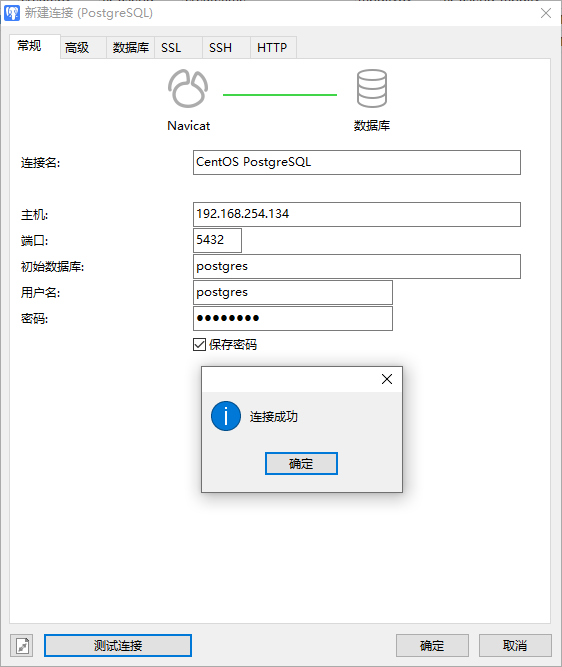
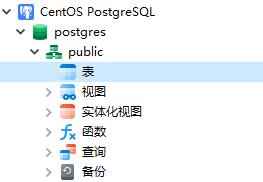
navicat远程测试


「喜欢这篇文章,您的关注和赞赏是给作者最好的鼓励」
关注作者
【版权声明】本文为墨天轮用户原创内容,转载时必须标注文章的来源(墨天轮),文章链接,文章作者等基本信息,否则作者和墨天轮有权追究责任。如果您发现墨天轮中有涉嫌抄袭或者侵权的内容,欢迎发送邮件至:contact@modb.pro进行举报,并提供相关证据,一经查实,墨天轮将立刻删除相关内容。
