



如果你经常需要和操作系统路径打交道,比如遍历目录、统计文件数量、统计目录大小、迁移数据,那么你肯定最终会遇到非常多的 os.path, pathlib.Path, path.Path 的代码示例。
问题是这些内容太相似,很难在搜索引擎中区别开。我自己找了一圈关于 path 的说明和示例,结果全是 pathlib 的,就算是在 programcreek.com 上面去找也是一样的结果,因为重名所以很难区分。
https://www.programcreek.com/python/
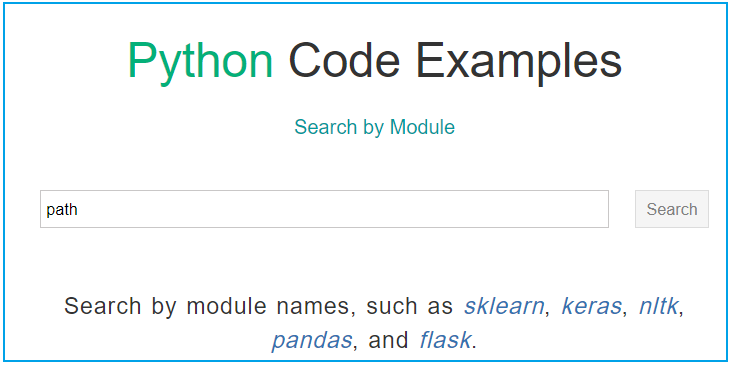
即然不好找,那我就自己写一个,把官方资料收集一下。
path 库的安装:
C:\> pip install pathCollecting pathDownloading path-16.6.0-py3-none-any.whl (26 kB)Installing collected packages: pathSuccessfully installed path-16.6.0
path 模块的项目地址为:
https://github.com/jaraco/path
它最好用的几个函数为:
from path import Pathd = Path(r'd:\x')'''d.exists() # 判断路径是否存在d.mkdir_p() # 创建目录,类似 mkdir -pd.files() # 返回目录下的所有文件d.dirs() # 返回目录下的所有子目录d.walk() # 遍历所有的路径,是个生成器,可以用来构造列表d.walkdir() # 只遍历子目录d.walkfiles() # 只遍历目录中的文件'''
其中 path 的 walk 函数比 os.walk 好用太多了,如果使用 os.wak 函数你要这么用:
def file_count(path):'''统计文件数量'''n = 0for root, dirs, files in os.walk(path):for name in files:n += 1return n
使用 path 来统计文件数量:
from path import Pathdef file_count(path):'''统计文件数量'''d = Path(path)n = 0for i in d.walkfiles():n += 1return nprint(file_count(r'd:\ven'))
walkfiles() 是一个生成器,可以用来生成目录下的文件列表。与它同族的函数还有walk(), walkdirs(),可以用来构造路径列表和纯目录列表。相对于原生os.walk还是要好用一点。
os.path 操作的是字符串,而 path 则封装成 Path 对象了。Path 对象下封闭了常用的函数,比如 cd(), chmod(), copyfile(), copytree(), getmtime(), getsize(), mkdir(), mkdir_p(), rmdir_p() 这些函数基本上和操作系统上命令类似了。通过 Path 对象封装的函数可以很方便地操作目录和文件。
原生的 os.path 操作上有诸多不便,于是在 Python3.4 时引入了 pathlib,pathlib 是官方库,它也是封装了一个 WindowsPath 或 PosixPath 对象。它比 os.path 方便了一点,相比 path 模块,pathlib.Path 的功能并不全。
C:\Users\hyang0>pythonPython 3.11.0 (main, Oct 24 2022, 18:26:48) [MSC v.1933 64 bit (AMD64)] on win32Type "help", "copyright", "credits" or "license" for more information.>>> from pathlib import Path>>> d = Path(r'd:\ven')>>> type(d)<class 'pathlib.WindowsPath'>>>> dir(d)[ 'chmod', 'cwd','exists', 'expanduser', 'glob','home', 'is_absolute', 'is_dir', 'is_file','iterdir', 'joinpath', 'mkdir','owner', 'parent', 'rename', 'rmdir','root', 'touch','read_bytes', 'read_text','write_bytes', 'write_text']>>>
刚开始接触 Path 对象可能会对大部分它的函数的返回值感到疑惑。比如
#!python3from path import Pathd = Path(r'C:\autox\autox.ini')print(f'{d.abspath() = }')print(f'{d.basename() = }')print(f'{d.dirname() = }')print(f'{d.name = }')print(f'{d.parent = }')print(f'{d.realpath() = }')print(f'{d.relpath() = }')
Path的方法返回的并不是字符串,而是Path对象。如果我们想使用字符串函数会不会出问题?
D:\> python demo.pyd.abspath() = Path('C:\\autox\\autox.ini') # 绝对路径d.basename() = Path('autox.ini')d.dirname() = Path('C:\\autox')d.name = Path('autox.ini')d.parent = Path('C:\\autox')d.realpath() = Path('C:\\autox\\autox.ini') # 返回软链接的真实路径d.relpath() = Path('C:\\autox\\autox.ini') # 相对路径
Path对象在不调用方法时可以当字符串用,比如字符串的拼接、替换。在路径组合中它支持两种方式组合新的路径:
#!python3from path import Pathd = Path(r'C:\autox\autox.ini')print(d.dirname() 'test.txt')print(d.dirname() + 'test.md')print(type(d.dirname() 'test.txt'))print(type(d.dirname() + 'test.txt'))s = str(d.dirname() + 'test.txt')print(type(s))print(s.upper())
无论是 / 还是 + 最终返回的对象类似还是 Path 对象,但可以把 Path 当字符串用,或者强制转换为字符串。
D:\> python demo.pyC:\autox\test.txtC:\autoxtest.md<class 'path.Path'><class 'path.Path'><class 'str'>C:\AUTOXTEST.TXT
参考
https://pypi.org/project/path/https://github.com/jaraco/path
全文完。
如果转发本文,文末务必注明:“转自微信公众号:生有可恋”。
