



需求:exsi5.5迁移虚机到vsphere7.0
源虚机:exsi5.1

源vcenter 5.5
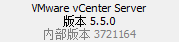
目标vcenter:7.0
VMware vCenter Converter Standalone6.3下载地址
https://customerconnect.vmware.com/en/downloads/info/slug/datacenter_cloud_infrastructure/vmware_vcenter_converter/6_3_0
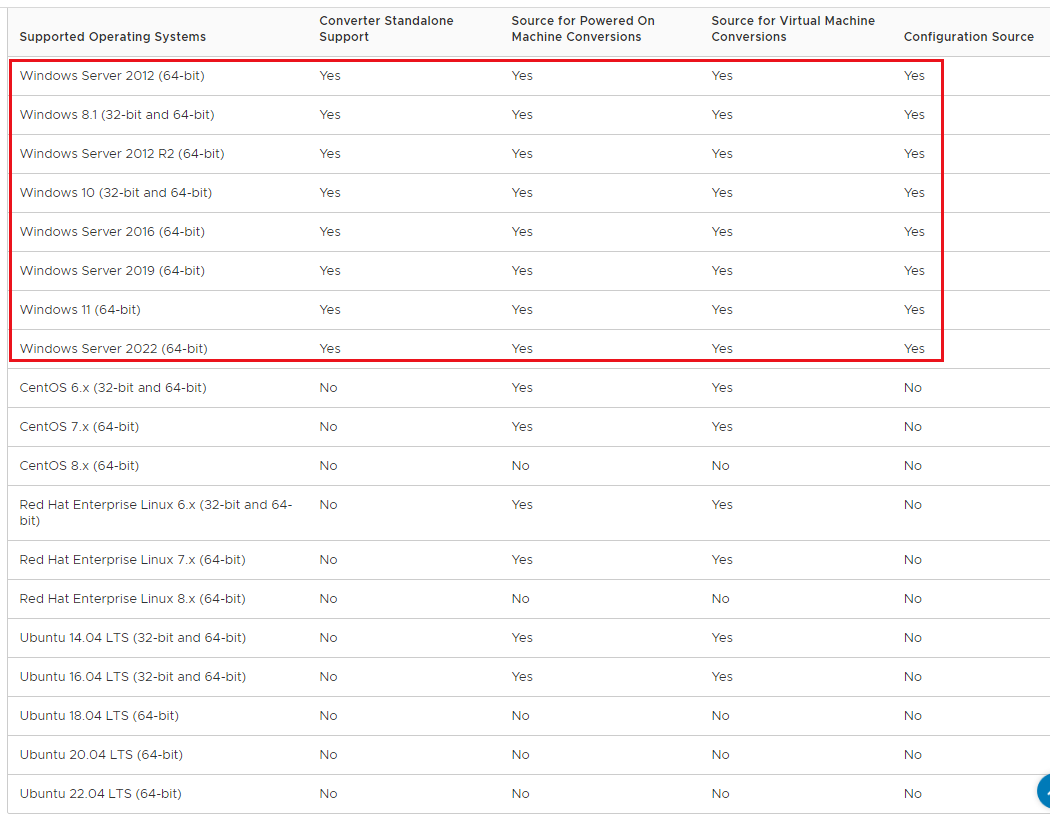
安装的系统支持版本
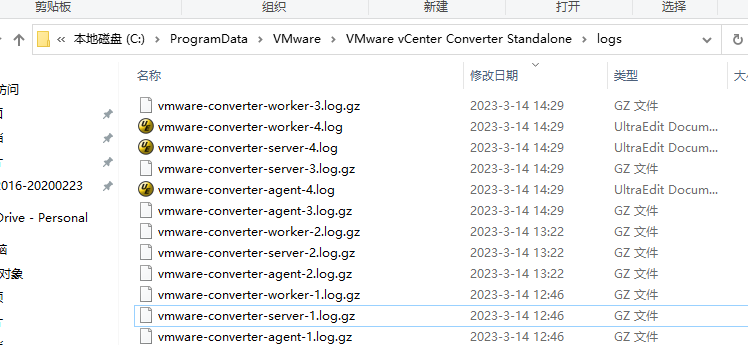
日志路径:C:\ProgramData\VMware\VMware vCenter Converter Standalone\logs
相关参考:
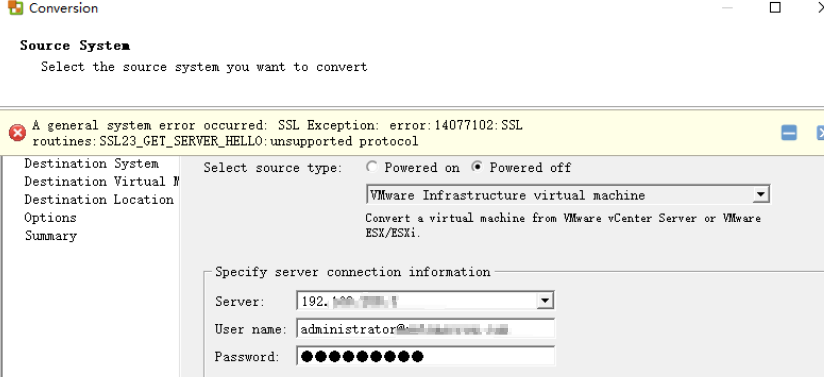
https://communities.vmware.com/t5/VMware-vCenter-Converter-SDK/A-general-system-error-occurred-SSL-Exception-error-14077102-SSL/td-p/2748023
Unable to obtain hardware information for the selected machine.


2023-03-14T14:18:44.040+08:00 error vmware-converter-server[10404] [Originator@6876 sub=Ufa.HTTPService] Failed to read request; stream: <io_obj p:0x0892ed30, h:-1, <pipe '\\.\pipe\vmware-converter-server-soap'>, <pipe '\\.\pipe\vmware-converter-server-soap'>>, error: class Vmacore::TimeoutException(Operation timed out)
2023-03-14T14:25:05.498+08:00 info vmware-converter-worker[05576] [Originator@6876 sub=Default] Connecting to host 192.168.208.3 on port 443
2023-03-14T14:25:05.498+08:00 info vmware-converter-worker[05576] [Originator@6876 sub=Default] localVersion is: vim.version.version10
2023-03-14T14:25:05.522+08:00 error vmware-converter-worker[04448] [Originator@6876 sub=HttpConnectionPool-000000] [ConnectComplete] Connect failed to <cs p:0a6d45d0, TCP:192.168.208.3:443>; cnx: (null), error: class Vmacore::Ssl::SSLException(SSL Exception: error:14077102:SSL routines:SSL23_GET_SERVER_HELLO:unsupported protocol)
2023-03-14T14:25:05.522+08:00 info vmware-converter-worker[05576] [Originator@6876 sub=Default] Scheduled timer canceled, StopKeepAlive succeeds
2023-03-14T14:25:05.522+08:00 error vmware-converter-worker[05576] [Originator@6876 sub=Default] class Vmacore::Ssl::SSLException(SSL Exception: error:14077102:SSL routines:SSL23_GET_SERVER_HELLO:unsupported protocol)
处理办法:
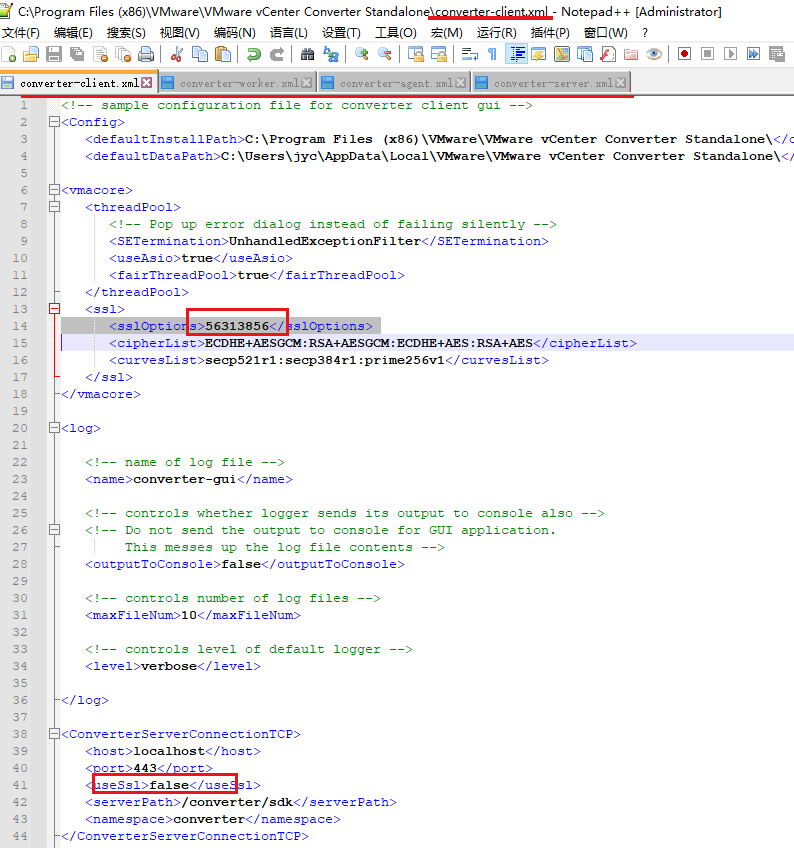
Change all references of “123422720” to “56313856” ,useSsl>false,in the following files:
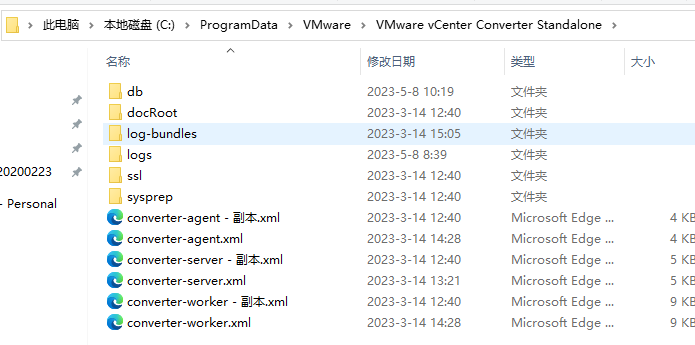
C:\ProgramData\VMware\VMware vCenter Converter Standalone\converter-agent.xml
C:\ProgramData\VMware\VMware vCenter Converter Standalone\converter-server.xml
C:\ProgramData\VMware\VMware vCenter Converter Standalone\converter-worker.xml
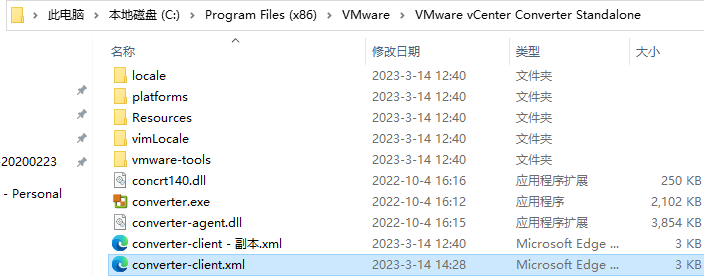
C:\Program Files (x86)\VMware\VMware vCenter Converter Standalone\converter-client.xml
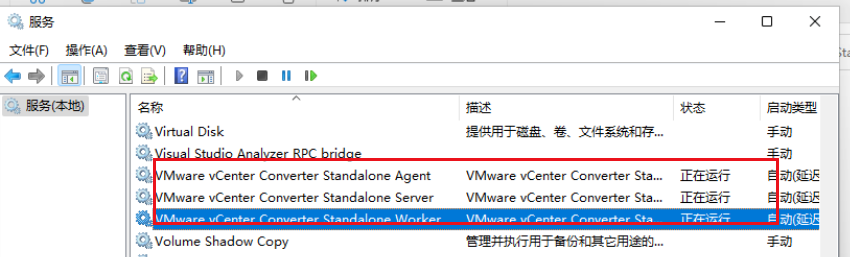
Restart all VMWare vCenter Converter services.
<sslOptions>56313856</sslOptions>
<useSsl>false</useSsl>
<soapUseSSL>false</soapUseSSL>
如果保存失败,需要修改相应的目录权限,users完全控制即可:

最终迁移效果:

16G磁盘,花费20分钟。
相关参考:https://blog.csdn.net/xiezuoyong/article/details/84949611/
