近期,BirdWatcher 1.0.1 发布,为了方便用户使用,我们推出了保姆级教程,手把手教你上手 BirdWatcher。后续,我们也将推出更多关于具体使用场景的教程!
众所周知,Milvus 是读写分离且无状态的向量数据库,状态信息储存在 etcd 中,coordinator 节点去 etcd 请求状态并修改状态。当用户需要查看状态信息、清理状态信息场景时,etcd 调试工具必不可少。
BirdWatcher 是 Milvus 2.0 项目的调试工具,该工具连接 etcd 并检查 Milvus 系统的某些状态。
安装方法
参见 https://github.com/milvus-io/birdwatcher/releases/tag/v1.0.1
指令
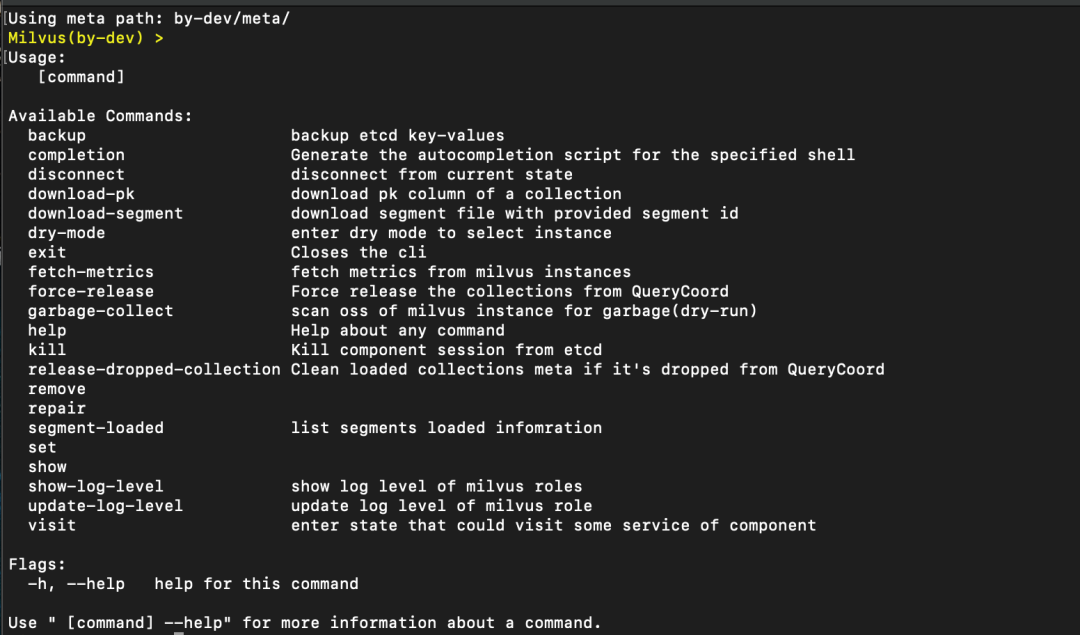
connect
connect --etcd [etcd ip]:2379 --rootPath by-dev
Milvus 默认配置 etcd meta 路径在 by-dev下,--rootPath 参数可忽略。
backup
用于备份 etcd 数据。
--ignoreRevision 忽略 etcd revision的保证,强制执行备份,用户备份在线系统时 revision 变化过快遇到 revision compacted 的问题。

disconnect
断开 etcd 连接
exit
退出 connect etcd 状态。
force-release
强制把 collection 进行释放,可以处理 2.1 版本的卡住的情况。
使用时按以下步骤:
querycoord & querynode 节点 scale replica = 0;
使用 birdwatcher force-release 强制释放内存;
使用 show querycoord-task --collection [id] 命令检查 task 状态;
将 querycoord & querynode 节点 replica 数量恢复;
观察集群状态是否正常 running;
手动进行 collection load 操作。
garbage-collect(dry-run)
扫描对象存储(磁盘)的 collection 是否有垃圾。
--run 执行清理
release-dropped-collection (dry-run)
清除保存在 querycoord 中的已删除 collection 信息。(能够解决查询表时,发现表已经被删除的情况。)
--run 执行清除
remove(dry-run)
首先需要注意的是,执行 remove 命令会造成数据丢失,请谨慎操作!其次,remove 命令可对问题 segment ,问题 channel 进行删除。
具体指令是:
remove segment --segment [segment-id]
remove channel --channel [channel_name]
信息确认后,--run 执行清理:
remove segment --segment [segment-id] --run
repair
主要用于修复部分组件元信息不正常的问题。需要注意的是,执行该操作可能会丢失部分数据。
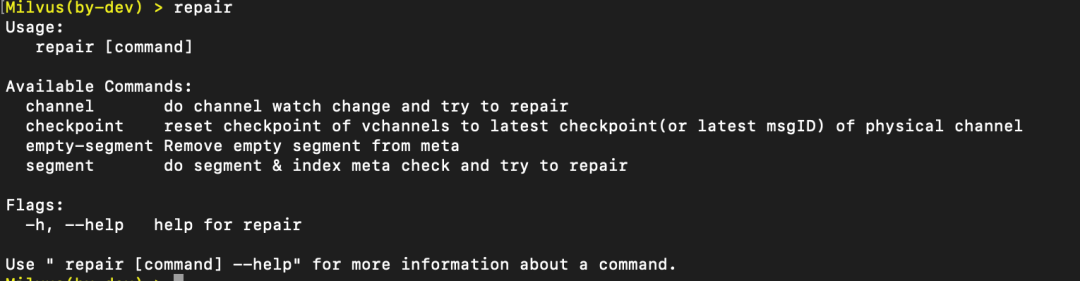
指令:repair-segment --collection [collection_id]
-- run 执行
show
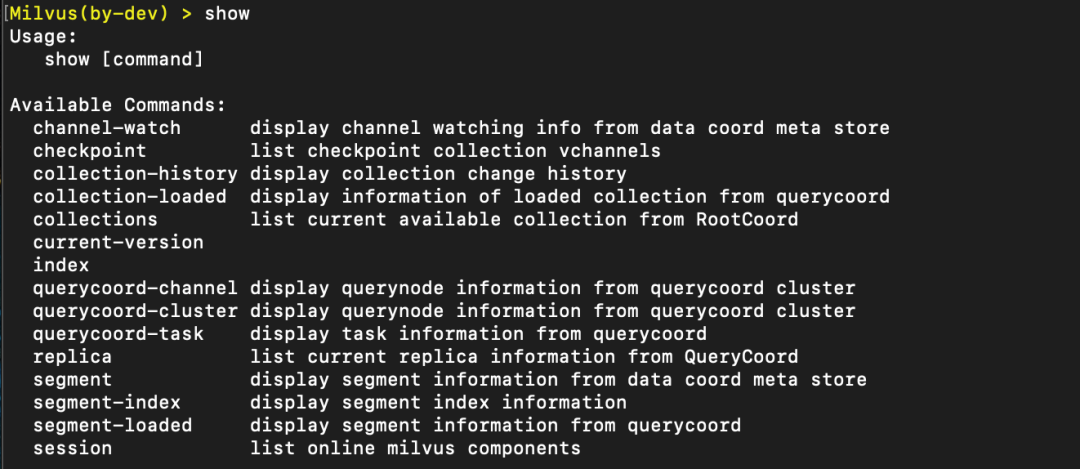
show checkpoint --collection [id]
返回该 collection 里各个 shard 的记录的最新 checkpoiont。

show collection
显示所有的 collection 信息,包括 collection & partition id、name;field 信息,默认查询一致性和 channel 信息。
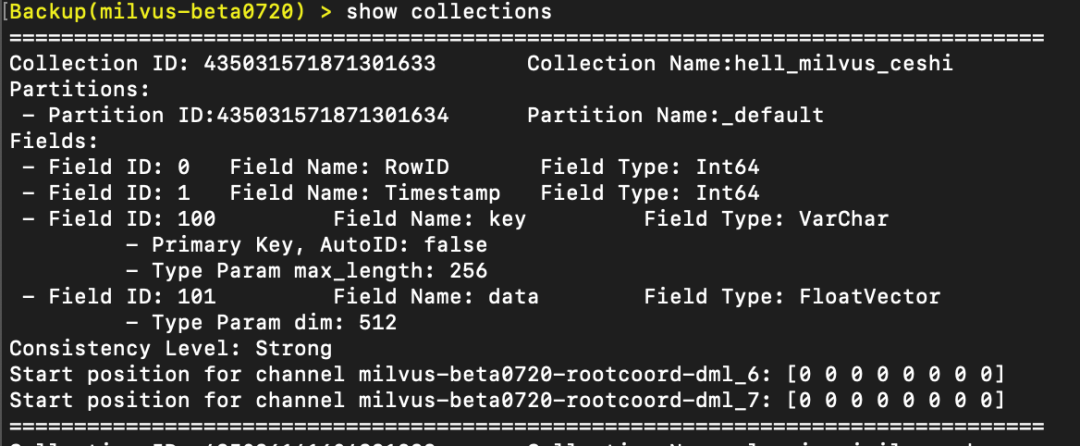
添加--id参数可显示指定collection,如:show collection --id 435625544198651905
show collection-loaded
显示已加载 collection 的信息,其中包含 replica 数量信息。
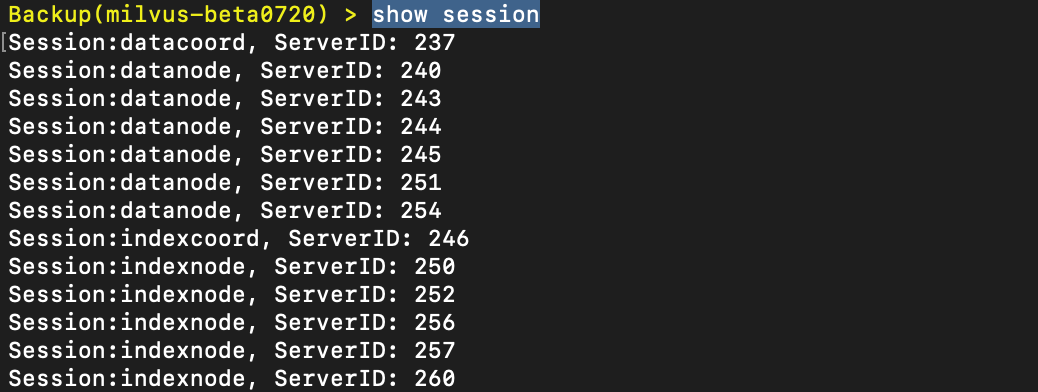
show session
显示各节点对应 id 信息。
show replica
展示 replica 的信息,该 replica 由哪些 leader 分配,在哪些 Nodes 上。

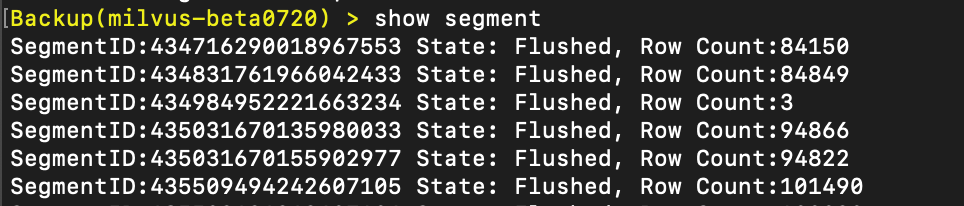
show segment
显示每个 segment 的 id、 state 、row count 信息。
--collection [id] 根据 collection id 进行过滤
--segment [id] 根据 segment id 进行过滤
--format table 由 table 形式展示数据,能看到 Max Row Num,DetalLog Nums、Binlog 等信息;还包括 segment 的时间点位信息。这些信息能帮助甄别 segment 状态,以及分析系统预期行为。
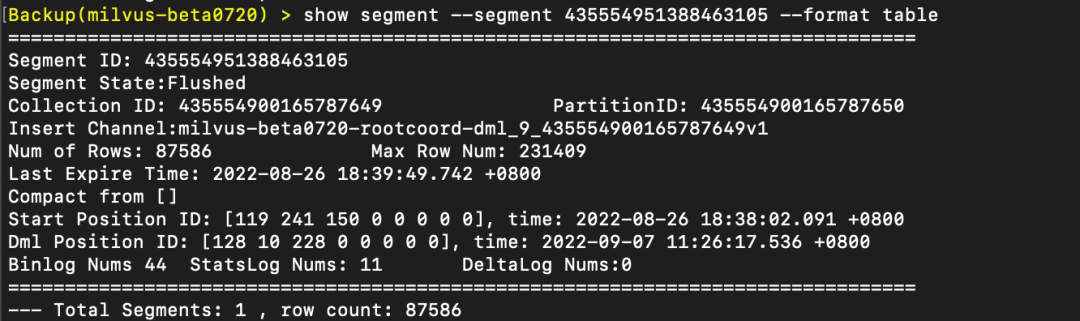
--detail:是否打印 binlog 信息的开关。打印 Binlogs、Delta Logs、Statslogs 的全信息。
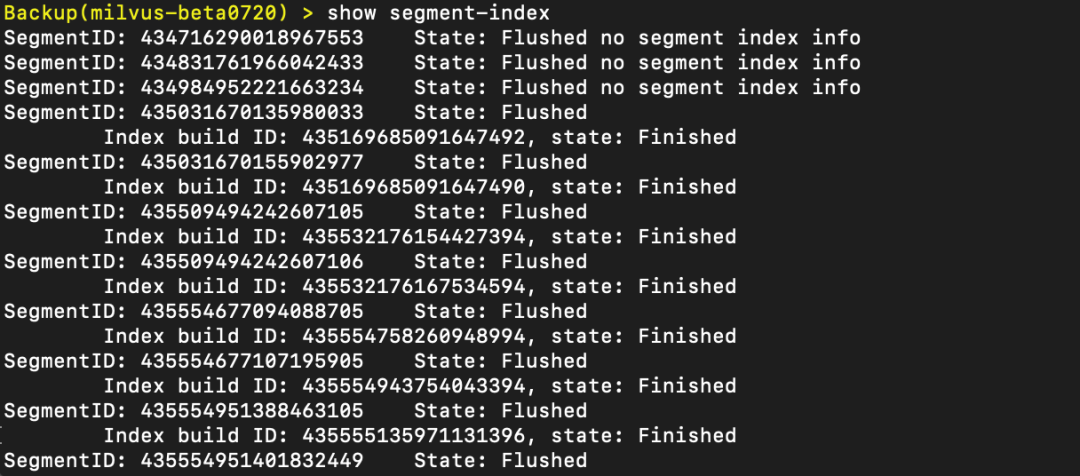
show segment-index
展示 segment 索引的状态,可以看出索引是否被创建;命令后可加--collection 或 --segment 进行过滤。
如:show segment-index --collection 435617817281691649
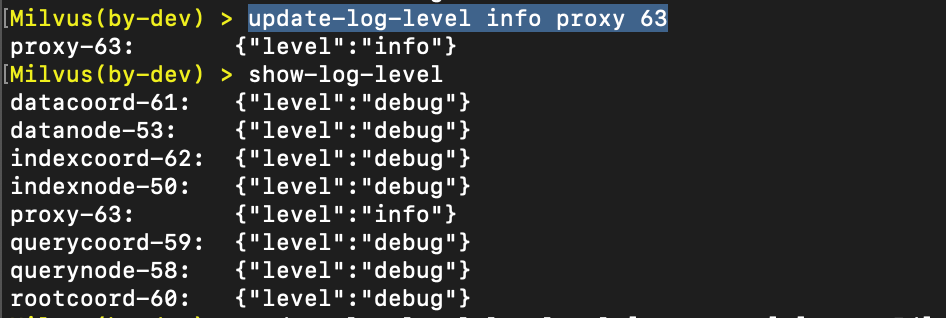
show-log-level
展示各组件的日志等级。
update-log-level
修改组件日志等级。
指令:update-log-level log_level [component] [serverId] [flags]
示例:update-log-level info proxy 63
visit
查看组件 service 的模式
组件:[datacoord、datanode、indexcoord、 indexnode、 querycoord、 querynode、rootcoord ]
指令:visit querycoord [node_id]
解决案例
repair-channel --collection [collection_id] --run
(https://github.com/milvus-io/milvus/issues/20794)
官方地址
https://github.com/milvus-io/birdwatcher
https://github.com/milvus-io/birdwatcher/releases/tag/v1.0.1