



简介
iftop 可以用来监控网卡的实时流量(可以指定网段)、反向解析IP、显示端口信息等。
安装
iftop 的安装可以使用rpm的方式安装,rpm 包的下载地址:https://pkgs.org/search/?q=iftop。
可以挑选对应的操作系统进行下载安装。
例如:
rpm -ivh iftop-1.0-0.21.pre4.el7.x86_64.rpm
语法
iftop: display bandwidth usage on an interface by host

Synopsis: iftop -h | [-npbBP] [-i interface] [-f filter code] [-N net/mask]

   -h                  display this message
   -n                  don't do hostname lookups
   -N                  don't convert port numbers to services
   -p                  run in promiscuous mode (show traffic between other
                       hosts on the same network segment)
   -b                  don't display a bar graph of traffic
   -B                  Display bandwidth in bytes
   -i interface        listen on named interface
   -f filter code      use filter code to select packets to count
                       (default: none, but only IP packets are counted)
   -F net/mask         show traffic flows in/out of network
   -P                  show ports as well as hosts
   -m limit            sets the upper limit for the bandwidth scale
   -c config file      specifies an alternative configuration file
示例
iftop
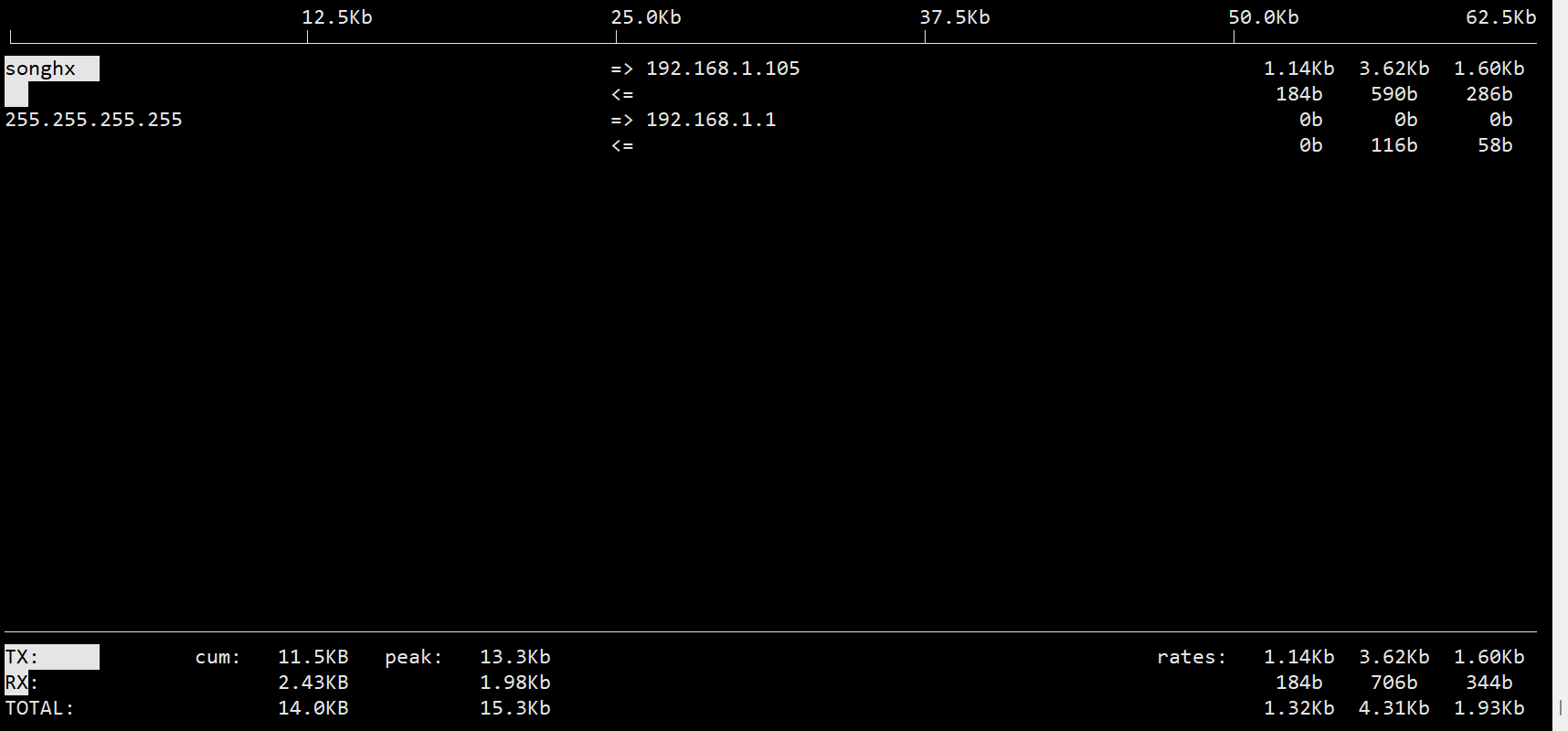
通过该工具打印的信息,可以确定IP地址的网络流向和速率,并且还可以统计命令执行期间的网络传输总量。
界面打印相关说明:
-
TX: 发送流量
-
RX: 接收流量
-
TOTAL: 总流量
-
Cum: 运行iftop指令到目前时间的总流量
-
peak: 流量峰值
-
rates: 分别表示过去 2s, 10s, 40s 的平均流量
常用参数
- 设定检测的网卡
iftop -i <ethernet_name>
- 以bytes为单位显示流量
iftop -B
- 显示特定网段的进出流量
iftop -F 192.168.1.0/24
「喜欢这篇文章,您的关注和赞赏是给作者最好的鼓励」
关注作者
【版权声明】本文为墨天轮用户原创内容,转载时必须标注文章的来源(墨天轮),文章链接,文章作者等基本信息,否则作者和墨天轮有权追究责任。如果您发现墨天轮中有涉嫌抄袭或者侵权的内容,欢迎发送邮件至:contact@modb.pro进行举报,并提供相关证据,一经查实,墨天轮将立刻删除相关内容。
