



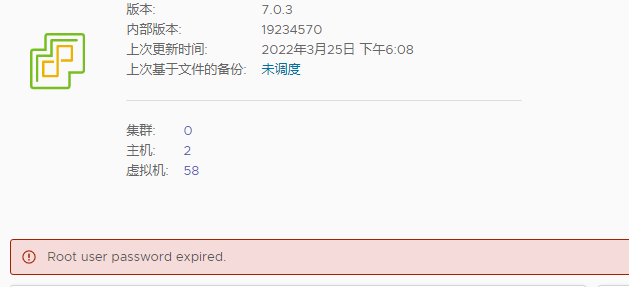
警告提示:root user password expired.
使用VMware Remote Console登陆,开启bash shell和ssh(选择启动web控制台也行)
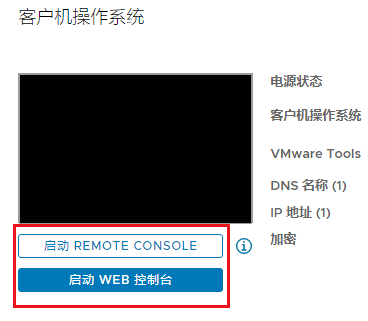
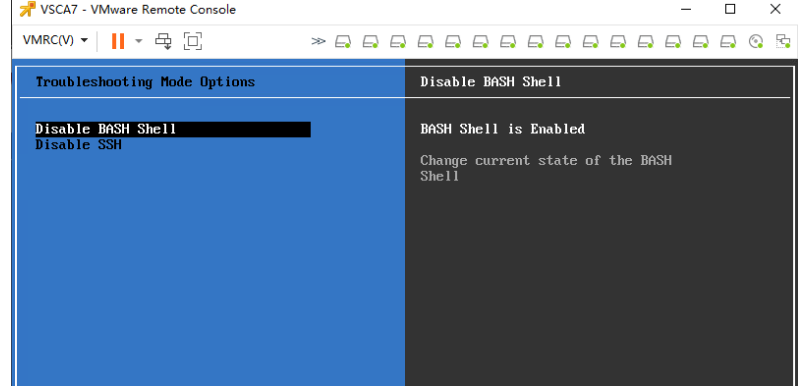
如果ssh登陆后,如果提示shell关闭,输入shell.set --enable true
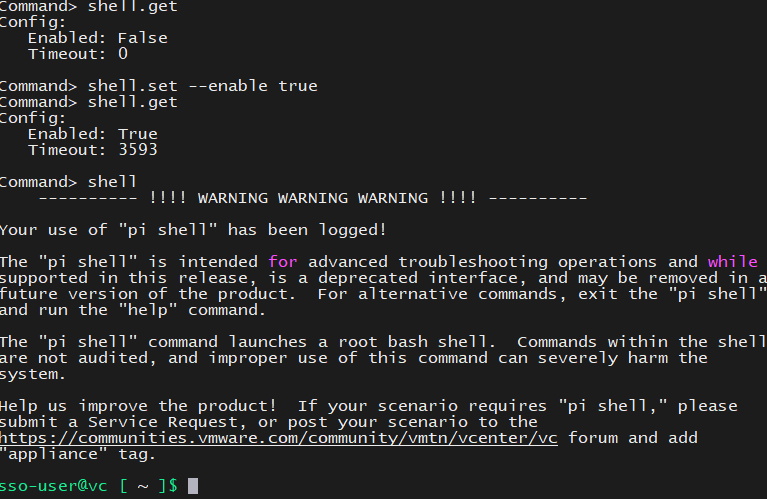
ssh登陆使用root账号登陆,提示输入当前密码,然后修改新密码,两次密码不能相似
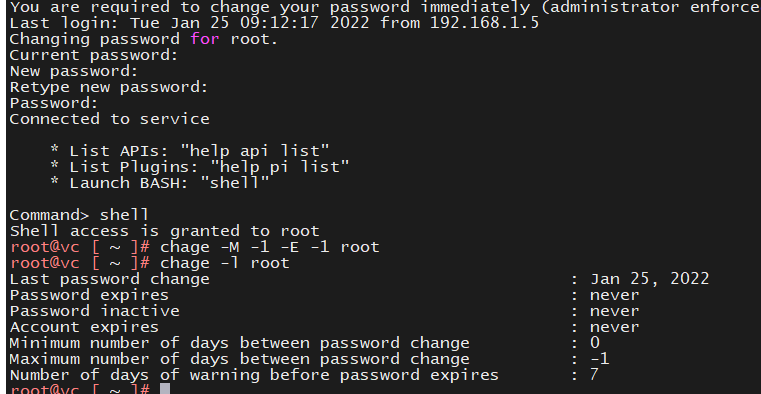
#设置root用户的密码永不过期,命令中两个参数是数字1不是小写字母l
chage -M -1 -E -1 root

#查看root用户的信息
chage -l root
操作记录如下:
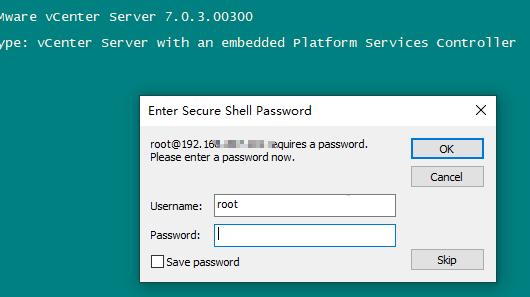
VMware vCenter Server 7.0.3.00300

Type: vCenter Server with an embedded Platform Services Controller

You are required to change your password immediately (administrator enforced)
Last login: Mon May  8 04:28:16 2023 from 10.168.20.66
Changing password for root.
Current password:
New password: 临时使用新密码
Retype new password:
Password:

Connected to service

    * List APIs: "help api list"
    * List Plugins: "help pi list"
    * Launch BASH: "shell"

Command> shell
Shell access is granted to root
root@localhost [ ~ ]# passwd root
New password:
Retype new password:
Password has been already used. Choose another.
passwd: Have exhausted maximum number of retries for service
passwd: password unchanged
提示不能使用原密码。
root@localhost [ ~ ]# chage -l root
Last password change                                    : May 08, 2023
Password expires                                        : Aug 06, 2023
Password inactive                                       : never
Account expires                                         : never
Minimum number of days between password change          : 0
Maximum number of days between password change          : 90
Number of days of warning before password expires       : 7
root@localhost [ ~ ]# chage -M -1 -E -1 root
root@localhost [ ~ ]# chage -l root
Last password change                                    : May 08, 2023
Password expires                                        : never
Password inactive                                       : never
Account expires                                         : never
Minimum number of days between password change          : 0
Maximum number of days between password change          : -1
Number of days of warning before password expires       : 7
root@localhost [ ~ ]# cat /etc/security/opasswd
root:0:2:$6$p.IwEwodb2HzoMzj$KJFAwLJpHFO8q7.Bszcjzks2D0DPQcQulil34..kQGRmuY/QjK.FJldd8txzSGsO4qblSMUzOBF8EWRmC30s01,$6$wuTmR/AaZNEQnnt3$3cAU5VM8cKuNBSPAXii。。。。。。。
root@localhost [ ~ ]# ls -l /etc/security/opasswd
-rw------- 1 root root 223 May  8 04:30 /etc/security/opasswd
root@localhost [ ~ ]# vi /etc/security/opasswd
删掉记录行保存,再修改回原密码。
root@localhost [ ~ ]# passwd root
New password:
Retype new password:
passwd: password updated successfully
root@localhost [ ~ ]#
最后修改时间:2023-05-08 13:25:01
「喜欢这篇文章,您的关注和赞赏是给作者最好的鼓励」
关注作者
【版权声明】本文为墨天轮用户原创内容,转载时必须标注文章的来源(墨天轮),文章链接,文章作者等基本信息,否则作者和墨天轮有权追究责任。如果您发现墨天轮中有涉嫌抄袭或者侵权的内容,欢迎发送邮件至:contact@modb.pro进行举报,并提供相关证据,一经查实,墨天轮将立刻删除相关内容。
