



截止昨天已经将应用容器化并部署到k8s平台上,但是每次都要手动部署肯定不现实,所以有一个可自动部署的平台或功能是很重要的,这样就能实现随时开发随时部署了。那么有什么办法可以实现自动部署呢?
pipeline {agent anystages {stage('Checkout') {steps {echo 'Checking out...'checkout scm}}stage('Build') {steps {echo 'Building...'sh 'npm install'}}stage('Test') {steps {echo 'Testing...'sh 'npm test'}}stage('Lint') {steps {echo 'Linting...'sh 'npm run lint'}}stage('Build Image') {steps {echo 'Building Docker Image...'sh 'docker build -t hello-world:latest .'}}stage('Push Image') {steps {echo 'Pushing Docker Image...'sh 'docker push hello-world:latest'}}stage('Deploy') {steps {echo 'Deploying...'sh 'kubectl apply -f deployment.yaml'}}}}
image: node:lateststages:- install- test- lint- build- deployinstall:stage: installscript:- npm installtest:stage: testscript:- npm testlint:stage: lintscript:- npm run lintbuild:stage: buildscript:- docker build -t frontend:latest .deploy_job:stage: deployscript:- docker push frontend:latest- kubectl apply -f deployment.yamldeploy:stage: deployscript:- kubectl apply -f deployment.yaml
name: CI/CD Workflowon: pushjobs:install:name: Install dependenciesruns-on: ubuntu-lateststeps:- name: Checkout codeuses: actions/checkout@v2- name: Install npm dependenciesrun: npm installtest:name: Run testsruns-on: ubuntu-lateststeps:- name: Checkout codeuses: actions/checkout@v2- name: Run testsrun: npm testlint:name: Run linterruns-on: ubuntu-lateststeps:- name: Checkout codeuses: actions/checkout@v2- name: Run linterrun: npm run lintbuild:name: Build docker imageruns-on: ubuntu-lateststeps:- name: Checkout codeuses: actions/checkout@v2- name: Build docker imagerun: docker build -t frontend:latest .deploy:name: Deploy to Kubernetesruns-on: ubuntu-lateststeps:- name: Checkout codeuses: actions/checkout@v2- name: Deploy to Kubernetesrun: |docker push frontend:latestkubectl apply -f deployment.yaml
apiVersion: argoproj.io/v1alpha1kind: Applicationmetadata:name: examplespec:project: defaultsource:repoURL: https://github.com/argoproj/argocd-example-apps.gittargetRevision: HEADpath: exampledestination:server: https://kubernetes.default.svcnamespace: argocd-example-appssyncPolicy:automated: true
我这边主要还是用gitlab比较多,所以看看具体在哪设置:
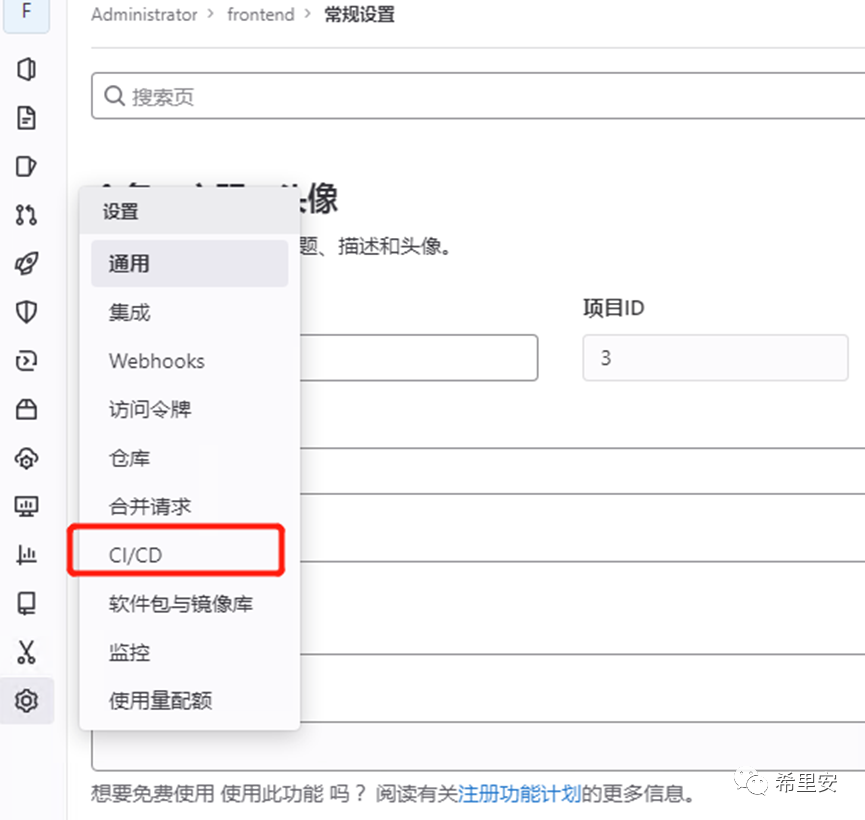
在这里可以找到注册gitlab-runner相关信息
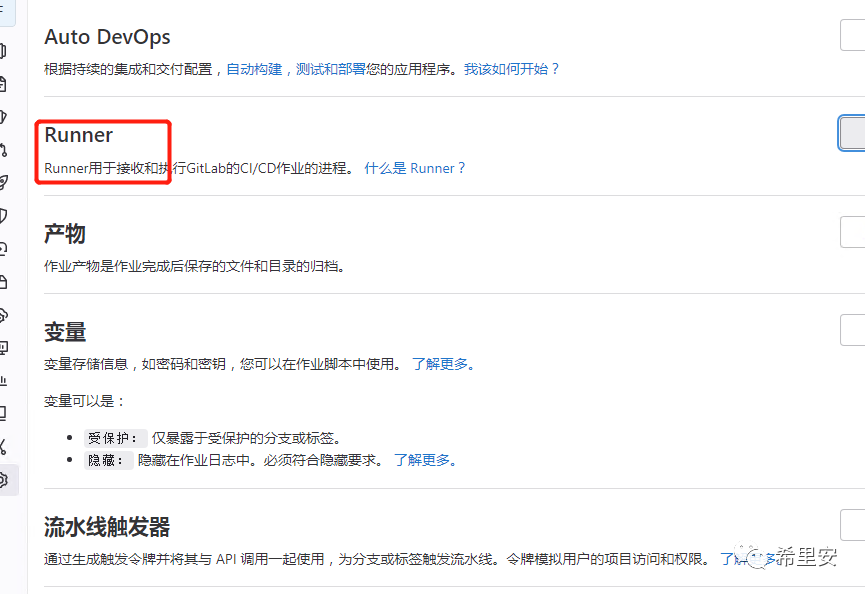
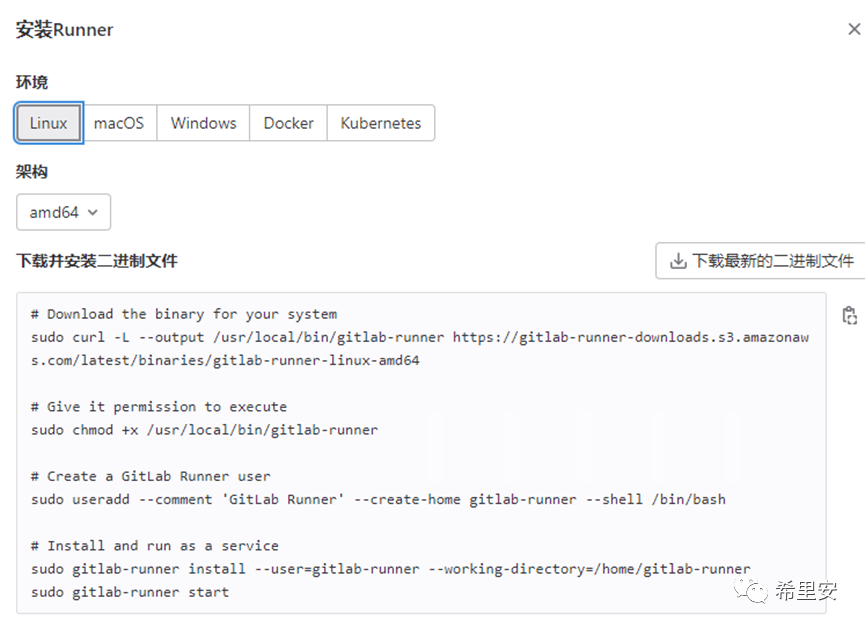
如何安装gitlab-runner

可以二进制安装,也可以helm安装,直接搜索helm官方网站就可,gitlab也给出了对应不同系统的安装方式包括kubernetes。
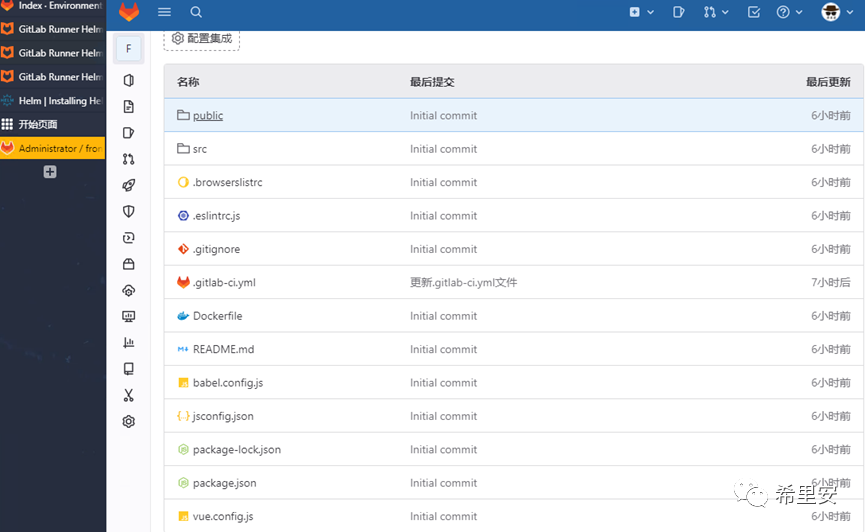
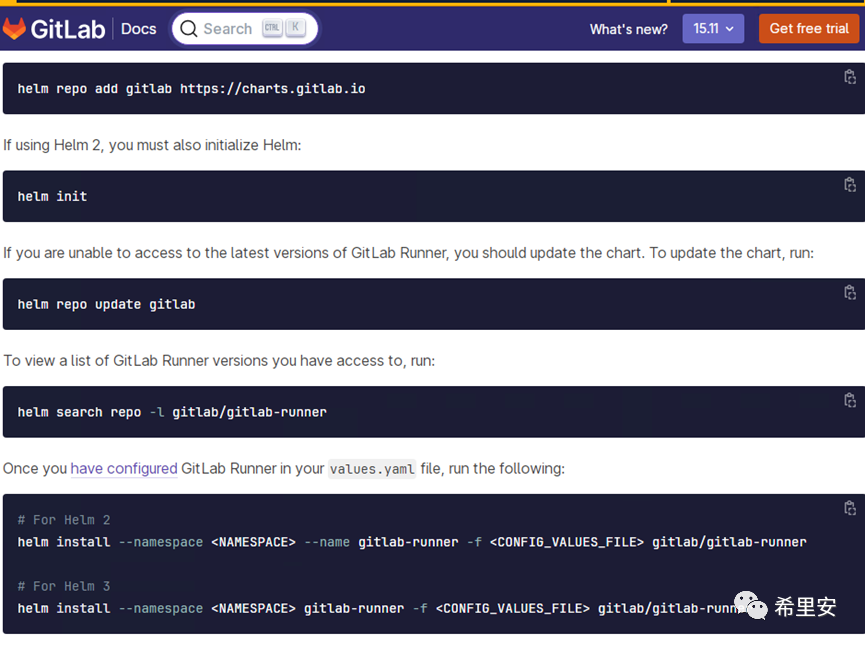
这里我使用helm3 安装gitlabrunner,命令如上所示:
这里给下我的两种方式的ci文件
build-job: # This job runs in the build stage,which runs first.stage: buildscript:-echo "Compiling the code..."-npm install-npm run build-docker build -t cops-fe .-echo "Compile complete."deploy-job: # This job runs in the deploy stage.stage: deploy # It only runs when*both* jobs in the test stage complete successfully.environment: kubesphere-1script:-echo "Deploying application..."-kubectl apply -f cops-fe.yaml-echo "Application successfully deployed."only:-master
Helm方式
yaml
image: node:latestvariables:DOCKER_HOST: tcp://docker.example.com:2375CI_REGISTRY: registry.example.comCI_REGISTRY_USER: gitlab-ci-tokenCI_REGISTRY_PASSWORD: $CI_JOB_TOKENCI_ENVIRONMENT_SLUG: productionbuild:stage: buildscript:-npm install-npm run build-docker build -t $CI_REGISTRY/my-group/my-project:$CI_COMMIT_REF_SLUG .-docker push $CI_REGISTRY/my-group/my-project:$CI_COMMIT_REF_SLUGdeploy:stage: deployenvironment:name: $CI_ENVIRONMENT_SLUGscript:-helm upgrade my-release ./helm-charts --set image.tag=$CI_COMMIT_REF_SLUGrollback:stage: rollbackenvironment:name: $CI_ENVIRONMENT_SLUGscript:- helm rollbackmy-release 1
这期间会遇到类似的问题:
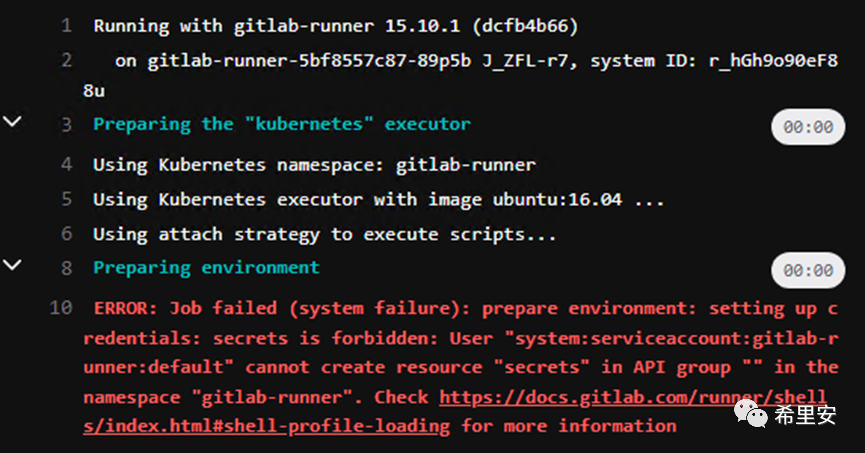
这个错误意味着GitLab
Runner没有权限创建Kubernetes Secrets,执行授权即可。
kubectl createclusterrolebinding gitlab-runner \--clusterrole=cluster-admin \--serviceaccount=gitlab-runner:default
好了,关于自动化部署的内容今天就到这了,感兴趣的朋友别忘了点赞关注!
文章转载自希里安,如果涉嫌侵权,请发送邮件至:contact@modb.pro进行举报,并提供相关证据,一经查实,墨天轮将立刻删除相关内容。
