




效果预览
Cloud Native
Cursor + GPT-4 的代码生成是不是觉得很智能,我们通过 FastChat + VSCode 插件也能做到一样的效果!
快速生成一个 Golang Hello World
快速生成一个 Kubernetes Deployment
背景介绍
Cloud Native
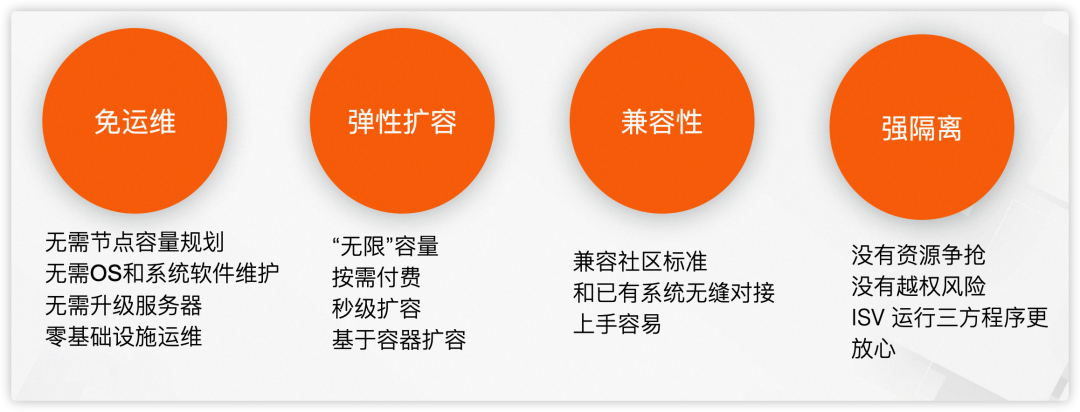
ASK(Alibaba Serverless Kubernetes)是阿里云容器服务团队提供的一款面向 Serverless 场景的容器产品。用户可以使用 Kubernetes API 直接创建 Workload,免去节点运维烦恼。ASK 作为容器 Serverless 平台,具有免运维、弹性扩容、兼容 K8s 社区、强隔离四大特性。
GPU 资源受限且训练成本较高 大规模 AI 应用在训练及推理时都需要使用 GPU,但是很多开发者缺少 GPU 资源。单独购买 GPU 卡,或者购买 ECS 实例都需要较高成本。
资源异构 并行训练时需要大量的 GPU 资源,这些 GPU 往往是不同系列的。不同 GPU 支持的 CUDA 版本不同,且跟内核版本、nvidia-container-cli 版本相互绑定,开发者需要关注底层资源,为 AI 应用开发增加了许多难度。 镜像加载慢 AI 类应用镜像经常有几十 GB,下载往往需要几十分钟甚至数小时。
针对上述问题,ASK 提供了完美的解决方案。在 ASK 中可以通过 Kubernetes Workload 十分方便的使用 GPU 资源,无需其前置准备使用,用完即可立即释放,使用成本低。ASK 屏蔽了底层资源,用户无需关心 GPU、CUDA 版本等等的依赖问题,只需关心 AI 应用的自身逻辑即可。同时,ASK 默认就提供了镜像缓存能力,当 Pod 第 2 次创建时可以秒级启动。
部署流程
Cloud Native
1. 前提条件
已创建 ASK 集群。具体操作,请参见创建 ASK 集群[1]。 下载 llama-7b 模型并上传到 OSS 。具体操作,请参见本文附录部分。
2. 使用 Kubectl 创建
${your-ak} 您的 AK
${your-sk} 您的 SK
${oss-endpoint-url} OSS 的 enpoint
apiVersion: v1kind: Secretmetadata:name: oss-secrettype: OpaquestringData:.ossutilconfig: |[Credentials]language=chaccessKeyID=${your-ak}accessKeySecret=${your-sk}endpoint=${oss-endpoint-url}---apiVersion: apps/v1kind: Deploymentmetadata:labels:app: fastchatname: fastchatnamespace: defaultspec:replicas: 1selector:matchLabels:app: fastchatstrategy:rollingUpdate:maxSurge: 100%maxUnavailable: 100%type: RollingUpdatetemplate:metadata:labels:app: fastchatalibabacloud.com/eci: "true"annotations:k8s.aliyun.com/eci-use-specs: ecs.gn6e-c12g1.3xlargespec:volumes:- name: dataemptyDir: {}- name: oss-volumesecret:secretName: oss-secretdnsPolicy: DefaultinitContainers:- name: llama-7bimage: yunqi-registry.cn-shanghai.cr.aliyuncs.com/lab/ossutil:v1volumeMounts:- name: datamountPath: /data- name: oss-volumemountPath: /root/readOnly: truecommand:- sh- -c- ossutil cp -r ${llama-oss-path} data/resources:limits:ephemeral-storage: 50Gicontainers:- command:- sh- -c- "/root/webui.sh"image: yunqi-registry.cn-shanghai.cr.aliyuncs.com/lab/fastchat:v1.0.0imagePullPolicy: IfNotPresentname: fastchatports:- containerPort: 7860protocol: TCP- containerPort: 8000protocol: TCPreadinessProbe:failureThreshold: 3initialDelaySeconds: 5periodSeconds: 10successThreshold: 1tcpSocket:port: 7860timeoutSeconds: 1resources:requests:cpu: "4"memory: 8Gilimits:nvidia.com/gpu: 1ephemeral-storage: 100GivolumeMounts:- mountPath: dataname: data---apiVersion: v1kind: Servicemetadata:annotations:service.beta.kubernetes.io/alibaba-cloud-loadbalancer-address-type: internetservice.beta.kubernetes.io/alibaba-cloud-loadbalancer-instance-charge-type: PayByCLCUname: fastchatnamespace: defaultspec:externalTrafficPolicy: Localports:- port: 7860protocol: TCPtargetPort: 7860name: web- port: 8000protocol: TCPtargetPort: 8000name: apiselector:app: fastchattype: LoadBalancer
等待 pod ready 后,在浏览器中访问 http://${externa-ip}:7860
📍启动后需要下载 vicuna-7b 模型,模型大小约 13GB
kubectl get po |grep fastchat# NAME READY STATUS RESTARTS AGE# fastchat-69ff78cf46-tpbvp 1/1 Running 0 20mkubectl get svc fastchat# NAME TYPE CLUSTER-IP EXTERNAL-IP PORT(S) AGE# fastchat LoadBalancer 192.168.230.108 xxx.xx.x.xxx 7860:31444/TCP 22m
效果展示
Cloud Native
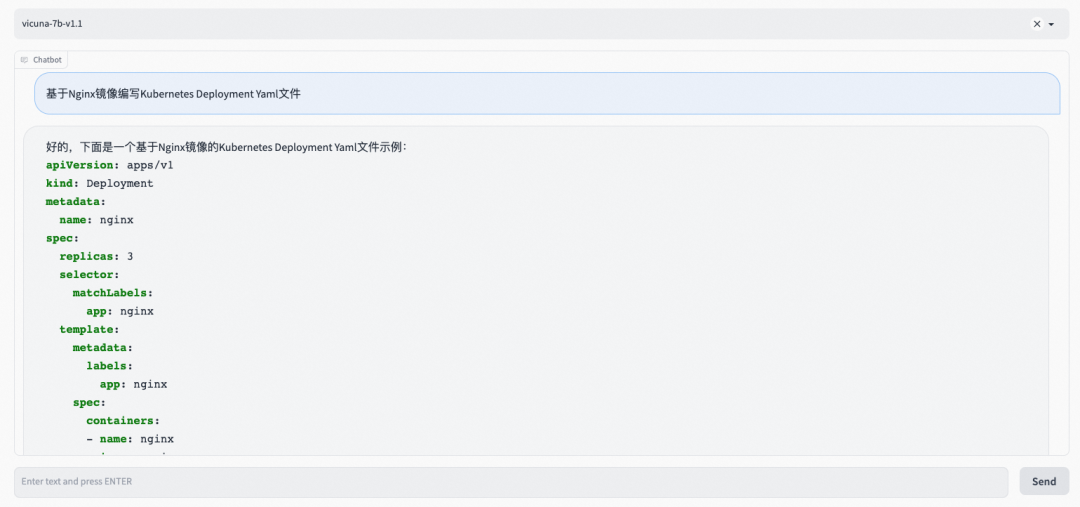
Case 1:通过控制台使用 FastChat
Case 2:通过 API 使用 FastChat
curl 命令
curl http://xxx:xxx:xxx:8000/v1/chat/completions \-H "Content-Type: application/json" \-d '{"model": "vicuna-7b-v1.1","messages": [{"role": "user", "content": "golang 生成一个 hello world"}]}'
输出结果
{"id":"3xqtJcXSLnBomSWocuLW2b","object":"chat.completion","created":1682574393,"choices":[{"index":0,"message":{"role":"assistant","content":"下面是使用 Go 语言生成 \"Hello, World!\" 的代码:\n```go\npackage main\n\nimport \"fmt\"\n\nfunc main() {\n fmt.Println(\"Hello, World!\")\n}\n```\n运行该代码后,会输出 \"Hello, World!\"。"},"finish_reason":"stop"}],"usage":null}
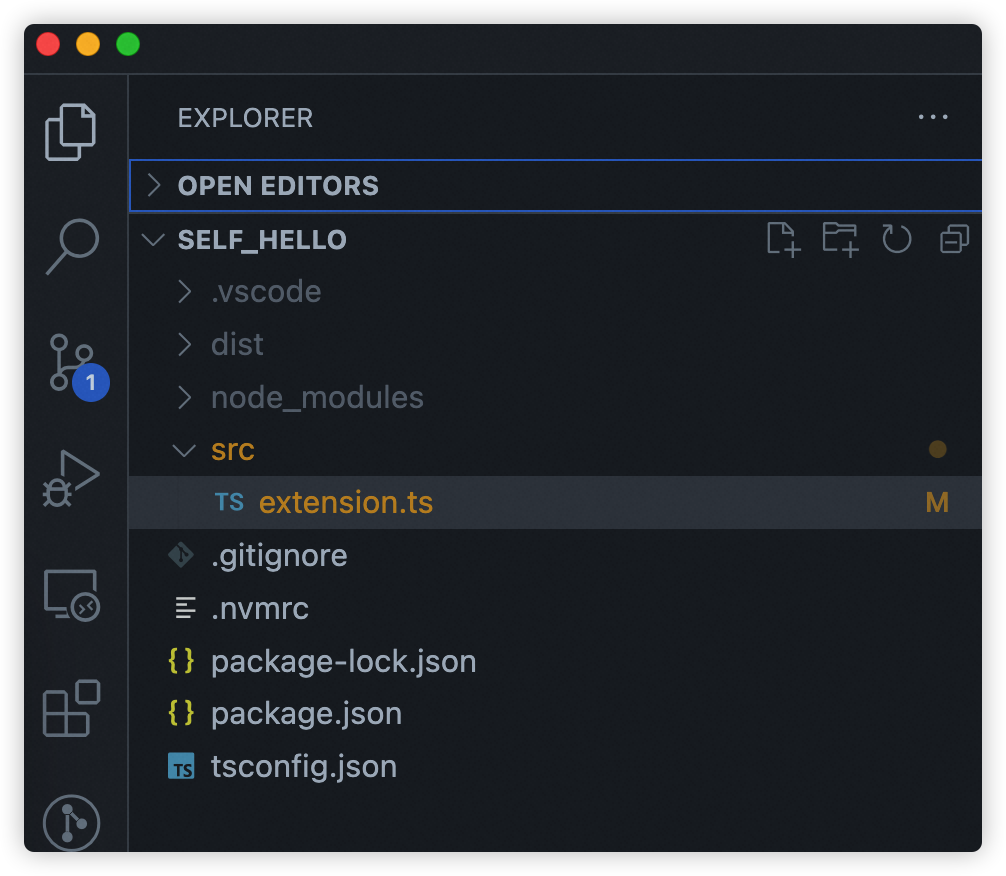
src/extension.ts
import * as vscode from 'vscode';import axios from 'axios';import { ExtensionContext, commands, window } from "vscode";const editor = window.activeTextEditorexport function activate(context: vscode.ExtensionContext) {let fastchat = async () => {vscode.window.showInputBox({ prompt: '请输入代码提示语' }).then((inputValue) => {if (!inputValue) {return;}vscode.window.withProgress({location: vscode.ProgressLocation.Notification,title: '正在请求...',cancellable: false}, (progress, token) => {return axios.post('http://example.com:8000/v1/chat/completions', {model: 'vicuna-7b-v1.1',messages: [{ role: 'user', content: inputValue }]}, {headers: {'Content-Type': 'application/json'}}).then((response) => {const content = JSON.stringify(response.data);const content = response.data.choices[0].message.content;console.log(response.data)const regex = ```.*\n([\s\S]*?)```/const matches = content.match(regex)if (matches && matches.length > 1) {editor?.edit(editBuilder => {let position = editor.selection.active;position && editBuilder.insert(position, matches[1].trim())})}}).catch((error) => {console.log(error);});});});}let command = commands.registerCommand("fastchat",fastchat)context.subscriptions.push(command)}
package.json
{"name": "fastchat","version": "1.0.0","publisher": "yourname","engines": {"vscode": "^1.0.0"},"categories": ["Other"],"activationEvents": ["onCommand:fastchat"],"main": "./dist/extension.js","contributes": {"commands": [{"command": "fastchat","title": "fastchat code generator"}]},"devDependencies": {"@types/node": "^18.16.1","@types/vscode": "^1.77.0","axios": "^1.3.6","typescript": "^5.0.4"}}
tsconfig.json
{"compilerOptions": {"target": "ES2018","module": "commonjs","outDir": "./dist","strict": true,"esModuleInterop": true,"resolveJsonModule": true,"declaration": true},"include": ["src/**/*"],"exclude": ["node_modules", "**/*.test.ts"]}
好,插件开发完咱们就看一下效果。
快速生成一个 Golang Hello World
快速生成一个 Kubernetes Deployment
总结
Cloud Native
ASK 作为容器 Serverless 平台,具有免运维、弹性扩缩容、屏蔽异构资源、镜像加速等能力,非常适合 AI 大模型部署场景,欢迎试用。
附录:
1. 下载 llama-7b 模型
模型地址:
# 如果使用的是阿里云 ECS,需要运行如下命令安装 git-lfs# yum install git-lfsgit clone https://huggingface.co/decapoda-research/llama-7b-hfgit lfs installgit lfs pull
可参考文档:
参考文档:
[2] ASK 概述
https://help.aliyun.com/document_detail/86366.html?spm=a2c4g.750001.0.i1
点击阅读原文,领取 ASK 免费试用限额资源
