




上一篇讲了如何使用 Serverless Devs 和函数计算快速体验部署 Stable Diffusion,本篇继续聊聊如何解决动态模型加载的问题,从玩起来到用起来。
思路
Cloud Native
其实很简单, 我们只需要将镜像里面的动态路径映射到 NAS[1] 文件存储里面即可,利用 NAS 独立存储文件模型,扩展,语言包等,并且我们可以为管理 NAS 单独配置一个可视化的后台,用简单的文件上传删除的方式管理我们的文件,为此我们需要展开打镜像的脚本,为了完成全套的流程我们接下来盘一下整体的准备项。
准备项
Cloud Native
4. 安装 Serverless Devs[4]
$ npm install @serverless-devs/s -g
5. 使用 Serverless Devs 配置阿里云密钥信息[5]
快速开始
Cloud Native
初始化应用模板
s init fc-stable-diffusion-plus
选择 region:cn-hangzhou
部署应用模板
cd fc-stable-diffusion-plus && s deploy
部署需要花费一些时间(预估 5 分钟),之后你会收到两个域名返回。
fc-nas-init:region: cn-hangzhouservice:name: fc-stable-diffusion-plusfunction:name: nas-initruntime: python3.9handler: index.handlermemorySize: 3072timeout: 1200cpu: 2diskSize: 512fc-nas-filemgr:region: cn-hangzhouservice:name: fc-stable-diffusion-plusfunction:name: adminruntime: customhandler: index.handlermemorySize: 3072timeout: 7200cpu: 2diskSize: 512url:system_url: https://xxx.cn-hangzhou.fcapp.runsystem_intranet_url: https://xxx.cn-hangzhou-vpc.fcapp.runcustom_domain:-domain: http://admin.fc-stable-diffusion-plus.xxxx.cn-hangzhou.fc.devsapp.nettriggers:-type: httpname: httpTriggerkeep-warm:region: cn-hangzhouservice:name: fc-stable-diffusion-plusfunction:name: keep-warmruntime: python3handler: index.handlermemorySize: 128timeout: 120cpu: 0.1diskSize: 512triggers:-type: timername: timerTriggerstable-diffusion-sd-server:region: cn-hangzhouservice:name: fc-stable-diffusion-plusfunction:name: sdruntime: custom-containerhandler: index.handlermemorySize: 32768timeout: 600cpu: 8diskSize: 10240url:system_url: https://xxx.cn-hangzhou.fcapp.runsystem_intranet_url: https://xxx.cn-hangzhou-vpc.fcapp.runcustom_domain:-domain: http://sd.fc-stable-diffusion-plus.xxxxx.cn-hangzhou.fc.devsapp.nettriggers:-type: httpname: defaultTrigger
http://admin.fc-stable-diffusion-plus.xxxx.cn-hangzhou.fc.devsapp.net 是后台管理页面
上传模型
方法一
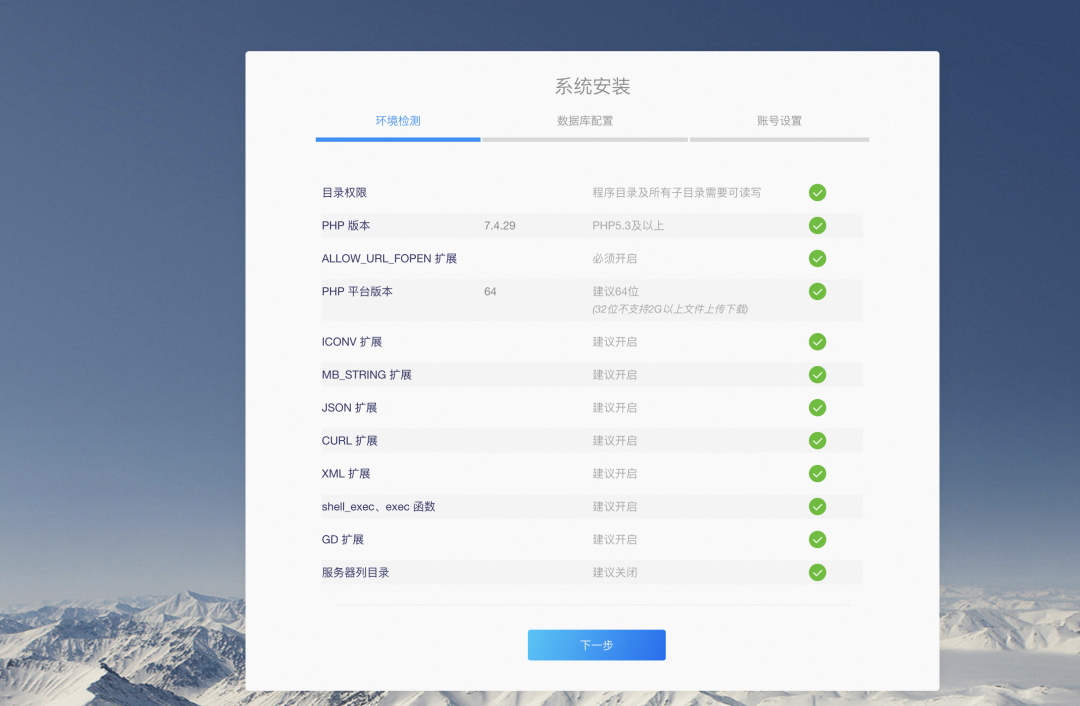
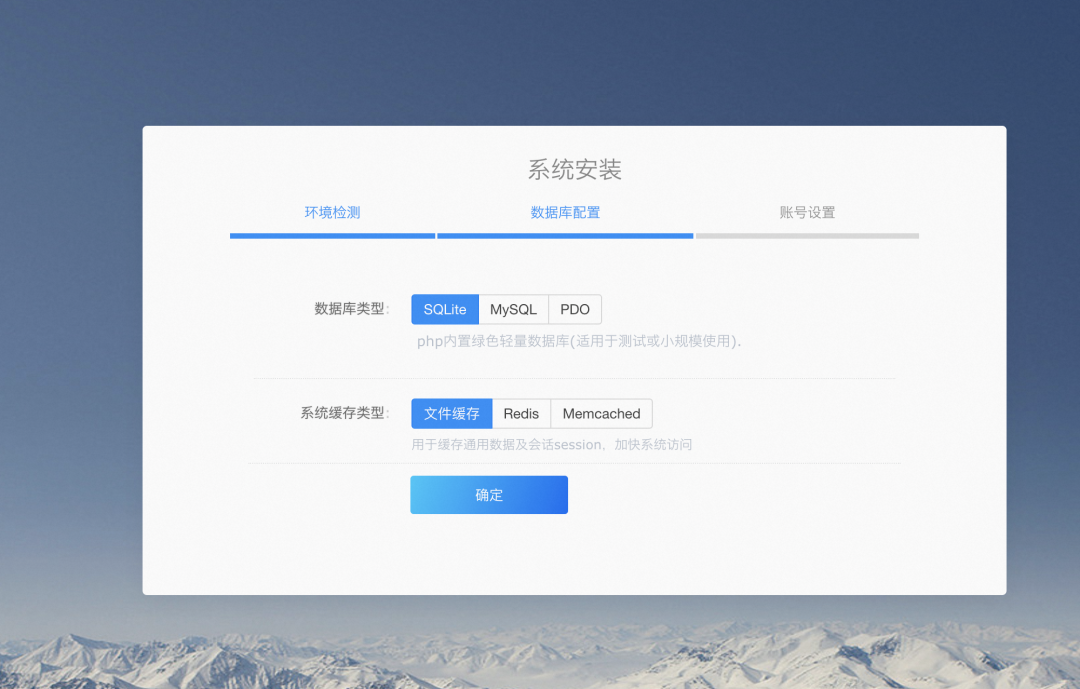
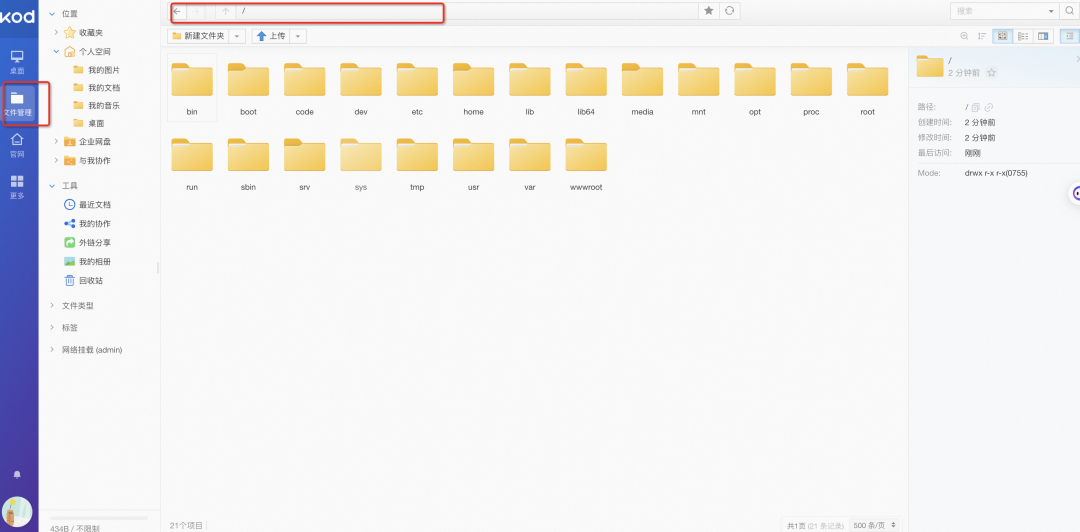
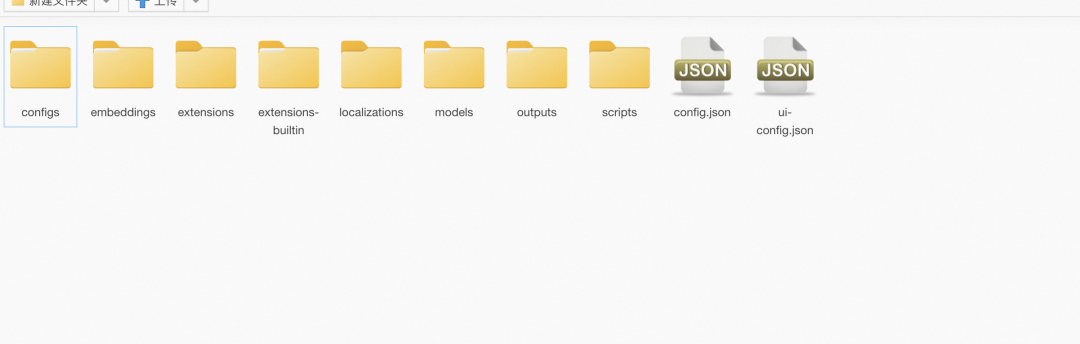
方法二
s fc-nas-init nas upload -r <你的模型地址> mnt/auto/sd/models/Stable-diffusion/
就可以,剩下的就是等待,可能要花费 30 分钟。
页面预览
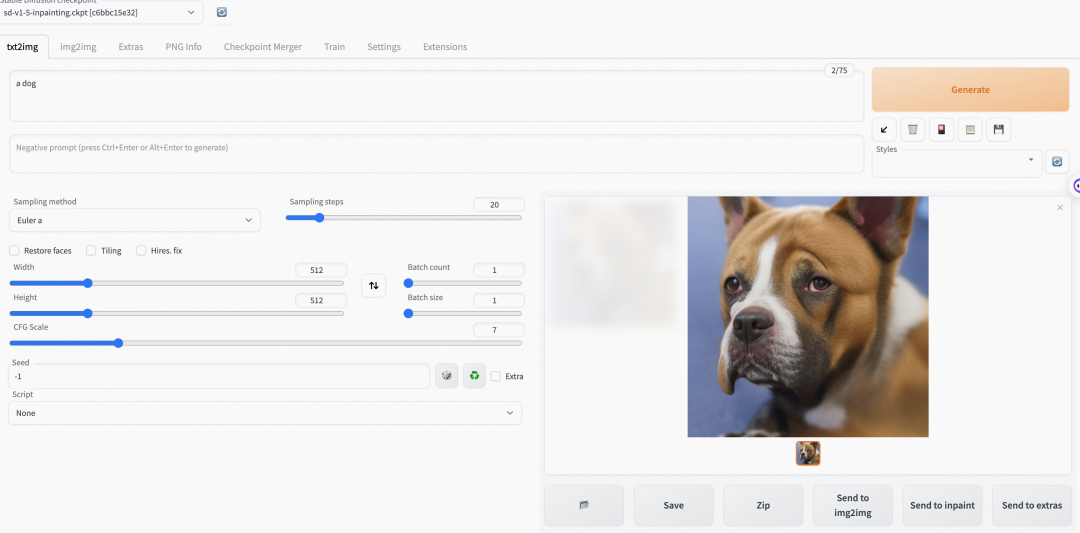
文生图
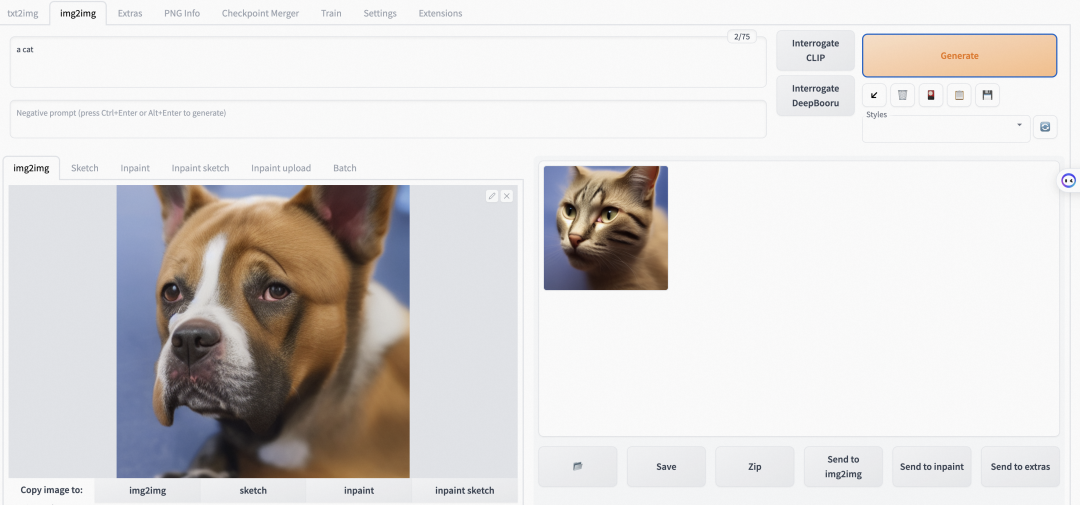
图生图
有奖体验
Cloud Native
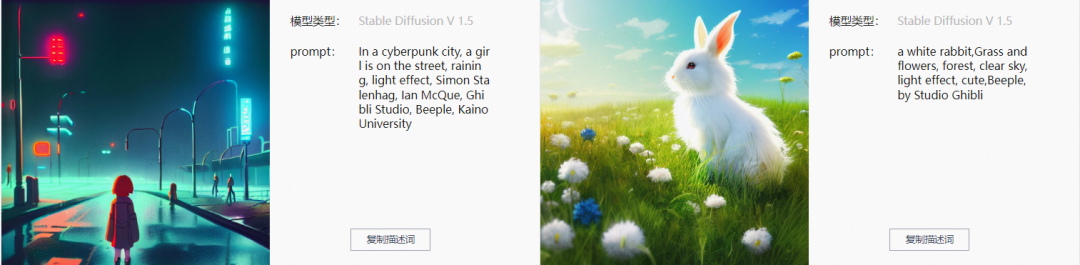
阿里云将提供免费 Serverless 函数计算产品资源,邀请你,体验一把 AIGC 级的毕加索、达芬奇、梵高等大师作画的快感。下面请尽情发挥你的想象空间!!双重奖品设置,完成体验场景可得社区 1000 积分兑换奖品,还可参加 AI 生成图像比赛赢取 Airpods、500 元猫超卡及社区定制抱枕!
🌏 体验地址:
[2] 函数计算
https://www.aliyun.com/product/fc?spm=5176.devs
[4] Serverless Devs
https://docs.serverless-devs.com/serverless-devs/quick_start
点击阅读原文进入体验
