



-
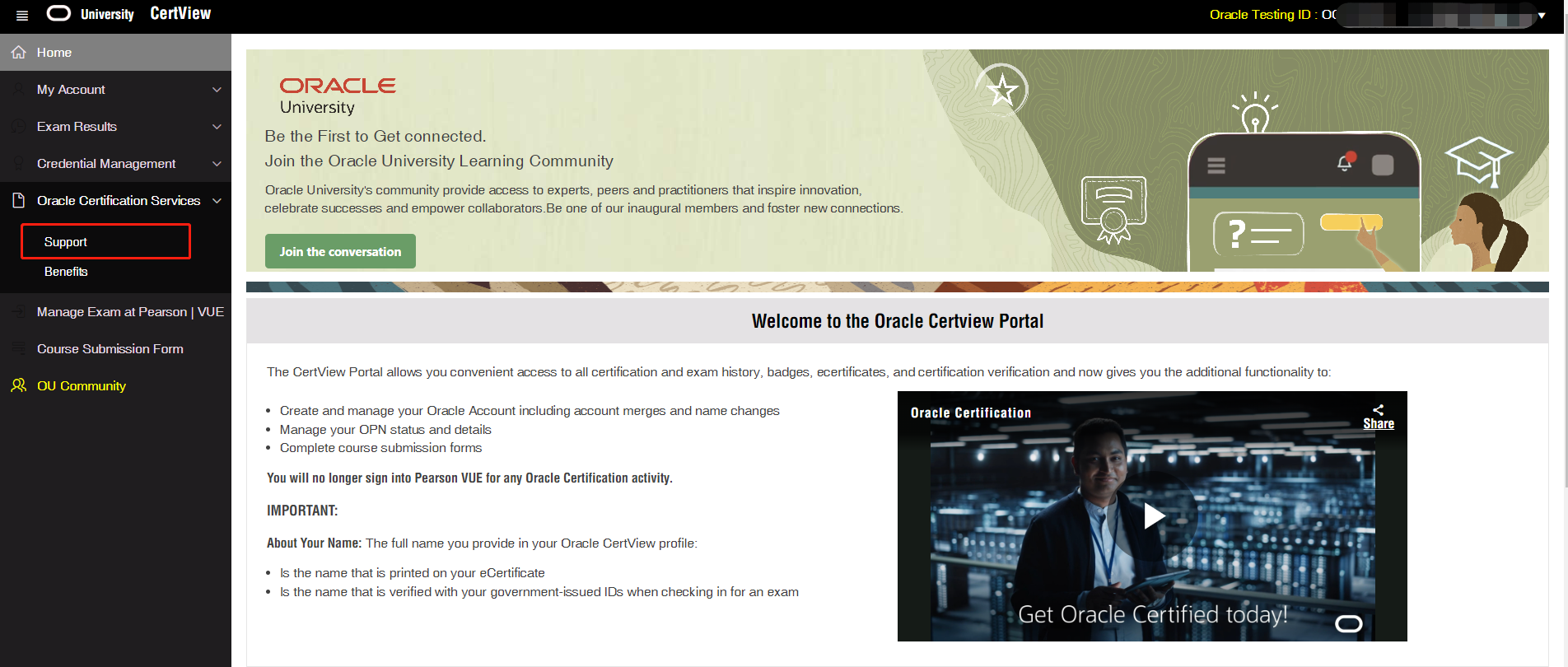
打开Certview网站(https://certview.oracle.com/),登录账号
-
选择菜单【Home】-【Oracle Certification Services】-【Support】
(新打开的网页比较慢,请耐心等待)
-
进入了Oracle认证支持中心网站,可以看到有很多问答,右边是菜单
快捷入口(也需要登录Oracle账号):https://help-education.oracle.com/apex/f?p=109:1:3806030403741::::p_prod_id,p_org_id,p_lang:3,1001,US
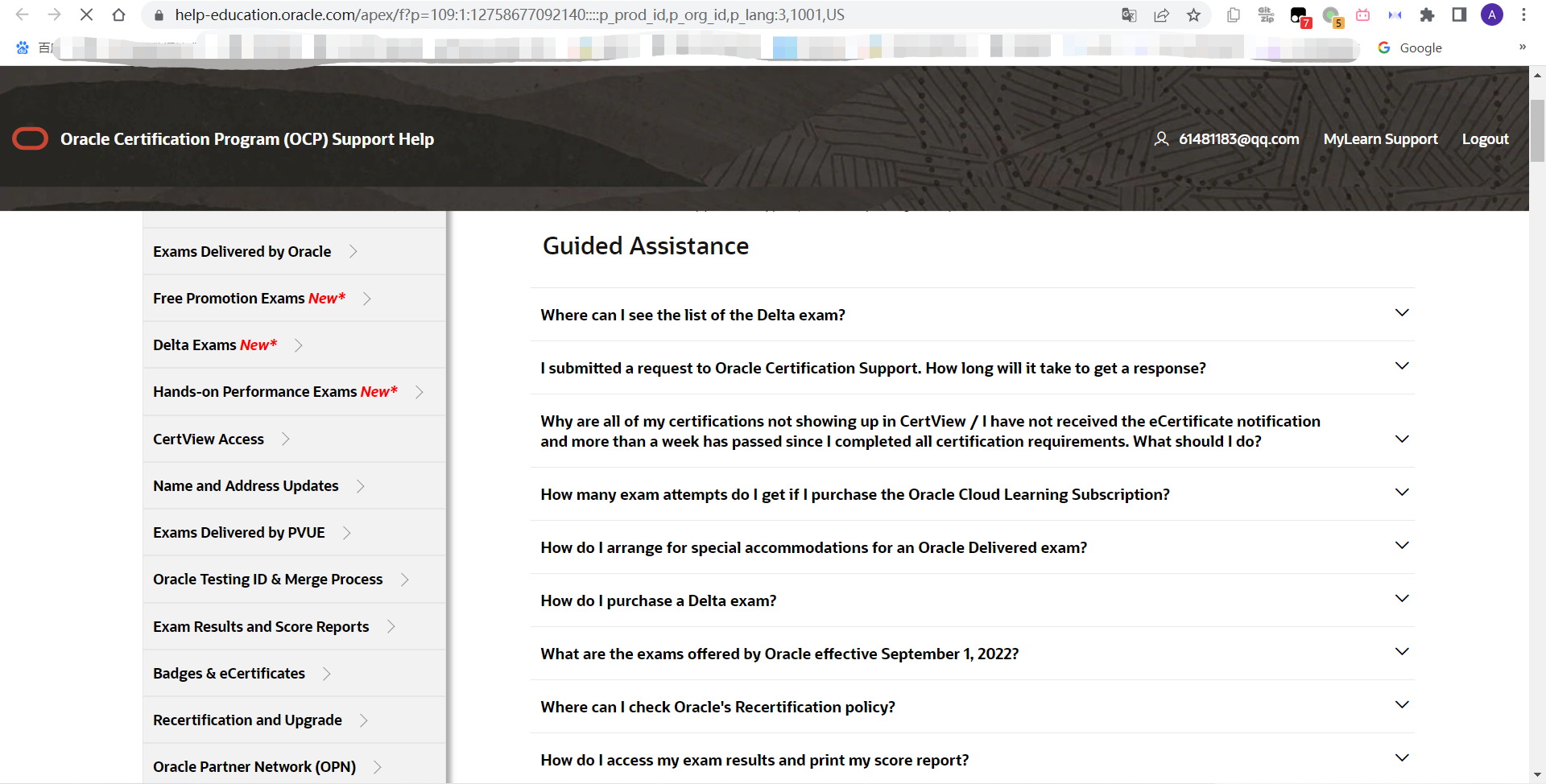
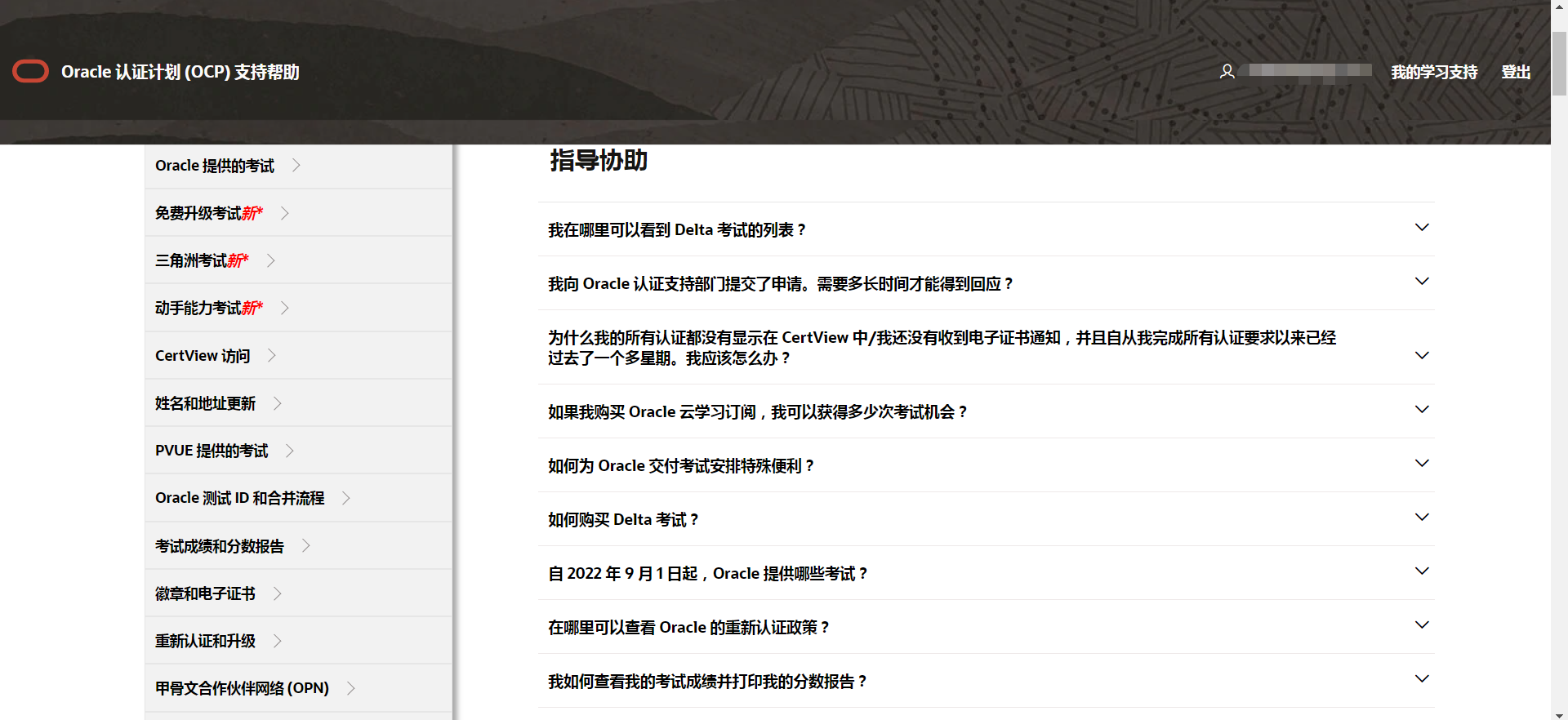
- 选择与你问题最接近的类别,比如选择【Exam Results and Score Reports】(考试成绩和分数报告),点击单个问题旁边的下拉三角,选择“ If issue not resolved【Log Ticket】”,也就是如果没有问题没有解决,创建新提问。
PS: 培训记录提交后,很长时间没有收到贺喜函邮件(没有收到电子证书),就可以选择【Exam Results and Score Reports】的第一个问题,下拉三角,创建新提问。
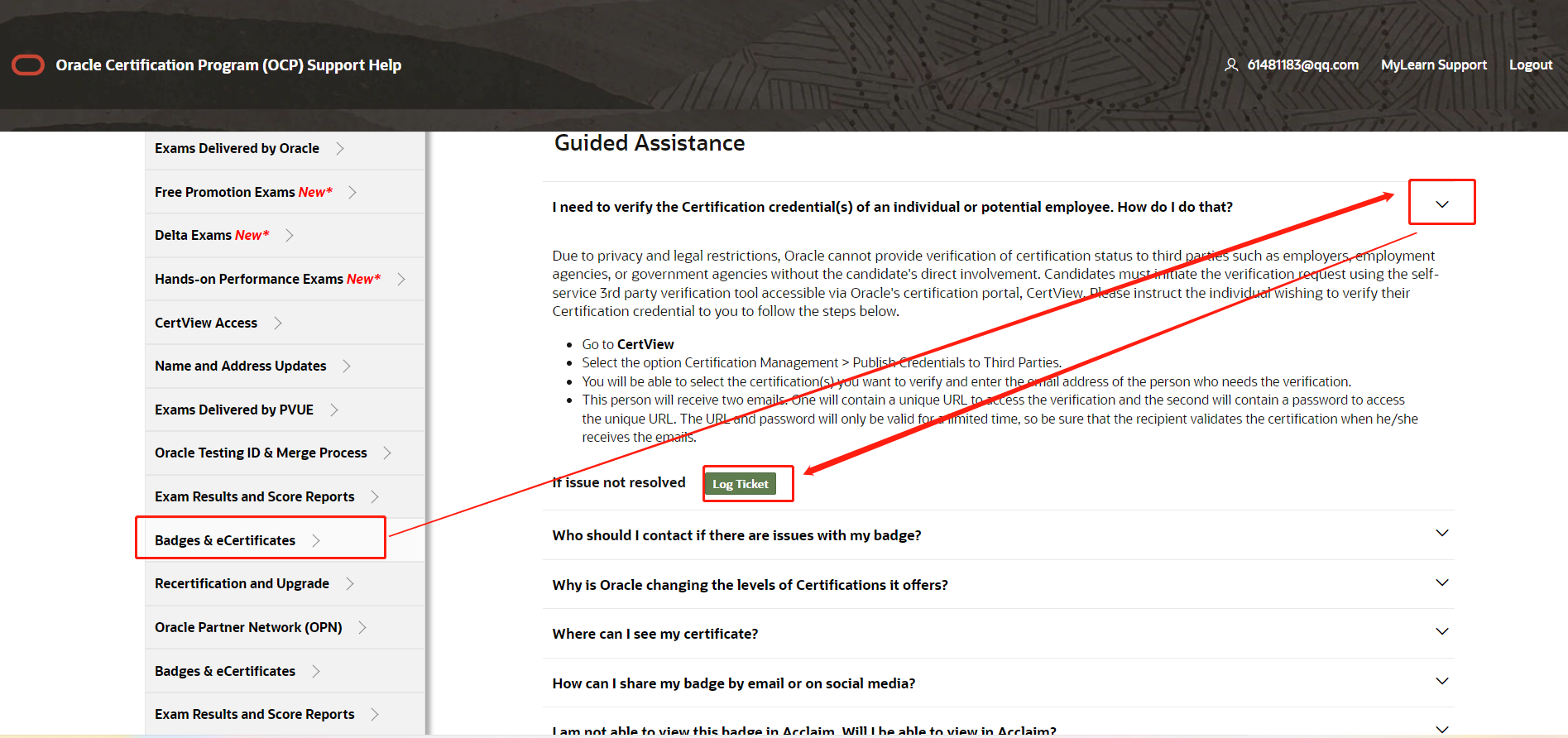
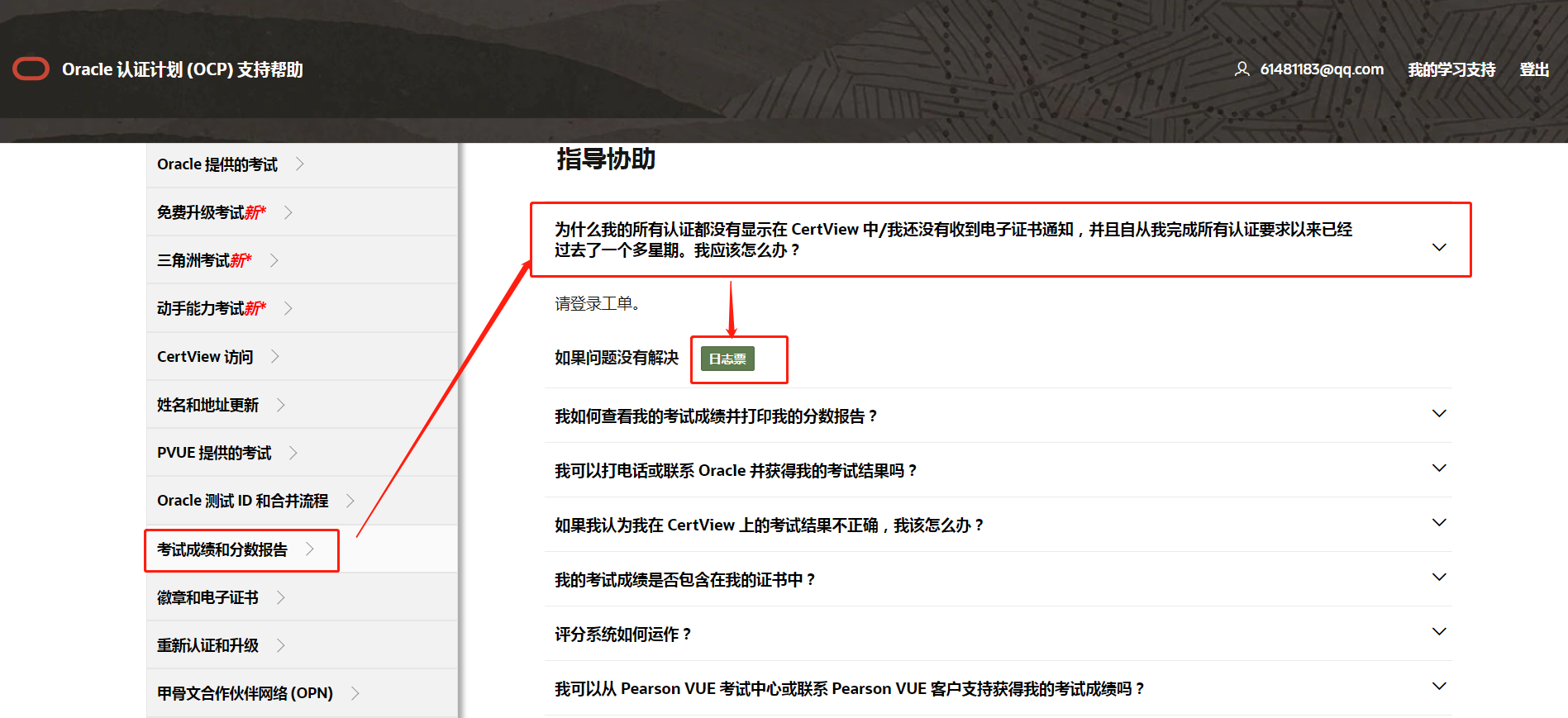
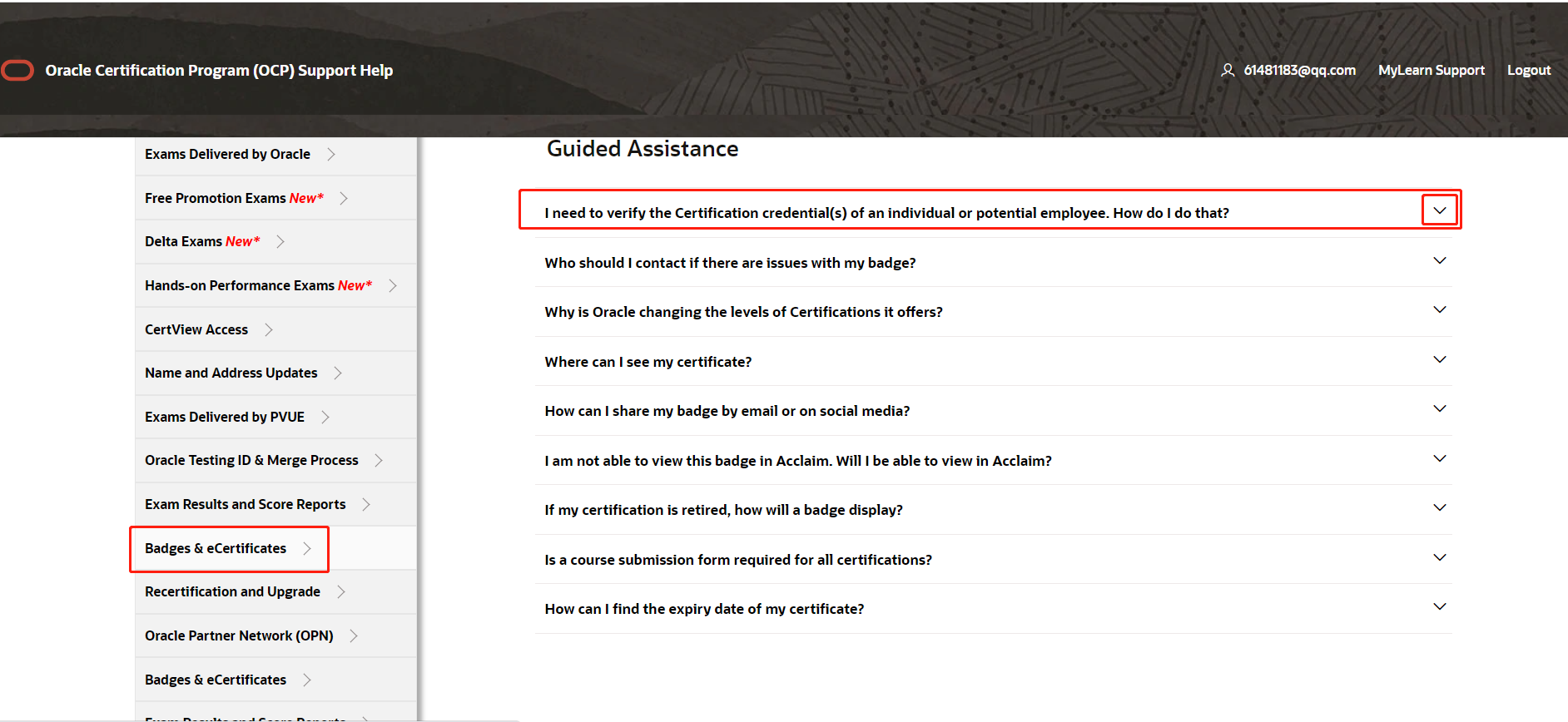
这是另外一个类别的问题,都可以提交SR,但是建议最好提交到相关类别下。
选择【Badges & eCertificates】(徽章和电子证书),点击单个问题旁边的下拉三角,选择“ If issue not resolved【Log Ticket】
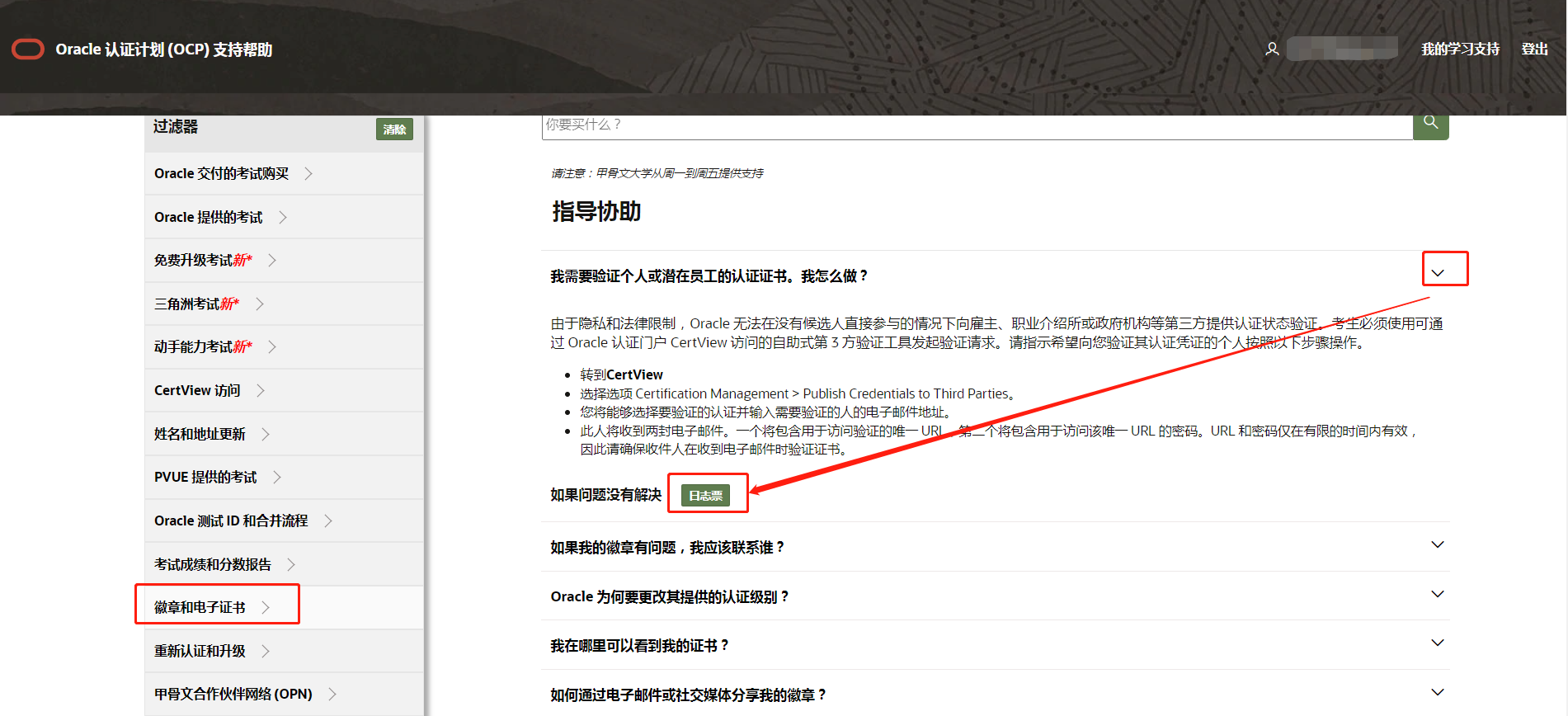
- 填写事件单(新提问内容)。 请填写 Test ID (certview网站https://certview.oracle.com/ 登录右上角有显示) 问题描述建议用英文填写。
(可用翻译软件翻译成英文后黏贴进来。因为是国外Oracle官方工作人员进行审核回复。)
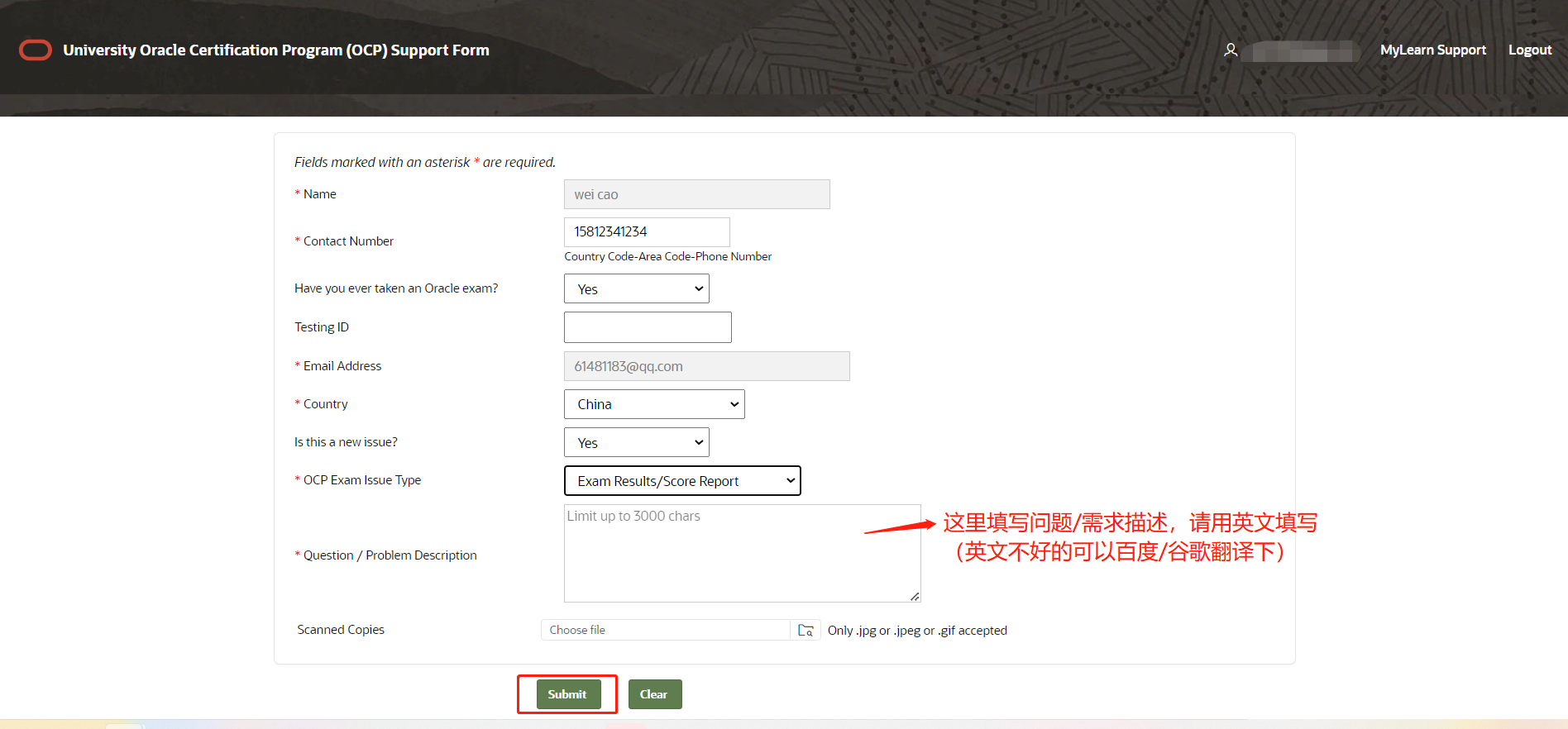
SR问题描述可参考下面。开头说重点诉求,并加上您购买考券的订单号(订单号找考务老师获取)。
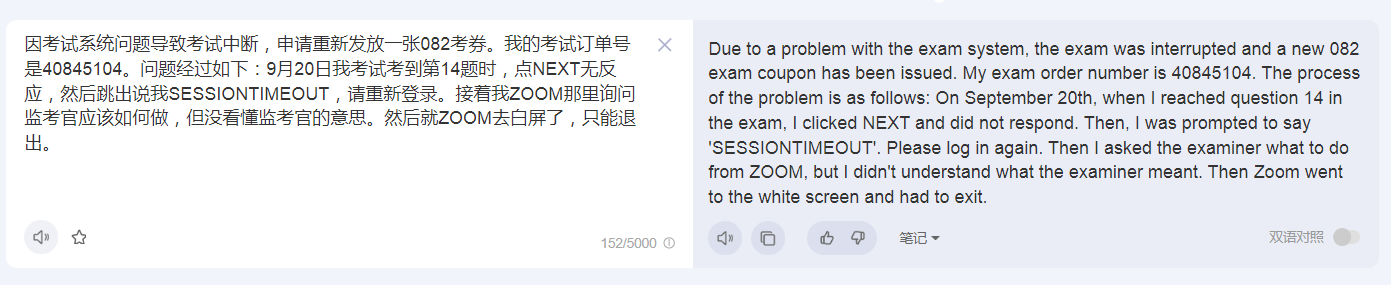
比如SR问题描述最开头加一句:因考试系统问题导致考试中断,申请重新发放一张082考券。我的考试订单号是XXXXXXX。问题经过如下:………………
SR问题描述示例:
Due to a problem with the exam system, the exam was interrupted and a new 082 exam coupon has been issued. My exam order number is 40845104. The process of the problem is as follows: On September 20th, when l reached question 14 in the exam, l clicked NEXT and did not respond. Then, l was prompted to say SESSIONTIMEOUT’. Please log in again. Then l asked the examiner what to do from ZOOM, but l didn’t understand what the examiner meant. Then Zoom went to the white screen and had to exit.
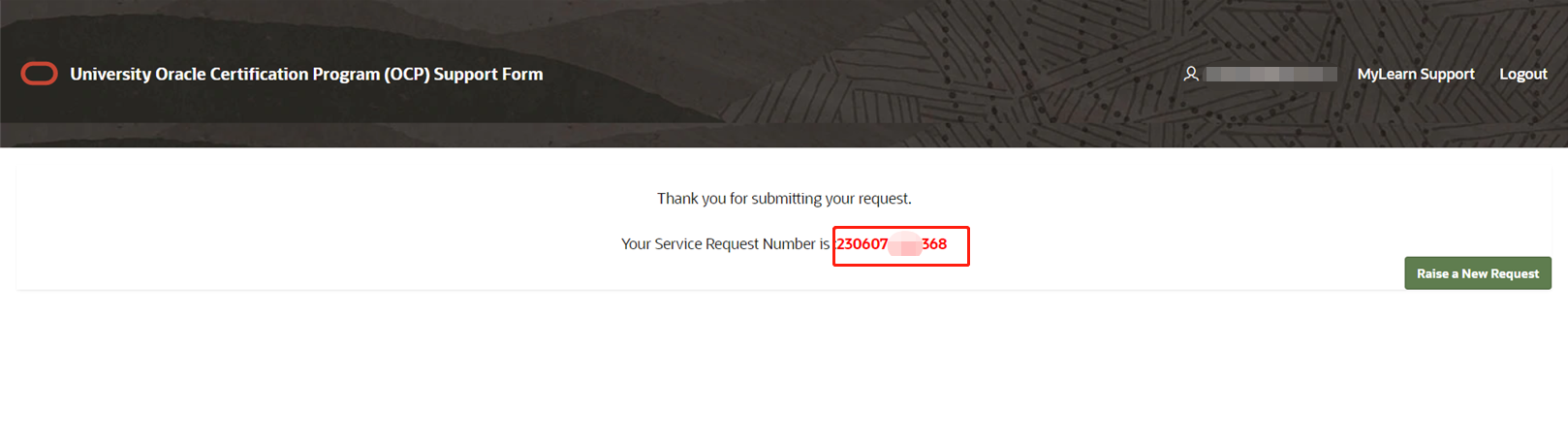
- 提交后,会有一个Your Service Request Number is :230607-XXXXX8。
记住这个SR号(后期如果需要考务老师帮助,可能会需要提供这个号)
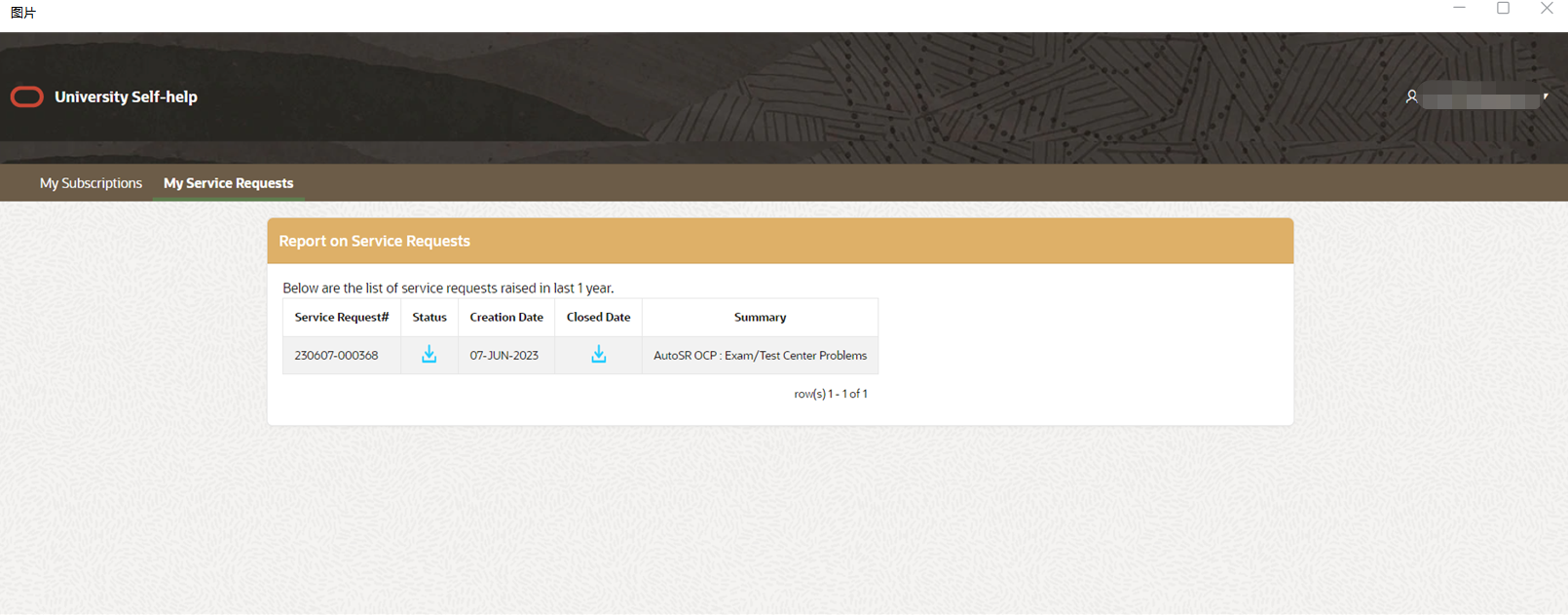
提交完成后,一般1-3个工作日内会有回复(邮件或自己登录这个网站查看【MyLearn Support】),会给出问题解答,或需要您进行下一步操作。
Oracle其它联系方式
除了提交SR外,还有两种联系Oracle官方人员的途径,但是不建议,速度没有提交SR(直接联系到Oracle考试组,Oracle考试组在美国)来的快,Oracle中国客服大概率给的回复也是让您提交SR,因为Oracle考试都是美国的Oracle考试组在负责。
- Oracle中国电子邮箱:OUChina_CN@oracle.com
- Oracle客服电话:手机拨打400 919 9696 转3或4
