



Table of Contents
一. 下载PG
官网地址:
https://www.postgresql.org/
-
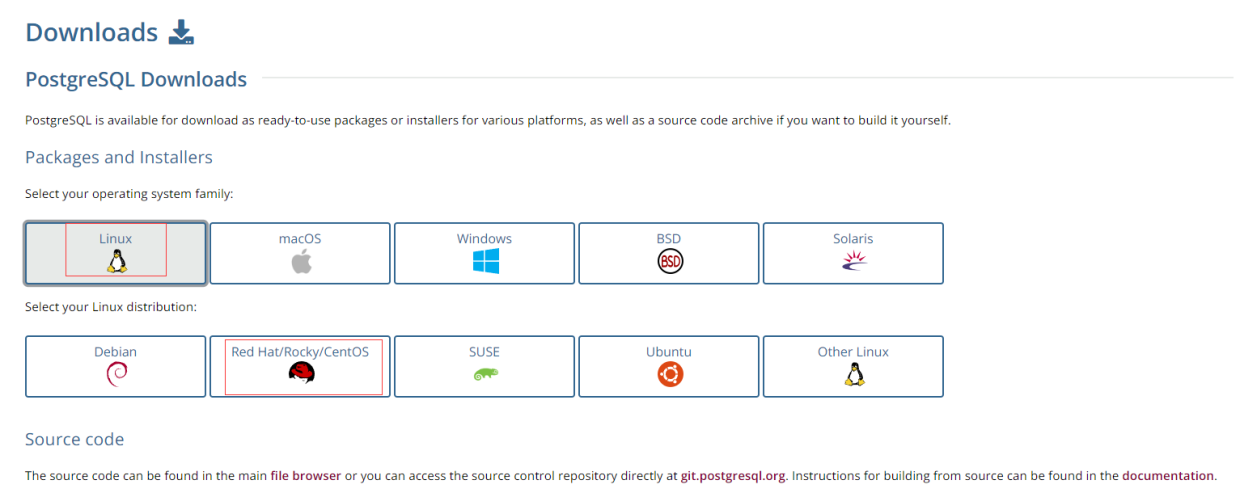
选择Download

-
选择CentOS
-
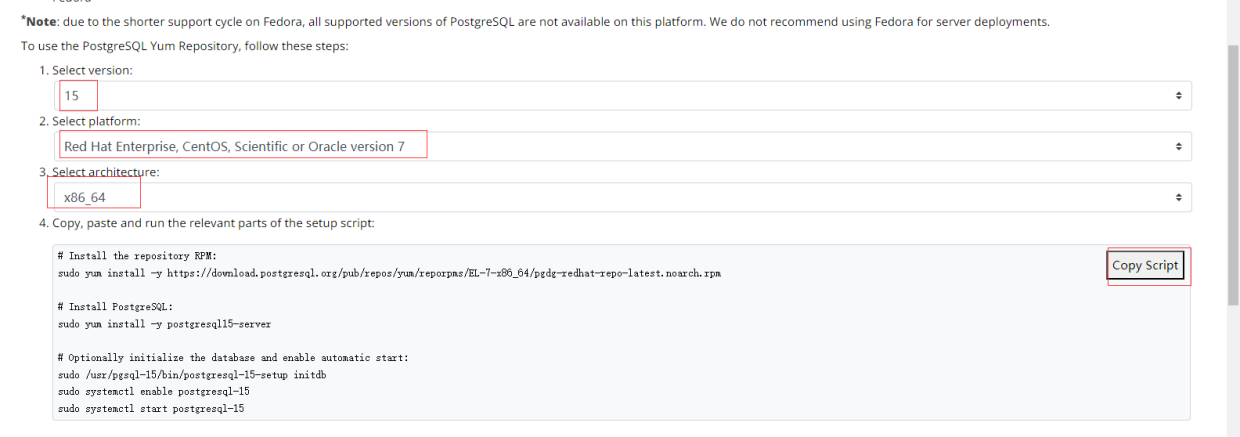
选择对应的版本
二. 开始安装
2.1 安装数据库
官网安装步骤:
sudo yum install -y https://download.postgresql.org/pub/repos/yum/reporpms/EL-7-x86_64/pgdg-redhat-repo-latest.noarch.rpm
sudo yum install -y postgresql15-server
sudo /usr/pgsql-15/bin/postgresql-15-setup initdb
sudo systemctl enable postgresql-15
sudo systemctl start postgresql-15
yum install的时候居然报错了:

下载缺失的包:
# 具体的小版本需要上网页查看
wget https://download-ib01.fedoraproject.org/pub/epel/7/x86_64/Packages/l/libzstd-1.5.5-1.el7.x86_64.rpm
rpm -ivh libzstd-1.5.5-1.el7.x86_64.rpm
重新安装:
sudo yum install -y postgresql15-server
sudo /usr/pgsql-15/bin/postgresql-15-setup initdb
sudo systemctl enable postgresql-15
sudo systemctl start postgresql-15
2.2 初始化数据库
初始化数据库:
/usr/pgsql-15/bin/postgresql-15-setup initdb
2.3 设置开机启动
systemctl enable postgresql-15
systemctl start postgresql-15
2.4 修改密码
安装完PostgreSQL数据库以后,默认会创建一个名为postgres的Linux登录用户名,这里需要进行密码修改
注意: 这里修改的是Linux系统登录的账号密码,不是PostgreSQL数据库的密码,后面会修改PostgreSQL数据库的密码。
使用下面的命令修改postgres用户的登录密码:
passwd postgres
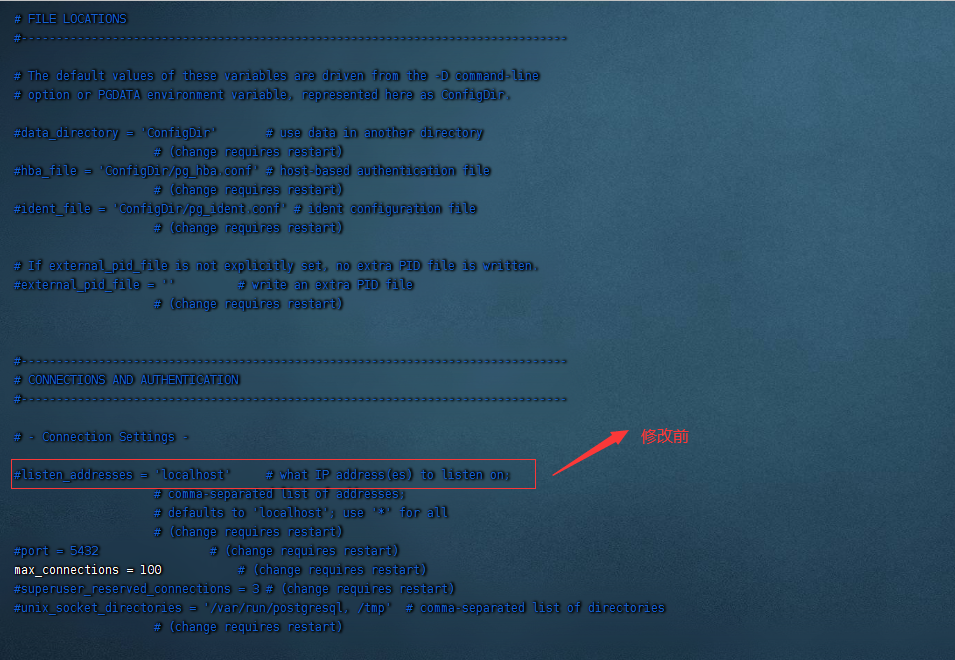
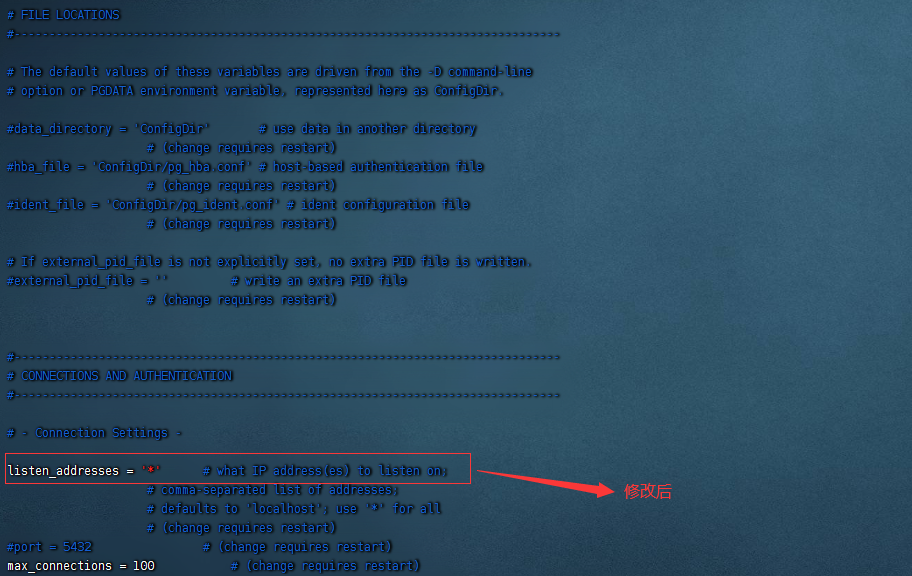
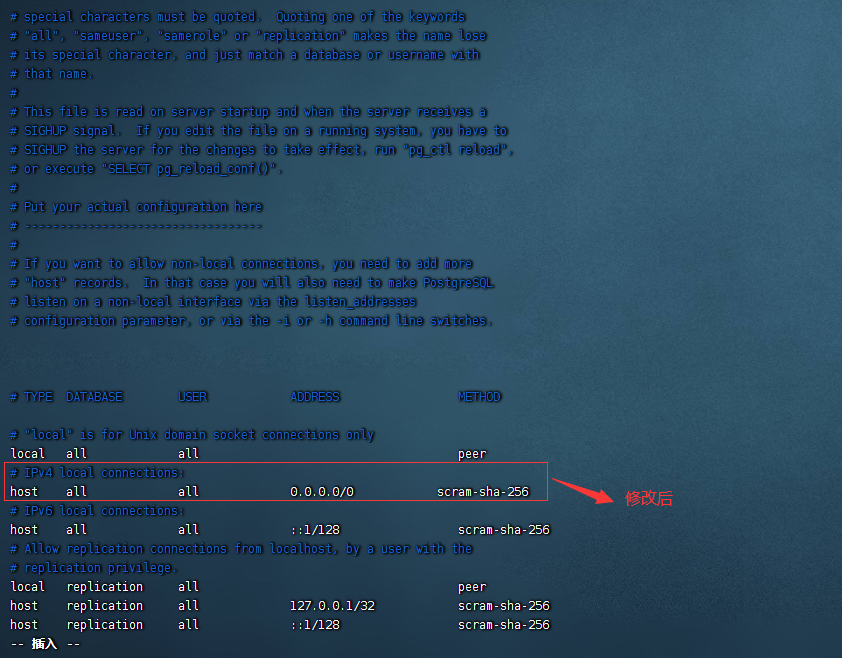
2.5 设置允许远程连接
yum install vim
cd  /var/lib/pgsql/15/data
vim postgresql.conf
vim pg_hba.conf
这里对IPv4内容进行修改,修改前文件内容:

2.6 重启数据库服务
systemctl restart postgresql-15
2.7 修改数据库密码
用postgres账号登录Centos,并修改数据库用户密码(或者直接su postgres切换过去)
su - postgres
然后修改数据库密码
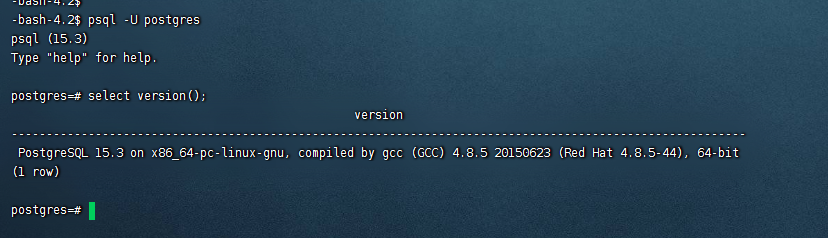
psql -U postgres
 \password
查看PostgreSQL版本信息
select version();
三. 验证
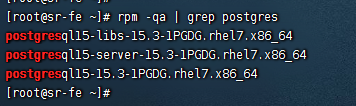
验证是否安装postgresql:
rpm -qa | grep postgres
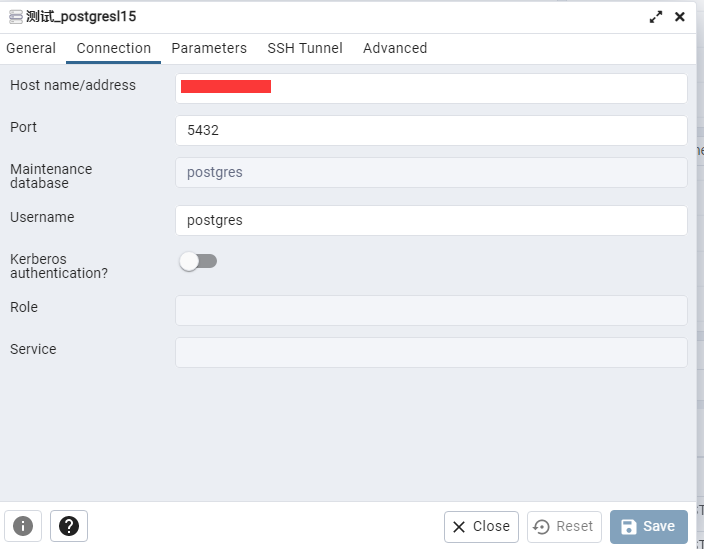
通过pgadmin登陆postgresql:
参考:
- https://www.modb.pro/db/406033
「喜欢这篇文章,您的关注和赞赏是给作者最好的鼓励」
关注作者
【版权声明】本文为墨天轮用户原创内容,转载时必须标注文章的来源(墨天轮),文章链接,文章作者等基本信息,否则作者和墨天轮有权追究责任。如果您发现墨天轮中有涉嫌抄袭或者侵权的内容,欢迎发送邮件至:contact@modb.pro进行举报,并提供相关证据,一经查实,墨天轮将立刻删除相关内容。
