



系统版本:centos7.9
openGauss版本:3.1.1
1、安装前准备
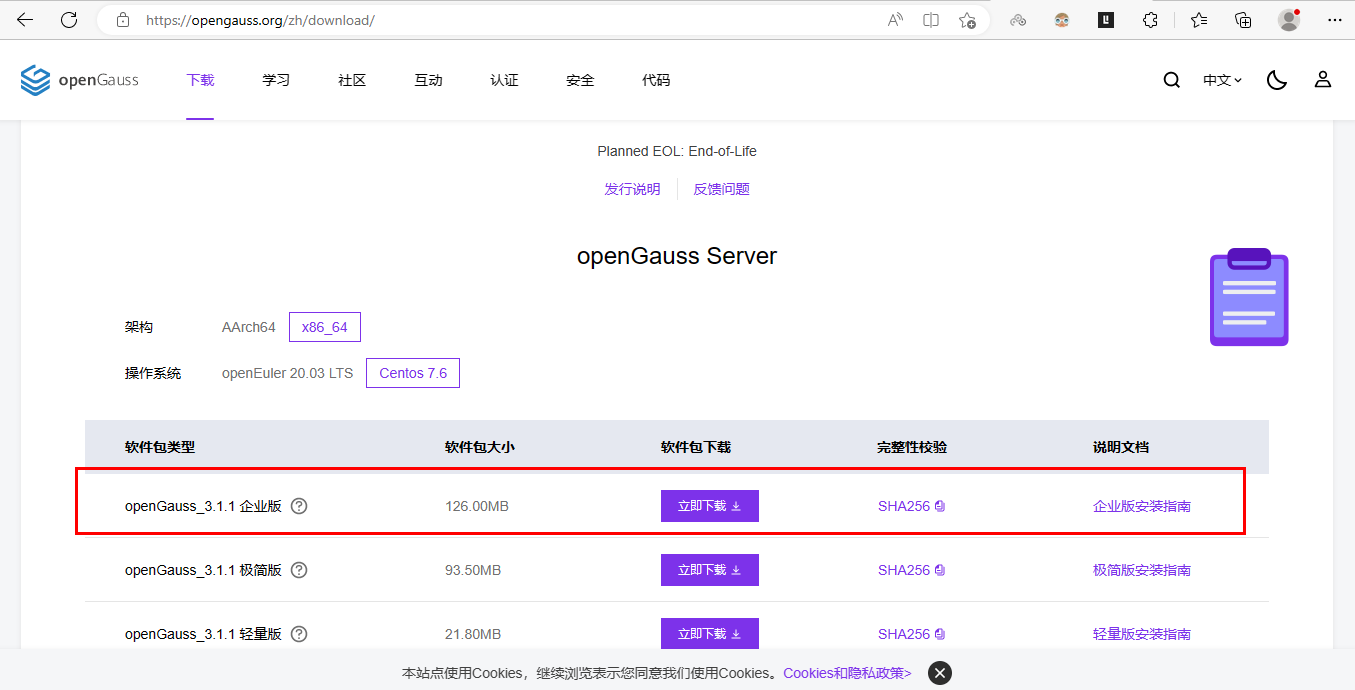
官网下载软件包
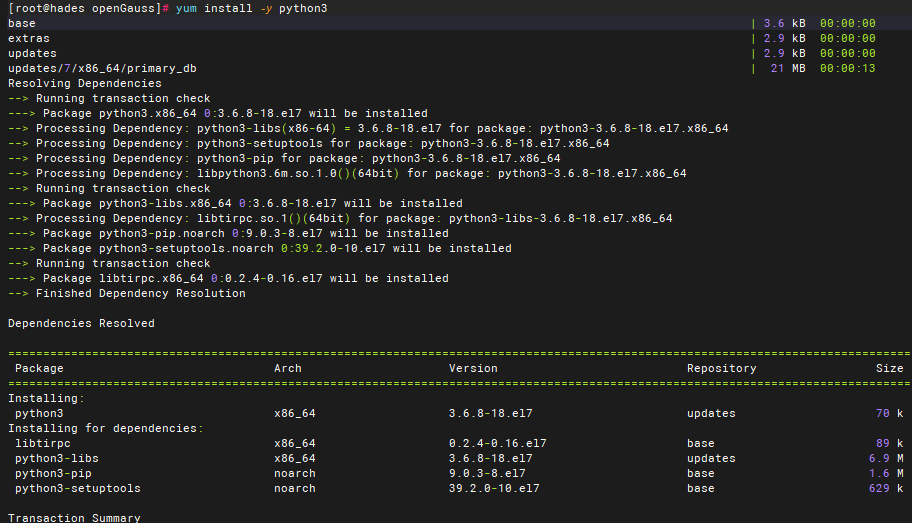
安装python3
yum install -y python3

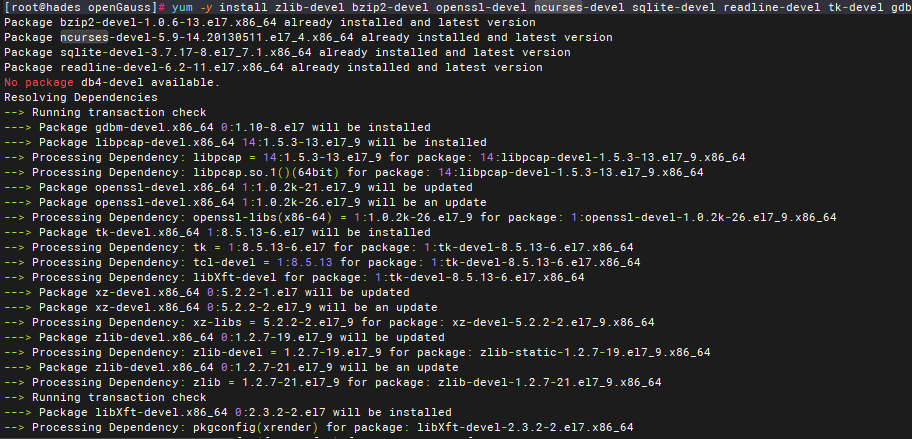
安装相关依赖包
yum -y install zlib-devel bzip2-devel openssl-devel ncurses-devel sqlite-devel readline-devel tk-devel gdbm-devel db4-devel libpcap-devel xz-devel
2、安装openGauss
创建安装目录
mkdir -p /home/software/openGauss
chmod -R 755 /home/software/
上传安装包到目录下并解压
[root@hades openGauss]# ll
…
-r--------. 1 root root 131677914 May 8 17:18 openGauss-3.1.1-CentOS-64bit-all.tar.gz
-r--------. 1 root root 105 Jan 6 09:52 openGauss-3.1.1-CentOS-64bit-cm.sha256
-r--------. 1 root root 22301121 Jan 6 09:52 openGauss-3.1.1-CentOS-64bit-cm.tar.gz
-r--------. 1 root root 65 Jan 6 09:49 openGauss-3.1.1-CentOS-64bit-om.sha256
-r--------. 1 root root 11950059 Jan 6 09:49 openGauss-3.1.1-CentOS-64bit-om.tar.gz
-r--------. 1 root root 65 Jan 6 09:52 openGauss-3.1.1-CentOS-64bit.sha256
-r--------. 1 root root 98058402 Jan 6 09:52 openGauss-3.1.1-CentOS-64bit.tar.bz2
-r--------. 1 root root 132788282 May 9 14:42 openGauss-Package-bak_70980198.tar.gz
-r--------. 1 root root 65 Jan 6 09:46 upgrade_sql.sha256
-r--------. 1 root root 475737 Jan 6 09:46 upgrade_sql.tar.gz
解压om.tar.gz文件
[root@hades openGauss]# ll
total 387988
drwxr-xr-x. 15 root root 4096 May 9 14:31 lib
drwxr-xr-x. 9 root root 118 May 9 14:46 libcgroup
-r--------. 1 root root 131677914 May 8 17:18 openGauss-3.1.1-CentOS-64bit-all.tar.gz
-r--------. 1 root root 105 Jan 6 09:52 openGauss-3.1.1-CentOS-64bit-cm.sha256
-r--------. 1 root root 22301121 Jan 6 09:52 openGauss-3.1.1-CentOS-64bit-cm.tar.gz
-r--------. 1 root root 65 Jan 6 09:49 openGauss-3.1.1-CentOS-64bit-om.sha256
-r--------. 1 root root 11950059 Jan 6 09:49 openGauss-3.1.1-CentOS-64bit-om.tar.gz
-r--------. 1 root root 65 Jan 6 09:52 openGauss-3.1.1-CentOS-64bit.sha256
-r--------. 1 root root 98058402 Jan 6 09:52 openGauss-3.1.1-CentOS-64bit.tar.bz2
-r--------. 1 root root 132788282 May 9 14:42 openGauss-Package-bak_70980198.tar.gz
drwx------. 10 root root 4096 May 9 14:42 script
-r--------. 1 root root 65 Jan 6 09:46 upgrade_sql.sha256
-r--------. 1 root root 475737 Jan 6 09:46 upgrade_sql.tar.gz
-r--------. 1 root root 32 Jan 6 09:46 version.cfg
关闭防火墙和selinux
systemctl status firewalld //若状态为running需关闭
systemctl disable firewalld.service
systemctl stop firewalld.service
cat /etc/selinux/config | grep SELINUX //若SELINUX的值不是disabled需修改

去掉#或添加一条,且RemoveIPC的值修改为no

重新加载参数
systemctl daemon-reload
systemctl restart systemd-logind
设置远程用户登录
vi /etc/ssh/sshd_config
…
# no default banner path
#Banner none //注释
# Accept locale-related environment variables
AcceptEnv LANG LC_CTYPE LC_NUMERIC LC_TIME LC_COLLATE LC_MONETARY LC_MESSAGES
AcceptEnv LC_PAPER LC_NAME LC_ADDRESS LC_TELEPHONE LC_MEASUREMENT
AcceptEnv LC_IDENTIFICATION LC_ALL LANGUAGE
AcceptEnv XMODIFIERS
# override default of no subsystems
Subsystem sftp /usr/libexec/openssh/sftp-server
# Example of overriding settings on a per-user basis
#Match User anoncvs
# X11Forwarding no
# AllowTcpForwarding no
# PermitTTY no
# ForceCommand cvs server
PermitRootLogin yes //设置为yes,表示允许远程登录
KexAlgorithms curve25519-sha256@libssh.org,ecdh-sha2-nistp256,ecdh-sha2-nistp384,ecdh-sha2-nistp521,diffie-hellman-group-exchange-sha256,diffie-hellman-group14-sha1,diffie-hellman-group-exchange-sha1,diffie-hellman-group1-sha1
MaxStartups 1000
ClientAliveInterval 0
:wq! //保存
重启sshd服务
systemctl restart sshd.service
配置cluster\_config.xml文件
vi cluster_config.xml
<?xml version="1.0" encoding="UTF-8"?>
<ROOT>
<!-- openGauss整体信息 -->
<CLUSTER>
<PARAM name="clusterName" value="opengSingle" />
<PARAM name="nodeNames" value="hades" />
<PARAM name="gaussdbAppPath" value="/opt/huawei/install/app" />
<PARAM name="gaussdbLogPath" value="/var/log/omm" />
<PARAM name="tmpMppdbPath" value="/opt/huawei/tmp" />
<PARAM name="gaussdbToolPath" value="/opt/huawei/install/om" />
<PARAM name="corePath" value="/opt/huawei/corefile" />
<PARAM name="backIp1s" value="192.168.101.x"/>
</CLUSTER>
<!-- 每台服务器上的节点部署信息 -->
<DEVICELIST>
<!-- node1上的节点部署信息 -->
<DEVICE sn="hades">
<PARAM name="name" value="hades"/>
<PARAM name="azName" value="AZ1"/>
<PARAM name="azPriority" value="1"/>
<!-- 如果服务器只有一个网卡可用,将backIP1和sshIP1配置成同一个IP -->
<PARAM name="backIp1" value="192.168.101.x"/>
<PARAM name="sshIp1" value="192.168.101.x"/>
<!--dbnode-->
<PARAM name="dataNum" value="1"/>
<PARAM name="dataPortBase" value="15400"/>
<PARAM name="dataNode1" value="/opt/huawei/install/data/dn"/>
<PARAM name="dataNode1_syncNum" value="0"/>
</DEVICE>
</DEVICELIST>
</ROOT>
//修改对应主机名和ip即可
进入解压om.tar.gz文件后得到的script目录下
[root@hades script]# ./gs_preinstall -U omm -G dbgrp -X /home/software/openGauss/cluster_config.xml
Parsing the configuration file.
Successfully parsed the configuration file.
Installing the tools on the local node.
Successfully installed the tools on the local node.
Setting host ip env
Successfully set host ip env.
Are you sure you want to create the user[omm] (yes/no)? yes //创建omm用户,设置密码
Please enter password for cluster user.
Password:
Please enter password for cluster user again.
Password:
Generate cluster user password files successfully.
…
…
Fixing server package owner.
Setting finish flag.
Successfully set finish flag.
Preinstallation succeeded.
切换omm用户下安装openGauss
[root@hades script]# su - omm
Last login: Tue May 9 14:46:43 CST 2023
[omm@hades ~]$ gs_install -X /home/software/openGauss/cluster_config.xmlParsing the configuration file.
Check preinstall on every node.
Successfully checked preinstall on every node.
Creating the backup directory.
Successfully created the backup directory.
begin deploy…
Installing the cluster.
begin prepare Install Cluster…
Checking the installation environment on all nodes.
begin install Cluster…
Installing applications on all nodes.
Successfully installed APP.
begin init Instance…
encrypt cipher and rand files for database.
Please enter password for database: //设置数据库密码,不得少于8位且大小写字母加数字
Please repeat for database:
…
…
The cluster status is Normal.
Successfully started cluster.
Successfully installed application.
end deploy…
3、安装完成
检查状态
gs_om -t status --detail
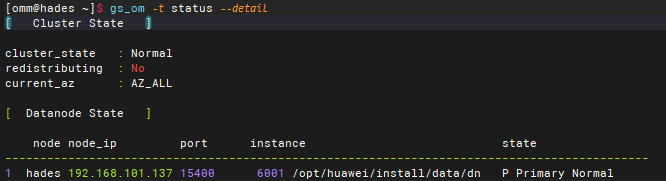
正常
测试连接
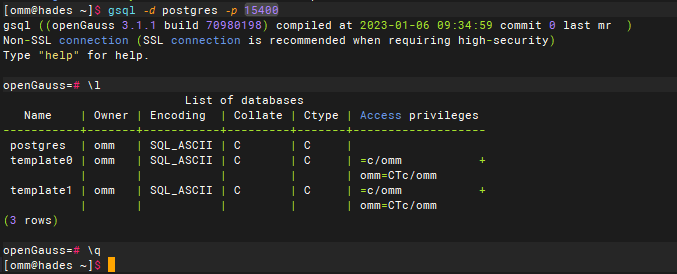
gsql -d postgres -p 15400
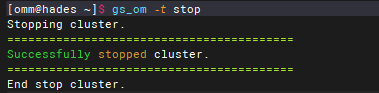
启停命令
gs_om -t stop
gs_om -t start

正常
安装结束!!!
