



由于工作原因,需要用Docker容器搭建一个Oracle 11g企业版的测试环境,由于在Docker Hub上没有现成的Oracle Database 11g企业版镜像,所以就自己现做了,并上传到私有Docker Registry上。后来还写了一篇文章(《3分钟在云上快速搭建Oracle 11g环境》),文章介绍了如何从私有Docker Registry下载11g企业版的镜像,然后在本地部署的详细过程,而如何根据自己的需要,创建自己的Oracle Docker镜像的过程,将在近期发布。
事实上Oracle官方在去年就已经发布了Oracle 产品的Docker镜像,在GitHub上可以找到以下产品的Dockerfile和示例脚本,用户可以根据这些脚本和示例,定制自己的Docker 镜像:
Oracle Coherence
Oracle Database
Oracle HTTP Server
Oracle Java
Oracle Linux
Oracle NoSQL Database
Oracle Tuxedo
Oracle WebLogic
相关链接: github.com/oracle/docker-images
除此之外,Oracle公司还把这些产品的Docker镜像直接发布在Docker Store上,用户可以免费下载镜像,用于开发、测试的目的,不能用于生产环境!
相关链接:https://store.docker.com/search?q=Oracle&source=verified&type=image
本文将演示,如何从Docker Store上,下载Oracle Database 12c企业版的Docker镜像到Oracle云,在Oracle云上运行12c企业版容器。
通过以下链接,进入Docker Store的下载页面:
https://store.docker.com/images/oracle-database-enterprise-edition
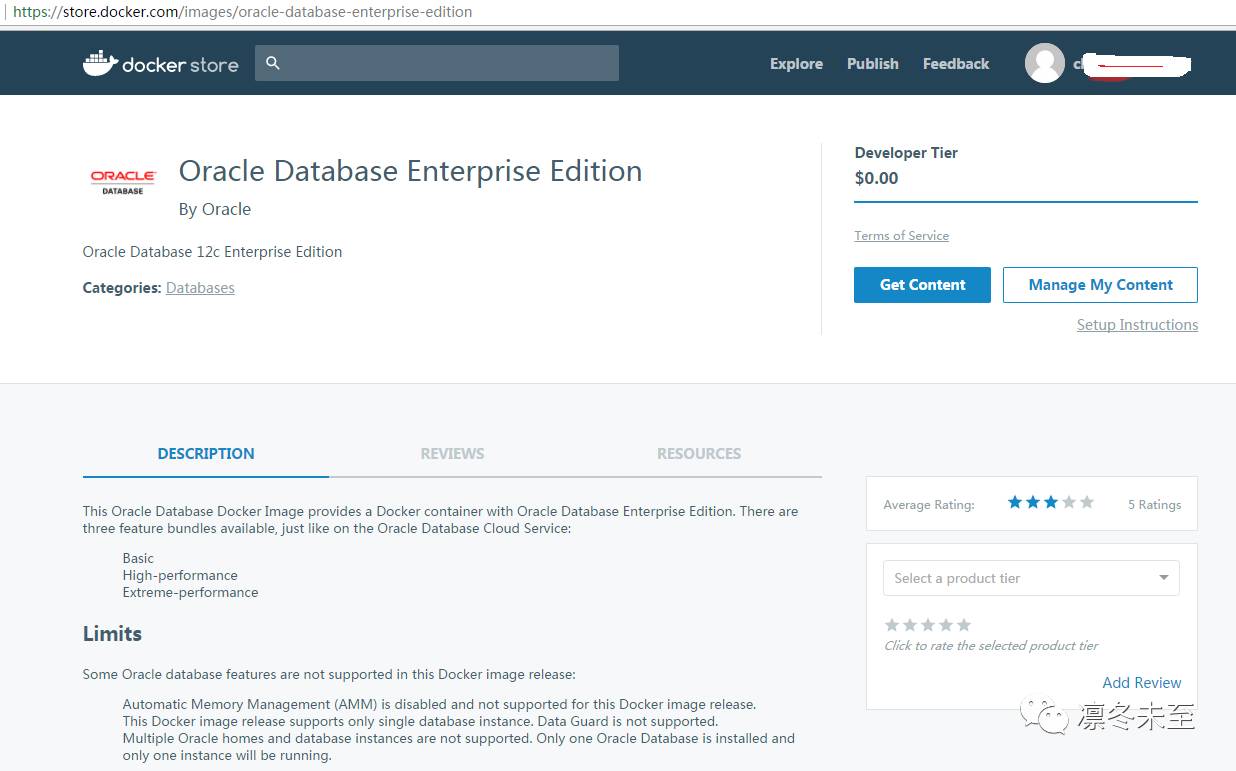
注:需要在Docker Store上注册账号并登录,才能下载镜像。
从上面的页面中可以看到,该镜像提供三种功能包,与Oracle的数据库云服务(Database Cloud Service)提供的服务类似,包含:
基本版(Basic)
高性能版(High Performance)
极致性能版(Extreme Performance)
注:对Oracle数据库云服务有兴趣的朋友,可以通过以下链接了解详细情况
相关链接:https://cloud.oracle.com/zh_CN/database/pricing
另外,要注意,Oracle数据库的绝大多数功能在Docker容器中都支持,除了以下几个限制:
自动内存管理(Automatic Memory Management (AMM) )特性在容器中被禁用
本版镜像只支持单实例
不支持Data Guard
另外,本版镜像不支持Docker Volume映射,即无法将容器中的数据存放在持久化的存储上,也就意味着,一旦容器被删除,容器中的所有数据都将丢失,如果需要将数据文件持久化存放,就不要使用这个镜像,用户只能通过自己定制镜像来满足这个需求。
资源需求:
运行容器需要25GB的磁盘空间和4GB的内存,如想获得更好的使用体验,建议分配8GB以上内存。
关于Oracle官方镜像的相关信息就介绍到这里,现在就开始我们的Oracle Database 12c的Docker容器之旅吧。
首先,在Oracle云上创建一个Oracle Linux 7.3的实例(略过创建过程,具体流程参见本公众号的其他文章《在Oracle云上创建Oracle Linux实例》),然后在Oracle Linux 7.3的实例中安装和配置Docker Engine(略过创建过程,具体流程参见本公众号的其他文章《在Oracle云上安装和配置Docker Engine(OL7)》)。
系统环境信息:
[root@ea9189 opc]# uname -a
Linux ea9189 4.1.12-94.2.1.el7uek.x86_64 #2 SMP Wed Apr 26 15:32:38 PDT 2017 x86_64 x86_64 x86_64 GNU/Linux
[root@ea9189 opc]# cat etc/oracle-release
Oracle Linux Server release 7.3
在本机上登录Docker Hub
[root@ea9189 opc]#docker login
Login with your Docker ID to push and pull images from Docker Hub. If you don't have a Docker ID, head over to https://hub.docker.com to create one.
Username (cheneyyu8282):
Password:
Login Succeeded
下载镜像
[root@ea9189 opc]# docker pull store/oracle/database-enterprise:12.1.0.2
Pulling repository docker.io/store/oracle/database-enterprise
Error: image store/oracle/database-enterprise:12.1.0.2 not found
注:出现以上错误信息的原因,是因为我们还没有在Docker Store上订阅这个镜像。虽然用户可以免费使用这个镜像,用于开发测试。但是也需要在Docker Store上订阅,虽然这个过程是免费的。
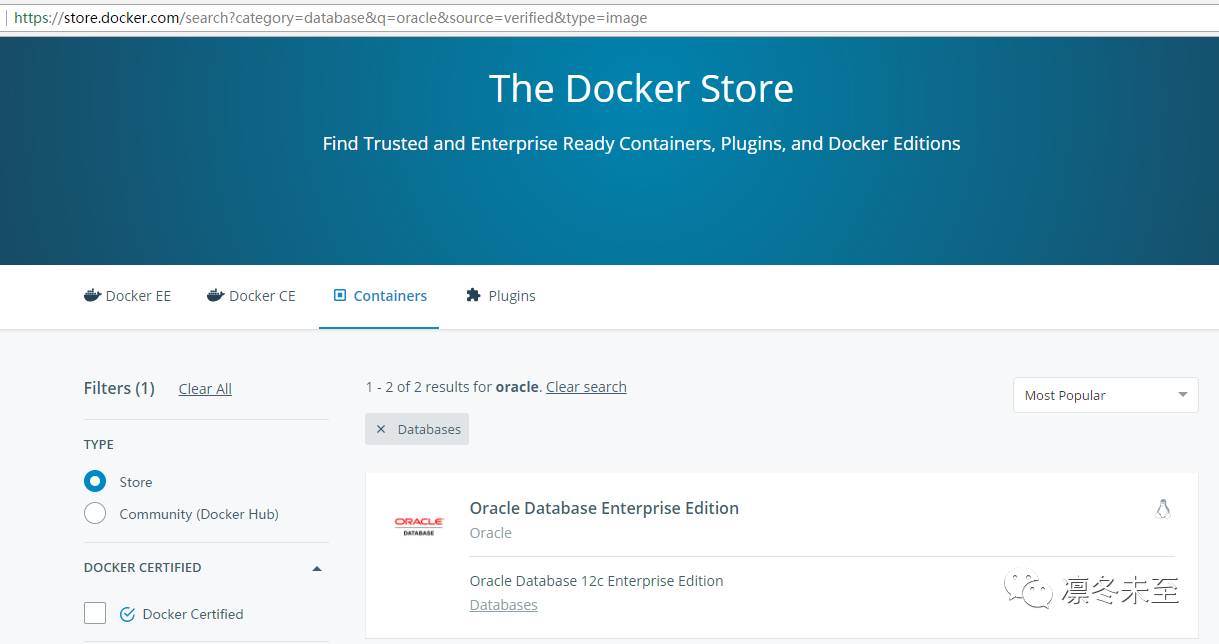
访问Docker Store,Sign in。需要提前注册账号。
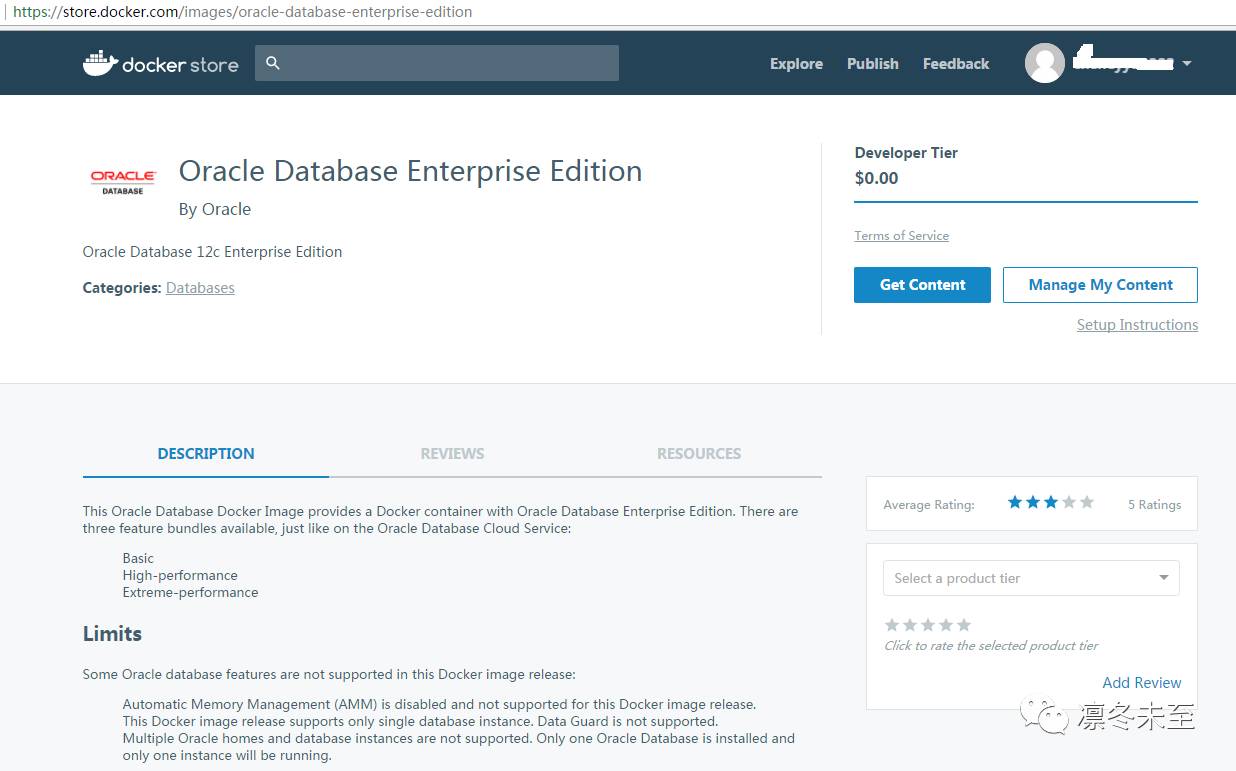
进入Oracle Database 12c 企业版页面,点击“Get Content”订阅镜像。
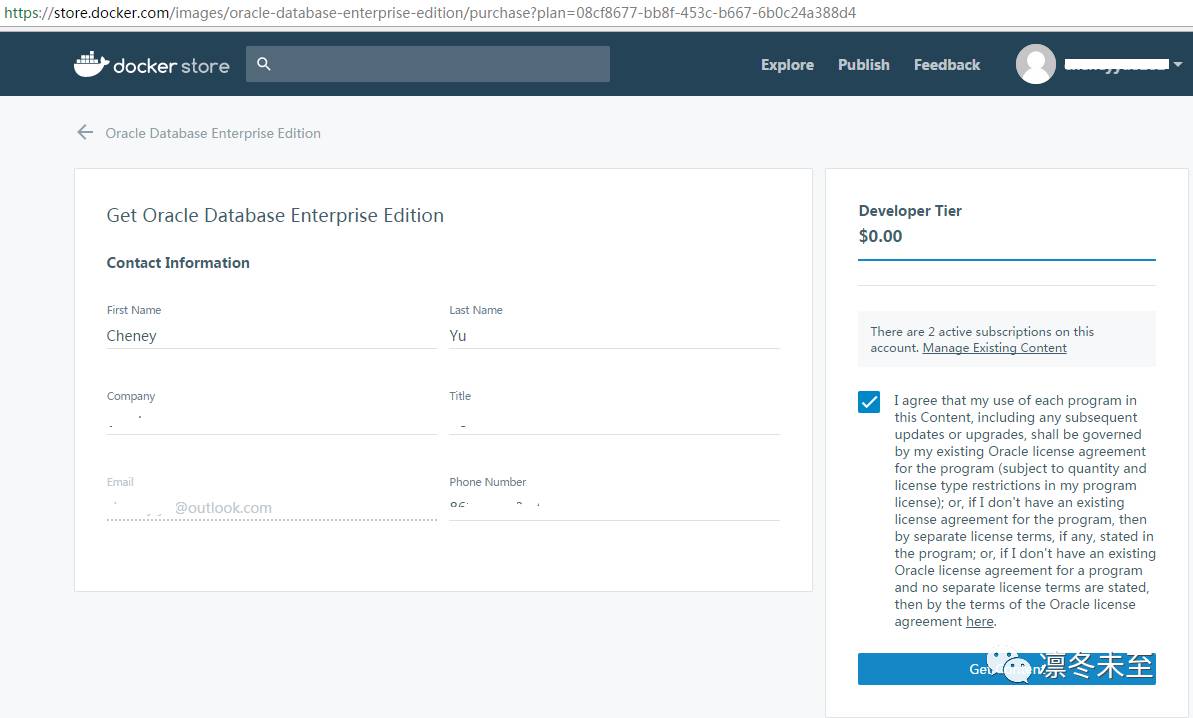
在订阅页面,填写联系人信息,然后勾选同意相关政策条款,点击“Get Content”
通过以上操作,我们的账号就能下载该镜像了,在接下来的页面里,我们可以找到镜像的下载信息,以及该镜像的使用指导信息。
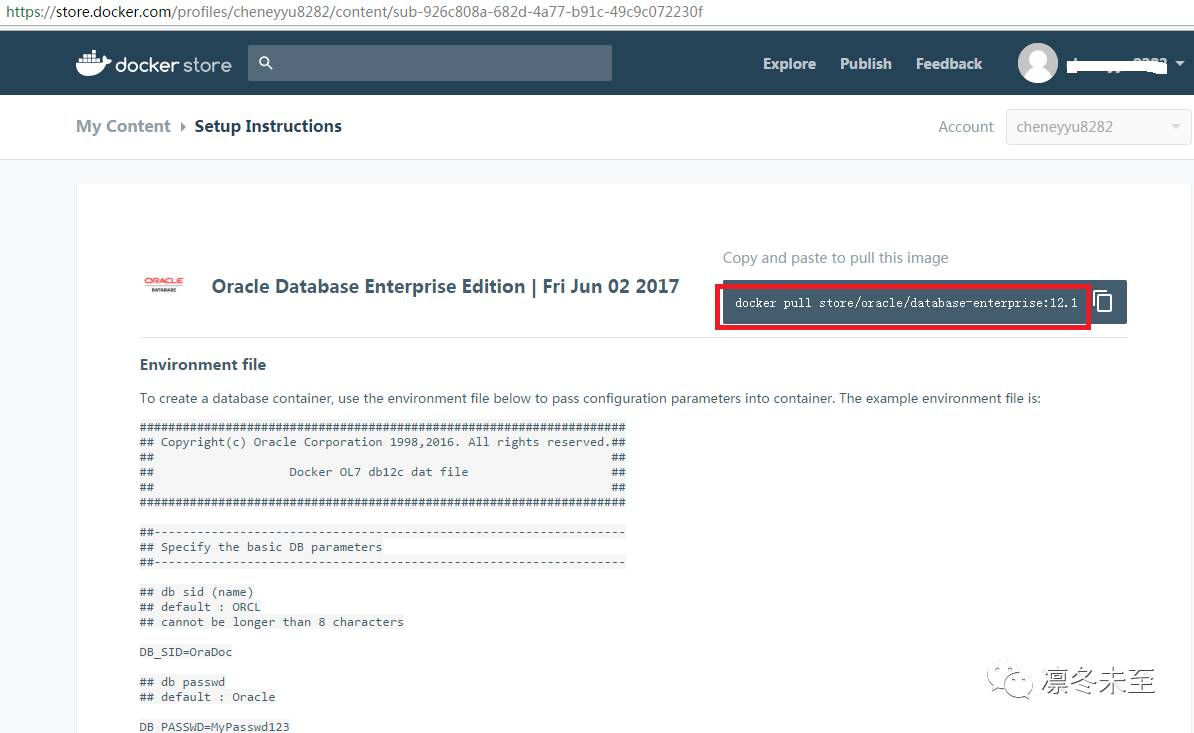
再次尝试下载镜像。
[root@ea9189 opc]# docker pull store/oracle/database-enterprise:12.1.0.2
12.1.0.2: Pulling from store/oracle/database-enterprise
ac7c7887f8c8: Pull complete
81ec3f704f3a: Pull complete
fd46874fc55d: Pull complete
8f5143a7a3c5: Pull complete
0ef133fdc901: Pull complete
Digest: sha256:9eab68c8857582d6aac6757b51a884e4c4f86f93e2f70815dd34004e15ec9b27
Status: Downloaded newer image for store/oracle/database-enterprise:12.1.0.2
通过订阅操作,就能顺利下载镜像。
查看镜像信息,这个镜像大小为5.266G,数据库版本为12.1.0.2
[root@ea9189 opc]# docker images
REPOSITORY TAG IMAGE ID CREATED SIZE
wordpress latest ca96afcfa242 2 weeks ago 405.7 MB
registry 2 9d0c4eabab4d 3 weeks ago 33.17 MB
mysql latest e799c7f9ae9c 3 weeks ago 407.3 MB
store/oracle/database-enterprise 12.1.0.2 235e2a33ea76 5 weeks ago 5.266 GB
129.191.26.216:5000/yc/helloworld latest cd053ab20859 12 months ago 249.1 MB
从前面网页的使用指导信息中,可以了解到,该镜像中已经安装了12C数据库的软件,但是没有建库。在启动容器的过程中,容器将按照用户提供的信息来创建数据库。因此需要按照规定格式,提前编辑一个数据库环境配置文件。
编辑数据库环境配置文件
# vi db_env.dat
####################################################################
## Copyright(c) Oracle Corporation 1998,2016. All rights reserved.##
## ##
## Docker OL7 db12c dat file ##
## ##
####################################################################
##------------------------------------------------------------------
## Specify the basic DB parameters
##------------------------------------------------------------------
## db sid (name)
## default : ORCL
## cannot be longer than 8 characters
DB_SID=ora12
## db passwd
## default : Oracle
DB_PASSWD=Welcome1
## db domain
## default : localdomain
DB_DOMAIN=my.domain.com
## db bundle
## default : basic
## valid : basic high / extreme
## (high and extreme are only available for enterprise edition)
DB_BUNDLE=basic
## end
可以看到,这个数据库环境配置文件需要配置一些数据库的信息,如数据库实例名称、数据库用户密码、数据库域名后缀信息和数据库的功能包类型,注意红色高亮显示的信息。
运行容器
[root@ea9189 opc]# docker run -d --env-file ./db_env.dat -p 1521:1521 -p 5500:5500 -it --name dockerdb --shm-size="8g" store/oracle/database-enterprise:12.1.0.2
19cc1aca27943e172a4f766dc94b3a11801e83aa35e5d171f63a28876dc4e20b
注:相关参数解释如下--env-file ./db_env.dat 指定数据库环境配置文件
-p 1521:1521 将容器的1521端口暴露到宿主机,以便通过该端口访问容器的1521端口
-p 5500:5500 将容器的5500端口暴露到宿主机,以便通过该端口访问容器的5500端口
--shm-size="8g" 指定容器内的共享内存参数设置
查看容器运行情况
[root@ea9189 opc]# docker ps
CONTAINER ID IMAGE COMMAND CREATED STATUS PORTS NAMES
19cc1aca2794 store/oracle/database-enterprise:12.1.0.2 "/bin/sh -c '/bin/bas" 7 seconds ago Up 5 seconds 0.0.0.0:1521->1521/tcp, 0.0.0.0:5500->5500/tcp dockerdb
34888c559566 registry:2 "/entrypoint.sh /etc/" 13 days ago Up 13 days 0.0.0.0:5000->5000/tcp registry
[root@ea9189 opc]#
查看容器运行日志
[root@ea9189 opc]# docker logs 19cc1aca2794
User check : root.
Setup Oracle Database
Oracle Database 12.1.0.2 Setup
Fri Jun 2 04:15:52 UTC 2017
Check parameters ......
log file is : /home/oracle/setup/log/paramChk.log
paramChk.sh is done at 0 sec
untar DB bits ......
log file is : /home/oracle/setup/log/untarDB.log
进入容器,检查数据库状态
[root@ea9189 bin]# docker exec -it 19cc1aca2794 /bin/bash
[root@19cc1aca2794 /]# sudo -s
bash: sudo: command not found
[root@19cc1aca2794 /]# su - oracle
Last login: Fri Jun 2 06:41:58 UTC 2017
[oracle@19cc1aca2794 ~]$ lsnrctl status
LSNRCTL for Linux: Version 12.1.0.2.0 - Production on 02-JUN-2017 06:55:13
Copyright (c) 1991, 2016, Oracle. All rights reserved.
Connecting to (DESCRIPTION=(ADDRESS=(PROTOCOL=TCP)(HOST=0.0.0.0)(PORT=1521)))
STATUS of the LISTENER
------------------------
Alias LISTENER
Version TNSLSNR for Linux: Version 12.1.0.2.0 - Production
Start Date 02-JUN-2017 04:26:36
Uptime 0 days 2 hr. 28 min. 47 sec
Trace Level off
Security ON: Local OS Authentication
SNMP OFF
Listener Log File /u01/app/oracle/diag/tnslsnr/19cc1aca2794/listener/alert/log.xml
Listening Endpoints Summary...
(DESCRIPTION=(ADDRESS=(PROTOCOL=tcp)(HOST=19cc1aca2794)(PORT=1521)))
(DESCRIPTION=(ADDRESS=(PROTOCOL=tcps)(HOST=19cc1aca2794)(PORT=5500))(Security=(my_wallet_directory=/u01/app/oracle/product/12.1.0/dbhome_1/admin/ora12/xdb_wallet))(Presentation=HTTP)(Session=RAW))
Services Summary...
Service "ora12.my.domain.com" has 1 instance(s).
Instance "ora12", status READY, has 1 handler(s) for this service...
Service "ora12XDB.my.domain.com" has 1 instance(s).
Instance "ora12", status READY, has 1 handler(s) for this service...
Service "pdb1.my.domain.com" has 1 instance(s).
Instance "ora12", status READY, has 1 handler(s) for this service...
The command completed successfully
[oracle@19cc1aca2794 ~]$ sqlplus "/as sysdba"
SQL*Plus: Release 12.1.0.2.0 Production on Fri Jun 2 06:55:18 2017
Copyright (c) 1982, 2014, Oracle. All rights reserved.
Connected to:
Oracle Database 12c Enterprise Edition Release 12.1.0.2.0 - 64bit Production
With the Partitioning, Oracle Label Security, OLAP, Advanced Analytics
and Real Application Testing options
我们可以通过登录容器,并运行相关数据库命令来查看数据库的运行情况,以确定容器是否正常启动。
另外,也可以在容器中查看相关日志信息,来检查容器启动过程中,数据库的设置是否正常。
在容器中查看数据库整个配置的日志信息
[root@19cc1aca2794 /]# more /home/oracle/setup/log/setupDB.log
Oracle Database 12.1.0.2 Setup
Fri Jun 2 04:15:52 UTC 2017
Check parameters ......
log file is : /home/oracle/setup/log/paramChk.log
paramChk.sh is done at 0 sec
untar DB bits ......
log file is : /home/oracle/setup/log/untarDB.log
untarDB.sh is done at 211 sec
config DB ......
log file is : /home/oracle/setup/log/configDB.log
configDB.sh is done at 803 sec
Done ! The database is ready for use .
主日志信息表示数据库配置正常。
另外,我们也可以通过查看其他日志信息,来了解本镜像在容器启动过程中,都做了哪些工作。
查看数据库相关参数设置信息:paramChk.log
[root@19cc1aca2794 /]# more /home/oracle/setup/log/paramChk.log
Fri Jun 2 04:15:52 UTC 2017
Parameters Check
Generate new parameter file : /home/oracle/setup/DB_ENV
DB_SID : ora12
DB_PASSWD : ******
DB_DOMAIN : my.domain.com
Set DB_MEMORY to default
DB_MEMORY : 8G
Set DB_PDB to default
DB_PDB : PDB1
查看数据库配置部分日志信息
[root@19cc1aca2794 /]# more /home/oracle/setup/log/configDB.log
Fri Jun 2 04:19:23 UTC 2017
Start Docker DB configuration
Call configDBora.sh to configure as oracle user
DBNEWID: Release 12.1.0.2.0 - Production on Fri Jun 2 04:20:08 2017
Copyright (c) 1982, 2014, Oracle and/or its affiliates. All rights reserved.
Connected to database ORCL (DBID=1454111068)
Connected to server version 12.1.0
Control Files in database:
/u02/app/oracle/oradata/ORCL/control01.ctl
/u03/app/oracle/fast_recovery_area/ORCL/control02.ctl
Change database ID and database name ORCL to ORA12? (Y/[N]) =>
Proceeding with operation
Changing database ID from 1454111068 to 1558498041
Changing database name from ORCL to ORA12
Control File /u02/app/oracle/oradata/ORCL/control01.ctl - modified
Control File /u03/app/oracle/fast_recovery_area/ORCL/control02.ctl - modified
Datafile /u02/app/oracle/oradata/ORCL/system01.db - dbid changed, wrote new name
Datafile /u02/app/oracle/oradata/ORCL/sysaux01.db - dbid changed, wrote new name
Datafile /u02/app/oracle/oradata/ORCL/undotbs01.db - dbid changed, wrote new name
Datafile /u02/app/oracle/oradata/ORCL/pdbseed/system01.db - dbid changed, wrote new name
Datafile /u02/app/oracle/oradata/ORCL/users01.db - dbid changed, wrote new name
Datafile /u02/app/oracle/oradata/ORCL/pdbseed/sysaux01.db - dbid changed, wrote new name
Datafile /u02/app/oracle/oradata/ORCL/temp01.db - dbid changed, wrote new name
Datafile /u02/app/oracle/oradata/ORCL/pdbseed/pdbseed_temp012016-10-27_09-59-51-AM.db - dbid changed, wrote new name
Control File /u02/app/oracle/oradata/ORCL/control01.ctl - dbid changed, wrote new name
Control File /u03/app/oracle/fast_recovery_area/ORCL/control02.ctl - dbid changed, wrote new name
Instance shut down
Database name changed to ORA12.
Modify parameter file and generate a new password file before restarting.
Database ID for database ORA12 changed to 1558498041.
All previous backups and archived redo logs for this database are unusable.
Database is not aware of previous backups and archived logs in Recovery Area.
Database has been shutdown, open database with RESETLOGS option.
Succesfully changed database name and ID.
DBNEWID - Completed succesfully.
Argument(s) Error... Patch not present in the Oracle Home, Rollback cannot proceed
If the patch was applied using -no_inventory option, use -ph option
to specify the patch shiphome location. Use 'opatch rollback -help'
to get more information.
Last login: Fri Jun 2 04:18:59 UTC 2017
Remove password info
Docker DB configuration is complete !
测试连接容器中的12C
登录其他服务器,用SQLcl连接数据库
[opc@f807e9 bin]$ ./sql system/Welcome1@129.191.26.216:1521/pdb1.my.domain.com
SQLcl: Release 4.2.0 Production on Fri Jun 02 02:52:20 2017
Copyright (c) 1982, 2017, Oracle. All rights reserved.
Last Successful login time: Fri Jun 02 2017 02:52:21 -04:00
Connected to:
Oracle Database 12c Enterprise Edition Release 12.1.0.2.0 - 64bit Production
With the Partitioning, OLAP, Advanced Analytics and Real Application Testing options
SQL> select * from v$version;
BANNER CON_ID
-------------------------------------------------------------------------------- ----------
Oracle Database 12c Enterprise Edition Release 12.1.0.2.0 - 64bit Production 0
PL/SQL Release 12.1.0.2.0 - Production 0
CORE 12.1.0.2.0 Production 0
TNS for Linux: Version 12.1.0.2.0 - Production 0
NLSRTL Version 12.1.0.2.0 - Production
后续,我们还将陆续推出其他Oracle产品在Docker容器中的使用情况,敬请期待!
