



继续我们的实验环境准备,这次的任务是让Agent正常工作。
配置Agent 主要步骤如下:
1、配置confidentialApplication
主要的目的是为得到如下的参数,这些参数在启动Agent的时候需要用到,非常关键。
agentIdcsScope, agentClientID, and agentClientSecret:
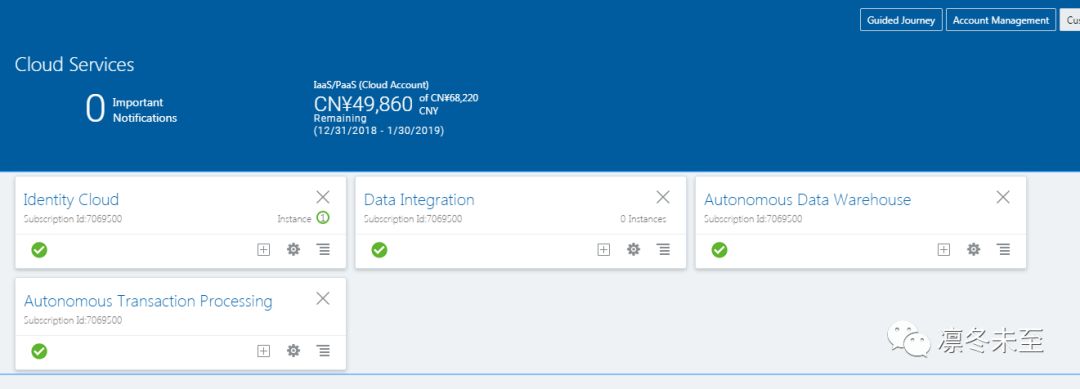
Log in to the IDCS console as the application administrator.
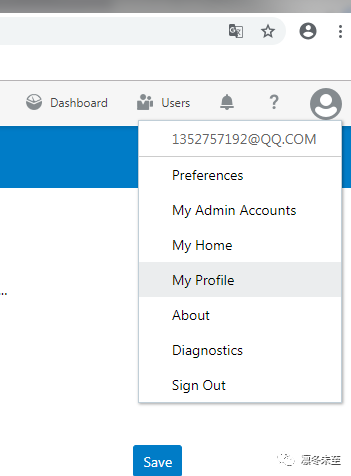
右键点击右侧的人头像,点击下拉菜单里的“My profile”选项。
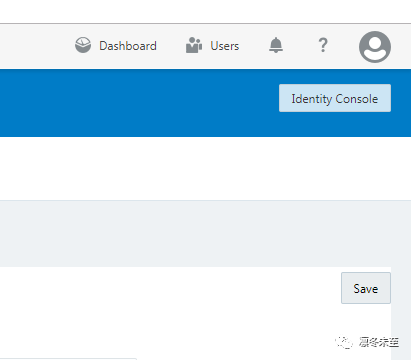
鼠标点击右上角的“IdentityConsole”按钮。
进入identity console主页,
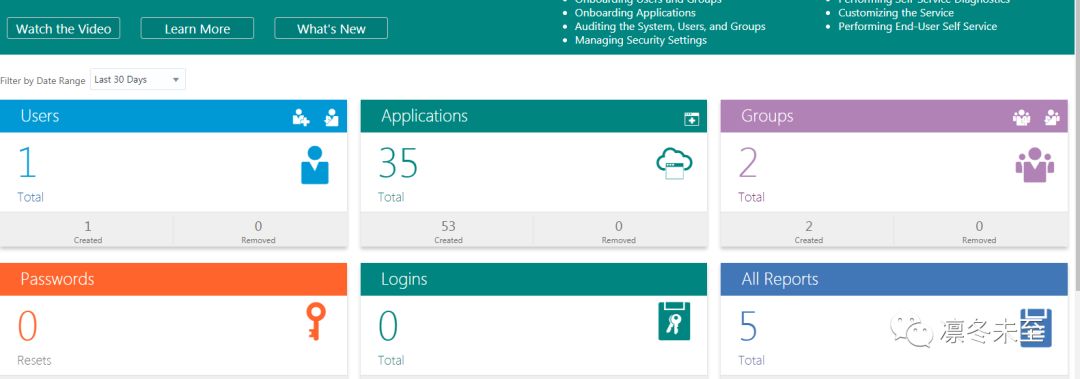
From the navigation menu, select Applications.
Click Add, then select Confidential Application.
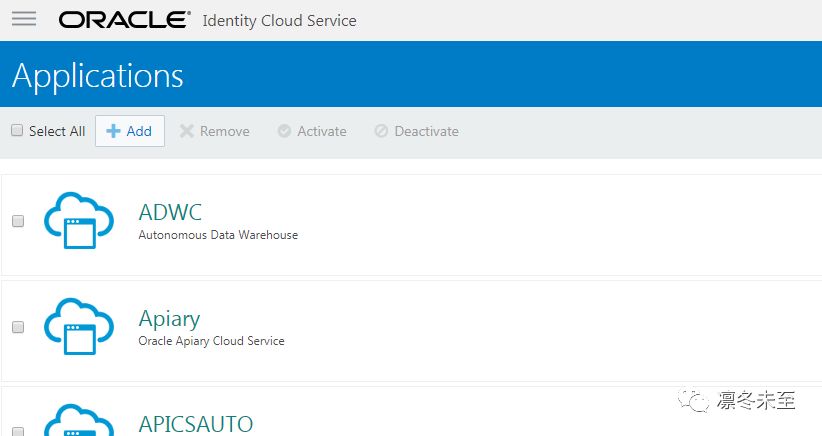
On the Add Confidential Application Details page, enter a Name and Description in the App Details section.
Leave the other fields as is, and then click Next.
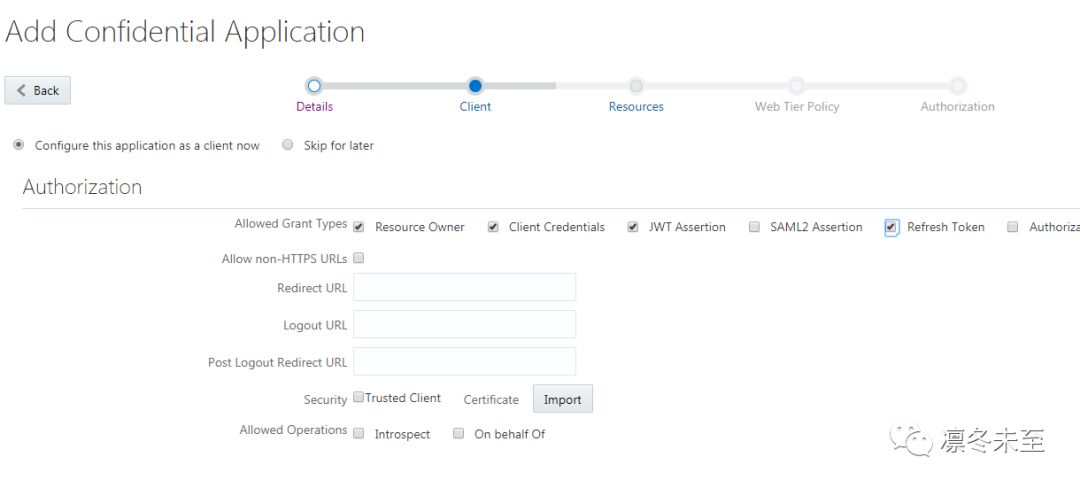
On the Client page, select Configure this application as a client now.
Under the Authorization section, select Resource Owner, Client Credentials, JWT Assertion, and Refresh Tokenfor Allowed Grant Types.
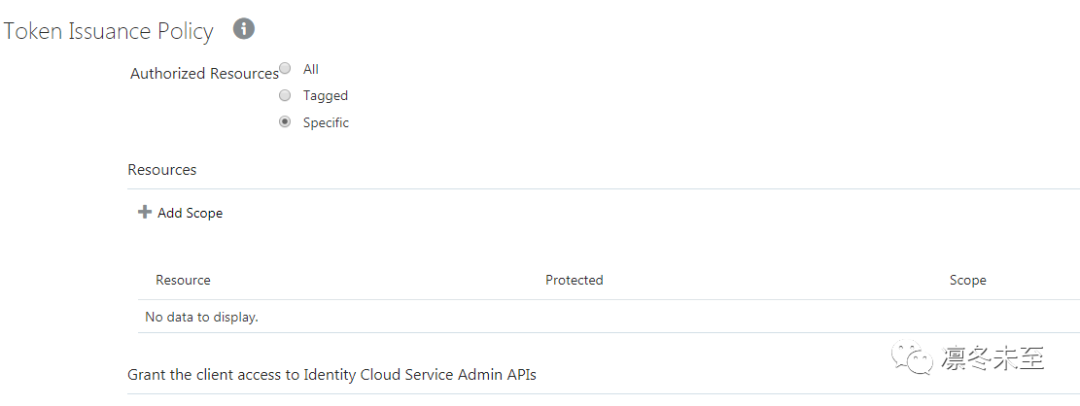
这个页面的“Token Issuance policy”区域的“Resouce”部分, 点击 Add按钮.
In the Add Scope dialog, select the Oracle-managed Data Integration Platform Cloud instance (for example, DIPCINST_ADIPCInstanceName), and then click the corresponding right-arrow button.
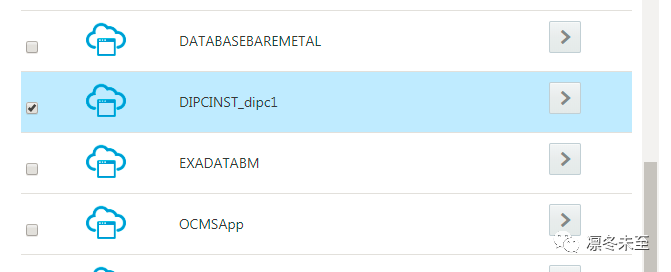
增加这个内容后,回到上个页面,记录下来这个scope信息,这个就是 agentIdcsScope参数的内容,这个在启动agent的时候需要使用。
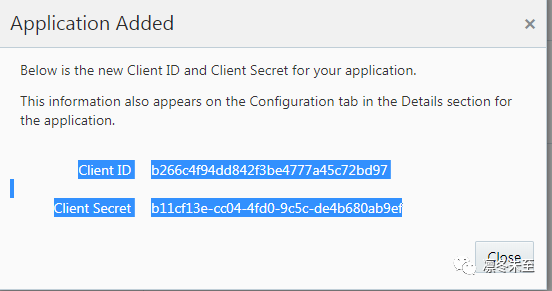
一路回车,完成配置。记录下弹出屏幕中
Client ID
, andClient Secret
的这两个参数的数值,
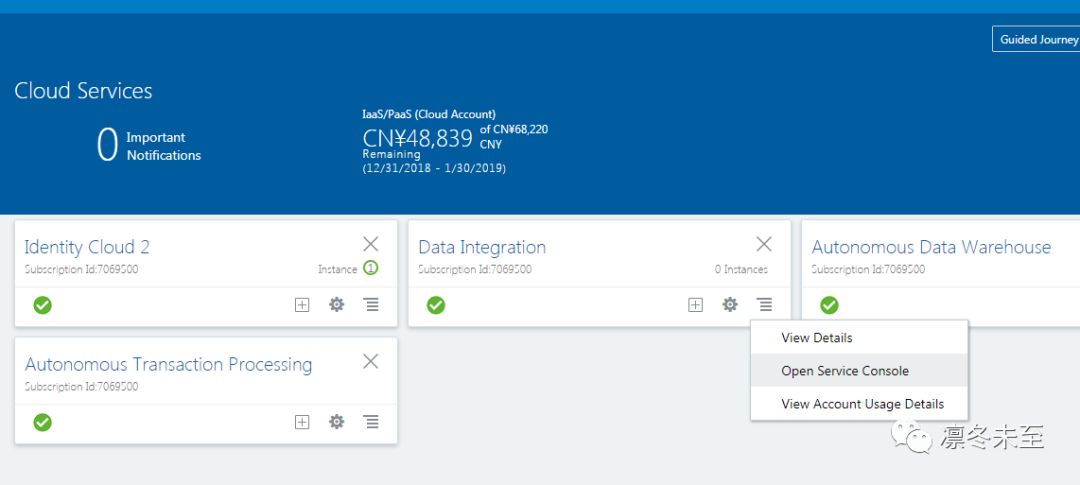
到此我们启动agent需要参数的数值我们都得到了,配置完成。
下载agent
1、进入DIPC的管理页面
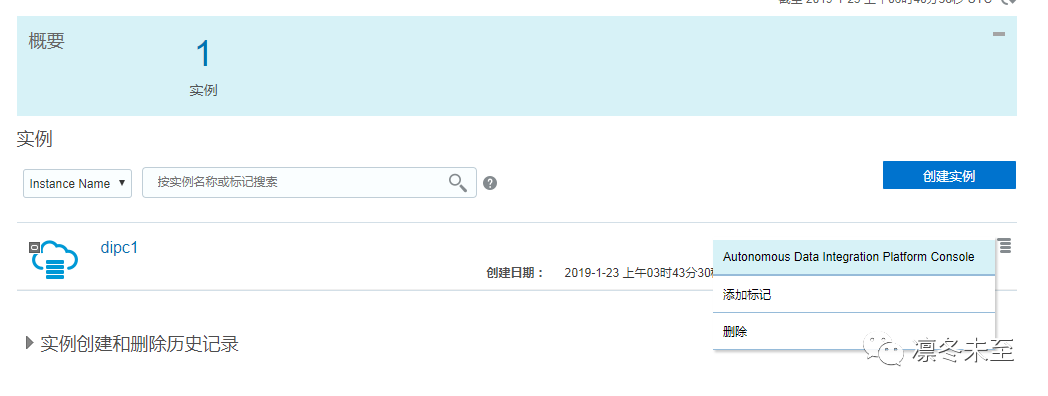
2、在管理页面中,点击DIPC实例右端的下拉菜单,点击“AutonomousData Integrator Platform Console”进入DIPC的管理控制台。
出现的管理控制台如下:
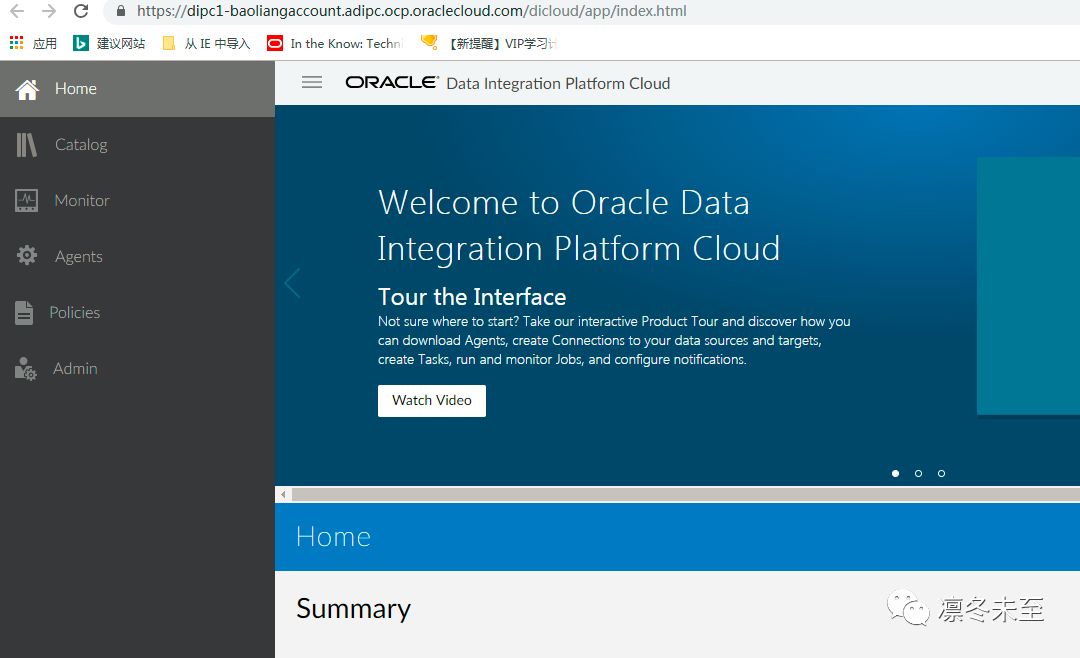
3、点击“Agent”,进入Agent页面,然后下载Agent的安装包。

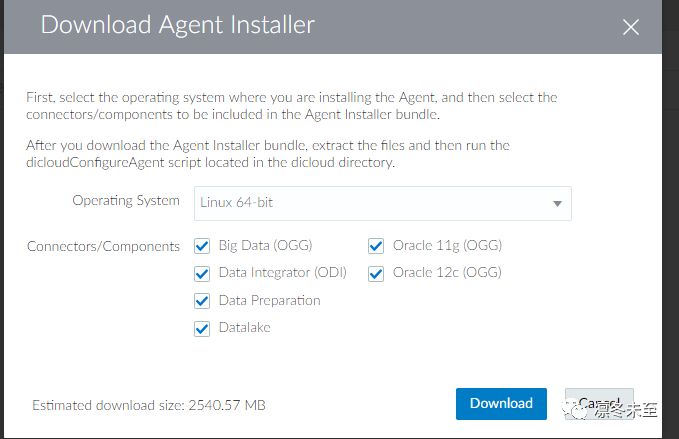
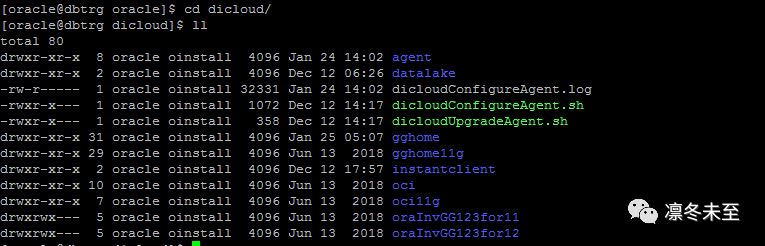
4、把下载好的Agent,FTP到目标端数据库服务器的/u01/app/oracle目录,然后解压缩
,解压缩的内容如下:
5、下载并安装JDK1.8,并设置好JAVA_HOME环境变量,我这个环境如下:JAVA_HOME=/u01/app/oracle/jdk1.8.0_201
6、配置Agent,这个配置命令很复杂,需要用到我们刚才获得相关参数,进入dipc解压的根目录,然后执行dicloudConfigureAgent.sh,开始配置agent。需要把上面记录的agentIdcsScope,agentClientId,agentClientSecret带入配置脚本。
这个环境的配置命令参考如下:
./dicloudConfigureAgent.sh -recreate -debug -dipchost=dipc1-惺惺惜惺惺xx.adipc.ocp.oraclecloud.com-dipcport=443 -user=xxxx -password=xxxxx -authType=OAUTH2-idcsServerUrl=https://idcs-29c5170e949b4ba6ba95fa98d92d54ff.identity.oraclecloud.com-agentIdcsScope=https://C4A0E324715D4403B9B4B6897EC90C46.adipc.ocp.oraclecloud.com:443urn:opc:resource:consumer::all-agentClientId=7680da4bf15f4f6e86d08e5cf31a095a-agentClientSecret=9411ab02-5d3f-46e9-9b47-9e1c328a0679
7、启动agent,agent的配置命令执行成功后,我们来启动agent,进入dipc解压缩后的根目录的agent/dipcagent001目录,然后执行“./bin/ startAgentInstance.sh”,启动agent。
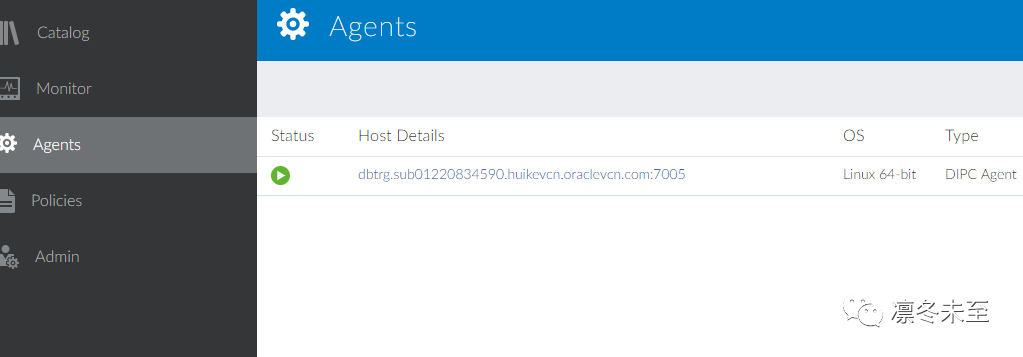
8、 在DIPC实例的管理控制台,检查agent是否部署成功。出现绿色的箭头,表示agent部署成功。
未完待续,精彩继续!!!!
