



一、简介
Commons DbUtils是Apache组织提供的一个对JDBC进行简单封装的开源工具类库,使用它能够简化JDBC应用程序的开发,同时也不会影响程序的性能。
DBUtils包括3个包:
org.apache.commons.dbutils
org.apache.commons.dbutils.handlers
org.apache.commons.dbutils.wrappers
QueryRunner 中提供了对sql语句操作的api,
query(),执行select操作
update(),执行install update delete
DbUtils 工具类定义了关闭资源和处理事务的方法
ResultSetHandler接口,用于定义select操作后,对结果集进行何种封装处理
| ScalarHandler | 用于处理单个字段,例如: select id from member t WHERE t.mobile_phone = '137...'; |
| BeanHandler | 将结果集中的第一条记录封装到指定的javabean中 |
| BeanListHandler | 将结果集中的每一条记录封装到指定的javabean中,将这些javabean再封装到List中 |
| ColumnListHandler | 将结果集中指定的列(只能封装一列)的字段值封装到List中 |
二、maven坐标
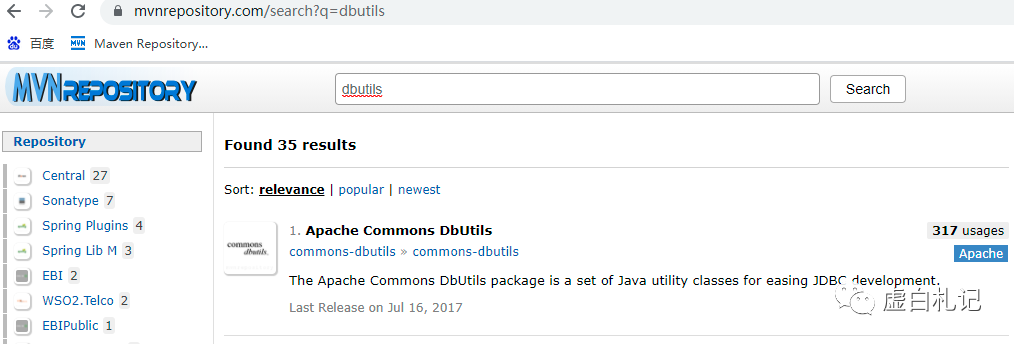
<!-- https://mvnrepository.com/artifact/commons-dbutils/commons-dbutils --><dependency><groupId>commons-dbutils</groupId><artifactId>commons-dbutils</artifactId><version>1.6</version></dependency><!-- https://mvnrepository.com/artifact/mysql/mysql-connector-java --><dependency><groupId>mysql</groupId><artifactId>mysql-connector-java</artifactId><version>5.1.38</version></dependency>
三、代码演示
DbUtils工具类创建/关闭数据库连接
/*** 获取jdbc连接* @return*/public static Connection getConnection() {Connection connection = null;try {connection = DriverManager.getConnection(Constants.JDBC_URL,Constants.USERNAME, Constants.PASSWORD);} catch (SQLException e) {e.printStackTrace();}return connection;}
/*** 关闭数据库连接* @param con*/public static void closeConnection(Connection connection) {try {if(connection != null) {connection.close();}} catch (SQLException e) {e.printStackTrace();}}
使用ScalarHandler对象查询单个字段值
public static void main(String[] args) throws SQLException{//QueryRunner 中提供了对sql语句操作的api,//update()执行install update delete//query(),执行select操作QueryRunner runner = new QueryRunner();String sql = "select id from member t WHERE t.mobile_phone = '13927427493';";Connection conn = getConnection();//ResultSetHandler接口,用于定义select操作后,对结果集进行封装//ResultSetHandler结果集处理类//ScalarHandler 处理单个字段 例如:select id from member t WHERE t.mobile_phone = '13927427493';//DbUtils类是一个工具类,定义了关闭资源和处理事务的方法//ScalarHandler可以不指定泛型Integer query = runner.query(conn, sql, new ScalarHandler<Integer>());System.out.println(query);closeConnection(conn);}
使用ColumnListHandler对象将结果集中指定的列的字段值封装到List集合中
public static void main(String[] args) throws SQLException{//QueryRunner 中提供了对sql语句操作的api,update()执行install update delete//query(),执行select操作QueryRunner runner = new QueryRunner();String sql3 = "select mobile_phone from member;";Connection conn = getConnection();//DbUtils类是一个工具类,定义了关闭资源和处理事务的方法//ColumnListHandler对象将结果集中的某一列字段值封装到List集合中List<Object> query2 = runner.query(conn, sql3, new ColumnListHandler<Object>());for (Object obj : query2) {System.out.println(obj);}closeConnection(conn);}
BeanListHandler 将结果集中的每一条记录封装到指定的javabean中,将这些javabean再封装到List中
新建javabean 类
package com.lemon.pojo;import java.math.BigDecimal;public class UserInfo {private int id;private String reg_name;private String pwd;private String moblie_phone;private BigDecimal leave_amount;public UserInfo() {super();// TODO Auto-generated constructor stub}public UserInfo(int id, String reg_name, String pwd, String moblie_phone, BigDecimal leave_amount) {super();this.id = id;this.reg_name = reg_name;this.pwd = pwd;this.moblie_phone = moblie_phone;this.leave_amount = leave_amount;}public int getId() {return id;}public void setId(int id) {this.id = id;}public String getReg_name() {return reg_name;}public void setReg_name(String reg_name) {this.reg_name = reg_name;}public String getPwd() {return pwd;}public void setPwd(String pwd) {this.pwd = pwd;}public String getMoblie_phone() {return moblie_phone;}public void setMoblie_phone(String moblie_phone) {this.moblie_phone = moblie_phone;}public BigDecimal getLeave_amount() {return leave_amount;}public void setLeave_amount(BigDecimal leave_amount) {this.leave_amount = leave_amount;}@Overridepublic String toString() {return "UserInfo [id=" + id + ", reg_name=" + reg_name + ", pwd=" + pwd + ", moblie_phone=" + moblie_phone+ ", leave_amount=" + leave_amount + "]";}}
public static void main(String[] args) throws SQLException{//QueryRunner 中提供了对sql语句操作的api,update()执行install update delete//query(),执行select操作QueryRunner runner = new QueryRunner();String sql4 = "select id,reg_name,pwd,mobile_phone,leave_amount from member t LIMIT 5;";Connection conn = getConnection();//将结果集中的每一条记录封装到指定的javabean中,将这些javabean再封装到List中List<UserInfo> userInfo = runner.query(conn, sql4,new BeanListHandler<UserInfo>(UserInfo.class));for(UserInfo element :userInfo) {System.out.print(element);System.out.println();}closeConnection(conn);}
控制台打印List集合内容

文章转载自虚白札记,如果涉嫌侵权,请发送邮件至:contact@modb.pro进行举报,并提供相关证据,一经查实,墨天轮将立刻删除相关内容。
