



Our mission is to be the trusted cloud native repository for Kubernetes----Harbor Harbor和Registry都是Docker的镜像仓库,但是Harbor作为更多企业的选择 Harbor,意思是港湾,就是停放货物的Registry是Dcoker官方的一个私有仓库镜像,可以将本地的镜像打标签进行标记然后push到以Registry起的容器的私有仓库中。harbor本身自带 docker 私有仓库,支持基于角色的权限管理,支持 LDAP |
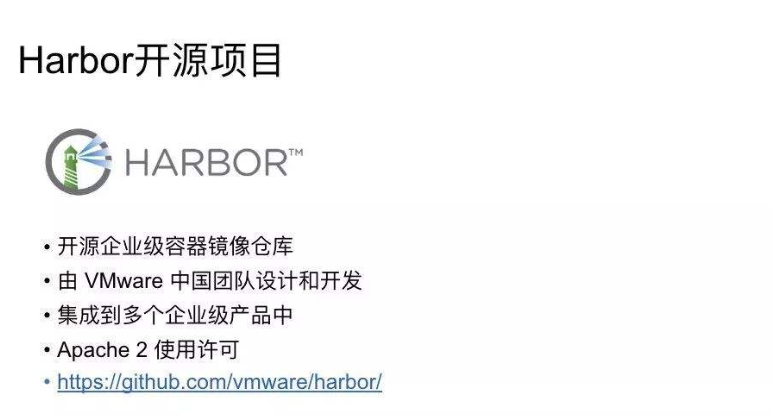
生产中建议选择选1.7.5以上的版本,1.7.5版本有安全漏洞github地址:https://github.com/goharbor/harbor/1.8.6版本[573M]的地址,国内的网速比较慢,晚上下载比较好,https://github.com/goharbor/harbor/releases/download/v1.8.6/harbor-offline-installer-v1.8.6.tgzroot@kubernetes-master:/opt/src# lsharbor-offline-installer-v1.8.6.tgztar xf harbor-offline-installer-v1.8.6.tgzlsharbor/ harbor-offline-installer-v1.8.6.tgzmv harbor harbor-v1.8.6 #版本标记ln -s harbor-v1.8.6/ harbor #软件包做软连接,便于升级lsharbor harbor-offline-installer-v1.8.6.tgz harbor-v1.8.6
harbor运行在docker上的,Compose 是用于定义和运行多容器 Docker 应用程序的工具。通过 Compose,可以使用 YML 文件来配置应用程序需要的所有服务。然后,使用一个命令,就可以从 YML 文件配置中创建并启动所有服务。
修改配置文件#egrep -v "#|^$" harbor.ymlhostname: 10.108.15.234http:port: 8888 #定义的端口号harbor_admin_password: Harbor12345 #登录ui界面的密码database:password: root123data_volume: /opt/harbordata #数据卷的位置clair:updaters_interval: 12http_proxy:https_proxy:no_proxy: 127.0.0.1,localhost,core,registryjobservice:max_job_workers: 10chart:absolute_url: disabledlog:level: inforotate_count: 50rotate_size: 200Mlocation: /var/log/harbor #日志的位置_version: 1.8.0
执行install.sh进行安装,根据提示升级docker和docker-compose的版本
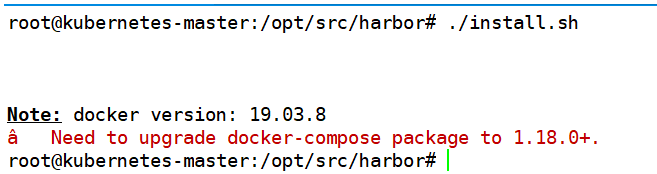
安装1.24版本的docker-composecurl -L https://github.com/docker/compose/releases/download/1.24.0/docker-compose-`uname -s`-`uname -m` -o usr/bin/docker-composechmod +x usr/bin/docker-compose
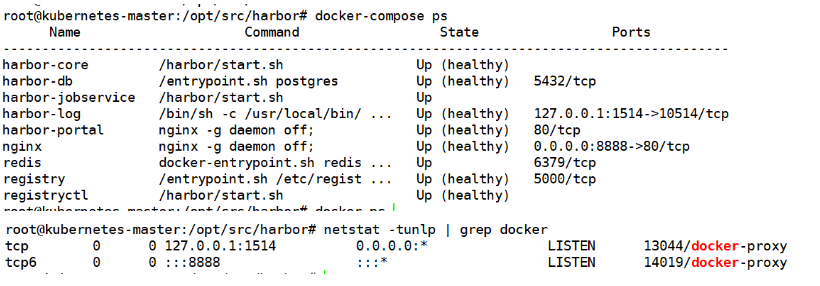
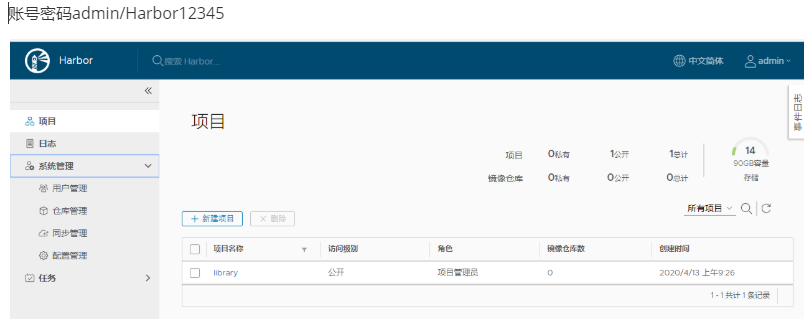
docker login 无法登录仓库:
# docker login 10.108.15.234:8888
Username: adminPassword: Error response from daemon: Get https://10.108.15.234:8888/v2/: http: server gave HTTP response to HTTPS client
解决办法:systemctl status docker● docker.service - Docker Application Container EngineLoaded: loaded (/lib/systemd/system/docker.service;enabled; vendor preset: enabled)修改/lib/systemd/system/docker.service中的ExecStart处,添加–insecure-registry 参数指定registry的地址如下:--insecure-registry=10.108.15.43:8888重启dockersystemctl daemon-reloadsystemctl restart docke
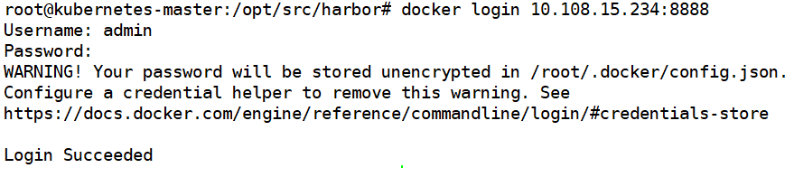
docker pull nginx #拉镜像docker image ls |grep nginxdocker tag ed21b7a8aee9 10.108.15.234:8888/2020/nginx #打标签docker push 10.108.15.234:8888/2020/nginx #上传镜像至仓库

修改配置文件后重启harbordocker-compose down./preparedocker-compose up –d
文章转载自亚西尔Linux,如果涉嫌侵权,请发送邮件至:contact@modb.pro进行举报,并提供相关证据,一经查实,墨天轮将立刻删除相关内容。
