



1. 官网下载Docker Desktop:
https://hub.docker.com/editions/community/docker-ce-desktop-windows
注意说明:Requires Microsoft Windows 10 Professional or Enterprise 64-bit, or Windows 10 Home 64-bit with WSL 2.
2. 下载TensorFlow镜像:
Windows PowerShell输入:docker pull tensorflow/tensorflow
PS C:\Users\86159> docker pull tensorflow/tensorflowUsing default tag: latestlatest: Pulling from tensorflow/tensorflow01bf7da0a88c: Pull completef3b4a5f15c7a: Pull complete57ffbe87baa1: Pull complete82b03aaebc12: Pull completeded4361a2673: Pull completebea159c77425: Pull completecec93399b3cf: Pull complete8c7aca956461: Pull complete0297cbd0f431: Pull completec1f5822d5655: Pull completeDigest: sha256:788c345613ff6cfe617b911dda22b1a900558c28c75afe6c05f8fa0d02bd9811Status: Downloaded newer image for tensorflow/tensorflow:latestdocker.io/tensorflow/tensorflow:latest
3. 观察Docker Desktop生成对应image:

4. 运行TensorFlow:
PS C:\Users\86159> docker run -it --rm -v D:\00_Work\GitHub\Tensorflow\:/mnt -w mnt tensorflow/tensorflow________ __________________ __/__________________________________ ____/__ ________ ____ _ _ \_ __ \_ ___/ __ \_ ___/_ _ __ _ __ \_ | |_ __/ (__ )/ /_/ / / _ __/ _ / / /_/ /_ |/ |/ //_/ \___//_/ /_//____/ \____//_/ /_/ /_/ \____/____/|__/WARNING: You are running this container as root, which can cause new files inmounted volumes to be created as the root user on your host machine.To avoid this, run the container by specifying your user's userid:$ docker run -u $(id -u):$(id -g) args...root@8076016fcb20:/mnt#root@8076016fcb20:/mnt# ls__pycache__ hello.py
Windows PowerShell运行TensorFlow,并挂载Windows代码目录到/mnt目录,设置工作目录为/mnt:
5. 观察Docker Desktop的Containers/Apps中显示的运行实例:
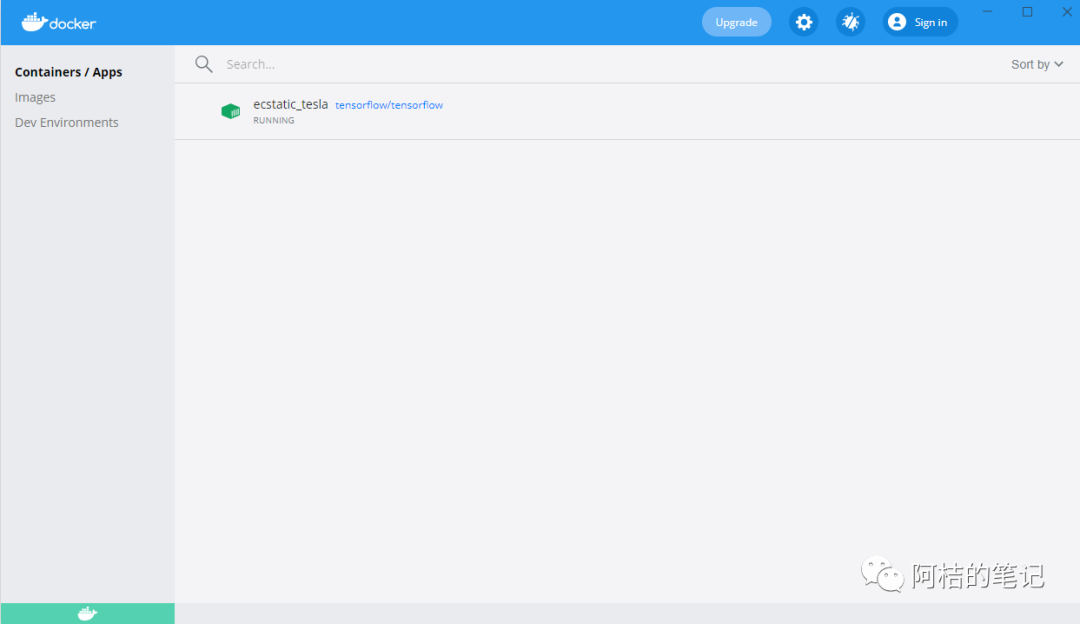
6. 在Windows代码目录中编辑python脚本hello.py:
import tensorflow as tfmnist = tf.keras.datasets.mnist(x_train, y_train),(x_test, y_test) = mnist.load_data()x_train, x_test = x_train / 255.0, x_test / 255.0model = tf.keras.models.Sequential([tf.keras.layers.Flatten(input_shape=(28, 28)),tf.keras.layers.Dense(512, activation=tf.nn.relu),tf.keras.layers.Dropout(0.2),tf.keras.layers.Dense(10, activation=tf.nn.softmax)])model.compile(optimizer='adam',loss='sparse_categorical_crossentropy',metrics=['accuracy'])model.fit(x_train, y_train, epochs=5)model.evaluate(x_test, y_test)
此脚本使用TensorFlow中的高级API - Keras开发,训练一个简单的单层神经网络来识别手写数字,训练数据库为MNIST。
7. 运行hello.py:
root@8076016fcb20:/mnt# python hello.pyDownloading data from https://storage.googleapis.com/tensorflow/tf-keras-datasets/mnist.npz11493376/11490434 [==============================] - 3s 0us/step2021-07-05 07:01:35.191422: I tensorflow/core/platform/cpu_feature_guard.cc:142] This TensorFlow binary is optimized with oneAPI Deep Neural Network Library (oneDNN) to use the following CPU instructions in performance-critical operations: AVX2 FMATo enable them in other operations, rebuild TensorFlow with the appropriate compiler flags.2021-07-05 07:01:35.411998: I tensorflow/compiler/mlir/mlir_graph_optimization_pass.cc:176] None of the MLIR Optimization Passes are enabled (registered 2)2021-07-05 07:01:35.412332: I tensorflow/core/platform/profile_utils/cpu_utils.cc:114] CPU Frequency: 2591990000 HzEpoch 1/51875/1875 [==============================] - 5s 2ms/step - loss: 0.2218 - accuracy: 0.9349Epoch 2/51875/1875 [==============================] - 4s 2ms/step - loss: 0.0975 - accuracy: 0.9706Epoch 3/51875/1875 [==============================] - 4s 2ms/step - loss: 0.0701 - accuracy: 0.9781Epoch 4/51875/1875 [==============================] - 4s 2ms/step - loss: 0.0524 - accuracy: 0.9829Epoch 5/51875/1875 [==============================] - 4s 2ms/step - loss: 0.0439 - accuracy: 0.9858313/313 [==============================] - 1s 1ms/step - loss: 0.0591 - accuracy: 0.9831
可以看到,模型的预测精确度达到98%。
文章转载自阿桔的笔记,如果涉嫌侵权,请发送邮件至:contact@modb.pro进行举报,并提供相关证据,一经查实,墨天轮将立刻删除相关内容。
