



ClickHouse安装后,默认client连接端口是9000,这个端口跟CDH的cloudera manager agent的默认端口相同。且ClickHouse默认9000端口是绑定在127.0.0.1上的,无法从其他机器连接ClickHouse。
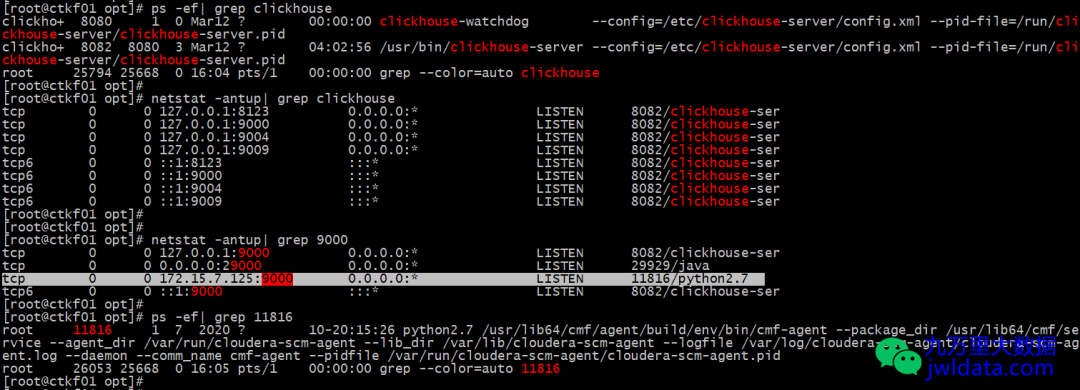
修改config.xml文件权限
chmod u+w /etc/clickhouse-server/config.xml

修改端口和绑定地址
vi /etc/clickhouse-server/config.xml
找到
<!-- Port for interaction by native protocol with:- clickhouse-client and other native ClickHouse tools (clickhouse-benchmark, clickhouse-copier);- clickhouse-server with other clickhouse-servers for distributed query processing;- ClickHouse drivers and applications supporting native protocol(this protocol is also informally called as "the TCP protocol");See also 'tcp_port_secure' for secure connections.--><tcp_port>9020</tcp_port>
找到<listen_host>::</listen_host>的配置项,取消注释,这样就同时支持IPv4和IPv6了。也可以选择取消注释
<!-- Listen specified address.Use :: (wildcard IPv6 address), if you want to accept connections both with IPv4 and IPv6 from everywhere.Notes:If you open connections from wildcard address, make sure that at least one of the following measures applied:- server is protected by firewall and not accessible from untrusted networks;- all users are restricted to subset of network addresses (see users.xml);- all users have strong passwords, only secure (TLS) interfaces are accessible, or connections are only made via TLS interfaces.- users without password have readonly access.See also: https://www.shodan.io/search?query=clickhouse--><listen_host>::</listen_host><!-- Same for hosts without support for IPv6: --><!-- <listen_host>0.0.0.0</listen_host> --><!-- Default values - try listen localhost on IPv4 and IPv6. --><!--<listen_host>::1</listen_host><listen_host>127.0.0.1</listen_host>-->
重启ClickHouse
systemctl restart clickhouse-server
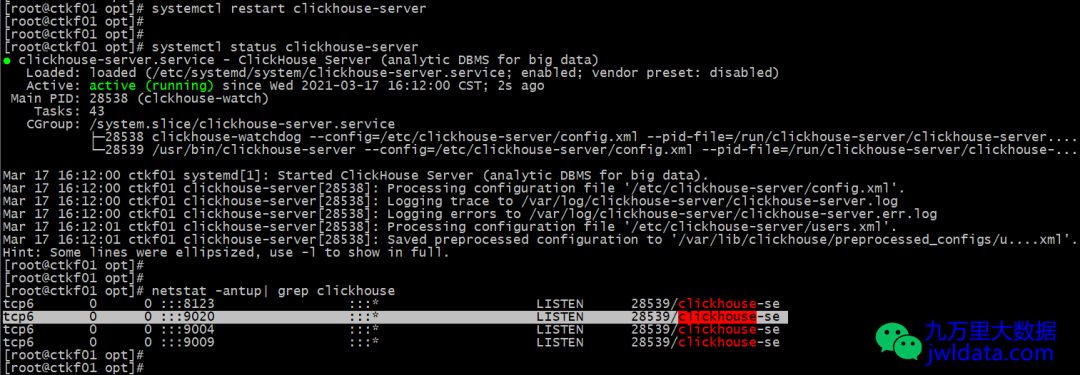
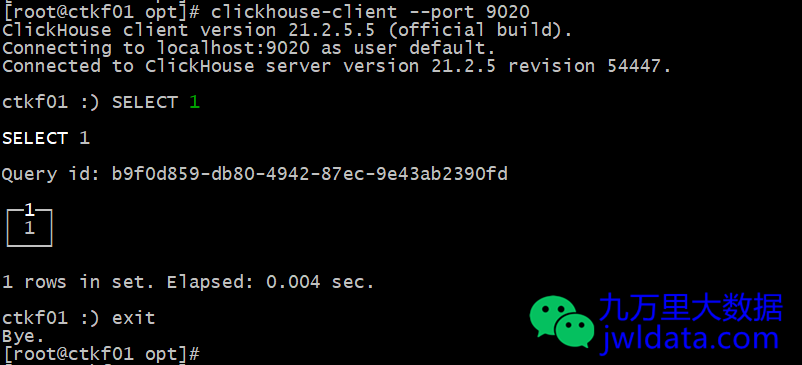
测试连接
更改默认client端口后,需要指定port参数指定端口。
clickhouse-client --port 9020
欢迎关注我的公众号“九万里大数据”,原创技术文章第一时间推送。欢迎访问原创技术博客网站 jwldata.com,排版更清晰,阅读更爽快。

文章转载自九万里大数据,如果涉嫌侵权,请发送邮件至:contact@modb.pro进行举报,并提供相关证据,一经查实,墨天轮将立刻删除相关内容。
