



1、创建安装目录
为了方便管理我们一般统一软件的安装目录,这里选择安装的目录是 ->
/usr/local/soft
2、下载Redis
我们通过wget命令从redis官网下载压缩包 -> https://redis.io/
当前最新版本下载地址 -> https://download.redis.io/releases/redis-6.2.4.tar.gz
1cd /usr/local/soft
2wget https://download.redis.io/releases/
3、解压
1tar -zxvf redis-6.2.4.tar.gz
4、 安装gcc依赖
Redis是C语言编写,编译需要GCC
Redis6.x.x版本支持了多线程,需要gcc的版本大于4.9,我们需要查看默认GCC版本,如果版本过低则需要升级
1gcc -v
我的新安装的虚拟机CentOS显示

证明我的没有安装gcc,安装gcc ->
1yum install gcc

1yum -y install centos-release-scl
2
3yum -y install devtoolset-9-gcc devtoolset-9-gcc-c++ devtoolset-9-binutils
4
5scl enable devtoolset-9 bash
6
7echo "source /opt/rh/devtoolset-9/enable" >>/etc/profile
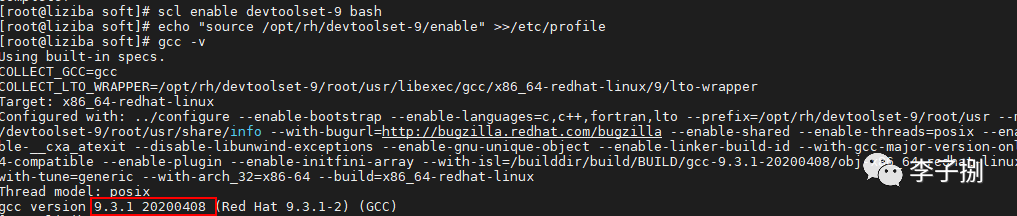
查看升级后的版本 ->
5、编译安装
1cd redis-6.2.4/src
2make install
编译过程如下 ->
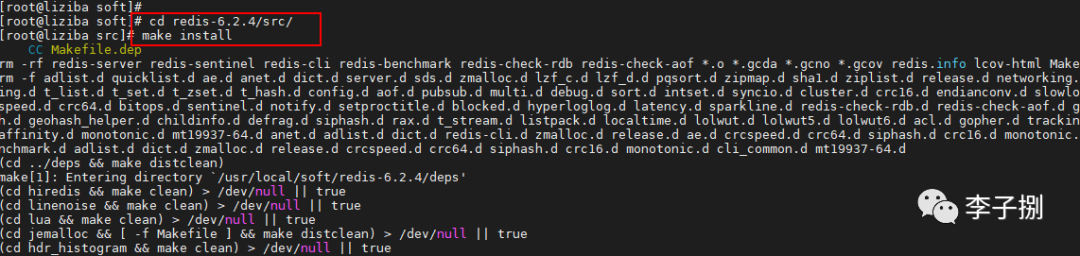
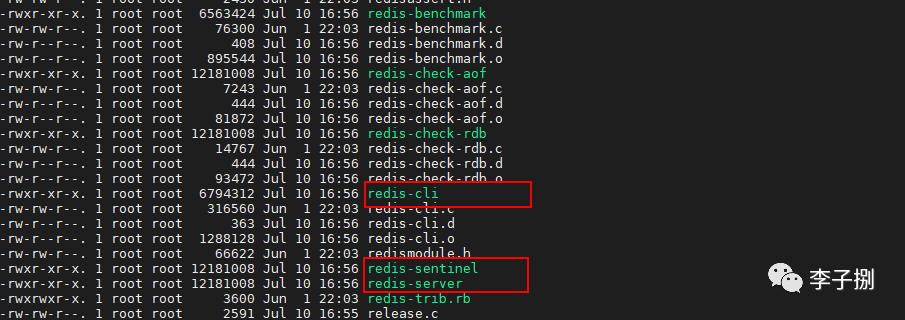
看到如下结果输出则编译成功 ->

或者在src目录下出现服务端和客户端的脚本 ->
1redis-sentinel
2redis-server
3redis-cli
6、修改配置文件
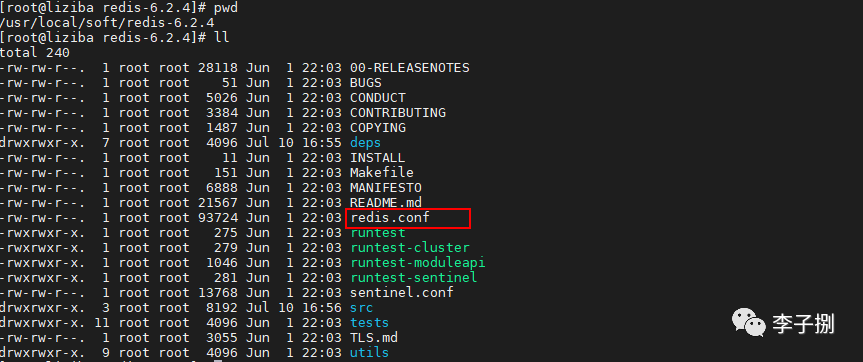
Redis的配置文件在解压目录下的 redis.conf
6.1 首先设置后台启动,防止窗口一关闭服务就挂掉
默认后台启动参数为 no->
1# By default Redis does not run as a daemon. Use 'yes' if you need it.
2# Note that Redis will write a pid file in /var/run/redis.pid when daemonized.
3# When Redis is supervised by upstart or systemd, this parameter has no impact.
4daemonize no
修改成 yes->
1# By default Redis does not run as a daemon. Use 'yes' if you need it.
2# Note that Redis will write a pid file in /var/run/redis.pid when daemonized.
3# When Redis is supervised by upstart or systemd, this parameter has no impact.
4daemonize yes
6.2 允许其他主机访问
根据Redis的文档配置注释,我们要运行其他主机访问有多种方式 ->
可以选择配置访问主机的IP address
bind * -::* 相当于允许所有其它主机访问
bind 0.0.0.0 相当于允许所有其它主机访问
直接注释 相当于允许所有其它主机访问
1# bind 192.168.1.100 10.0.0.1     # listens on two specific IPv4 addresses
2# bind 127.0.0.1 ::1              # listens on loopback IPv4 and IPv6
3# bind * -::*                     # like the default, all available interfaces
我的处理方式,安装文档的注释来配置

6.3 配置访问密码
如果是要考虑安全性,一定要配置密码,找到requirepass配置处,新增如下配置(阿里云等云服务其外网访问一定要配置,作者被黑过,整台服务器重启都无法重启,损失惨重,但是穷,官方处理需要Money,建议这里一定要谨慎)
1requirepass yourpassword
7、启动Redis
使用redis-server 来启动,启动的方式如下->
1/usr/local/soft/redis-6.2.4/src/redis-server /usr/local/soft/redis-6.2.4/redis.conf
或者这个也一样 ->
1cd /src
2redis-server  ../redis.conf
查看端口是否启动成功 ->
1netstat -an|grep 6379

8、客户端
进入客户端的方式如下 ->
1/usr/local/soft/redis-6.2.4/src/redis-cli

9、停止Redis
停止Redis有两种方式 :
方式一,在客户端中执行SHUTDOWN
1SHUTDOWN

方式二,暴力kill -9
1ps -aux | grep redis
2kill -9 57927

10、配置别名
为了方便启动Redis和进入客户端,我们可以通过配置别名来实现
1vim ~/.bashrc
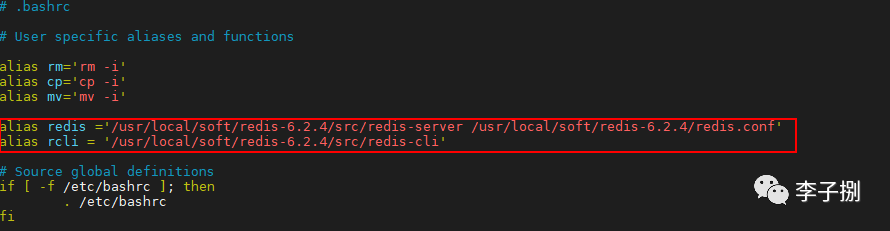
添加如下配置,
注意''很重要
redis与rcli后面的=两边不能有空格
1alias redis='/usr/local/soft/redis-6.2.4/src/redis-server /usr/local/soft/redis-6.2.4/redis.conf'
2alias rcli='/usr/local/soft/redis-6.2.4/src/redis-cli'
使配置生效
1source ~/.bashrc
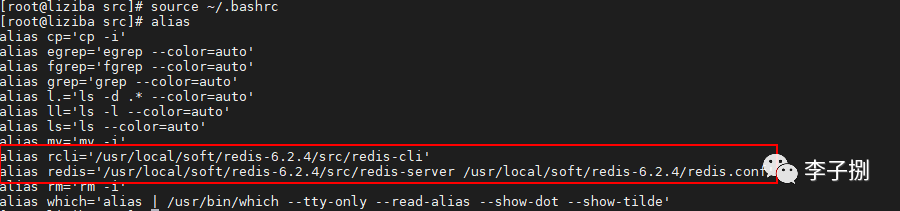
现在我们可以通过redis启动Redis服务,使用rcli进入Redis客户端

