



之前写了一些pg原理或应用上的一些文章,可能更适用于对pg有一定的了解的人,那么对于第一次使用pg的人来说,也许对于怎么在自己的机器上安装个pg数据库更感兴趣, 所以这篇写下pg的安装。
MAC下安装PostgreSQL
使用homebrew安装
1、安装postgresql
brew install postgresql
2、初始化集群
initdb usr/local/var/postgres
注:/usr/local/var/postgres/是集群的DATA目录。
在执行这个命令的时候,可能会有如下输出。
"initdb: error: directory "/usr/local/var/postgres" exists but is not empty", 表示集群已经初始化过。可以忽略这个信息。
The files belonging to this database system will be owned by user "wkl".This user must also own the server process.The database cluster will be initialized with locale "zh_CN.UTF-8".The default database encoding has accordingly been set to "UTF8".initdb: could not find suitable text search configuration for locale "zh_CN.UTF-8"The default text search configuration will be set to "simple".Data page checksums are disabled.initdb: error: directory "/usr/local/var/postgres" exists but is not emptyIf you want to create a new database system, either remove or emptythe directory "/usr/local/var/postgres" or run initdbwith an argument other than "/usr/local/var/postgres".
3、启动服务
pg_ctl -D usr/local/var/postgres -l usr/local/var/postgres/server.log start
4、查看是否启动成功
ps aux|grep postgre

5、使用psql登陆数据库
psql
这个命令报错:psql: error: FATAL: database "xxx" does not exist
xxx是你的当前用户名。怎么解决?执行createdb命令。
postgres % createdb
6、重新使用psql登陆,即可登录,使用\l列出当前所有数据库。
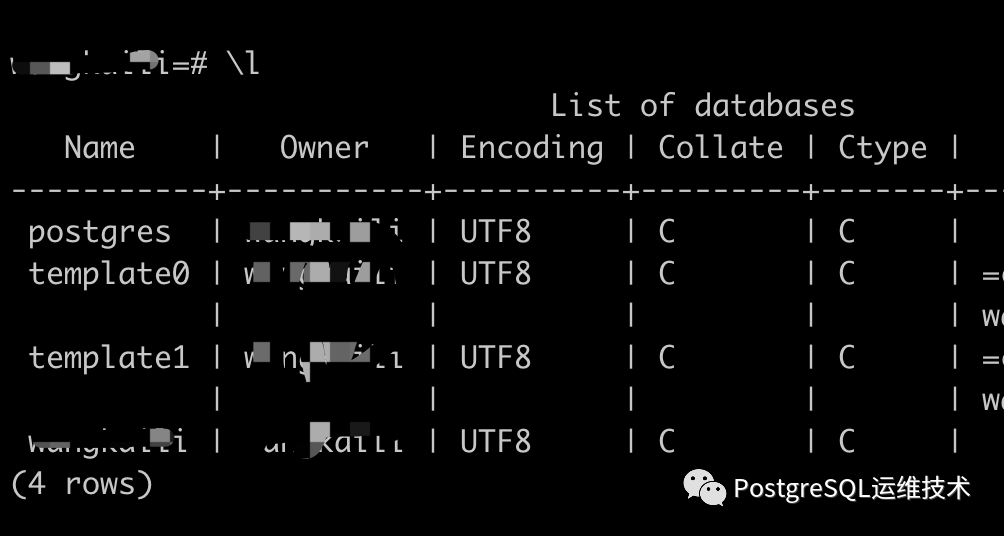
可以看到已存在用户同名数据库、postgres数据库、template0、template1,但是postgres数据库的所有者是当前用户,没有postgres用户。所以我们需要创建postgres用户。
7、创建postgre用户
a.使用create user命令创建用户postgre,密码是test123456。
# CREATE USER postgres WITH PASSWORD 'test123456';CREATE ROLE
b.为postgre用户赋予所有权限。
# GRANT ALL PRIVILEGES ON DATABASE postgres to postgres;GRANT
c.给postgre用户添加createdb的属性。
ALTER ROLE postgres CREATEDB;
d.删除默认生成的postgres数据库
# DROP DATABASE postgres;DROP DATABASE
e.创建owner为postgres用户的postgres数据库。
# CREATE DATABASE postgres OWNER postgres;CREATE DATABASE
8、接下来是使用postgre用户登陆数据库。
psql -U postgres -d postgres

注:完整的登陆服务器的命令为:
psql -U [user] -d [database] -h [host] -p [post]
linux下安装PostgreSQL(以centos为例)
可参考官网:https://www.postgresql.org/download/linux/redhat/
1、查看系统版本
# cat /etc/redhat-releaseCentOS Linux release 7.7.1908 (Core)
centOS是Red Hat家族的一员,pg在这些平台上默认是可用的,然而这些平台的具体的版本通常只“快照”一个特定的版本。如果想要安装与此不同的版本,就需要安装PostgreSQL提供的一个 Yum Repository。
2、安装yum repository。
进入https://www.postgresql.org/download/linux/redhat/, 根据自己机器的系统版本,选择特定的repository。
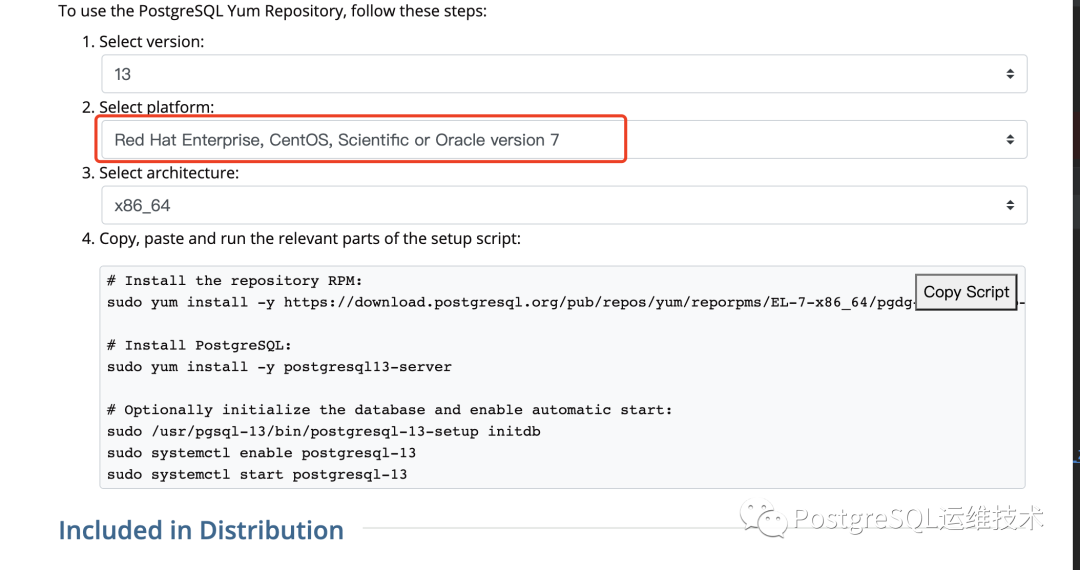
比如我这里选择的是13.0/CentOS 7/x86_64, pg官网下方自动生成了安装命令。
sudo yum install -y https://download.postgresql.org/pub/repos/yum/reporpms/EL-7-x86_64/pgdg-redhat-repo-latest.noarch.rpm
3、安装server端
sudo yum install -y postgresql13-server
4、初始化集群
sudo usr/pgsql-13/bin/postgresql-13-setup initdb
5、启动数据库
sudo systemctl enable postgresql-13sudo systemctl start postgresql-13
6、查看是否启动成功
ps aux|grep postgres

7、登陆数据库修改密码
# sudo -u postgres psql postgrespsql (9.2.24, server 13.3)WARNING: psql version 9.2, server version 13.0.Some psql features might not work.Type "help" for help.postgres=#
修改密码
alter user postgres with password '123456';
8、使用新密码登陆
psql -U postgres -h 127.0.01 -p 5432 -d postgres
延伸一下,怎么彻底卸载pg呢?
a.关闭服务sudo systemctl start postgresql-13b.yum 删除软件包sudo yum remove postgresql*c.删除相关目录文件:sudo rm -rf /var/lib/pgsqlsudo rm -rf /usr/pgsql*d.删除pg相关用户组/用户sudo userdel -r postgressudo groupdel postgres
