



最近,github.com,又打不开了,或是打开很慢,提交代码总是超时,但是又偶尔能够提交成功,应该是IP解析的问题。
域名解析有问题,可以用IP直接访问,或是hosts重定向。
下面主要针对windows环境,如win10更新github.com 对应的IP。
首先打开cmd.exe,ping github.com,看看是完全无法访问还是很慢。
打开以上网址,找到github.com的真实IP。
https://github.com.ipaddress.com/
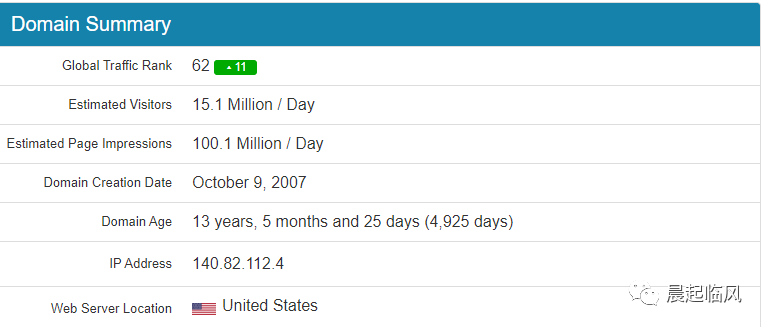
修改一下hosts配置即可。
但是每次这么搞是不是有点重复的意思,不如写个脚本搞定,每次先执行一下脚本然后再访问github。
"""更新 github host IP"""import requestsimport os, sysimport reurl = 'https://github.com.ipaddress.com/' # 获取github 对应IPhost_file = 'C:\\Windows\\System32\\drivers\\etc\\hosts'resp = Nonefor i in range(3):try:resp = requests.get(url)if resp and resp.status_code == 200:breakexcept Exception as e:print(repr(e))if not resp or resp.status_code != 200:print('获取失败,稍后再试')else:html = resp.textm = re.search(r'https://www.ipaddress.com/ipv4/\d+.\d+.\d+.\d+', html)if m:s = m.group()new_ip = s.replace('https://www.ipaddress.com/ipv4/','')if new_ip:lines = open(host_file).readlines()for i in range(len(lines)):line = lines[i]if 'github.com' in line:h_ip = line.strip().split()[0]lin = re.sub(h_ip, new_ip, line) #如果匹配到就进行替换lines[i] = linfc = open(host_file,'w')fc.writelines(lines)fc.close()
需要注意一点,执行脚本时需要管理员权限。否则会提示:Permissoin denied。
文章转载自晨起临风,如果涉嫌侵权,请发送邮件至:contact@modb.pro进行举报,并提供相关证据,一经查实,墨天轮将立刻删除相关内容。
