



zabbix是一个基于WEB界面的提供分布式系统监视以及网络监视功能的企业级的开源解决方案。可以通过SNMP,zabbix agent,ping,端口监视等方法提供对远程服务器/网络状态的监视,数据收集等功能,它可以运行在Linux,Solaris,HP-UX,AIX,Free BSD,Open BSD,OS X等平台上。
环境准备:
一. 安装数据库
安装yum源:
配置数据库:
yum install -y mariadb-server
systemctl start mariadb
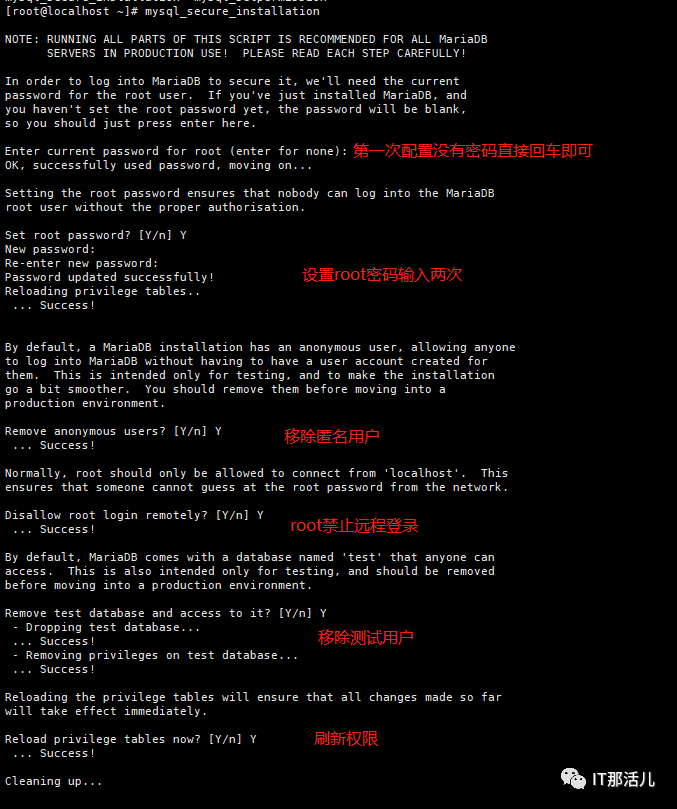
运行mariadb安全配置:
mysql_secure_installation
二. 安装server/agent/fronted(前端)
yum install zabbix-server-mysql zabbix-web-mysql zabbix-agent -y
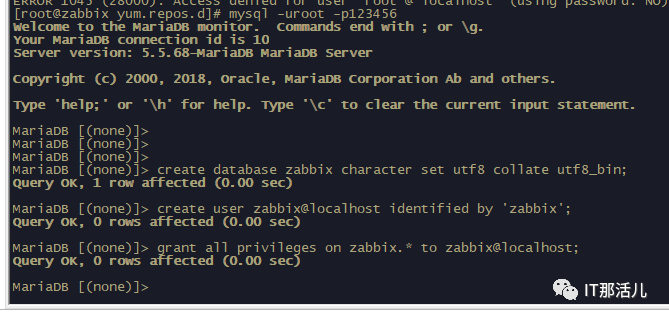
三. 创建并初始化数据库
[root@zabbix yum.repos.d]# mysql -uroot -p123456Welcome to the MariaDB monitor. Commands end with ; or \g.Your MariaDB connection id is 10Server version: 5.5.68-MariaDB MariaDB ServerCopyright (c) 2000, 2018, Oracle, MariaDB Corporation Ab and others.Type 'help;' or '\h' for help. Type '\c' to clear the current input statement.MariaDB [(none)]> MariaDB [(none)]> MariaDB [(none)]> MariaDB [(none)]> create database zabbix character set utf8 collate utf8_bin;Query OK, 1 row affected (0.00 sec)MariaDB [(none)]> create user zabbix@localhost identified by 'zabbix';Query OK, 0 rows affected (0.00 sec)MariaDB [(none)]> grant all privileges on zabbix.* to zabbix@localhost;Query OK, 0 rows affected (0.00 sec)MariaDB [(none)]>
四. 导入初始数据
zcat /usr/share/doc/zabbix-server-mysql*/create.sql.gz | mysql -uzabbix -p Zabbix

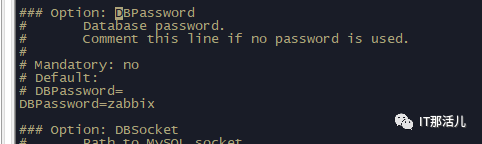
五. 为zabbix server配置数据库
vi /etc/zabbix/zabbix_server.conf# DBPassword=DBPassword=Zabbix
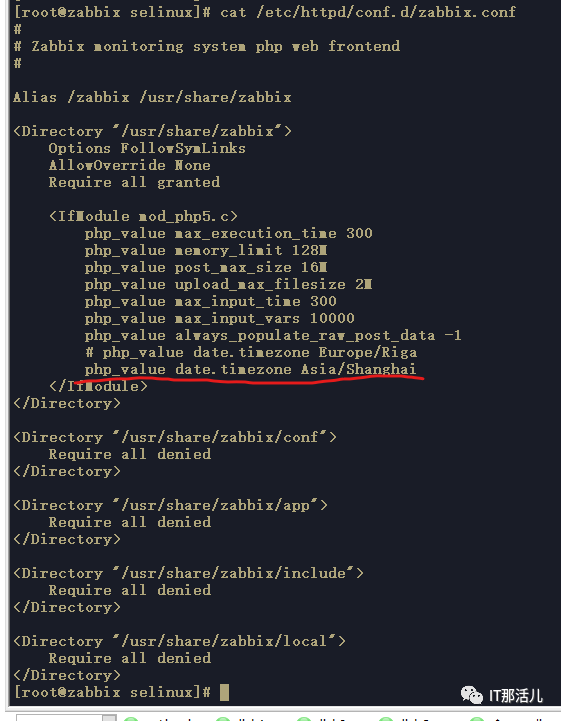
六. 为zabbix fronted配置php
vi /etc/httpd/conf.d/zabbix.conf##添加php_value[date.timezone] = Asia/Shanghai
七. 启动server、agent进程
systemctl restart zabbix-server zabbix-agent httpdsystemctl enable zabbix-server zabbix-agent httpd
八. 配置zabbix前端
1. 访问服务器ip:
http://192.168.56.115/zabbix
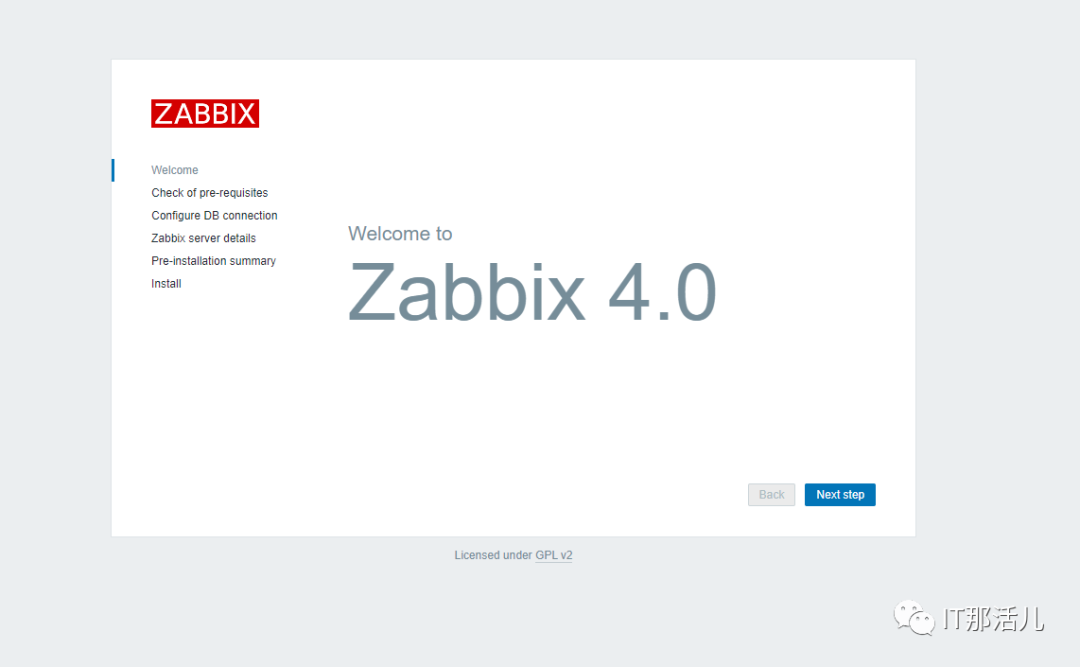
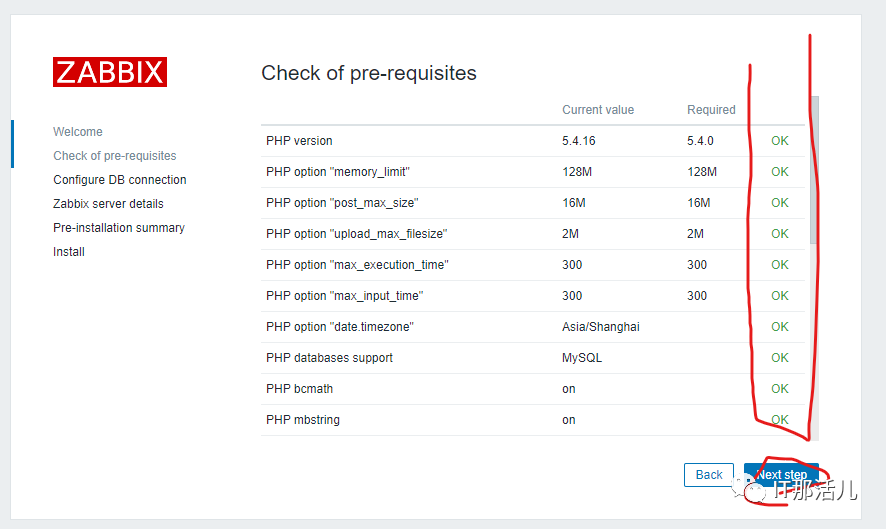
2. 配置数据库:
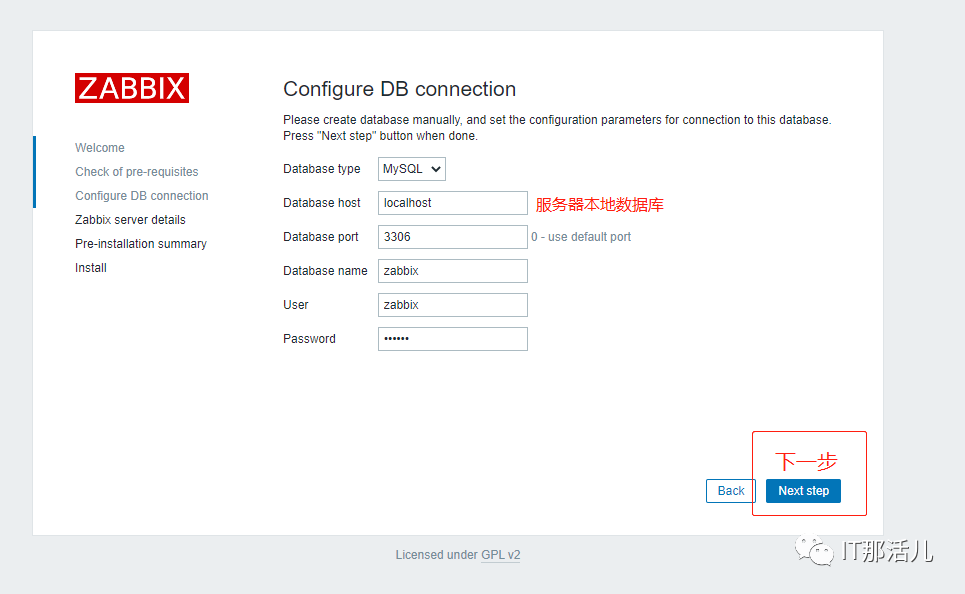
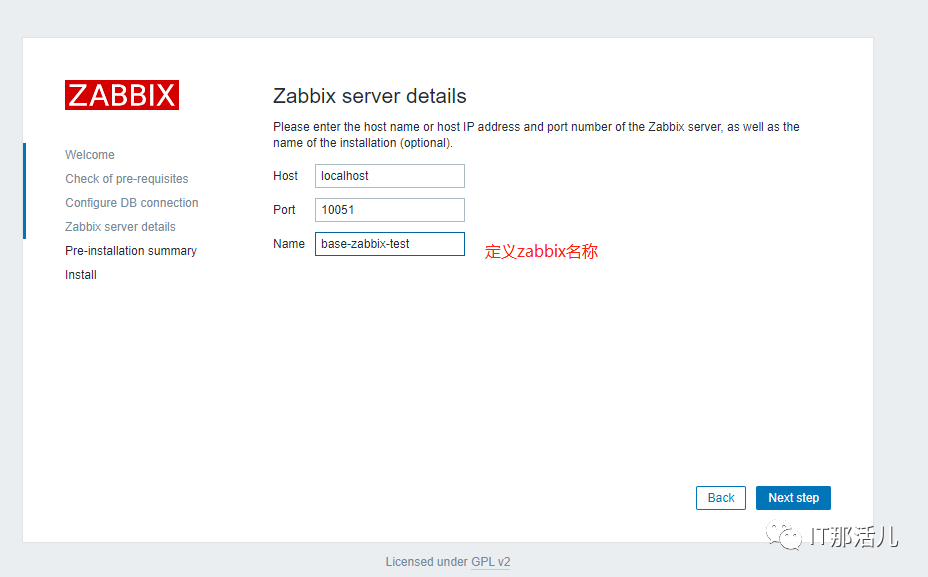
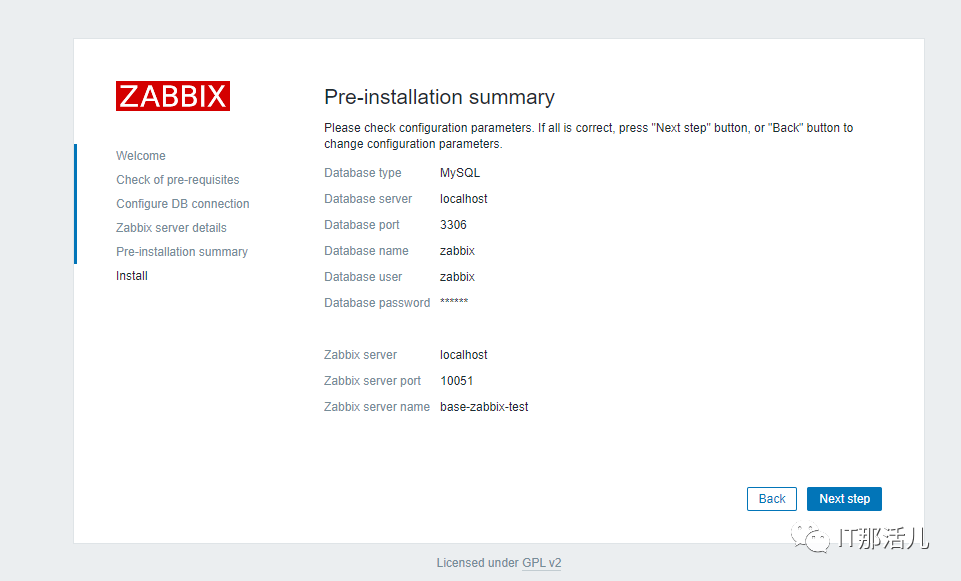
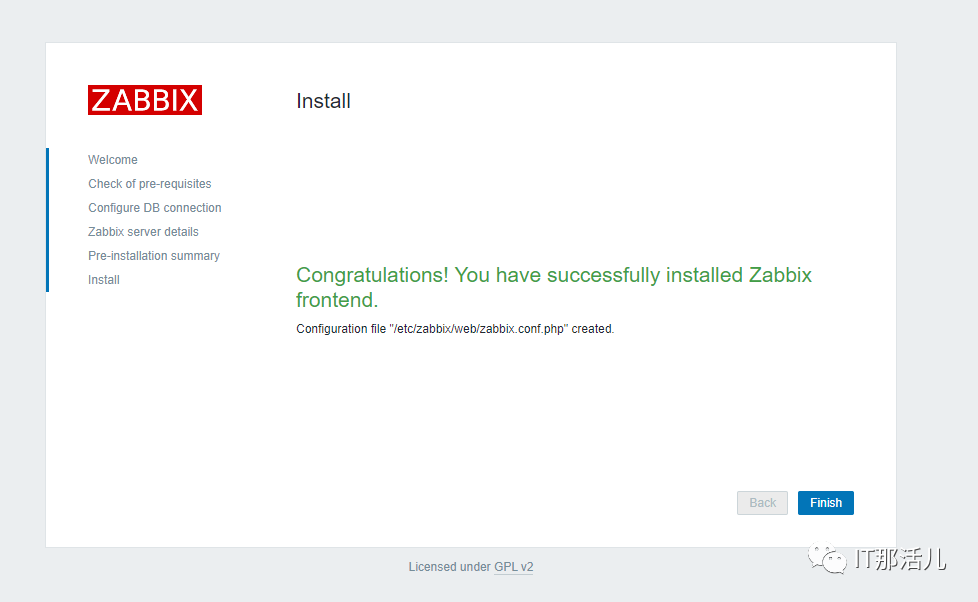
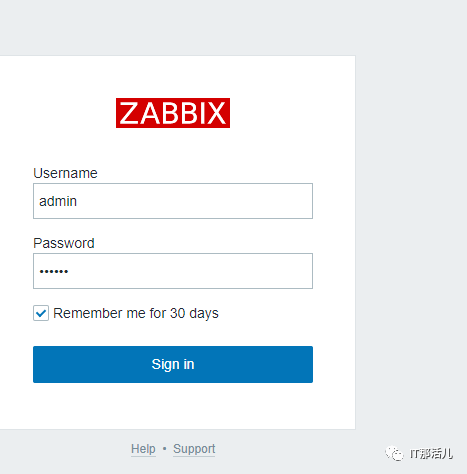
3. 输入Admin/zabbix登录:
4. 设置中文界面:
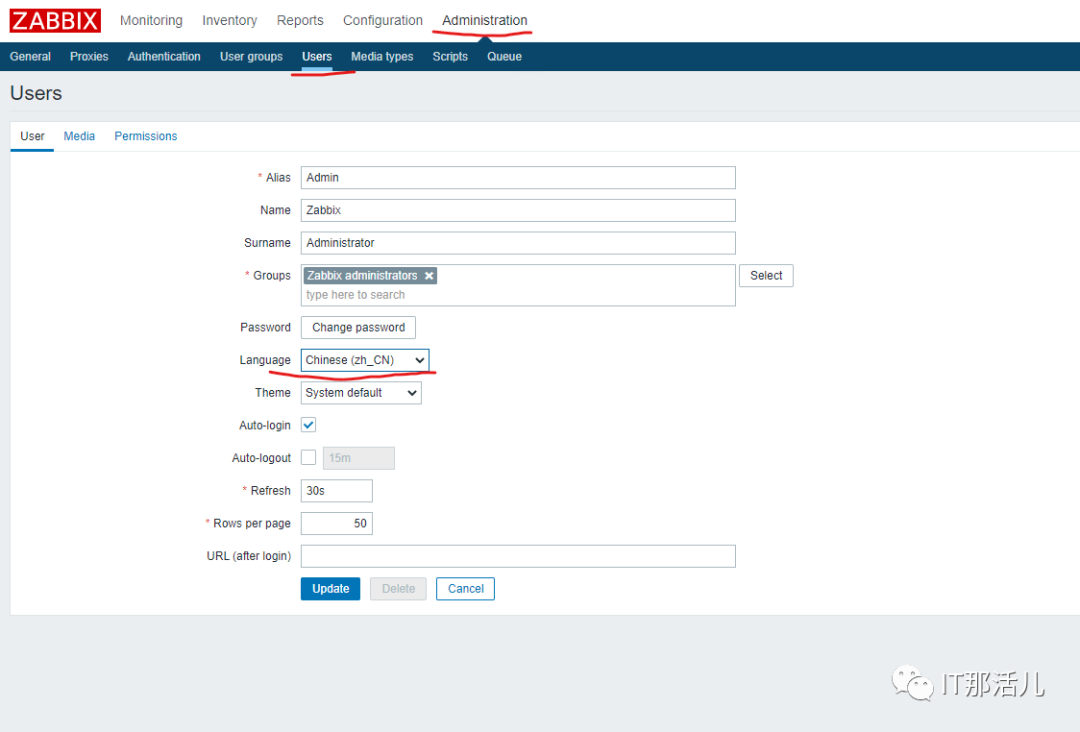
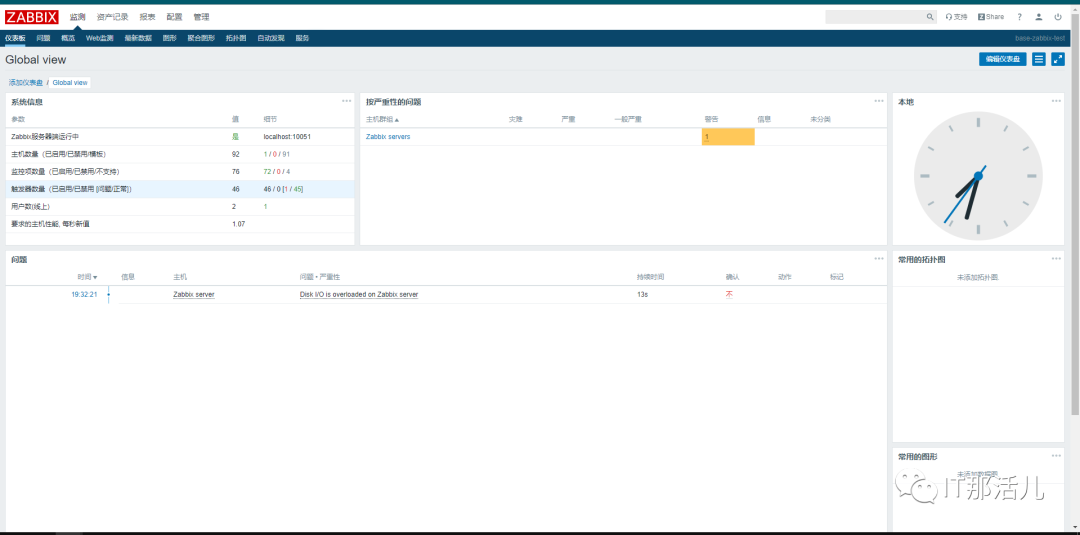
5. 完成后的初始状态

更多精彩干货分享
点击下方名片关注
IT那活儿

文章转载自IT那活儿,如果涉嫌侵权,请发送邮件至:contact@modb.pro进行举报,并提供相关证据,一经查实,墨天轮将立刻删除相关内容。
