



MS SQL数据库审计配置.docx
10墨值下载
Enable Auditing
SQL Server provides auditing as a way to trace and record activity that has
happened on each instance of SQL Server (for example, successful and failed
logins). SQL Server also provides an interface, SQL Query Analyzer, for managing
audit records.
Auditing can only be enabled or modified by members of the 'sysadmin' fixed security
role and every modification of an audit is an auditable event.
There are two types of audit:
General trace auditing, which provides some level of auditing but does not
require the same number of policies as C2 auditing.
C2 auditing, which requires that you follow very specific security policies.
Both kinds of auditing can be done using SQL Query Analyzer, which provides a
graphical user interface to monitor an instance of SQL Server.
In "Automating SQL Server General Trace Auditing," a sample procedure is provided
for you to use to enable general trace auditing for the SQL Server instance; you can
run this procedure from SQL Query Analyzer.
With Windows authentication mode, the user account that runs SQL Query Analyzer
must be granted permission to connect to an instance of SQL Server. For C2
auditing, sysadmin privilege is required.
You can run SQL Query Analyzer directly from inside SQL Server Enterprise
Manager.
During their installation process, many applications, including SQL Server, register
with the event-log subsystem. Note that SQL Server's ability to audit login activity
(including failed login attempts) to the Windows Application Log is not enabled
by default.
To configure this auditing, launch Enterprise Manager or Management Studio,
select a database server, right-click Properties, go to the Security tab, and set your
desired level of auditing.
If you intend to enable C2 auditing, you should not audit to the Application log, since
SQL Server will write audit information about user login activity to two places
simultaneously and unnecessarily degrade system performance. After you change
audit settings, the database must be restarted.
Even after enabling auditing to the Application log, details about user activity such as
which tables users access, which queries users run, and which stored procedures
users invoke are not provided.
Although SQL Server can audit user actions, your DBA must activate this feature.
DBAs have unrestricted access to databases on the database server and are
responsible for database management. In many environments, the systems
administrator or network administrator is also the DBA.
Use a Procedure to Enable and Configure Auditing
If SQL Server auditing has already been enabled and configured on your sever, this
procedure is not required.
To enable automatic auditing upon server startup, create a procedure to enable the
auditing function. Two sample procedures are provided to assist you in this task.
These procedures enable auditing and specify the events to be audited.
For SQL Server 2000, see sqlserver_2000_audit_config_sample.sql for the sample
procedure.
For SQL Server 2005/2008, see sqlserver_2005_2008_audit_config_sample.sql for
the sample procedure.
Within the sample procedure, be sure to replace the occurrences of the path to the
trace folder with your actual path and file name (for example,
c:\sqltrace\MyTrace.trc). Be sure to use a unique file name; if the file already
exists, the SQL Server will fail when you enable the trace. See "What the Sample
Procedures Collect" for an explanation of the meaning of the commands.
If you are writing from a remote server to a local drive, use the UNC path and make
sure the server has write access to your network share.
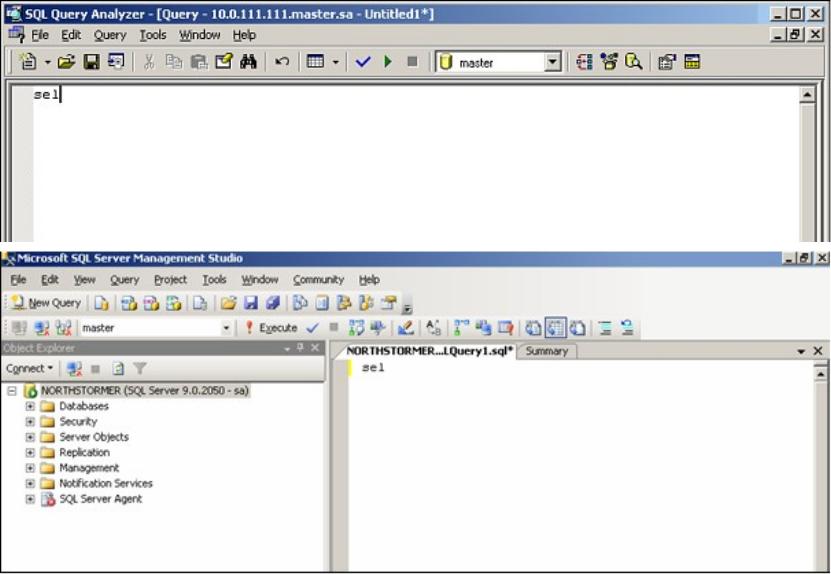
1 Perform the following steps from the SQL Query Analyzer. You can run SQL Query
Analyzer directly from the Start menu, or, for SQL Server 2005/2008, you can run it
from inside SQL Server Enterprise Manager.
2 Copy the content of the procedure to the SQL Query Analyzer new query pane,
saving it as AuditTrcProc.sql.
3 Execute the procedure with the following SQL command:
EXEC AuditTrcProc
4 Make this procedure start automatically when the SQL Server restarts by executing
of 8
10墨值下载
【版权声明】本文为墨天轮用户原创内容,转载时必须标注文档的来源(墨天轮),文档链接,文档作者等基本信息,否则作者和墨天轮有权追究责任。如果您发现墨天轮中有涉嫌抄袭或者侵权的内容,欢迎发送邮件至:contact@modb.pro进行举报,并提供相关证据,一经查实,墨天轮将立刻删除相关内容。
下载排行榜

评论