



Configuring your browser for trusted HTTPS connections to IBM Content Navigator and Box.pdf
免费下载
Configuring your browser for trusted HTTPS connections to IBM Content Navigator and Box 1
®
Configuring your browser for trusted HTTPS
connections to IBM Content Navigator and Box
The information in this web doc guides you through adding the IBM® Content Navigator server’s
certificate to the desktop browser for Internet Explorer, Firefox, and Chrome. This document is an
associated web doc for the web doc
How to Successfully Integrate IBM Content Navigator with Box
Repository
, TIPS1350, found at:
http://www.redbooks.ibm.com/abstracts/tips1350.html
Use the web server administrative console to check that the server that is hosting IBM Content Navigator
has a valid SSL Server Certificate, which is self-signed or signed by a recognized authority. Ensure that
the desktop browser (Internet Explorer, Chrome, or Firefox) can establish a trusted HTTPS connection to
the web server without any certificate errors or security risk warnings. It is important that you are not
presented with a certificate error.
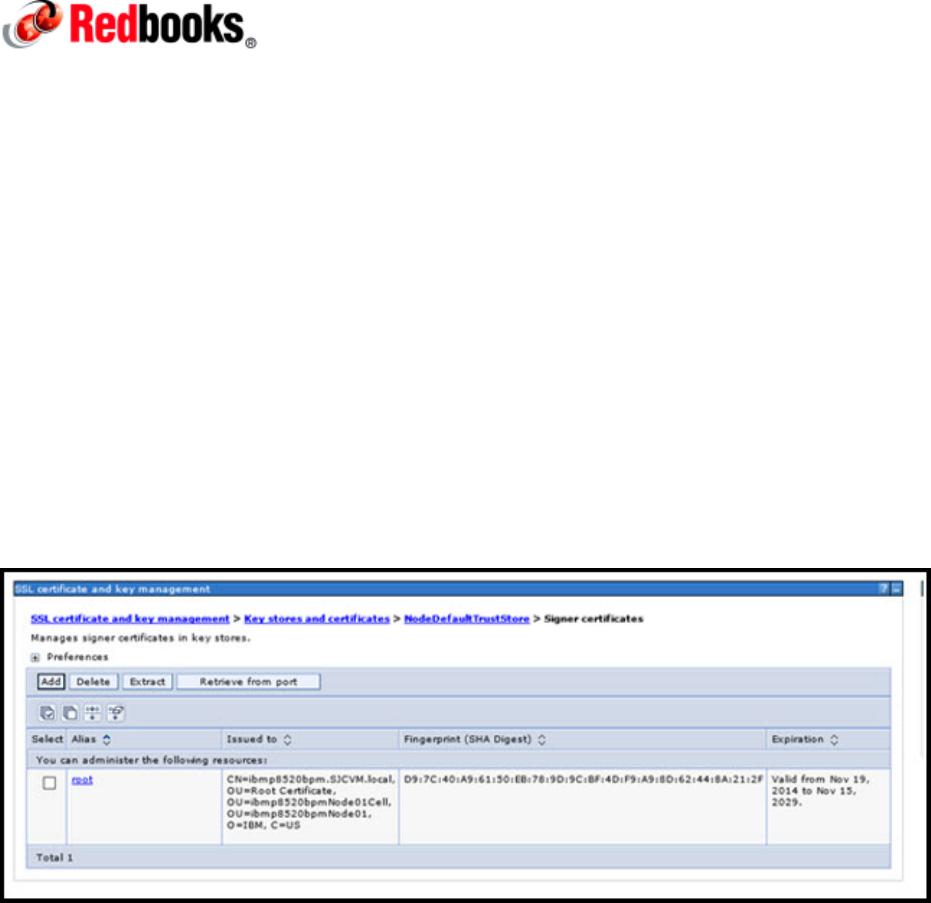
Figure 1 shows an example of an IBM WebSphere® root certificate in the IBM WebSphere Application
Server administrative console.
Figure 1. Example WebSphere root certificate
Configuring Internet Explorer
To configure Internet Explorer, complete these steps:
Add the HTTPS connection URL host name to the Internet Explorer Trusted Sites.
1.
Connect to IBM Content Navigator by using HTTPS and the HTTPS port (use the application server
2.
default 9443 and the front-end proxy default 443).
Configuring your browser for trusted HTTPS connections to IBM Content Navigator and Box 2
If the root certificate is not imported into Internet Explorer, you get a security warning. Continue to the
3.
site and you see a red certificate error on the address bar.
Click the certificate error, view the certificate, view the Certificate chain path, and install the root
4.
certificate into the Certificate store: Trusted Root Certification Authorities.
Restart the browser and check that the connection to IBM Content Navigator completes without any
5.
certificate security warnings.
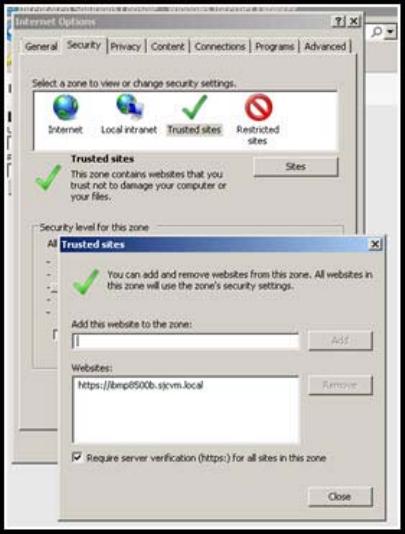
Figure 2 shows where to add the IBM Content Navigator URL host to the Internet Explorer Trusted Sites
list.
Figure 2. Adding the IBM Content Navigator host to the trusted sites
of 17
免费下载
【版权声明】本文为墨天轮用户原创内容,转载时必须标注文档的来源(墨天轮),文档链接,文档作者等基本信息,否则作者和墨天轮有权追究责任。如果您发现墨天轮中有涉嫌抄袭或者侵权的内容,欢迎发送邮件至:contact@modb.pro进行举报,并提供相关证据,一经查实,墨天轮将立刻删除相关内容。
下载排行榜

评论