详细介绍
oracle RDA诊断工具
Overview
Remote Diagnostic Agent (RDA) is a command-line diagnostic tool that is executed by an engine written in the Perl programming language. RDA provides a unified package of support diagnostics tools and preventive solutions. The data captured provides Oracle Support with a comprehensive picture of the customer’s environment which aids in problem diagnosis.
Oracle Support encourages the use of RDA because it greatly reduces service request resolution time by minimizing the number of requests from Oracle Support for more information. RDA is designed to be as unobtrusive as possible; it does not modify systems in any way. It collects useful data for Oracle Support only and a security filter is provided if required.
This guide provides users with an overview of RDA, the download instructions, and general steps about how to execute RDA within a UNIX, Windows, and Mac OS X environment.
Installation Instructions
Instructions for UNIX/ZLinux Type Operating Systems
Choose or create a directory or area on your UNIX server. Make sure you have sufficient space for the RDA output (~150MB). It does not matter where you create this directory or what it is named, but the same user that runs RDA must own it. Do not use a directory that contains an older version of RDA unless you have deleted the previous version of RDA first. If necessary, you can reuse prior setup files.
Note: The rda.zip creates a directory named “rda” containing all the required files when you extract it.
Do not extract the contents of the RDA archive on a Windows client first or you will have to remove the ^M characters from the end of each line in all of the shell scripts in order for them to run.
FTP the downloaded rda.zip file to your UNIX server in binary mode and place it in the directory chosen or created in step 1.
Extract the .zip archive contents into a new directory, preserving the directory structure of the archive. Do not extract into a directory that contains an older RDA version. For example:
unzip rda.zip
Change directory to the ‘rda’ directory created by the above command, for example:
cd rda
Make sure the RDA command ‘rda.sh’ is executable. To verify, enter the following command:
ls -l rda.sh
If the script is not executable, update it using the command:
chmod +x rda.sh
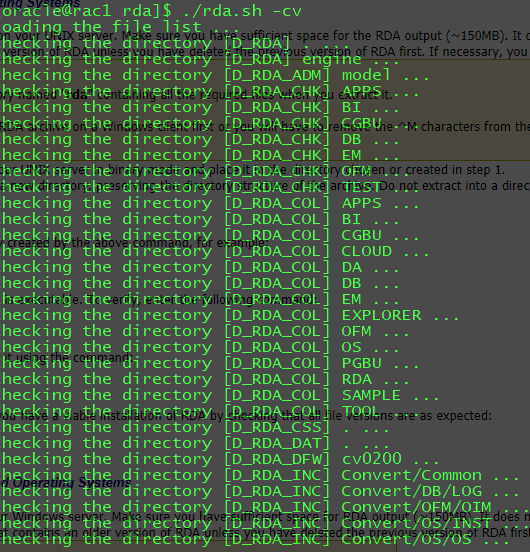
The following command checks that you have a viable installation of RDA by checking that all file versions are as expected:
./rda.sh -cv
Instructions for Microsoft Windows Based Operating Systems
Create a new directory or area on your Windows server. Make sure you have sufficient space for RDA output (~150MB). It does not matter where you create this directory or what it is named, but it should have access to the Oracle software installation. Do notuse a directory that contains an older version of RDA unless you have deleted the previous version of RDA first.
Note: The rda.zip file creates a directory named " rda" containing all the required files when you extract it.
Transfer the downloaded rda.zip file to your Windows server and place it in the directory chosen in step 1. If transferring the zip file from one system to another using FTP, remember to transfer it in binary mode.
Extract the .zip archive contents into a new directory, preserving the directory structure of the archive.
Note: It is important to use a utility such as WinZip or 7z rather than the built in Windows extract facility. Do not extract into a directory that contains an older RDA version.
Change directory to the ‘rda’ directory created by the above command, for example:
cd rda
You can verify the RDA installation using the following command:
rda.cmd -cv