

dblink连接提示密码错误
 5M
5M我在11rac上创建了的dblink,创建的时候使用的是本地的tnsnames,但是我通过dblink去查询的时候,提示密码错误。请问大佬这是怎么回事呢
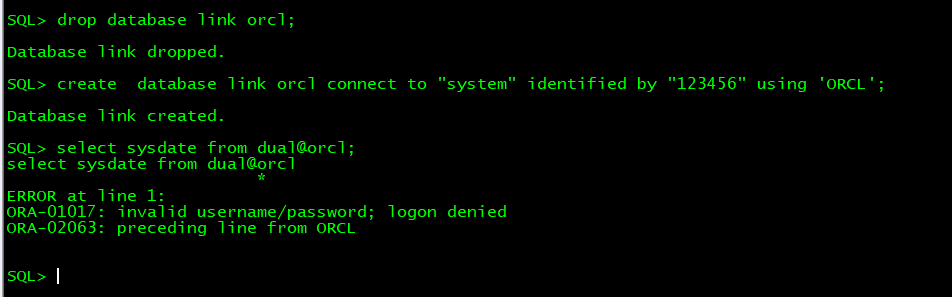
创建语句:

创建成功:

查询报错:
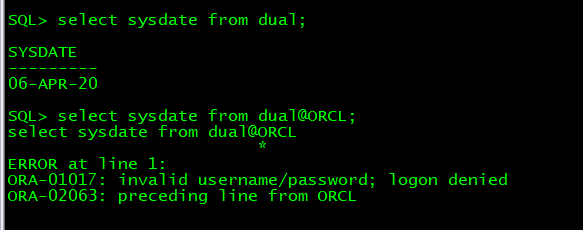
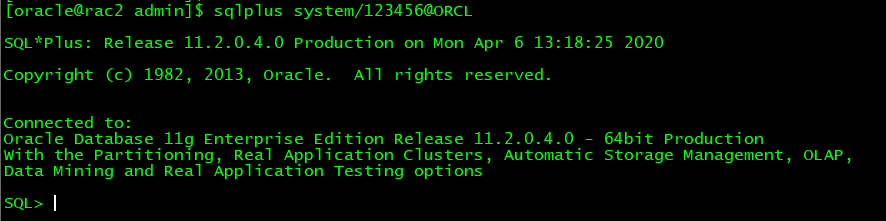
通过TNS连接数据库测试:
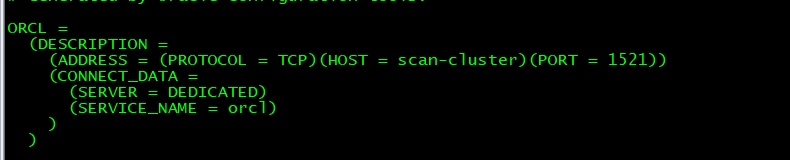
tnsname内容:
收藏
复制链接
微信扫码分享

在小程序上查看
分享
9条回答
默认
最新
采纳答案后不可修改和取消
去掉123456两边的单引号试试,,,为什么又是单引号又是双引号?
 评论
评论 有用 0
有用 0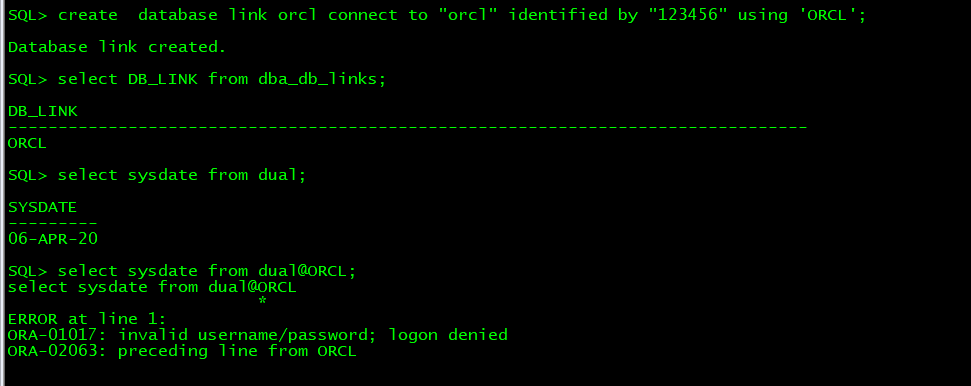
11gR2 Database Link: ORA-01017 & ORA-02063 When Using Lower Case Identifiers (Doc ID 1677916.1)
评论 有用 0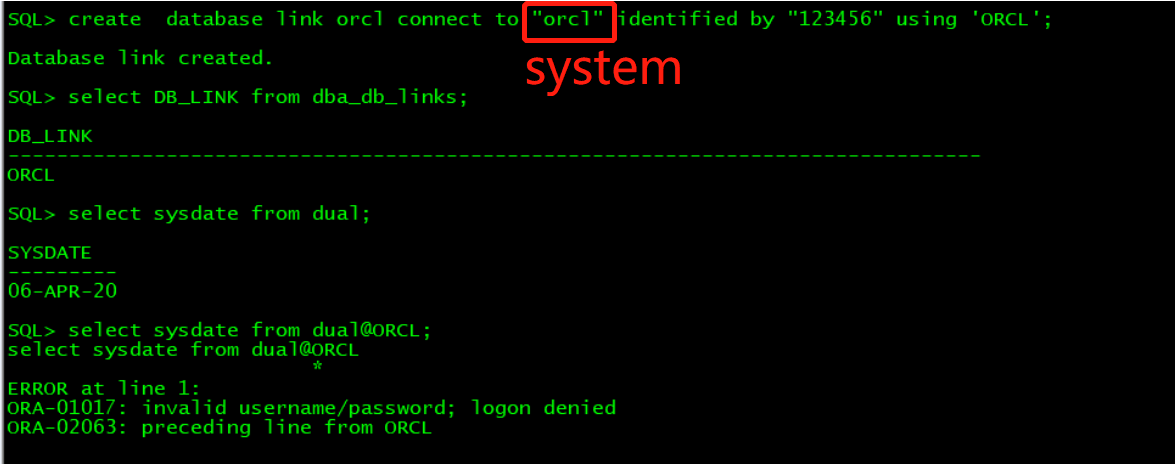
SOLUTION
Either:
- Create the link with no quotes around the username/password so that the credentials are interpreted in uppercase.
SQL> create database link TARGET_DB CONNECT TO
Alternatively:
- If it is your convention or if creating the dblinks are scripted, you could create the link using quoted identifiers AND in uppercase:
SQL> create database link OTARGET_DB CONNECT TO “
It is not possible to use quoted userid/password identifiers in the creation of a link. You will not be able to successfully select across that link.
评论 有用 0采纳答案后不可修改和取消
system不要引号
评论 有用 0回答交流
提交
问题信息
请登录之后查看
邀请回答
暂无人订阅该标签,敬请期待~~
墨值悬赏