
2020-07-23
集群各节点只能看到自己,其他节点均为CLOSE
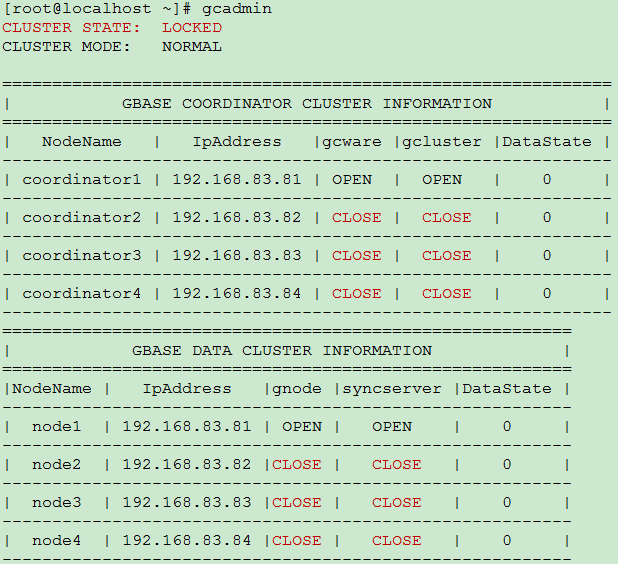
多节点集群,在其中任何一个节点上执行gcadmin,能够正常返回,但是集群状态为LOCKED,且只能看到本节点服务正常,其他节点服务均为CLOSE,如下图所示。
我来答
添加附件
收藏
分享
问题补充
1条回答
默认
最新

回答交流
提交
问题信息
请登录之后查看
邀请回答
暂无人订阅该标签,敬请期待~~
 墨值悬赏
墨值悬赏

多节点集群,在其中任何一个节点上执行gcadmin,能够正常返回,但是集群状态为LOCKED,且只能看到本节点服务正常,其他节点服务均为CLOSE,如下图所示。
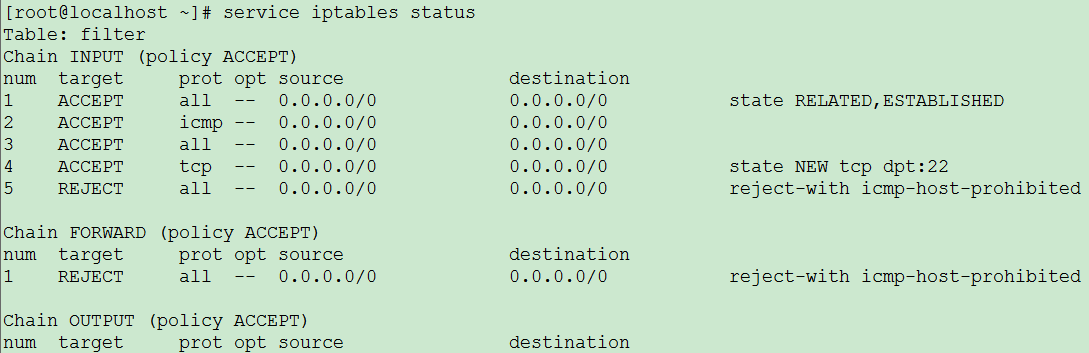
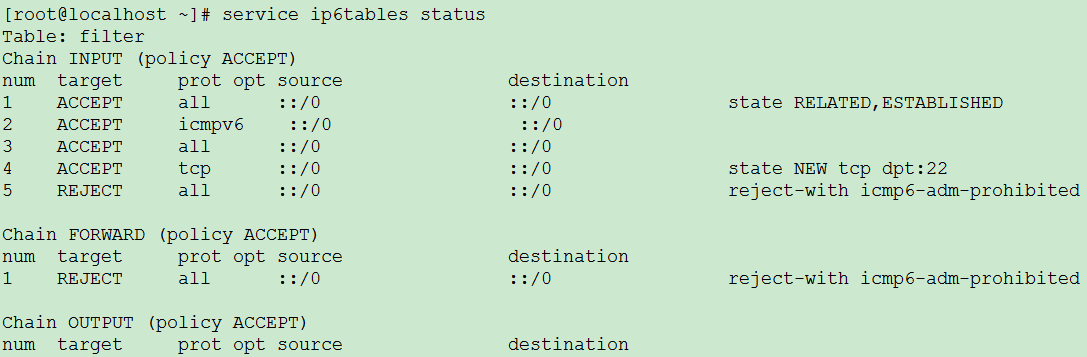
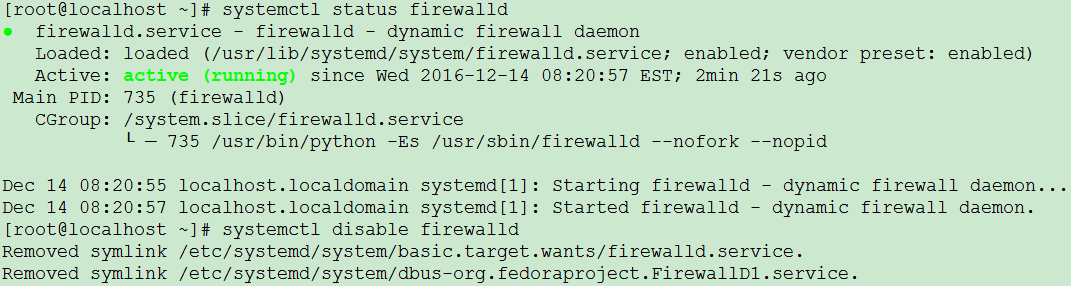
出现该问题时需要检查服务器的防火墙是否关闭,命令如下,如果防火墙为开启状态,需要关闭防火墙。
1、Redhat6.2系统查看防火墙命令
//显示如下信息表示防火墙是开启状态
#service iptables status
#service ip6tables status
//显示如下信息表示防火墙关闭
#service iptables status
#service ip6tables status

2、Redhat7.2系统查看防火墙命令
//显示如下信息表示防火墙是开启状态
#systemctl status firewalld
//显示如下信息表示防火墙关闭
#systemctl status firewalld

3、SUSE系统查看防火墙命令
//显示如下信息表示防火墙是开启状态
#/sbin/SuSEfirewall2 status
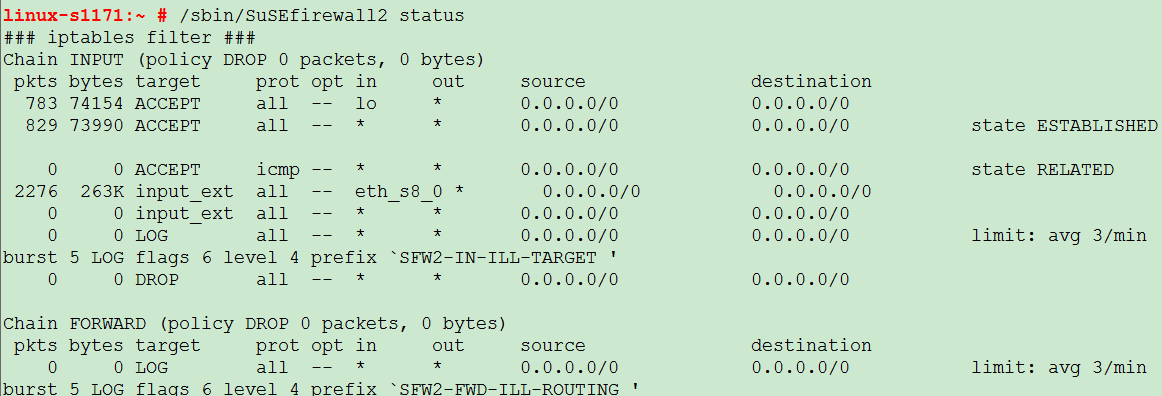
//显示如下信息表示防火墙是关闭状态
#/sbin/SuSEfireall2 status

1、Redhat6.2系统关闭防火墙命令
如果防火墙开启,通过如下命令关闭防火墙:
#service iptables stop

#chkconfig iptables off
#service ip6tables stop

#chkconfig ip6tables off
最后查看防火墙是否开机自启动的命令如下:
#chkconfig --list iptables
#chkconfig --list ip6tables

2、Redhat7.2系统关闭防火墙命令
临时关闭防火墙命令
#systemctl stop firewalld
永久关闭防火墙命令
#systemctl disable firewalld

3、SUSE系统关闭防火墙命令
//如果防火墙开启,通过如下命令关闭防火墙
#/sbin/ SuSEfireall2 stop

//最后查看防火墙是否开机自启动的命令如下:
#chkconfig –list|grep fire

//禁用防火墙开机自启动的命令如下:
#chkconfig SuSEfirewall2_init off
#chkconfig SuSEfirewall2_setup off
#chkconfig –list|grep fire

 评论
评论 有用 0墨值悬赏