

 15M
15Mwindows server 2012服务器,在安装Oracle19c时,图形界面一直卡在先决条件检查的位置,请高手帮忙看看

 评论
评论 有用 0
有用 0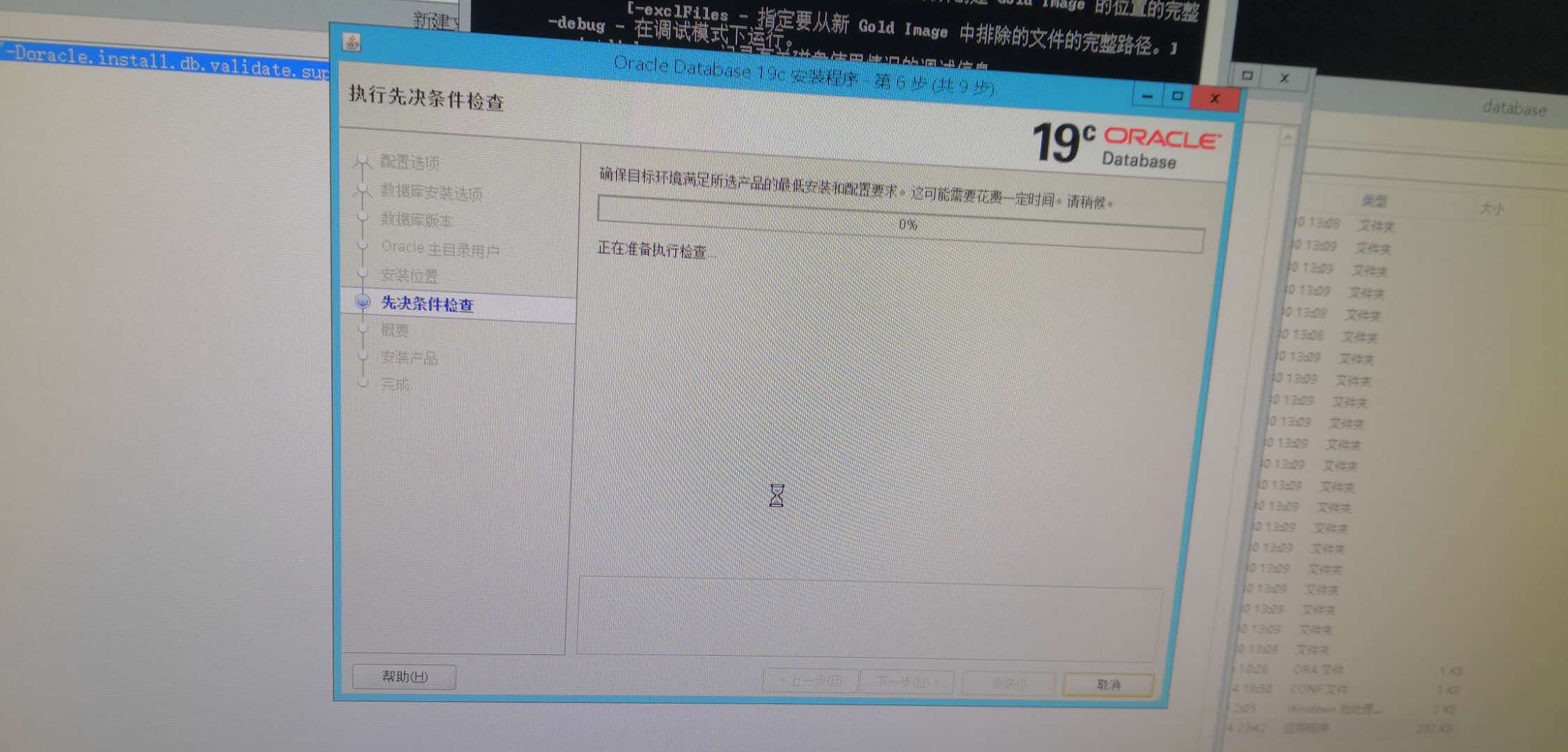

先检查一下 操作系统版本是不是 Oracle 认证的系统。
Oracle 认证的系统是这些。
Oracle Database for Windows x64 is supported on the following operating system versions:
Windows 8.1 x64 - Pro and Enterprise editions
Windows 10 x64 - Pro, Enterprise, and Education editions
Windows Server 2012 R2 x64 - Standard, Datacenter, Essentials, and Foundation editions
Windows Server 2016 x64 - Standard, Datacenter, and Essentials editions
Windows Server 2019 x64 - Standard, Datacenter, and Essentials editions
评论 有用 0你好,你安装的是RAC版本?
在你上传的log.txt里发现了这个信息.
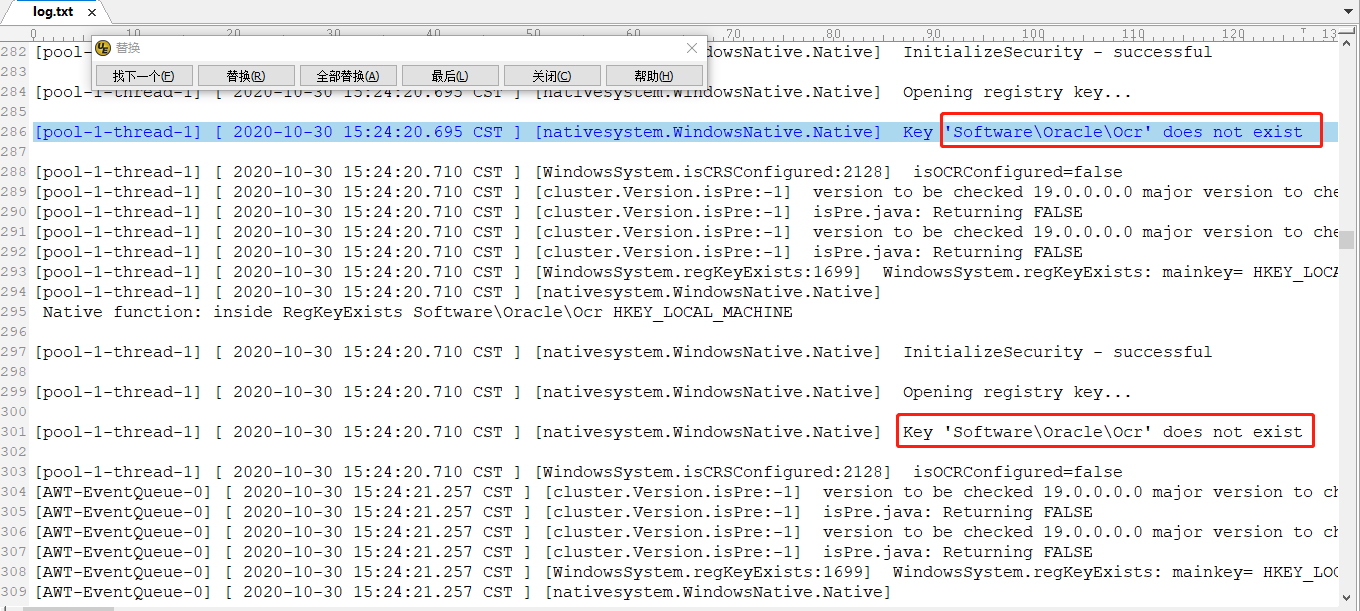
有可能是你在Windows Server 2012 r2的注册表里缺少那个目录。
评论 有用 0哦,那是你的文件系统用的是共享ASM磁盘了。既然安装卡在预检查部分,那就看一下官方文档中对应操作系统的预检查的先决条件。
https://docs.oracle.com/en/database/oracle/oracle-database/19/ntdbi/oracle-database-software-requirements.html#GUID-CEF225E9-9600-4E01-AC6F-402B562385F8
评论 有用 0你的windows server 2012 安装oracle 19c 的问题最后怎么解决的,请教下
评论 有用 0墨值悬赏