


2024-02-23
ubuntu22使用clion调试mysql8.0.28源码遇到openssl问题
 5M
5M错误:
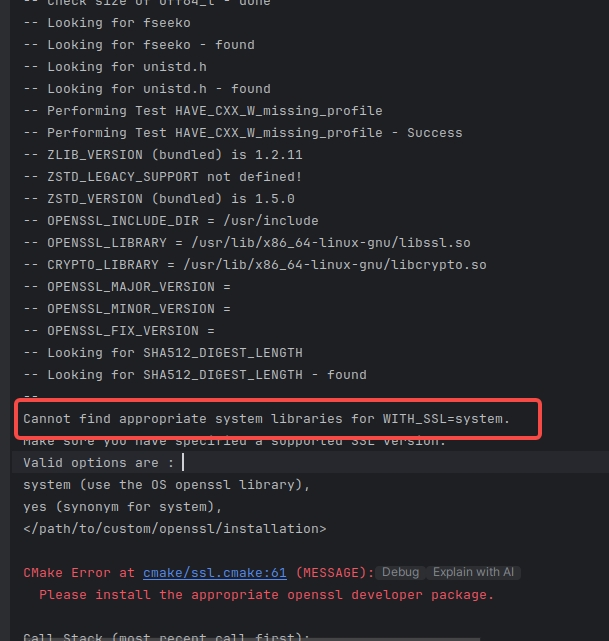
-- Performing Test HAVE_CXX_W_missing_profile
-- Performing Test HAVE_CXX_W_missing_profile - Success
-- ZLIB_VERSION (bundled) is 1.2.11
-- ZSTD_LEGACY_SUPPORT not defined!
-- ZSTD_VERSION (bundled) is 1.5.0
-- OPENSSL_INCLUDE_DIR = /usr/include
-- OPENSSL_LIBRARY = /usr/lib/x86_64-linux-gnu/libssl.so
-- CRYPTO_LIBRARY = /usr/lib/x86_64-linux-gnu/libcrypto.so
-- OPENSSL_MAJOR_VERSION =
-- OPENSSL_MINOR_VERSION =
-- OPENSSL_FIX_VERSION =
-- Looking for SHA512_DIGEST_LENGTH
-- Looking for SHA512_DIGEST_LENGTH - found
--
Cannot find appropriate system libraries for WITH_SSL=system.
Make sure you have specified a supported SSL version.
Valid options are :
system (use the OS openssl library),
yes (synonym for system),
</path/to/custom/openssl/installation>

CMake Error at cmake/ssl.cmake:61 (MESSAGE):
  Please install the appropriate openssl developer package.

Call Stack (most recent call first):
  cmake/ssl.cmake:319 (FATAL_SSL_NOT_FOUND_ERROR)
  CMakeLists.txt:1631 (MYSQL_CHECK_SSL)


-- Configuring incomplete, errors occurred!
系统版本:
(base) hello@hello:~/CLionProjects/mysql-server/include/boost_1_73_0$ lsb_release -a
No LSB modules are available.
Distributor ID: Ubuntu
Description:    Ubuntu 22.04.2 LTS
Release:        22.04
Codename:       jammy
CMake参数:
-DCMAKE_BUILD_TYPE=Debug
-DDOWNLOAD_BOOST=1
-DWITH_BOOST=/home/hello/CLionProjects/mysql-server/build/boost_1_73_0
-DCMAKE_INSTALL_PREFIX=/home/hello/CLionProjects/mysql-server/build
-DMYSQL_DATADIR=/home/hello/CLionProjects/mysql-server/build/data
-DSYSCONFDIR=/home/hello/CLionProjects/mysql-server/build
-DMYSQL_UNIX_ADDR=/home/hello/CLionProjects/mysql-server/build/data/mysql.sock
-DWITH_SSL=system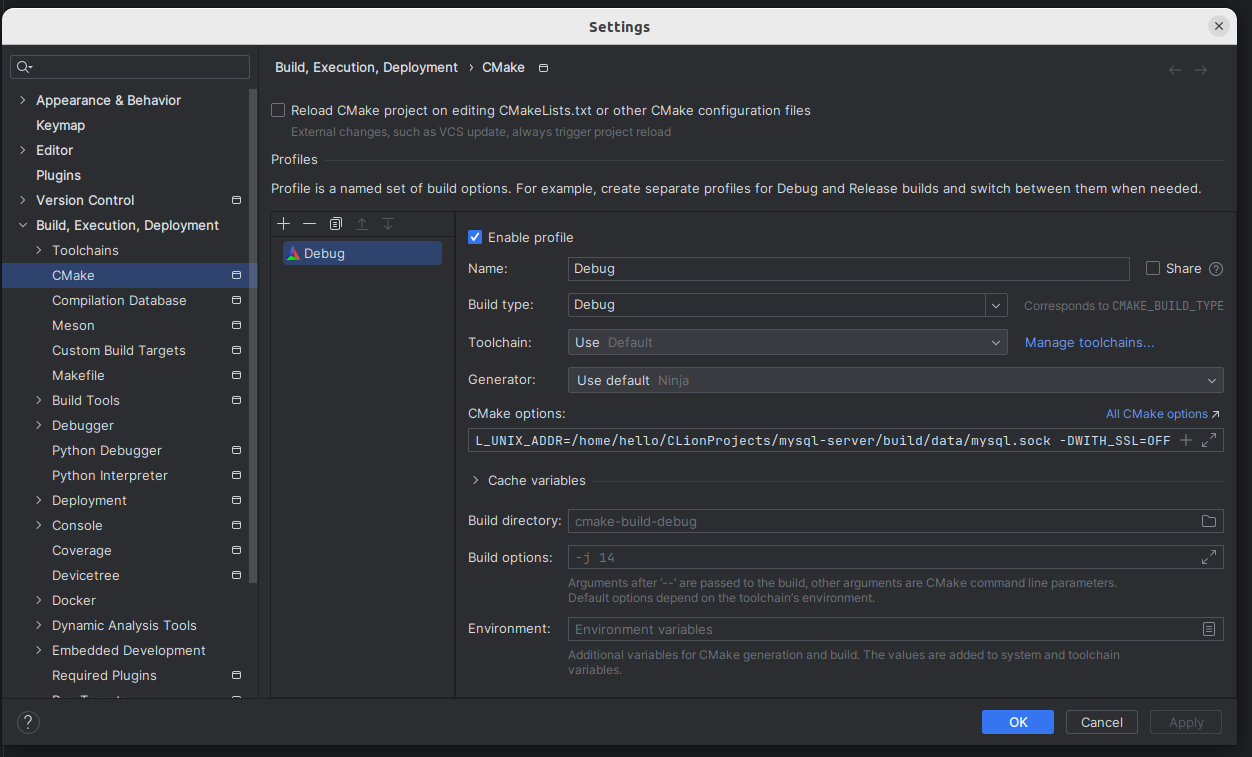
openssl已经安装:
(base) root@hello:/home/hello# openssl version OpenSSL 1.1.1u 30 May 2023(base) hello@hello:~/CLionProjects/mysql-server/include/boost_1_73_0$ openssl version OpenSSL 1.1.1u 30 May 2023
我来答
添加附件
收藏
分享
问题补充
2条回答
默认
最新
 评论
评论
回答交流
提交
问题信息
请登录之后查看
邀请回答
暂无人订阅该标签,敬请期待~~
墨值悬赏