

ORACLE的Nologging和Append研究
最近更新:2022-02-21 17:02:07
第一章 ORACLE的日志模式和归档模式
ORACLE的日志模式分为logging,force logging,nologging。
默认情况是logging,就是会记录到redo日志中,force logging是强制记录日志,nologging是尽量减少日志。FORCE LOGGING可以在数据库级别、表空间级别进行设定、而LOGGING与NOLOGGING可以在表空间、表级别设定。
Oracle的归档模式分为:非归档模式(NOARCHIVELOG) 和归档模式(ARCHIVELOG)。
非归档模式不产生归档日志,虽然节省了硬盘空间,但是备份方案选择很有限,通常只能选择冷备份,数据安全无法保证,还原也只能还原到备份那一时刻的数据。Oracle安装默认是非归档模式,在生产环境中应该使用归档模式,它会产生归档日志,可以使用多种备份和还原方案,确保数据安全。
1.1 查询日志模式:
查询数据库级别的日志及归档模式:
select log_mode,force_logging from v$database;
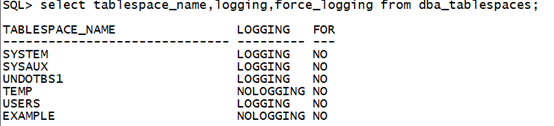
 查看表空间级别的日志记录模式:
select tablespace_name,logging,force_logging from dba_tablespaces;
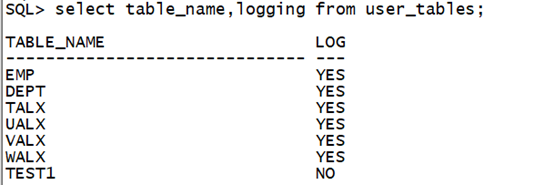
查看对象级别的日志记录模式:
select table_name,logging from user_tables;
1.2 调整日志模式:
调整数据库的日志模式:
alter database no force logging;    --调整为非强制日志模式
alter database force logging;       --调整为强制日志模式
调整表空间的日志模式:
alter tablespace USERS no force logging;    --调整为非强制日志模式
alter tablespace USERS force logging;        --调整为强制日志模式
alter tablespace USERS nologging;    		 --调整为非日志模式
alter tablespace USERS logging;        	      --调整为日志模式
调整表的日志模式:
alter table TEST1 no logging;    --调整为非日志模式
alter table TEST1 logging;        --调整为日志模式
1.3 查询归档模式:
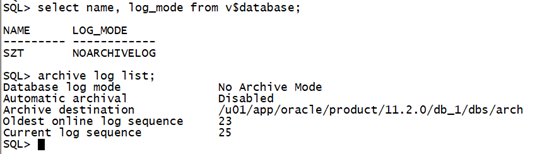
查询数据库归档模式:
select name, log_mode from v$database;
archive log list;
1.4 调整归档模式:
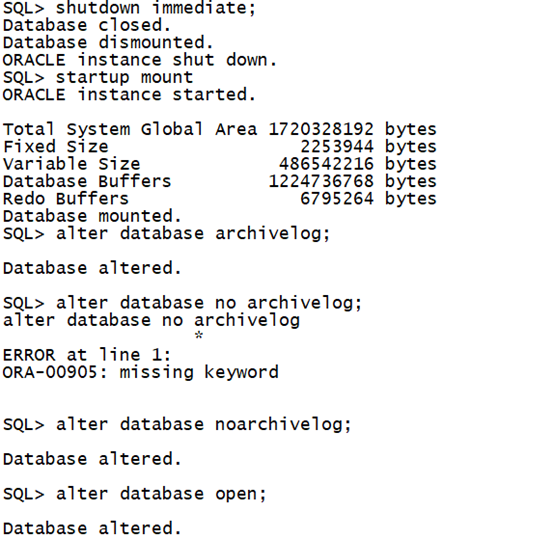
非归档模式的数据库更改为归档模式。需要数据库在mount状态下,更改归档模式。
SQL> shutdown immediate;       ---关闭数据库
Database closed.
Database dismounted.
ORACLE instance shut down.

SQL> startup mount             ---启动到mount状态
ORACLE instance started.

SQL> alter database archivelog;    ---修改为归档模式
Database altered.
SQL> alter database open;      ---打开数据库
Database altered.
修改归档日志目录:
......
登录MES账号 查看全文详情
登录/注册
