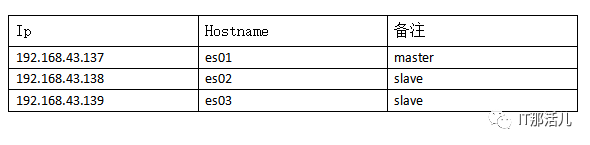
verbose:显示列名, 请求参数为v
示例: curl localhost:9200/_cat/master?v

help:显示当前命令的各列含义, 请求参数为help. 某些命令部分列默认不显示,可通过help该命令可显示的所有列
示例: curl localhost:9200/_cat/master?help
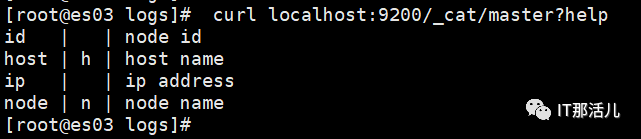
bytes: 数值列以指定单位显示, 默认转为以kb/mb/gb表示
示例: curl localhost:9200/_cat/indices?bytes=b
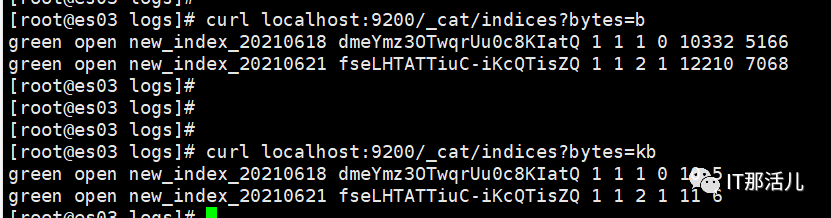
header:显示指定列的信息,请求参数为h

查看各index的segment详细信息,包括segment名, 所属shard, 内存/磁盘占用大小, 是否刷盘, 是否merge为compound文件等. 可以查看指定index的segment信息(/_cat/segments/${index})
实例: curl localhost:9200/_cat/segments/new_index_20210621?v

查看集群中所有index的详细信息,包括index状态,shard个数(primary/replica),doc个数等,可参考help. 可以查看指定index的信息(/_cat/indices/${index})
示例: curl localhost:9200/_cat/indices?v

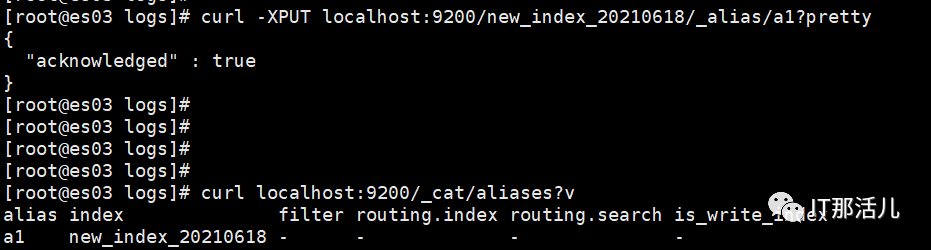
查看集群中所有alias信息,包括alias对应的index, 路由配置等. 可以查看指定alias的信息(/_cat/aliases/${alias})
先给索引创建个别名: curl -XPUT localhost:9200/new_index_20210618/_alias/a1?pretty
示例: curl localhost:9200/_cat/aliases?v
查看各shard的详细情况,包括shard的分布, 当前状态(对于分配失败的shard会有失败原因), doc数量, 磁盘占用情况, shard的访问情况(如所有get请求的成功/失败次数以及对应耗时等). 可以指定index只查看某个index的shard信息(/_cat/shards/${index})
示例: curl localhost:9200/_cat/shards?v
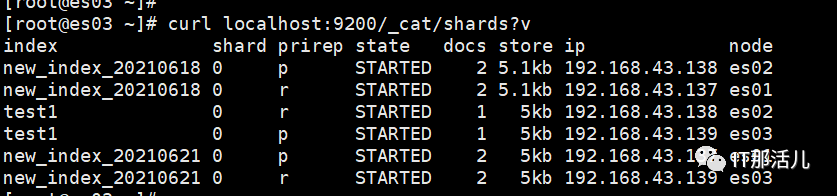
查看单节点的shard分配整体情况
示例: curl localhost:9200/_cat/allocation?v

查看单节点的自定义属性
示例: curl localhost:9200/_cat/nodeattrs?v
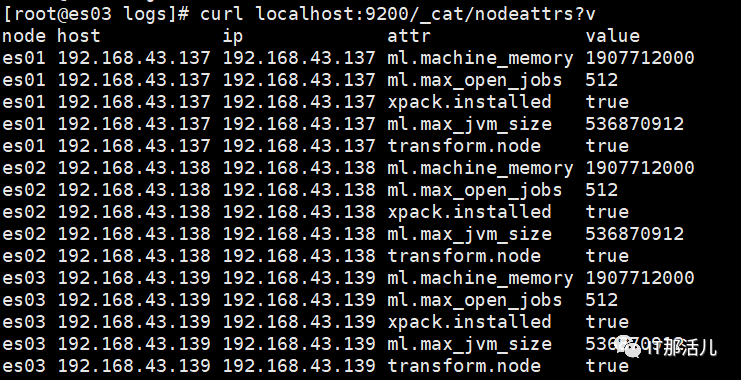
查看集群当前状态, 包括data节点个数,primary shard个数等基本信息
示例: curl localhost:9200/_cat/health?v

查看集群各个节点的当前状态, 包括节点的物理参数(包括os/jdk版本, uptime, 当前mem/disk/fd使用情况等), 请求访问情况(如search/index成功和失败的次数)等详细信息
示例: curl localhost:9200/_cat/nodes?v

查看集群中的master节点
示例: curl localhost:9200/_cat/master?v

查看当前集群各个节点的fielddata内存使用情况,默认是关闭的
查看当前集群的doc数量; 也可显示指定index的doc数量,格式为/_cat/count/${index}
示例: curl localhost:9200/_cat/count/new_index_20210618?v

查看当前集群的pending task(等待事件),测试环境没业务
查看集群各个节点上的plugin(插件)信息,测试环境没有安装插件
示例: curl localhost:9200/_cat/plugins?v
1. 查询es中所有索引,所有已存在的索引
curl localhost:9200/_cat/indices?v

▼▼▼curl -H"Content-Type: application/json" -XPUT localhost:9200/new_index_20210618?pretty -d'{ "settings":{ "number_of_replicas":3, "number_of_shards":9 }, "mappings": { "user": { "properties": { "name": { "type":"text" }, "age":{ "type":"integer" }, "profession":{ "type":"text" } } } }}'
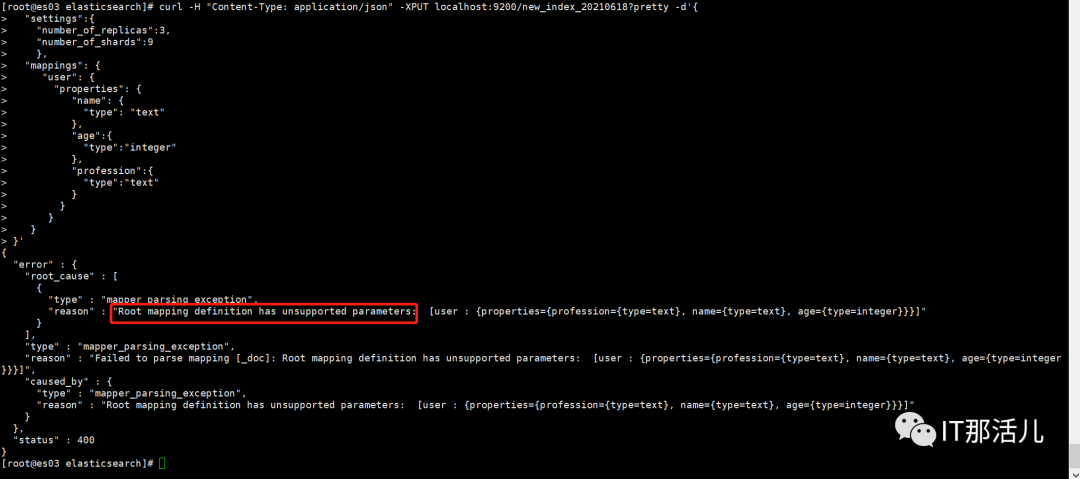
出现这个的原因是,elasticsearch7默认不在支持指定索引类型,默认索引类型是_doc,如果想改变,则配置include_type_name: true 即可(官方文档说,无论是否可行,建议不要这么做,因为elasticsearch8后就不在提供该字段)。
https://www.elastic.co/guide/en/elasticsearch/reference/current/removal-of-types.html
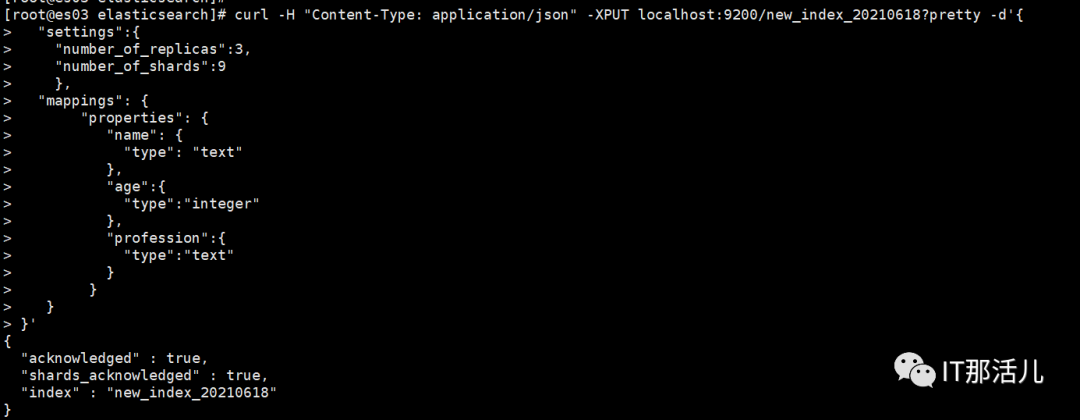
所以在Elasticsearch7中应该这么创建索引,也可创建索引后再修改mapping(pretty输出结果已json形式输出)
▼▼▼curl -H"Content-Type: application/json" -XPUT localhost:9200/new_index_20210618?pretty -d'{ "settings":{ "number_of_replicas":3, "number_of_shards":9 }, "mappings": { "properties": { "name": { "type":"text" }, "age":{ "type":"integer" }, "profession":{ "type":"text" } } }}'
示例: curl -XDELETE localhost:9200/new_text_202106018?pretty

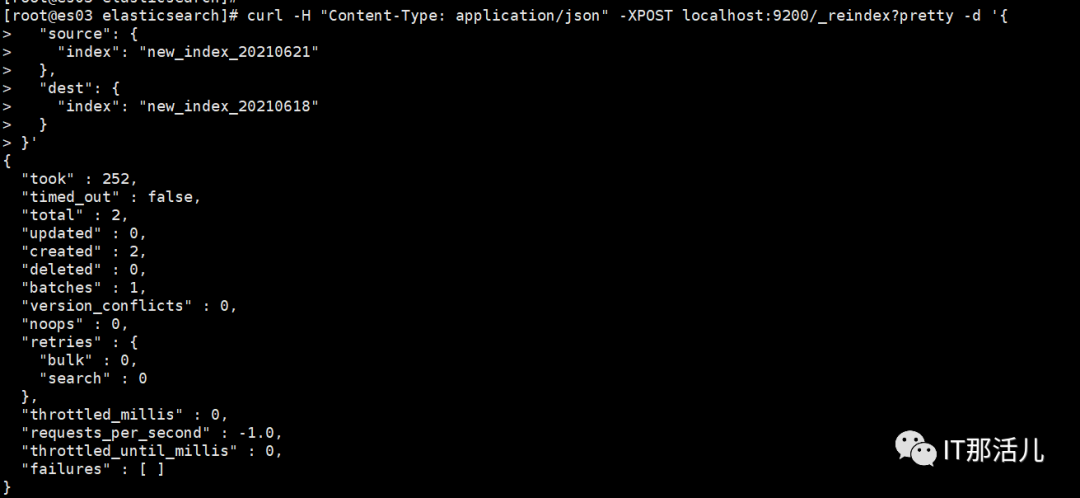
4. 索引重命名,ES不支持索引重命名,只能将原索引复制到新索引
▼▼▼curl -H"Content-Type: application/json" -XPOST localhost:9200/_reindex -d'{ "source": { "index": "new_index_20210621" }, "dest": { "index": "new_index_20210618" }}'
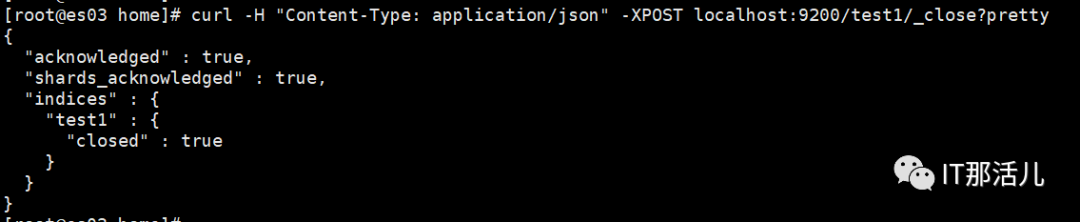
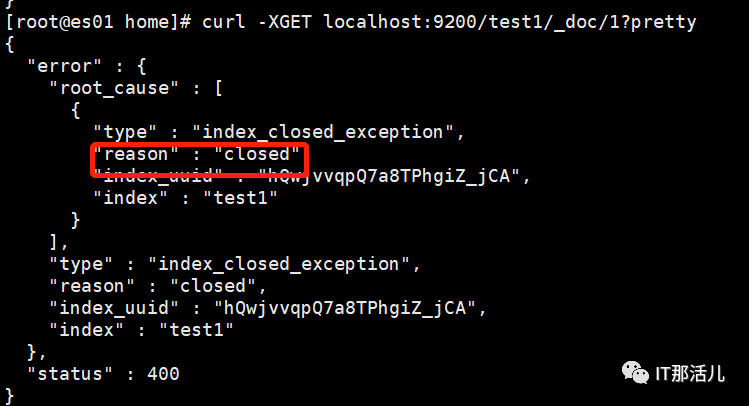
5. 开启关闭索引,索引关闭后只能查看索引配置信息,不能对索引的数据进行读写操作
关闭:
curl -H "Content-Type: application/json" -XPOST localhost:9200/test1/_close?pretty
开启:
curl -H "Content-Type: application/json" -XPOST localhost:9200/test1/_open?pretty

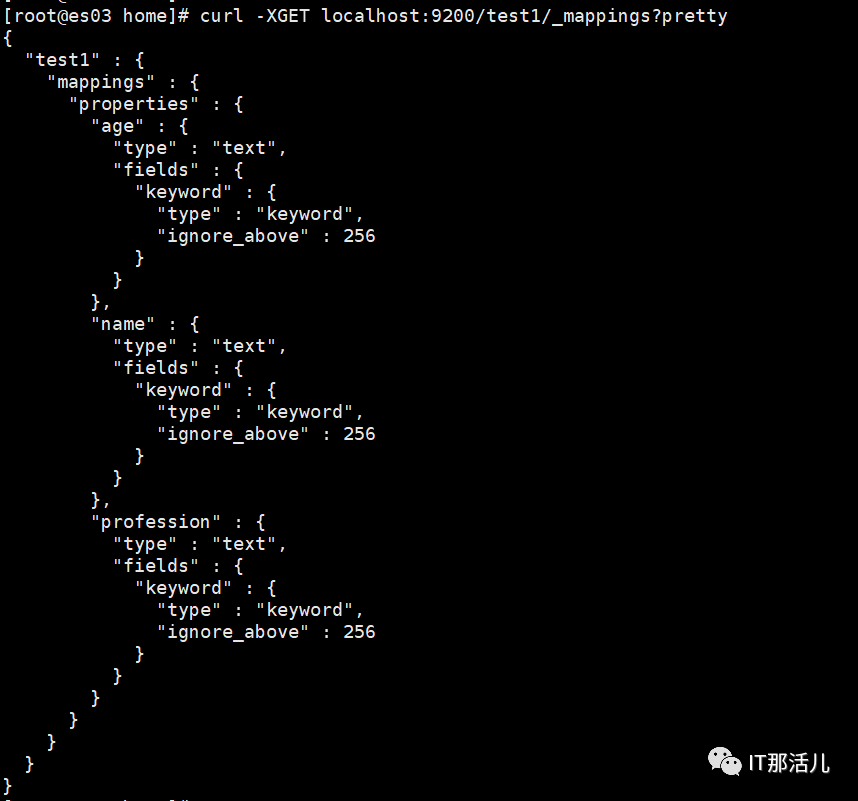
1.查询索引的mappings(映射,相当于数据库的表结构)
curl -XGET localhost:9200/test1/_mappings?pretty
2. 修改索引的mapping,添加Createtime字段字段类型是date(*ES mapping在建好之后不可以更改字段类型,也不支持删除)
curl -H "Content-Type: application/json" -XPUT localhost:9200/test1/_mapping?pretty -d'{"properties":{"name":{"type":"text"},"age":{"type":"text"},"profession":{"type":"text"},"Createtime":{"type":"date","format":"yyyy-MM-dd HH:mm:ss"}}}'

1.创建新的索引库test2
curl -XPUT localhost:9200/test2?pretty
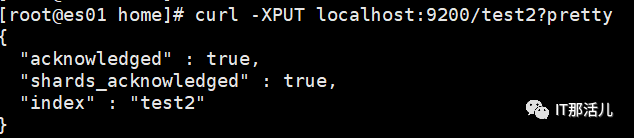
2.像新建的test2索引库中插入一条数据
数据插入后会自动生成mapping,字段类型默认为text,时间字段类型为date
curl -H "Content-Type: application/json" -XPUT localhost:9200/test2/_doc/1?pretty -d '{"name":"张三","age":"23","profession":"法外狂徒","Createtime":"2021-06-25"}'

3. 查询新插入的数据
curl -XGET localhost:9200/test2/_doc/1?pretty
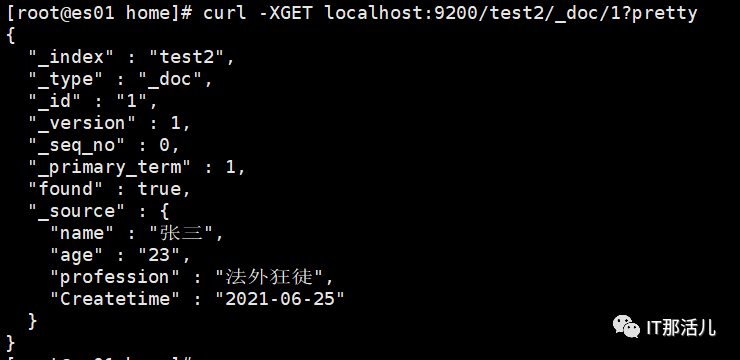
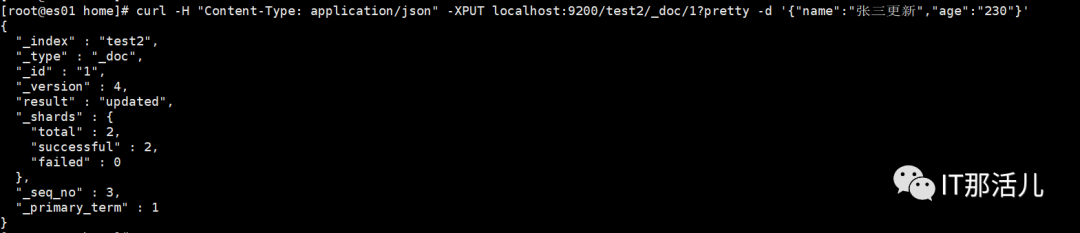
4. 修改数据,每修改一次_version加1
curl -H "Content-Type: application/json" -XPUT localhost:9200/test2/_doc/1?pretty -d '{"name":"张三更新","age":"230"}'
即使用相同的新增命令操作相同的ID,数据不同
或者使用_update更新数据
curl -H "Content-Type: application/json" -XPOST localhost:9200/test2/_doc/1/_update?pretty -d '{"doc":{"name":"张三更新","age":"2300"}}'
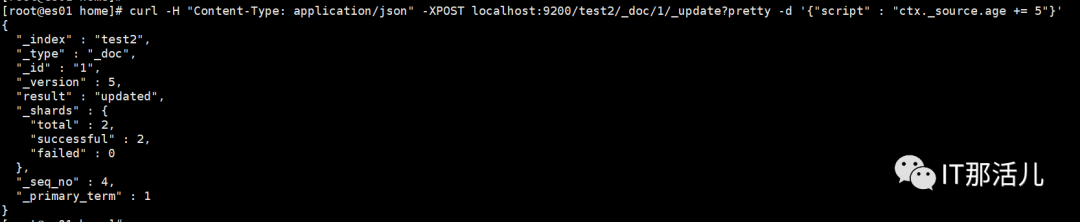
5. 使用简单的脚本修改数据
curl -H "Content-Type: application/json" -XPOST localhost:9200/test2/_doc/1/_update?pretty -d '{"script" : "ctx._source.age += 5"}'
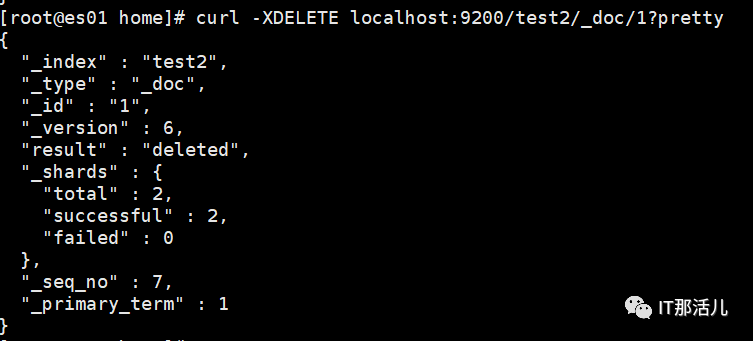
6. 根据ID删除数据
curl -XDELETE localhost:9200/test2/_doc/1?pretty
7. _bukl命令批量操作
▼▼▼curl -H "Content-Type: application/json" -XPOST localhost:9200/test2/_doc/_bulk?pretty -d '{"update":{"_id":"1"}}{"doc": {"name":"赵思妹妹","age":"25"}}{"update":{"_id":"2"}}{"doc":{"name":"钱老板","age":"50"}}{"delete":{"_id":"3"}}{"index":{"_id":"4"}}{"name":"尼古拉斯","age":"1200"}'
创建test.json文件,确保ES用户有读取该文件的权限。
▼▼▼Vi test.json{"index":{"_id":"10"}}{"name":"张三10","age":10}{"index":{"_id":"11"}}{"name":"张三11","age":11}{"index":{"_id":12}}{"name":"张三12","age":12}{"index":{"_id":"13"}}{"name":"张三13","age":13}{"index":{"_id":"14"}}{"name":"张三14","age":14}{"index":{"_id":15}}{"name":"张三15","age":15}
curl -H "Content-Type: application/json" -XPOST localhost:9200/test2/_doc/_bulk?pretty --data-binary @/home/test.json
查看索引文档数为9,增加了5个

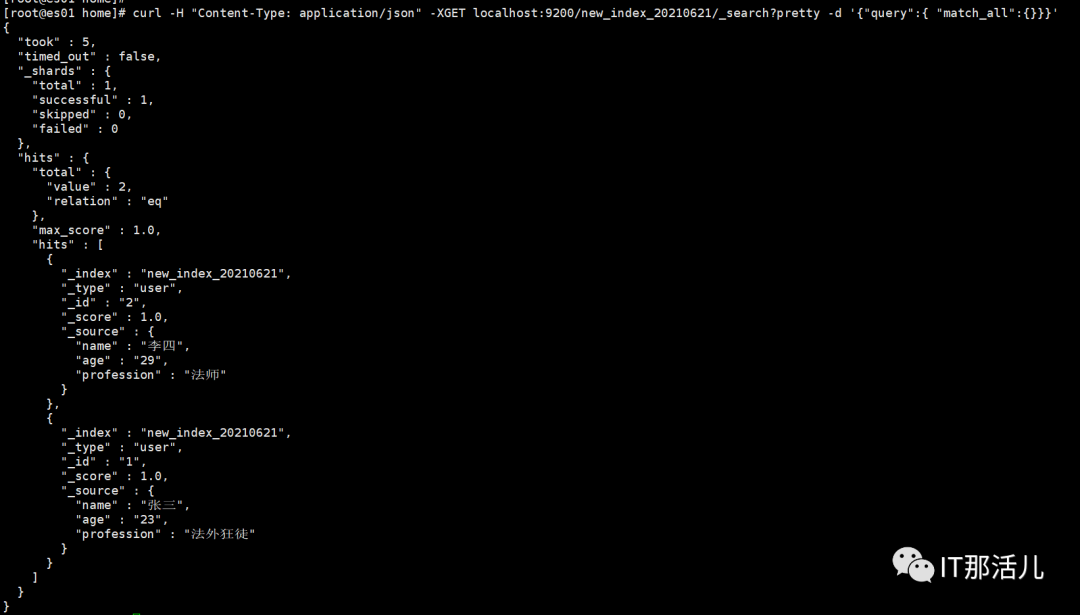
1. 查询某个索引中的所有数据
curl -H "Content-Type: application/json" -XGET localhost:9200/new_index_20210621/_search?pretty -d '{"query":{ "match_all":{}}}'
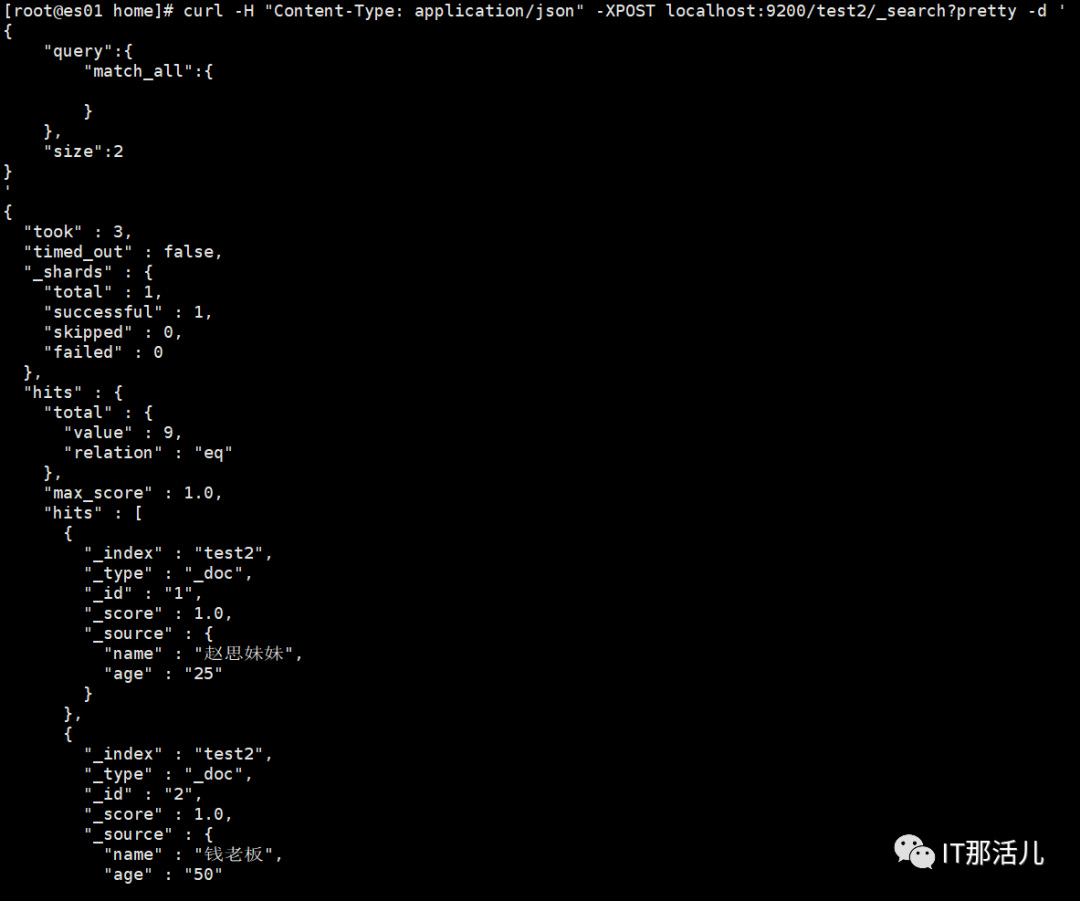
2. 查询某个索引中的2条数据
(如果不指定size,默认返回10条,按照ID排序)
▼▼▼curl -H "Content-Type: application/json" -XPOST localhost:9200/test2/_search?pretty -d '{ "query":{ "match_all":{ } }, "size":2}'
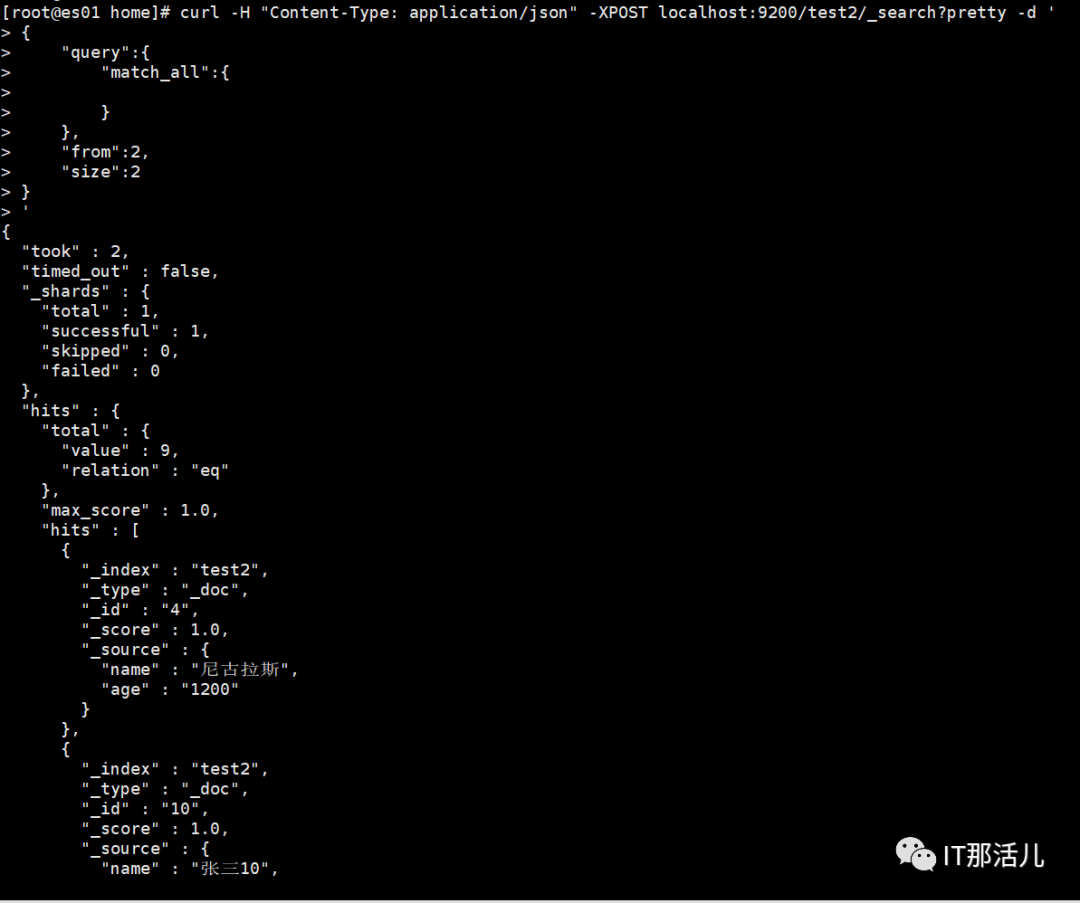
3. 查询某个索引中的2条数据,从第二条数据开始
▼▼▼curl -H "Content-Type: application/json" -XPOST localhost:9200/test2/_search?pretty -d '{ "query":{ "match_all":{ } }, "from":2, "size":2}'
4. 查询的部分字段,只返回name和age列
▼▼▼curl -H "Content-Type: application/json" -XPOST localhost:9200/test2/_search?pretty -d '{ "query":{ "match_all":{ } }, "_source":[ "name", "age" ], "size":2}'
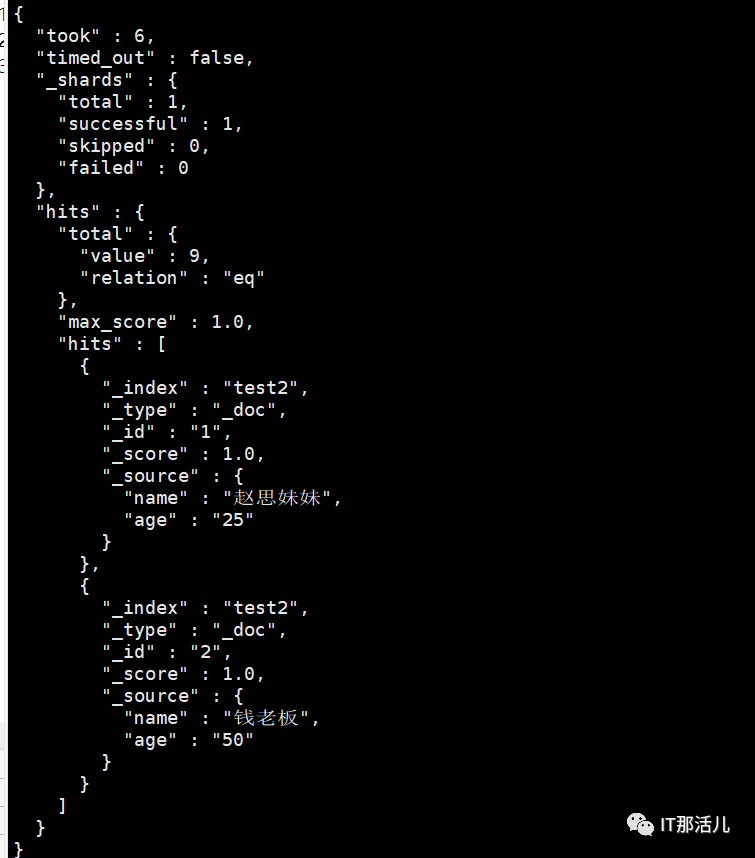
5. 条件匹配查询,查询age=10的数据
▼▼▼curl -H "Content-Type: application/json" -XPOST localhost:9200/test2/_search?pretty -d '{ "query":{ "match":{ "age":10 } }}'
and查询,必须同时满足age=10,name中包含“张三”
must表示所有查询必须都为真才被认为匹配
▼▼▼curl -H "Content-Type: application/json" -XPOST localhost:9200/test2/_search?pretty -d '{ "query":{ "bool":{ "must":[ { "match":{ "age":10 } }, { "match":{ "name":"张三" } } ] } }}'
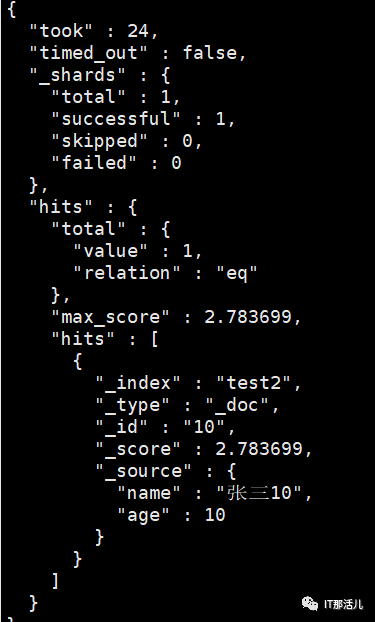
7. 布尔查询bool
or查询 age=10 或者 name中包含“张三” 满足其中一项就可以
should 表示查询列表中只要有任何一个为真则认为匹配
▼▼▼curl -H "Content-Type: application/json" -XPOST localhost:9200/test2/_search?pretty -d '{ "query":{ "bool":{ "should":[ { "match":{ "age":10 } }, { "match":{ "name":"张三" } } ] } }}'
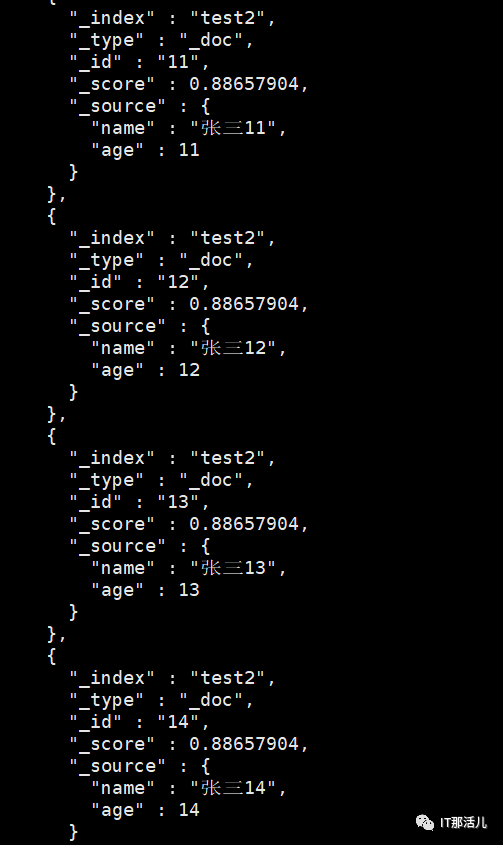
相关阅读:
蔡素,公众号:IT那活儿Elastic search 集群搭建

更多精彩干货分享
点击下方名片关注
IT那活儿