



前言
今年接手了一套生产elasticsearch 7 多节点集群,其中有两台服务器采用的是SAS盘,根据ES规则设置的是索引冷节点,这两台服务器硬件过保,每台服务器上都部署了多个节点,新采购两台SSD盘的物理服务器,准备用于替换过保的两台服务器。
前期已在ES 测试环境进行了验证测试,以下是生产操作全过程。
集群替换过程中要保证其它节点能正常对外提供服务。
整个集群替换过程,包含了(参数设置、排除节点、启动节点、加入节点)等步骤。
另外在启动新节点后,ES上的索引要重新平衡不同节点上节点数趋于各节点基本数量一致,此时可能会有一些比较大的索引在移动过程中会导致节点负载过高影响整个ES集群对外提供服务,此时会往ES集群中创建一些空索引,这样会减缓ES索引平衡的负载压力。
另外对于ES生产集群,要结合实际情况注意参数的设置,防止索引平衡平衡数量过多导致负载压力过大。
文档内容可能比较拙劣,也希望对ES比较熟悉的大牛能提出更好的改进方案。
一、环境准备
1.1 创建用户
-- root用户执行
groupadd esuser
useradd -g esuser esuser
1.2 创建目录
# 使用root用户,所有节点都操作
# 创建存放数据及日志目录
# 生产环境建议单独挂载目录
mkdir -p /path/to
chown -R esuser:esuser /path
1.3 拷贝目录
[root@bogon ~]# su - esuser
[esuser@bogon ~]$ tar -cf deploy.tar ./deploy

[esuser@bogon ~]$ scp deploy.tar 192.168.70.111:/home/esuser
[esuser@bogon ~]$ scp deploy.tar 192.168.70.112:/home/esuser

--- 更改/home/esuser/deploy属组为esuser
1.4 配置ES_JAVA_HOME
[root@bogon usr]# tar -cf java.tar ./java/
[root@bogon usr]# scp java.tar root@192.168.70.111:/usr

-- root用户配置环境变量/etc/profile
[root@bogon]# cat >> /etc/profile <<EOF
export JAVA_HOME=/usr/java/jdk1.8.0_221
export ES_JAVA_HOME=/usr/java/jdk1.8.0_221
export PATH=$ES_JAVA_HOME/bin:$PATH
export PATH=$JAVA_HOME/bin:$PATH
EOF

[root@bogon]# source /etc/profile
1.5 设置/etc/security/limits.conf
-- root用户执行
[root@bogon]# cat >> /etc/security/limits.conf <<EOF
esuser soft nofile 65536
esuser hard nofile 65536
esuser soft nproc 32000
esuser hard nproc 32000
esuser hard memlock unlimited
esuser soft memlock unlimited
EOF
1.6 设置/etc/sysctl.conf
-- root用户执行
[root@bogon]# cat >> /etc/sysctl.conf <<EOF
vm.max_map_count=262144
net.ipv4.tcp_keepalive_time = 600
net.ipv4.tcp_keepalive_intvl = 60
net.ipv4.tcp_keepalive_probes = 20
EOF

-- 命令生效
sysctl -p
1.7 关闭防火墙
-- root 用户执行,所有节点
systemctl stop firewalld && systemctl disable firewalld
systemctl status firewalld
1.8 关闭 swap
-- root 用户执行,所有节点
swapoff -a;

-- 注释/etc/fstab文件swap信息
-- 通过free -g检查,确认swap为0
二、修改配置
2.2 修改yml配置文件
1) 192.168.70.111-elasticsearch-7.12.1-9300
# ======================== Elasticsearch Configuration =========================
#
# NOTE: Elasticsearch comes with reasonable defaults for most settings.
#       Before you set out to tweak and tune the configuration, make sure you
#       understand what are you trying to accomplish and the consequences.
#
# The primary way of configuring a node is via this file. This template lists
# the most important settings you may want to configure for a production cluster.
#
# Please consult the documentation for further information on configuration options:
# https://www.elastic.co/guide/en/elasticsearch/reference/index.html
#
# ---------------------------------- Cluster -----------------------------------
#
# Use a descriptive name for your cluster:
#
cluster.name: xxxx-log
#
# ------------------------------------ Node ------------------------------------
#
# Use a descriptive name for the node:
#
node.name: node-70.111-9300
#
# Add custom attributes to the node:
#
node.attr.rack: r1
node.attr.type: hot
node.master: true
node.data: true
node.ingest: false
node.ml: false
cluster.remote.connect: false
# threadpool
thread_pool.write.queue_size: 1000
#
# ----------------------------------- Paths ------------------------------------
#
# Path to directory where to store the data (separate multiple locations by comma):
#
path.data: /path/to/data-9300
#
# Path to log files:
#
path.logs: /path/to/logs-9300
#
# ----------------------------------- Memory -----------------------------------
#
# Lock the memory on startup:
#
bootstrap.memory_lock: true
bootstrap.system_call_filter: false
#
# Make sure that the heap size is set to about half the memory available
# on the system and that the owner of the process is allowed to use this
# limit.
#
# Elasticsearch performs poorly when the system is swapping the memory.
#
# ---------------------------------- Network -----------------------------------
#
# Set the bind address to a specific IP (IPv4 or IPv6):
#
network.host: 192.168.70.111
#
# Set a custom port for HTTP:
#
http.port: 9200
transport.tcp.port: 9300


# For more information, consult the network module documentation.
#
# --------------------------------- Discovery ----------------------------------
#
# Pass an initial list of hosts to perform discovery when new node is started:
# The default list of hosts is ["127.0.0.1", "[::1]"]
#
#discovery.zen.ping.unicast.hosts: ["192.168.70.60:9300","192.168.70.110:9301","192.168.70.145"]
discovery.zen.ping.unicast.hosts: ["192.168.70.11:9300","192.168.70.11:9301","192.168.70.106:9300","192.168.70.106:9301","192.168.70.62:9300","192.168.70.62:9301","192.168.70.111:9300","192.168.70.111:9301","192.168.70.112:9300","192.168.70.112:9301"]
#
# Prevent the "split brain" by configuring the majority of nodes (total number of master-eligible nodes / 2 + 1):
#
discovery.zen.minimum_master_nodes: 4
discovery.zen.fd.ping_timeout: 60s
discovery.zen.fd.ping_retries: 3
discovery.zen.fd.ping_interval: 10s
#
# For more information, consult the zen discovery module documentation.
#
# ---------------------------------- Gateway -----------------------------------
#
# Block initial recovery after a full cluster restart until N nodes are started:
#
#gateway.recover_after_nodes: 3
#
# For more information, consult the gateway module documentation.
#
# ---------------------------------- Various -----------------------------------
#
# Require explicit names when deleting indices:
#x-pack
xpack.security.enabled: true
xpack.security.transport.ssl.enabled: true
xpack.security.transport.ssl.verification_mode: certificate
xpack.security.transport.ssl.keystore.path: certs/elastic-certificates.p12
xpack.security.transport.ssl.truststore.path: certs/elastic-certificates.p12
xpack.security.http.ssl.supported_protocols: [ "TLSv1.3", "TLSv1.2", "TLSv1.1", "TLSv1" ]
http.cors.enabled: true
http.cors.allow-origin: "*"
http.cors.allow-headers: Authorization,X-Requested-With,Content-Length,Content-Type
http.max_content_length: 1000mb
action.destructive_requires_name: true
xpack.security.audit.enabled: true
xpack.security.audit.logfile.events.exclude: ["access_granted"]
xpack:
  security:
    authc:
      realms:
        native:
            native11:
                order: 0
        ldap.ldap1:
          order: 1
          url: ["ldap://authldap.vemic.com:389","ldap://ldap-proxy.vemic.com:389"]
          cache:
            ttl: 60m
          user_dn_templates:
            - "cn={0},cn=users,dc=xxxx,dc=com"
          group_search:
            base_dn: "cn=users,dc=xxxx,dc=com"
          unmapped_groups_as_roles: false
xpack.notification.email:
    default_account: 110
    account:
        110:
            profile: standard
            smtp:
                auth: true
                host: 192.168.16.190
                user: xxx@xxxx.com
2) 192.168.70.111-elasticsearch-7.12.1-9301
# ======================== Elasticsearch Configuration =========================
#
# NOTE: Elasticsearch comes with reasonable defaults for most settings.
#       Before you set out to tweak and tune the configuration, make sure you
#       understand what are you trying to accomplish and the consequences.
#
# The primary way of configuring a node is via this file. This template lists
# the most important settings you may want to configure for a production cluster.
#
# Please consult the documentation for further information on configuration options:
# https://www.elastic.co/guide/en/elasticsearch/reference/index.html
#
# ---------------------------------- Cluster -----------------------------------
#
# Use a descriptive name for your cluster:
#
cluster.name: xxxx-log
#
# ------------------------------------ Node ------------------------------------
#
# Use a descriptive name for the node:
#
node.name: node-70.111-9301
#
# Add custom attributes to the node:
#
node.attr.rack: r1
node.attr.type: hot
node.master: true
node.data: true
node.ingest: false
node.ml: false
cluster.remote.connect: false
# threadpool
thread_pool.write.queue_size: 1000
#
# ----------------------------------- Paths ------------------------------------
#
# Path to directory where to store the data (separate multiple locations by comma):
#
path.data: /path/to/data-9301
#
# Path to log files:
#
path.logs: /path/to/logs-9301
#
# ----------------------------------- Memory -----------------------------------
#
# Lock the memory on startup:
#
bootstrap.memory_lock: true
bootstrap.system_call_filter: false
#
# Make sure that the heap size is set to about half the memory available
# on the system and that the owner of the process is allowed to use this
# limit.
#
# Elasticsearch performs poorly when the system is swapping the memory.
#
# ---------------------------------- Network -----------------------------------
#
# Set the bind address to a specific IP (IPv4 or IPv6):
#
network.host: 192.168.70.111
#
# Set a custom port for HTTP:
#
http.port: 9201
transport.tcp.port: 9301


# For more information, consult the network module documentation.
#
# --------------------------------- Discovery ----------------------------------
#
# Pass an initial list of hosts to perform discovery when new node is started:
# The default list of hosts is ["127.0.0.1", "[::1]"]
#
#discovery.zen.ping.unicast.hosts: ["192.168.70.60:9300","192.168.70.110:9301","192.168.70.145"]
discovery.zen.ping.unicast.hosts: ["192.168.70.11:9300","192.168.70.11:9301","192.168.70.106:9300","192.168.70.106:9301","192.168.70.62:9300","192.168.70.62:9301","192.168.70.111:9300","192.168.70.111:9301","192.168.70.112:9300","192.168.70.112:9301"]
#
# Prevent the "split brain" by configuring the majority of nodes (total number of master-eligible nodes / 2 + 1):
#
discovery.zen.minimum_master_nodes: 4
discovery.zen.fd.ping_timeout: 60s
discovery.zen.fd.ping_retries: 3
discovery.zen.fd.ping_interval: 10s
#
# For more information, consult the zen discovery module documentation.
#
# ---------------------------------- Gateway -----------------------------------
#
# Block initial recovery after a full cluster restart until N nodes are started:
#
#gateway.recover_after_nodes: 3
#
# For more information, consult the gateway module documentation.
#
# ---------------------------------- Various -----------------------------------
#
# Require explicit names when deleting indices:
#x-pack
xpack.security.enabled: true
xpack.security.transport.ssl.enabled: true
xpack.security.transport.ssl.verification_mode: certificate
xpack.security.transport.ssl.keystore.path: certs/elastic-certificates.p12
xpack.security.transport.ssl.truststore.path: certs/elastic-certificates.p12
xpack.security.http.ssl.supported_protocols: [ "TLSv1.3", "TLSv1.2", "TLSv1.1", "TLSv1" ]
http.cors.enabled: true
http.cors.allow-origin: "*"
http.cors.allow-headers: Authorization,X-Requested-With,Content-Length,Content-Type
http.max_content_length: 1000mb
action.destructive_requires_name: true
xpack.security.audit.enabled: true
xpack.security.audit.logfile.events.exclude: ["access_granted"]
xpack:
  security:
    authc:
      realms:
        native:
            native11:
                order: 0
        ldap.ldap1:
          order: 1
          url: ["ldap://authldap.vemic.com:389","ldap://ldap-proxy.vemic.com:389"]
          cache:
            ttl: 60m
          user_dn_templates:
            - "cn={0},cn=users,dc=xxxx,dc=com"
          group_search:
            base_dn: "cn=users,dc=xxxx,dc=com"
          unmapped_groups_as_roles: false
xpack.notification.email:
    default_account: 110
    account:
        110:
            profile: standard
            smtp:
                auth: true
                host: 192.168.16.190
                user: xxx@xxxx.com
3) 192.168.70.112-elasticsearch-7.12.1-9300
# ======================== Elasticsearch Configuration =========================
#
# NOTE: Elasticsearch comes with reasonable defaults for most settings.
#       Before you set out to tweak and tune the configuration, make sure you
#       understand what are you trying to accomplish and the consequences.
#
# The primary way of configuring a node is via this file. This template lists
# the most important settings you may want to configure for a production cluster.
#
# Please consult the documentation for further information on configuration options:
# https://www.elastic.co/guide/en/elasticsearch/reference/index.html
#
# ---------------------------------- Cluster -----------------------------------
#
# Use a descriptive name for your cluster:
#
cluster.name: xxxx-log
#
# ------------------------------------ Node ------------------------------------
#
# Use a descriptive name for the node:
#
node.name: node-70.112-9300
#
# Add custom attributes to the node:
#
node.attr.rack: r1
node.attr.type: hot
node.master: true
node.data: true
node.ingest: false
node.ml: false
cluster.remote.connect: false
# threadpool
thread_pool.write.queue_size: 1000
#
# ----------------------------------- Paths ------------------------------------
#
# Path to directory where to store the data (separate multiple locations by comma):
#
path.data: /path/to/data-9300
#
# Path to log files:
#
path.logs: /path/to/logs-9300
#
# ----------------------------------- Memory -----------------------------------
#
# Lock the memory on startup:
#
bootstrap.memory_lock: true
bootstrap.system_call_filter: false
#
# Make sure that the heap size is set to about half the memory available
# on the system and that the owner of the process is allowed to use this
# limit.
#
# Elasticsearch performs poorly when the system is swapping the memory.
#
# ---------------------------------- Network -----------------------------------
#
# Set the bind address to a specific IP (IPv4 or IPv6):
#
network.host: 192.168.70.112
#
# Set a custom port for HTTP:
#
http.port: 9200
transport.tcp.port: 9300


# For more information, consult the network module documentation.
#
# --------------------------------- Discovery ----------------------------------
#
# Pass an initial list of hosts to perform discovery when new node is started:
# The default list of hosts is ["127.0.0.1", "[::1]"]
#
#discovery.zen.ping.unicast.hosts: ["192.168.70.60:9300","192.168.70.110:9301","192.168.70.145"]
discovery.zen.ping.unicast.hosts: ["192.168.70.11:9300","192.168.70.11:9301","192.168.70.106:9300","192.168.70.106:9301","192.168.70.62:9300","192.168.70.62:9301","192.168.70.111:9300","192.168.70.111:9301","192.168.70.112:9300","192.168.70.112:9301"]
#
# Prevent the "split brain" by configuring the majority of nodes (total number of master-eligible nodes / 2 + 1):
#
discovery.zen.minimum_master_nodes: 4
discovery.zen.fd.ping_timeout: 60s
discovery.zen.fd.ping_retries: 3
discovery.zen.fd.ping_interval: 10s
#
# For more information, consult the zen discovery module documentation.
#
# ---------------------------------- Gateway -----------------------------------
#
# Block initial recovery after a full cluster restart until N nodes are started:
#
#gateway.recover_after_nodes: 3
#
# For more information, consult the gateway module documentation.
#
# ---------------------------------- Various -----------------------------------
#
# Require explicit names when deleting indices:
#x-pack
xpack.security.enabled: true
xpack.security.transport.ssl.enabled: true
xpack.security.transport.ssl.verification_mode: certificate
xpack.security.transport.ssl.keystore.path: certs/elastic-certificates.p12
xpack.security.transport.ssl.truststore.path: certs/elastic-certificates.p12
xpack.security.http.ssl.supported_protocols: [ "TLSv1.3", "TLSv1.2", "TLSv1.1", "TLSv1" ]
http.cors.enabled: true
http.cors.allow-origin: "*"
http.cors.allow-headers: Authorization,X-Requested-With,Content-Length,Content-Type
http.max_content_length: 1000mb
action.destructive_requires_name: true
xpack.security.audit.enabled: true
xpack.security.audit.logfile.events.exclude: ["access_granted"]
xpack:
  security:
    authc:
      realms:
        native:
            native11:
                order: 0
        ldap.ldap1:
          order: 1
          url: ["ldap://authldap.vemic.com:389","ldap://ldap-proxy.vemic.com:389"]
          cache:
            ttl: 60m
          user_dn_templates:
            - "cn={0},cn=users,dc=xxxxx,dc=com"
          group_search:
            base_dn: "cn=users,dc=xxxxx,dc=com"
          unmapped_groups_as_roles: false
xpack.notification.email:
    default_account: 110
    account:
        110:
            profile: standard
            smtp:
                auth: true
                host: 192.168.16.190
                user: xxxx@xxxx.com
4) 192.168.70.112-elasticsearch-7.12.1-9301
# ======================== Elasticsearch Configuration =========================
#
# NOTE: Elasticsearch comes with reasonable defaults for most settings.
#       Before you set out to tweak and tune the configuration, make sure you
#       understand what are you trying to accomplish and the consequences.
#
# The primary way of configuring a node is via this file. This template lists
# the most important settings you may want to configure for a production cluster.
#
# Please consult the documentation for further information on configuration options:
# https://www.elastic.co/guide/en/elasticsearch/reference/index.html
#
# ---------------------------------- Cluster -----------------------------------
#
# Use a descriptive name for your cluster:
#
cluster.name: xxxx-log
#
# ------------------------------------ Node ------------------------------------
#
# Use a descriptive name for the node:
#
node.name: node-70.112-9301
#
# Add custom attributes to the node:
#
node.attr.rack: r1
node.attr.type: hot
node.master: true
node.data: true
node.ingest: false
node.ml: false
cluster.remote.connect: false
# threadpool
thread_pool.write.queue_size: 1000
#
# ----------------------------------- Paths ------------------------------------
#
# Path to directory where to store the data (separate multiple locations by comma):
#
path.data: /path/to/data-9301
#
# Path to log files:
#
path.logs: /path/to/logs-9301
#
# ----------------------------------- Memory -----------------------------------
#
# Lock the memory on startup:
#
bootstrap.memory_lock: true
bootstrap.system_call_filter: false
#
# Make sure that the heap size is set to about half the memory available
# on the system and that the owner of the process is allowed to use this
# limit.
#
# Elasticsearch performs poorly when the system is swapping the memory.
#
# ---------------------------------- Network -----------------------------------
#
# Set the bind address to a specific IP (IPv4 or IPv6):
#
network.host: 192.168.70.112
#
# Set a custom port for HTTP:
#
http.port: 9201
transport.tcp.port: 9301


# For more information, consult the network module documentation.
#
# --------------------------------- Discovery ----------------------------------
#
# Pass an initial list of hosts to perform discovery when new node is started:
# The default list of hosts is ["127.0.0.1", "[::1]"]
#
#discovery.zen.ping.unicast.hosts: ["192.168.70.60:9300","192.168.70.110:9301","192.168.70.145"]
discovery.zen.ping.unicast.hosts: ["192.168.70.11:9300","192.168.70.11:9301","192.168.70.106:9300","192.168.70.106:9301","192.168.70.62:9300","192.168.70.62:9301","192.168.70.111:9300","192.168.70.111:9301","192.168.70.112:9300","192.168.70.112:9301"]
#
# Prevent the "split brain" by configuring the majority of nodes (total number of master-eligible nodes / 2 + 1):
#
discovery.zen.minimum_master_nodes: 4
discovery.zen.fd.ping_timeout: 60s
discovery.zen.fd.ping_retries: 3
discovery.zen.fd.ping_interval: 10s
#
# For more information, consult the zen discovery module documentation.
#
# ---------------------------------- Gateway -----------------------------------
#
# Block initial recovery after a full cluster restart until N nodes are started:
#
#gateway.recover_after_nodes: 3
#
# For more information, consult the gateway module documentation.
#
# ---------------------------------- Various -----------------------------------
#
# Require explicit names when deleting indices:
#x-pack
xpack.security.enabled: true
xpack.security.transport.ssl.enabled: true
xpack.security.transport.ssl.verification_mode: certificate
xpack.security.transport.ssl.keystore.path: certs/elastic-certificates.p12
xpack.security.transport.ssl.truststore.path: certs/elastic-certificates.p12
xpack.security.http.ssl.supported_protocols: [ "TLSv1.3", "TLSv1.2", "TLSv1.1", "TLSv1" ]
http.cors.enabled: true
http.cors.allow-origin: "*"
http.cors.allow-headers: Authorization,X-Requested-With,Content-Length,Content-Type
http.max_content_length: 1000mb
action.destructive_requires_name: true
xpack.security.audit.enabled: true
xpack.security.audit.logfile.events.exclude: ["access_granted"]
xpack:
  security:
    authc:
      realms:
        native:
            native11:
                order: 0
        ldap.ldap1:
          order: 1
          url: ["ldap://authldap.vemic.com:389","ldap://ldap-proxy.vemic.com:389"]
          cache:
            ttl: 60m
          user_dn_templates:
            - "cn={0},cn=users,dc=xxxx,dc=com"
          group_search:
            base_dn: "cn=users,dc=xxxxx,dc=com"
          unmapped_groups_as_roles: false
xpack.notification.email:
    default_account: 110
    account:
        110:
            profile: standard
            smtp:
                auth: true
                host: 192.168.16.190
                user: xxx@xxxx.com
三、启动新增节点
3.1 设置参数
以下在kibana管理界面操作
-- 先执行如下操作检查当前集群配置设置
GET /_cluster/settings

# 相应结果如下
{
  "persistent" : {
    "indices" : {
      "lifecycle" : {
        "poll_interval" : "1m"
      }
    },
    "xpack" : {
      "monitoring" : {
        "collection" : {
          "enabled" : "true"
        }
      }
    },
    "logger" : {
      "org" : {
        "elasticsearch" : {
          "discovery" : "DEBUG"
        }
      }
    }
  },
  "transient" : {
    "action" : {
      "destructive_requires_name" : "false"
    },
    "cluster" : {
      "routing" : {
        "allocation" : {
          "node_concurrent_incoming_recoveries" : "200",
          "disk" : {
            "watermark" : {
              "low" : "600gb",
              "flood_stage" : "400gb",
              "high" : "500gb"
            }
          },
          "node_initial_primaries_recoveries" : "200",
          "enable" : "all",
          "node_concurrent_outgoing_recoveries" : "200",
          "cluster_concurrent_rebalance" : "10",
          "node_concurrent_recoveries" : "200",
          "exclude" : {
            "_name" : "",
            "_ip" : ""
          }
        }
      },
      "info" : {
        "update" : {
          "interval" : "1m"
        }
      },
      "max_shards_per_node" : "10000"
    },
    "indices" : {
      "recovery" : {
        "max_bytes_per_sec" : "60MB",
        "max_concurrent_file_chunks" : "5"
      }
    },
    "logger" : {
      "index" : {
        "indexing" : {
          "slowlog" : "WARN"
        },
        "search" : {
          "slowlog" : "DEBUG"
        }
      },
      "discovery" : "DEBUG"
    }
  }
}


-- 后执行
PUT _cluster/settings
{
  "transient": {
    "cluster.routing.allocation.node_initial_primaries_recoveries": 200,
    "cluster.routing.allocation.node_concurrent_outgoing_recoveries": 200,
    "cluster.routing.allocation.node_concurrent_incoming_recoveries": 200,
    "cluster.routing.allocation.node_concurrent_recoveries": 200,
    "cluster.routing.allocation.cluster_concurrent_rebalance": 10
  }
}
3.2 排除节点
以下在kibana管理界面操作
-- 通过开发工具排除node-70.111-9300节点
PUT _cluster/settings
{
  "transient" : {
    "cluster.routing.allocation.exclude._name" : "node-70.111-9300"
  }
}

-- 执行如下检查
GET /_cluster/settings
# 响应结果
{
  "persistent" : {
    "indices" : {
      "lifecycle" : {
        "poll_interval" : "1m"
      }
    },
    "xpack" : {
      "monitoring" : {
        "collection" : {
          "enabled" : "true"
        }
      }
    },
    "logger" : {
      "org" : {
        "elasticsearch" : {
          "discovery" : "DEBUG"
        }
      }
    }
  },
  "transient" : {
    "action" : {
      "destructive_requires_name" : "false"
    },
    "cluster" : {
      "routing" : {
        "allocation" : {
          "node_concurrent_incoming_recoveries" : "200",
          "disk" : {
            "watermark" : {
              "low" : "600gb",
              "flood_stage" : "400gb",
              "high" : "500gb"
            }
          },
          "node_initial_primaries_recoveries" : "200",
          "enable" : "all",
          "node_concurrent_outgoing_recoveries" : "200",
          "cluster_concurrent_rebalance" : "10",
          "node_concurrent_recoveries" : "200",
          "exclude" : {
            "_name" : "node-70.112-9300",
            "_ip" : ""
          }
        }
      },
      "info" : {
        "update" : {
          "interval" : "1m"
        }
      },
      "max_shards_per_node" : "10000"
    },
    "indices" : {
      "recovery" : {
        "max_bytes_per_sec" : "60MB",
        "max_concurrent_file_chunks" : "5"
      }
    },
    "logger" : {
      "index" : {
        "indexing" : {
          "slowlog" : "WARN"
        },
        "search" : {
          "slowlog" : "DEBUG"
        }
      },
      "discovery" : "DEBUG"
    }
  }

-- 检查有无reroute进程
curl -s -u xxxx:xxxx-XGET "http://192.168.70.106:9200/_cat/recovery?v&active_only&h=i,s,shost,thost,fp,bp,tr,trp,trt"
3.3 启动节点
-- 192.168.70.111  9300
[root@bogon ~]# su esuser
[esuser@bogon root]$ cd /home/esuser/deploy/elasticsearch-7.12.1-9300/bin/
[esuser@xsky-node4 bin]$ ./elasticsearch -d

-- 检查日志/path/to/logs-9300/xxxxx-log.log,查看是否有started信息

-- 检查有无reroute进程
curl -s -u xxxx:xxxxx-XGET "http://192.168.70.106:9200/_cat/recovery?v&active_only&h=i,s,shost,thost,fp,bp,tr,trp,trt"

---观察5分钟
3.4 加入节点
以下在kibana管理界面操作
PUT _cluster/settings
{
  "transient" : {
    "cluster.routing.allocation.exclude._name" : ""
  }
}

-- 执行如下检查
GET /_cluster/settings

-- 检查有无reroute进程
curl -s -u xxxx:xxxx-XGET "http://192.168.70.106:9200/_cat/recovery?v&active_only&h=i,s,shost,thost,fp,bp,tr,trp,trt"
3.5 创建空索引
#!/bin/bash

# Elasticsearch节点的IP地址和端口
ES_HOST="192.168.70.111:9200"

# Elasticsearch超级用户的身份验证凭据
USERNAME="xxxx"
PASSWORD="xxxx"

# 索引名称的前缀和数量
INDEX_PREFIX="test-null-index"
INDEX_COUNT=10

# 索引的设置
INDEX_SETTINGS='{"settings": {"number_of_shards": 1, "number_of_replicas": 0}}'

# 循环创建索引
for ((i=21; i<=220; i++)); do
  INDEX_NAME="${INDEX_PREFIX}-${i}"
  echo "Creating index: $INDEX_NAME"

  curl -XPUT -u "$USERNAME:$PASSWORD" "http://$ES_HOST/$INDEX_NAME" -H 'Content-Type: application/json' -d "$INDEX_SETTINGS"
done
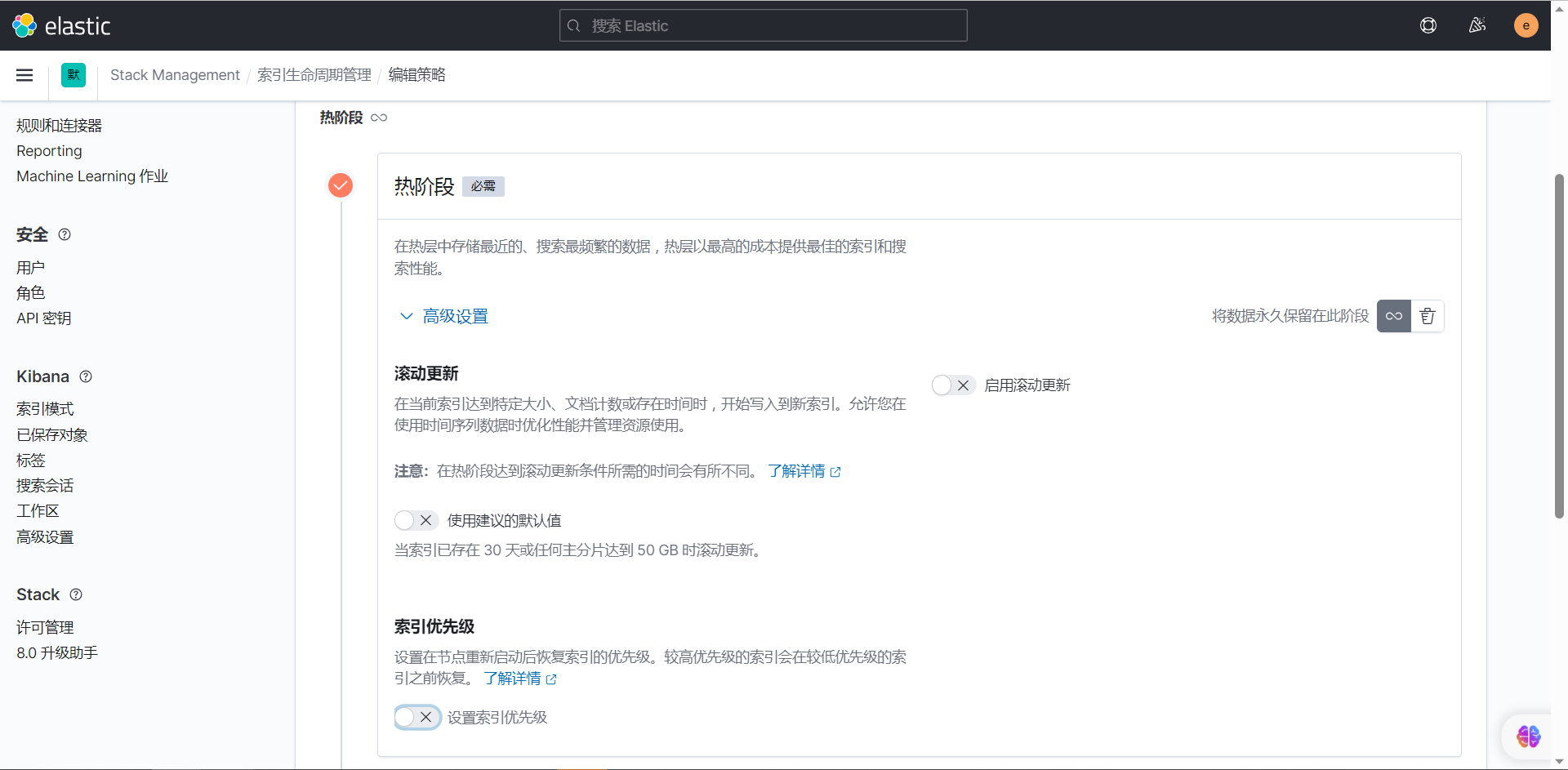
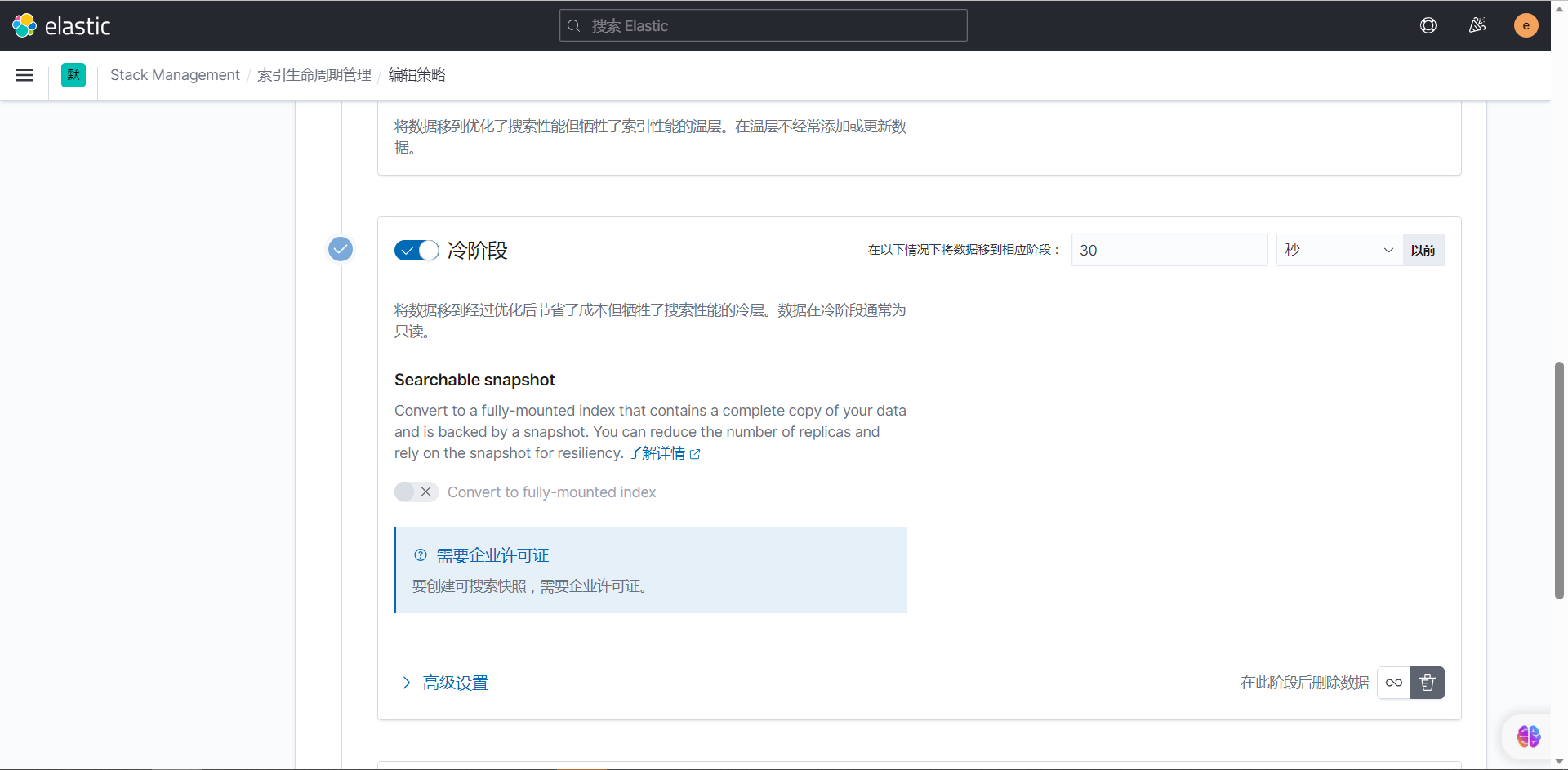
PUT /_template/fsp_dispatcher_log_template
{
    "order" : 3,
    "index_patterns" : [
      "fsp_log-*"
    ],
    "settings" : {
      "index" : {
        "lifecycle" : {
          "name" : "10s_cold_test_delete_policy"
        },
        "number_of_shards" : "6",
        "number_of_replicas" : "0"
      }
    },
    "mappings" : {
      "properties" : {
        "date" : {
          "type" : "date"
        },
        "fql_search_term_1" : {
          "type" : "text",
          "fields" : {
            "keyword" : {
              "ignore_above" : 256,
              "type" : "keyword"
            }
          }
        },
        "resin_id" : {
          "type" : "text",
          "fields" : {
            "keyword" : {
              "ignore_above" : 256,
              "type" : "keyword"
            }
          }
        },
        "spend_time" : {
          "type" : "float"
        },
        "result_num" : {
          "type" : "integer"
        },
        "starttime" : {
          "type" : "text",
          "fields" : {
            "keyword" : {
              "ignore_above" : 256,
              "type" : "keyword"
            }
          }
        },
        "usercountry" : {
          "type" : "text",
          "fields" : {
            "keyword" : {
              "ignore_above" : 256,
              "type" : "keyword"
            }
          }
        },
        "fql_search_term_4" : {
          "type" : "text",
          "fields" : {
            "keyword" : {
              "ignore_above" : 256,
              "type" : "keyword"
            }
          }
        },
        "fql_search_term_2" : {
          "type" : "text",
          "fields" : {
            "keyword" : {
              "ignore_above" : 256,
              "type" : "keyword"
            }
          }
        },
        "fql_search_term_3" : {
          "type" : "text",
          "fields" : {
            "keyword" : {
              "ignore_above" : 256,
              "type" : "keyword"
            }
          }
        },
        "geo_point" : {
          "ignore_malformed" : true,
          "type" : "geo_point"
        },
        "return_num" : {
          "type" : "integer"
        },
        "searcher_exception_cost_time" : {
          "type" : "float"
        },
        "fql_start" : {
          "type" : "integer"
        },
        "cachedisabled" : {
          "type" : "text",
          "fields" : {
            "keyword" : {
              "ignore_above" : 256,
              "type" : "keyword"
            }
          }
        },
        "clientname" : {
          "type" : "text",
          "fields" : {
            "keyword" : {
              "ignore_above" : 256,
              "type" : "keyword"
            }
          }
        },
        "searchtype" : {
          "type" : "text",
          "fields" : {
            "keyword" : {
              "ignore_above" : 256,
              "type" : "keyword"
            }
          }
        },
        "retryexceptioncode" : {
          "type" : "text",
          "fields" : {
            "keyword" : {
              "ignore_above" : 256,
              "type" : "keyword"
            }
          }
        },
        "userip" : {
          "type" : "text",
          "fields" : {
            "keyword" : {
              "ignore_above" : 256,
              "type" : "keyword"
            }
          }
        },
        "customername" : {
          "type" : "text",
          "fields" : {
            "keyword" : {
              "ignore_above" : 256,
              "type" : "keyword"
            }
          }
        },
        "primaryclienttimeout" : {
          "type" : "float"
        },
        "clientappip" : {
          "type" : "text",
          "fields" : {
            "keyword" : {
              "ignore_above" : 256,
              "type" : "keyword"
            }
          }
        },
        "user_agent" : {
          "type" : "text",
          "fields" : {
            "keyword" : {
              "ignore_above" : 256,
              "type" : "keyword"
            }
          }
        },
        "send_to_searcher_return_time" : {
          "type" : "float"
        },
        "dispatcher_handle_time" : {
          "type" : "float"
        },
        "usecacheflag" : {
          "type" : "text",
          "fields" : {
            "keyword" : {
              "ignore_above" : 256,
              "type" : "keyword"
            }
          }
        },
        "fql_template" : {
          "type" : "text",
          "fields" : {
            "keyword" : {
              "ignore_above" : 2048,
              "type" : "keyword"
            }
          }
        },
        "ssname" : {
          "type" : "text",
          "fields" : {
            "keyword" : {
              "ignore_above" : 256,
              "type" : "keyword"
            }
          }
        },
        "allowtimeoutretry" : {
          "type" : "text",
          "fields" : {
            "keyword" : {
              "ignore_above" : 256,
              "type" : "keyword"
            }
          }
        },
        "retryrequest" : {
          "type" : "text",
          "fields" : {
            "keyword" : {
              "ignore_above" : 256,
              "type" : "keyword"
            }
          }
        },
        "fql_limit" : {
          "type" : "integer"
        },
        "userlevel" : {
          "type" : "text",
          "fields" : {
            "keyword" : {
              "ignore_above" : 256,
              "type" : "keyword"
            }
          }
        },
        "clienttimeout" : {
          "type" : "float"
        },
        "spidername" : {
          "type" : "text",
          "fields" : {
            "keyword" : {
              "ignore_above" : 256,
              "type" : "keyword"
            }
          }
        },
        "username" : {
          "type" : "text",
          "fields" : {
            "keyword" : {
              "ignore_above" : 256,
              "type" : "keyword"
            }
          }
        }
      }
    },
    "aliases" : { }
  }


GET /_template/fsp_dispatcher_log_template
PUT _cluster/settings
{
  "transient" : {
    "cluster.routing.allocation.exclude._name" : "node-7.41-9302"
  }
}


GET /_cluster/settings
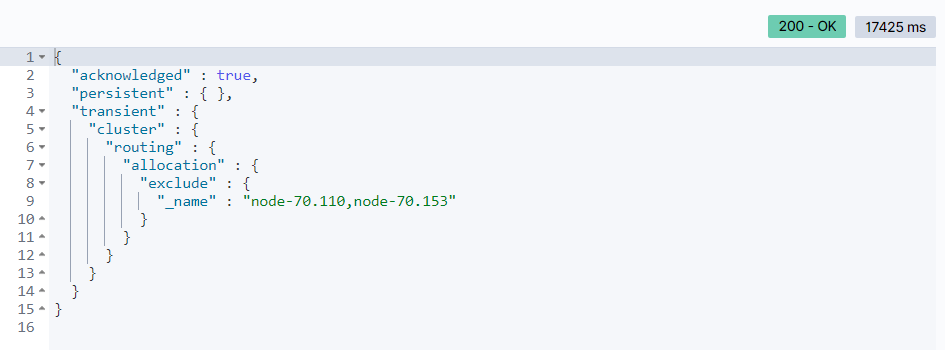
四、排除节点
PUT _cluster/settings
{
  "transient" : {
    "cluster.routing.allocation.exclude._name" : "node-70.110,node-70.153"
  }
}
{
  "persistent" : {
    "indices" : {
      "lifecycle" : {
        "poll_interval" : "1m"
      }
    },
    "discovery" : {
      "zen" : {
        "minimum_master_nodes" : "5"
      }
    },
    "xpack" : {
      "monitoring" : {
        "collection" : {
          "enabled" : "true"
        }
      }
    },
    "logger" : {
      "org" : {
        "elasticsearch" : {
          "discovery" : "DEBUG"
        }
      }
    }
  },
  "transient" : {
    "action" : {
      "destructive_requires_name" : "false"
    },
    "cluster" : {
      "routing" : {
        "allocation" : {
          "node_concurrent_incoming_recoveries" : "200",
          "disk" : {
            "watermark" : {
              "low" : "600gb",
              "flood_stage" : "400gb",
              "high" : "500gb"
            }
          },
          "node_initial_primaries_recoveries" : "200",
          "enable" : "all",
          "node_concurrent_outgoing_recoveries" : "200",
          "cluster_concurrent_rebalance" : "10",
          "node_concurrent_recoveries" : "200",
          "exclude" : {
            "_name" : "node-70.110,node-70.153",
            "_ip" : ""
          }
        }
      },
      "info" : {
        "update" : {
          "interval" : "1m"
        }
      },
      "max_shards_per_node" : "10000"
    },
    "indices" : {
      "recovery" : {
        "max_bytes_per_sec" : "60MB",
        "max_concurrent_file_chunks" : "5"
      }
    },
    "logger" : {
      "index" : {
        "indexing" : {
          "slowlog" : "WARN"
        },
        "search" : {
          "slowlog" : "DEBUG"
        }
      },
      "discovery" : "DEBUG"
    }
  }
}
最后修改时间:2023-10-30 14:05:32
「喜欢这篇文章,您的关注和赞赏是给作者最好的鼓励」
关注作者
【版权声明】本文为墨天轮用户原创内容,转载时必须标注文章的来源(墨天轮),文章链接,文章作者等基本信息,否则作者和墨天轮有权追究责任。如果您发现墨天轮中有涉嫌抄袭或者侵权的内容,欢迎发送邮件至:contact@modb.pro进行举报,并提供相关证据,一经查实,墨天轮将立刻删除相关内容。
